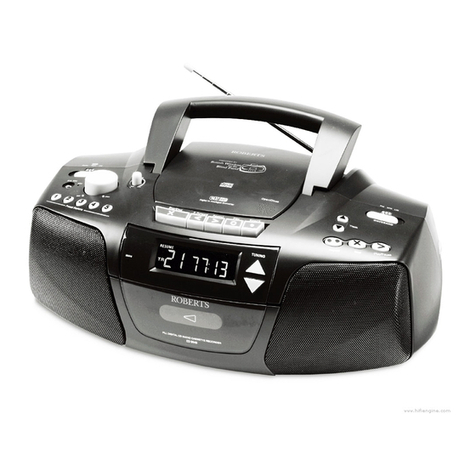
Roberts Concerto2 User manual

DAB / FM / CD / USB / SD stereo radio cassette recorder
Please read this manual before use
ROBERTS

Concerto 2 CD radio cassette recorder features.................2
Controls ........................................................................... 3-4
Battery operation .................................................................5
Mains operation...................................................................5
Operating your CD radio cassette recorder - DAB ..............6
Selecting a station - DAB.....................................................7
Secondary services - DAB...................................................7
Finding new stations - DAB .................................................8
Signal strength display - DAB..............................................8
Operating your radio - Search tuning FM ............................9
Manual tuning - FM............................................................10
Presetting stations........................................................11-12
Compact discs / MP3/WMA-CDs................................. 13-14
Playing a CD......................................................................15
CD Bookmark ....................................................................16
Selecting a track................................................................17
Search function..................................................................18
CD repeat mode ................................................................18
CD Intro mode ...................................................................18
SD/USB mode ............................................................. 19-20
Listening to cassette tapes................................................21
Contents
Recording from radio.........................................................22
Recording from CD............................................................23
Recording from SD/USB....................................................24
Recording from internal microphone .................................25
Recording from external microphone ................................26
Preventing accidental erasure...........................................27
Cleaning tape heads..........................................................27
Zoom function....................................................................28
FM stereo/mono ................................................................28
System Reset ....................................................................29
Headphone socket.............................................................30
General..............................................................................31
Specifications ....................................................................32
Circuit features ..................................................................32
Mains supply......................................................................33
Guarantee..........................................................................34
1

2
Concerto 2 - features
The Roberts Concerto provides the following features in an attractive
compact unit.
Radio
The Concerto can receive DAB and FM (with RDS) wavebands.
CD
The Concerto plays audio CDs (can also play CDR, CD-RW discs).
CD-MP3/WMA
The Concerto plays MP3 and WMA files which have been recorded to
CDR or CD-RW discs.
CD Bookmark
The Concerto has a CD Bookmark feature which allows CD playback
to resume from the track and time position reached when the unit was
previously put into standby mode.
Headphone output
A standard 3.5mm headphone socket is provided for private listening.
SD/USB - MP3/WMA
The Concerto plays MP3 and WMA files from an SD card or USB memory
devices.
SD/USB Bookmark
The Concerto has a SD/USB Bookmark feature which allows SD/USB
playback to resume from the track and time position reached when the
unit was previously put into standby mode.
Tape mode
The Concerto has a tape facility which can be used to play cassette tapes,
and record from the radio, CD, SD, USB or record using the internal
microphone and external microphone. (not included)

Controls
1. Tone control
2. Preset buttons 1-5
3. Internal microphone
4. External mic socket
5. Function switch
6. Mains socket
(Top)
13. DAB/FM switch
14. Track / Search Up button
15. Track / Search Down button
16. Play / Pause button
17. Stop / Tuner Reset button
18. Repeat button
7. Volume control
8. Battery compartment
9. Telescopic aerial
10. SD card slot
11. USB socket
12. Tuning tone volume control
3
19. Raised lip for CD access
20. Record key
21. Play key
22. Rewind key
23. Fastforward key
24. Stop / Eject key
1
2
3
4
5
67 8910
12
14
15
17
18192021222324 16
11
13

4
Controls
(Front view)
25. Zoom button
26. LCD display
27. Tuning / Album up / local scan button
28. Tuning / Album down / full scan button
25
29
31
26
27
28
30
32
29. Select / FM mode button
30. Cassette door
31. Headphone socket
32. Mains indicator light

5
Battery operation
1. Remove the Battery cover on the rear of your CD radio cassette by
pushing the catches in the direction shown.
2. Insert eight LR14 (C size) batteries into the compartment. Take care
to ensure all batteries are inserted with the correct polarity as shown
inside the battery compartment. Replace the battery cover.
3. Reduced power, distortion, and a ‘stuttering’ sound are all signs that
the batteries may need replacing.
IMPORTANT: The batteries should not be exposed to excessive
heat such as sunshine, fire or the like. After use, disposable
batteries should if possible be taken to a suitable recycling centre.
On no account should batteries be disposed of by incineration.
We would recommend for economy that your Concerto is used on
the mains whenever possible with battery operation for occasional
or stand-by use only.
Mains operation
1. Place your CD radio cassette on a flat surface.
2. Plug the mains lead into the Socket located on the rear of your CD
radio cassette. Ensure that the plug is pushed fully into the socket.
3. Plug the other end into a wall socket and switch on.
IMPORTANT: The mains plug is used as the means of connecting the
radio to the mains supply. The mains socket used for the radio must
remain accessible during normal use. In order to disconnect the radio
from the mains completely, the mains plug should be removed from
the mains socket outlet completely.
4. When the mains LED is on, it indicates that the radio is connected to
and powered from the mains supply.
ON
11

6
Operating your CD radio cassette recorder - DAB
1. Fully extend the Telescopic aerial and then angle and rotate for best
reception.
2. Slide the Function switch to the Radio position to switch on your CD
radio cassette recorder.
3. Slide the Waveband switch to the DAB position The display will show
"DAB" and then " Now tuning" for a few seconds.
4. If this is the first time the CD cassette recorder is used a quick scan of
UK Band III DAB channels may be carried out. If the CD radio cassette
recorder has been used before, the last used station will be selected.
If new radio stations are found, they will be added to the stored list of
stations.
5. When first switched on, the first station in the list of stations found will
be played. The display will show the station name in the first line of
the display and other information in the second line.
6. If the station list is still empty after the scan operation your cd radio
cassette recorder will display "Service not available".
7. If no signals are found it may be necessary to relocate your CD radio
cassette recorder to a position giving better reception, and then repeat
the scan using the AutoScan facility (page 8).
2
3

7
Selecting a station - DAB
1. The top line of the display shows the name of the station currently
selected.
2. Press the Tuning Up or Down buttons to scroll through the list of
available stations on the lower line of the display. Stop pressing the
Tuning buttons when you find the station that you wish to hear.
3. Press and release the Select button to select the station. The display
may show "Now tuning" while your cd cassette recorder finds the new
station.
4. Adjust the Volume to the required settings.
Note: If after selecting a station the display continues to show "Service
not available" it may be necessary to relocate your cd radio cassette
recorder to a position giving better reception.
2
2
Secondary services - DAB
1. Certain radio stations have one or more secondary services associated
with them. If a station has a secondary service associated with it the
display will show ">>" next to the station name on the station list. The
secondary service will then appear immediately after the primary
service as you press the Tuning Up button.
2. Press and release the Select button to select the station.
3
4
1
2

8
Finding new stations - DAB
As time passes new stations may become available. To find new stations
proceed as follows:-
1. Press and hold the Local scan button. The display will show "Scan-
ning" and will perform a scan of the UK DAB frequencies. As new
stations are found the station counter on the right-hand side of the
display will increase and stations will be added to the list.
2. To carry out a full scan of the entire DAB Band III frequencies press
and hold the Full Scan button. The display will show "Scanning". As
new stations are found the station counter on the right-hand side of
the display will increase and stations will be added to the list.
Signal strength display - DAB
1. Press and release the Select button. The lower line of the display
shows signal strength. Position your cd cassette recorder and angle
the telescopic aerial for best reception using the signal strength display
as a guide. The strongest signal is indicated with the largest number
of black rectangles on the signal strength display.
2. The clear unfilled rectangle indicates minimum signal level required for
satisfactory reception. Press and release the Select button to return
to the previous display mode.
1,2
1
2

9
Operating your radio - Search tuning FM
1. Fully extend the Telescopic aerial and then angle and rotate for best
reception.
2. Slide the Function switch to the Radio position to switch on your CD
cassette recorder.
3. Slide the Waveband switch to the FM position The display will show
"FM RADIO" for a few seconds and the frequency will be displayed.
4. Press and hold down either the Tuning Up or Tuning down buttons for
more than 0.5 secs to commence scan tuning. An audible tone will be heard
indicating that the radio is tuning. The tone will increase in pitch for tuning up
and decrease for tuning down. The audible tone volume can be adjusted
using the Tuning tone volume control on the right hand side of the unit.
5. Your radio will scan the selected waveband, sound a beep tone and stop
automatically when it finds a station of sufficient strength.
6. The display will show the frequency of the signal which has been
found. The display will also show "St" and "RDS" on the upper line if
the station is received with stereo information.
7. To recommence scan tuning, press and hold down either the Tuning Up or
Down button for more than 0.5 sec. When the end of the waveband is
reached your radio will recommence tuning from the opposite end of
the waveband.
2
3
4
4,7
4,7
This manual suits for next models
1
Table of contents
Other Roberts CD Player manuals