SOFTWARE SETUP FOR THE MINI-1
VOX SETUP USING THE MICRO-USB CABLE SUPPLIED FOR CHARGING
Before starting, please go to
https://rugbyradiosuk.com/mini1_cps_software-3/ and download the software
required to setup the walkie talkies.
Note - They come pre-configured to work with VOX as standard, so only
attempt this change if you have a specific requirement or guidance.
Step 1 = Once you have installed the software and connected the radio to the
cable, and turned on, please select the item “Programme”, and click “Read
from Radio”
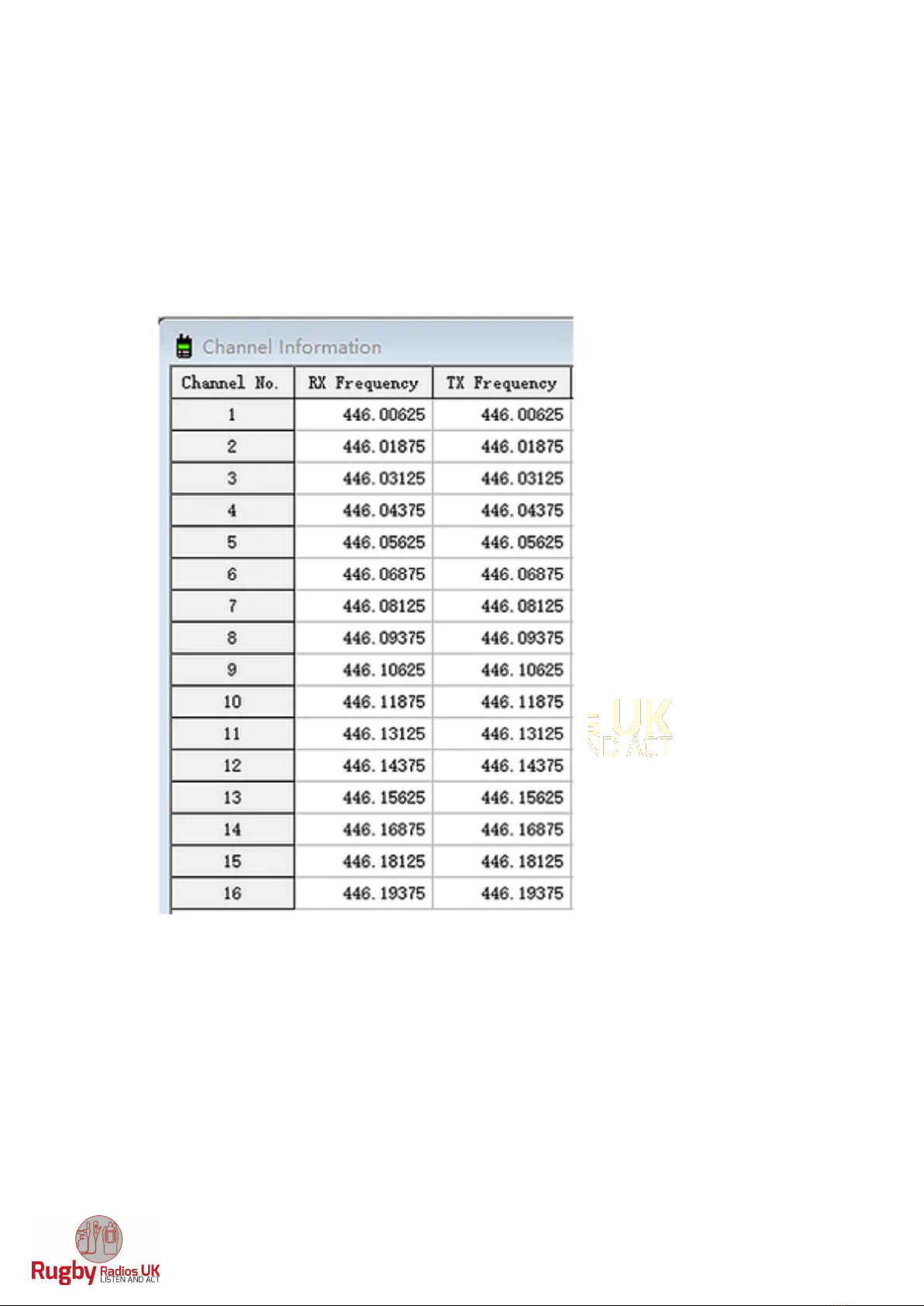
Step 2 = You will then see a list of frequencies, setup options, looking similar
to the below.
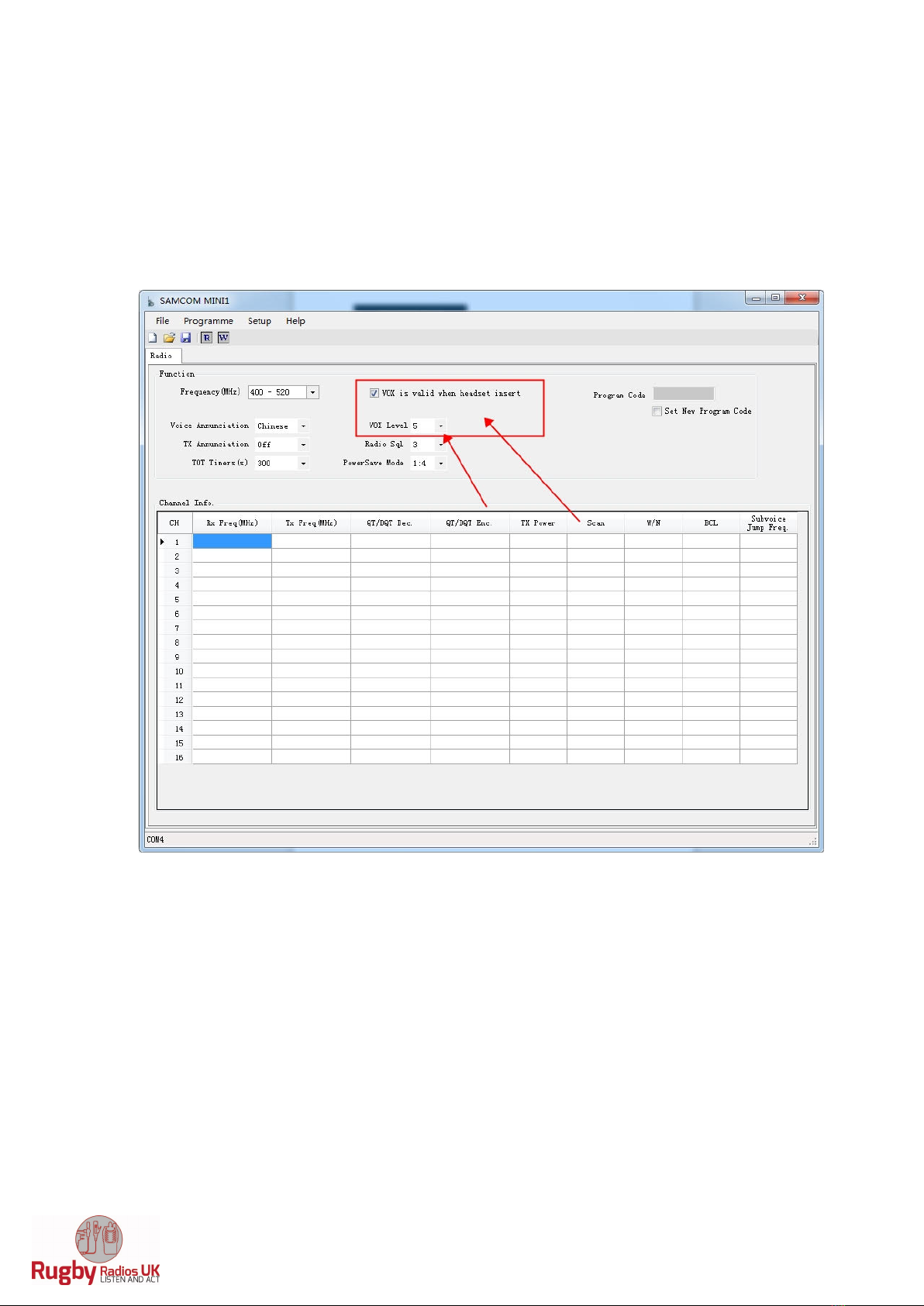
Step 3 = Make sure that VOX is ticked, and VOX level 5 or 6 selected as per the
image on the next page below
Step 4 = Then select the item “Programme”, and click “Write to radio”, a
confirmation will appear confirming that the radio has been re-programmed.
Step 5 = Turn off the radio, and then back on, insert the headphone and
microphone into the system, and then try the vox setting. Remember that 2
people or more on Vox, could drown out communications between everyone,
so please use the best VOX setting suitable, i.e. clear and deliberate words
required to open up the transmission.
Step 6 = Check the VOX level per below to get the right balance from normal
noises activating the transmission, versus deliberate activation.
Note – VOX Level 5 = highest sensitivity, VOX Level 1 = very lowest sensitivity.