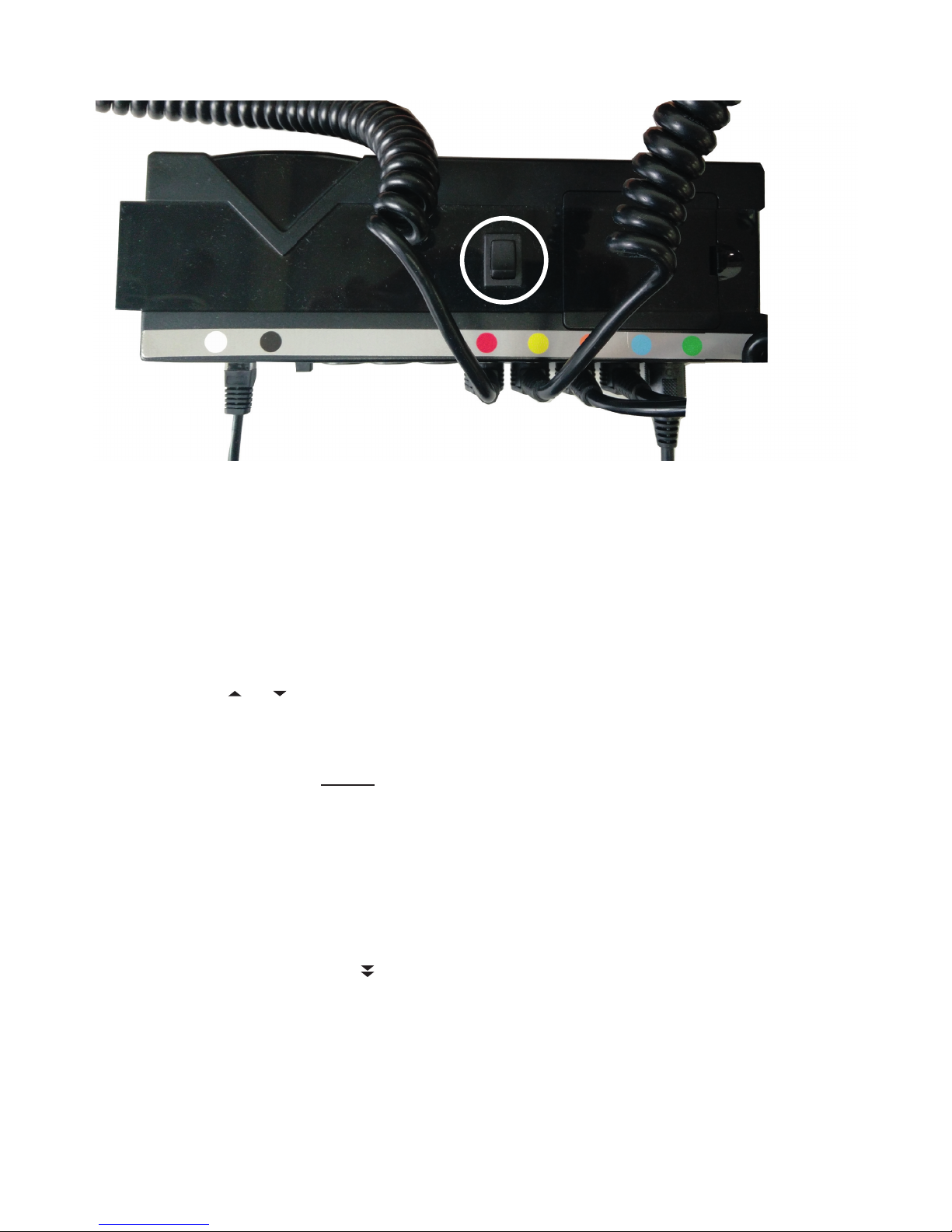
Synchronisation
The controller units of two identical motorised base mattresses are connected with each other by a sync cable (Fig. 2,
controller). Each of the two base mattresses boasts its own remote control.
With this configuration both base mattresses adjust synchronously no matter which remote control is used for setting.
The controller units also recognize different weights and coordinate the movement in a way that both sides of the bed
are set in an almost identical position. The S.C.A. adjustment is exempt from this synchronisation and may be ad-
justed individually by the corresponding remote control. If two synchronised systems are separated by removing the
sync cable both systems have to be initialised anew. This is achieved as follows:
- Press button S3 times
- Press button RESET and keep pressed. All motors move towards their mechanical terminal point, the
controller unit confirms by a double beep, when finished.
- Release button, the system is operable again.
The same procedure applies to the partner system. This initialization will also make the S.C.A. motors move all the
way down. Please reset the S.C.A. to the desired position afterwards.
For restoring the synchronisation later it is sufficient to reconnect both systems by the sync cable.
All down
By using the button RESET / All down you set the motorised base mattress into the initial lowered horizontal posi-
tion. All parts move at the same time. S.C.A. settings will not be affected.
Time
Set the time on the display as follows:
- Press button for 2 secs, the hour display will start to flash.
- Select the desired hour by pressing the + / - keys.
- Briefly press button , the minute display will start to flash.
- Select the desired minute by pressing the + / - keys.
- Briefly press button to confirm.
S.C.A. - Secondary Contour Adaptation (optional feature)
To optimise the sleep position the corresponding sections in the shoulder and pelvic areas may be shifted by 2 cm up
or down from the neutral central position.
Upon pressing one of the buttons for adjusting S.C.A. shoulder or S.C.A. pelvis , the corresponding symbol
will appear to the right of the display next to the bar diagram (see fig. 2, page 2).
The filled bars display the last set position, indicating the neutral central position by -0-.
To adjust press the button up or down until the desired position has been reached, the maximum being the up-
per or lower terminal point. During this operation the bar diagram will continuously show the current position.
Adjustment by one bar corresponds to a height difference of app. 5 mm while briefly tapping the button will adjust by
app. 2 mm.
After confirmation the display will remain activated for app. 10 secs unless you select any other operation.
The neutral central position of both S.C.A. ranges may be selected by the N button. Press this button until the adjust-
ment has been finished while both S.C.A. motors move to the neutral position at the same time.
If the reception of the transmitter signal is disturbed during an S.C.A. adjustment due to unfavourable circumstances
adjustment will not be performed although the bar display indicates otherwise. Upon the next transmitter operation
for adjusting the S.C.A. position the base mattress will be correctly set according to the transmitter’s display.
The SHIFT function (optional feature)
The electronic control of a motorised base mattress which is equipped with a SHIFT function will make the whole
base mattress slide up to 25 cm towards the back whenever there is an upward movement of the rear section. Upon
lowering the base mattress this process will be performed vice versa.