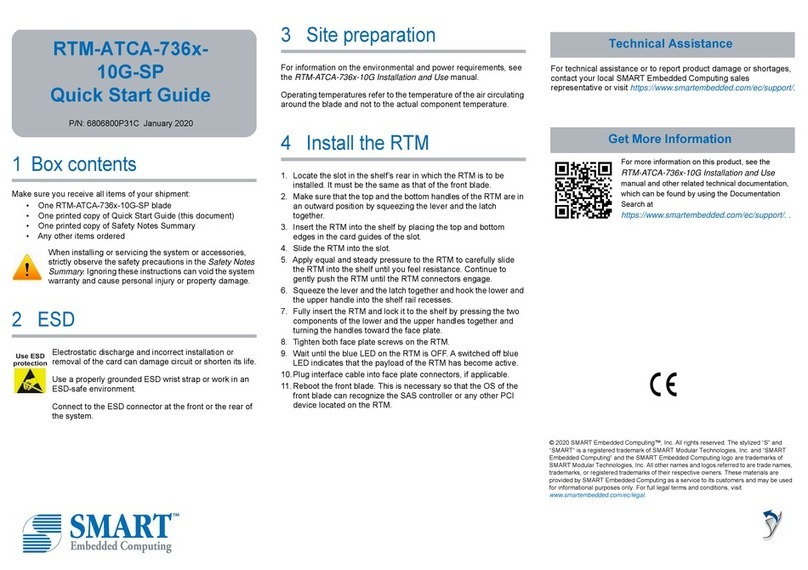
SMART Embedded Computing SE1700 User manual

SE1700 SMART Edge Server
Safety Notes Summary
P/N: 6806876A02B
July 2020

© 2020 SMART Embedded Computing™, Inc.
All Rights Reserved.
Trademarks
The stylized "S" and "SMART" is a registered trademark of SMART Modular Technologies, Inc. and “SMART Embedded
Computing” and the SMART Embedded Computing logo are trademarks of SMART Modular Technologies, Inc. All other names
and logos referred to are trade names, trademarks, or registered trademarks of their respective owners. These materials are
provided by SMART Embedded Computing as a service to its customers and may be used for informational purposes only.
Disclaimer*
SMART Embedded Computing (SMART EC) assumes no responsibility for errors or omissions in these materials. These
materials are provided "AS IS" without warranty of any kind, either expressed or implied, including but not limited to,
the implied warranties of merchantability, fitness for a particular purpose, or non-infringement. SMART EC further does
not warrant the accuracy or completeness of the information, text, graphics, links or other items contained within these
materials. SMART EC shall not be liable for any special, indirect, incidental, or consequential damages, including without
limitation, lost revenues or lost profits, which may result from the use of these materials. SMART EC may make changes to
these materials, or to the products described therein, at any time without notice. SMART EC makes no commitment to update
the information contained within these materials.
Electronic versions of this material may be read online, downloaded for personal use, or referenced in another document as a
URL to a SMART EC website. The text itself may not be published commercially in print or electronic form, edited, translated,
or otherwise altered without the permission of SMART EC.
It is possible that this publication may contain reference to or information about SMART EC products, programming, or services
that are not available in your country. Such references or information must not be construed to mean that SMART EC intends
to announce such SMART EC products, programming, or services in your country.
Limited and Restricted Rights Legend
If the documentation contained herein is supplied, directly or indirectly, to the U.S. Government, the following notice shall apply
unless otherwise agreed to in writing by SMART Embedded Computing.
Use, duplication, or disclosure by the Government is subject to restrictions as set forth in subparagraph (b)(3) of the Rights in
Technical Data clause at DFARS 252.227-7013 (Nov. 1995) and of the Rights in Noncommercial Computer Software and
Documentation clause at DFARS 252.227-7014 (Jun. 1995).
SMART Embedded Computing, Inc.
2900 S. Diablo Way, Suite 190
Tempe, Arizona 85282
USA
*For full legal terms and conditions, visit www.smartembedded.com/ec/legal

SE1700 SMART Edge Server Safety Notes Summary (6806876A02B) 3
About this Manual
Summary of Changes
This manual has been revised and replaces all prior editions.
Part Number Publication Date Description
6806876A02B July 2020 Updated System Installation section in all languages.
6806876A02A June 2020 Initial release

4 SE1700 SMART Edge Server Safety Notes Summary (6806876A02B)
About this Manua
l
About this Manual

SE1700 SMART Edge Server Safety Notes Summary (6806876A02B) 5
Safety Notes
This section provides warnings that precede potentially dangerous procedures throughout
this manual. Instructions contained in the warnings must be followed during all phases of
operation, service, and repair of this equipment. You should also employ all other safety
precautions necessary for the operation of the equipment in your operating environment.
Failure to comply with these precautions or with specific warnings elsewhere in this manual
could result in personal injury or damage to the equipment.
SMART Embedded Computing (SMART EC) intends to provide all necessary information
to install and handle the product in this manual. Because of the complexity of this product
and its various uses, we do not guarantee that the given information is complete. If you
need additional information, ask your SMART EC representative.
The product has been designed to meet the standard industrial safety requirements. It must
not be used in safety critical components, life supporting devices, or on aircraft.
Only personnel trained by SMART EC or persons qualified in electronics or electrical
engineering are authorized to install, remove or maintain the product. The information given
in this manual is meant to complete the knowledge of a specialist and must not be used as
replacement for qualified personnel.
Keep away from live circuits inside the equipment. Operating personnel must not remove
equipment covers. Only factory authorized service personnel or other qualified service
personnel may remove equipment covers for internal subassembly or component
replacement or any internal adjustment.
Do not install substitute parts or perform any unauthorized modification of the equipment or
the warranty may be voided. Contact your local SMART EC representative for service and
repair to make sure that all safety features are maintained.
EMC
The product has been tested and found to comply with the limits for a Class A digital device
in this system, pursuant to part 15 of the FCC Rules, EN 55032 Class A respectively. These
limits are designed to provide reasonable protection against harmful interference when the
product is operated in a commercial, business or industrial environment.
The product conducts, radiates and uses radio frequency energy and, if not installed
properly and used in accordance with this user documentation, may cause harmful
interference to radio communications. Operating the product in a residential area is likely
to cause harmful interference. If this occurs, the user will be required to correct the
interference at the user's expense.
Changes or modifications not expressly approved by SMART EC could void the user's
regulatory compliance. Board products are tested in a representative system to show
compliance with the above mentioned requirements. A proper installation in a compliant
system will maintain the required performance.

6 SE1700 SMART Edge Server Safety Notes Summary (6806876A02B)
Safety Notes
Safety Notes
Use only shielded cables when connecting peripherals to help assure that appropriate radio
frequency emissions compliance is maintained. For proper EMC shielding, only operate the
system with face plates installed and all vacant slots covered or populated with filler cards.
Grounding
If the product is not properly grounded, it may be damaged by electrostatic discharge.
The system contains EMI gaskets at the shelf and module level. Make sure that each of the
system's parts contact the EMI gasket.
This is a Class A product based on the standard of the Voluntary Control Council for
Interference by Information Technology Interference (VCCI). If this equipment is used in a
domestic environment, radio disturbance may arise. When such trouble occurs, the user
may be required to take corrective actions.
System Installation
System Damage
To avoid system damage verify that the system environment meets the environmental and
power requirements given in this manual before installing the system. Before you set up
and cable your new system, consider these guidelines:
Restricted access location: Intended for installation in a restricted access location
with access by trained personnel only.
Installation codes: Where applicable, this unit shall be installed in accordance with
the National Electrical Code (NEC).
Overcurrent protection: A readily accessible listed branch circuit overcurrent
protective device must be incorporated into the building wiring. For appropriate
AWG rating of the overcurrent protection device, see NEC Table 310.16 and other
national regulations.
The protective bonding conductor depends on your power distribution topology.
Make sure that you use an appropriate protective bonding conductor regarding the
rating of the branch circuit protection.
Install the system safely. Make sure that cables and cords are out of the way.
Make sure that the set-up is comfortable for users.
System is to be installed in a restricted access location by trained personnel
according to the installation instructions.
Read all installation instructions in the product manual before you install the
system.

Safety Notes
SE1700 SMART Edge Server Safety Notes Summary (6806876A02B) 7
System Damage
WARNING: The intra-building port (s) of the equipment or subassembly is suitable for
connection to intra-building or unexposed wiring or cabling only. The intra-building port (s)
of the equipment or subassembly MUST NOT be metalically connected to interfaces that
connect to the OSP or its wiring. These interfaces are designed for use as intra-building
interfaces only (Type 2 or Type 4 ports as described in GR-1089) and require isolation from
the exposed OSP cabling. The addition of primary protectors is not sufficient protection in
order to connect these interfaces metalically to OSP wiring.
System Damage
All interconnected equipment to this equipment (or to added subassemblies) is intended to
be within the same building. If this equipment (including any added subassemblies) is used
in inter-building connection, the connection shall be adequately protected against over-
voltage/transient. And further Electrical Safety evaluation would be required.
System Damage
Environmental contamination can impair system operation.
Locate the system in a stable area free of excess movement and jarring and free of dust,
smoke, and electrostatic discharge (ESD).
Make sure that the temperature does not exceed the operating temperature given in the
environmental requirements in this manual and allow room for proper air flow for cooling.
Personal Injury or System Damage (For AC)
The system is supplied by AC mains primary voltage. This voltage is considered
hazardous. Take appropriate precautions when cabling the system.
Personal Injury or System Damage
A top-heavy rack can tip, causing damage to equipment and injury to personnel.
Stability Hazard
The rack may tip over causing serious personal injury.

8 SE1700 SMART Edge Server Safety Notes Summary (6806876A02B)
Safety Notes
Safety Notes
If your system is the only one in the rack, make sure to mount the system in the lowest part
of the rack. If several systems are installed in one rack, start with the heaviest component
at the bottom. If the rack is equipped with stabilizing devices, make sure that they are
installed and extended so that the rack is secure. Then proceed to mount or service the
system.
Personal Injury or System Damage
Use caution when pulling the system out of the rack, as it could fall and cause personal
injury.
Personal Injury
The system is heavy and improper handling may lead to muscle strain or back injury.
System Damage
During handling, shipping, and assembly, it is possible that pins, mounting screws, fans,
and other items became loose or damaged.
Do not operate a damaged system, as it may damage the devices that interface with the
system.
Personal Injury
High leakage current can be hazardous and cause injury.
Make an earth ground connection before connecting power to the PSU.
System Damage
Wrong jumper settings can make the system inoperable. Never change the settings of the
jumpers.
Card Installation
Damage of Circuits
Electrostatic discharge and incorrect product installation and removal can damage circuits
or shorten their life.
Before touching the product make sure that you are working in an ESD-safe environment.
Hold the product by its edges and do not touch any components or circuits.
Do not put any load or pressure on the chassis during the installation process.
Make sure the chassis is secured in the rack before operation.

Safety Notes
SE1700 SMART Edge Server Safety Notes Summary (6806876A02B) 9
Product Damage
Install PCI Express (PCIe) cards in the designated slots. Installing a card in the wrong slot
may cause card or system damage.
Installing or removing the card from the system while the system is powered up may
damage the card and the system.
When installing or removing the card from the system, power down the system first.
Data Loss
The system does not support hot swap of PCIe cards. Before opening the top cover of the
system or before installing or removing any PCIe card, make sure the system is powered
off.
Disconnect the system from any AC or DC power or turn the system board power (payload
power) off through the Board Management Controller (BMC).
For more information, refer to the SE1700 SMART Edge Server Getting Started Guide.
Card Malfunctioning
Incorrect card installation and removal may result in card malfunction or damage the PCIe
slot. Ensure PCIe cards are properly seated.
Operation
System Overheating – Cooling Vents
Improper cooling can lead to card and system damage and may void the manufacturer’s
warranty.
To allow for proper cooling and undisturbed airflow through the system, always operate the
system in a horizontal position. Do not obstruct the ventilation openings at the front, rear,
or sides of the system. Keep the fresh air intake of the chassis completely clear. Make sure
that the fresh air supply is not mixed with hot exhaust from other devices.
Product Damage
High humidity and condensation on product surfaces causes short circuits.
Do not operate the system outside the specified environmental limits. Make sure the
system is completely dry and there is no moisture on any surface before applying power.
Do not start the system below 0°C unless it is an extended-temperature model.

10 SE1700 SMART Edge Server Safety Notes Summary (6806876A02B)
Safety Notes
Safety Notes
Injury
Caution: The system may be equipped with multiple power feeds. All power connection
feeds must be disconnected to de-energize the system. To reduce the risk of personal
injury, disconnect the feeds when removing power from the system.
System Damage – Air Filters
Air contamination can pollute the air filter and obstruct the air intake of the system which
may cause system overheating and component damage.
To guarantee proper airflow through the system, replace the air filters (if equipped) at least
every six months. SMART EC recommends the air filters be replaced every 90 days.
Installations vary in physical location and cleanliness. Filter replacement may be required
more often in a dusty environment. Check air filters frequently after system installation to
determine how often they must be replaced. Establish a regular replacement schedule and
keep a log to record the date of each filter replacement.
Front Panel
The front panel, including the air filter (if equipped), is mounted to the system by alignment
pins and holding clips on both sides of the system. When mounting the front panel to the
shelf, align it accurately to avoid damage to the frame or front panel.
System Overheating
If you set the fan speed manually through the Board Management Controller (BMC),
constantly monitor the system temperature to prevent overheating.
Make sure that the environmental and power requirements are met while operating the
system.
Injuries or Short Circuits
To avoid damage or personal injury, always check that no hazardous voltage is present
before servicing equipment.
Data Corruption
If power to the unit is removed while a firmware update is in progress to the product's flash
memory, the changes will not be saved or the flash memory may be corrupted. In such
case, the product is likely to remain in a non-operable state and will require reconditioning
by qualified repair services.
Table of contents
Languages:
Other SMART Embedded Computing Server manuals