©2008 Sony Corporation Printed in China
CKL-NWA820
3-300-149-11(1)
AB
12
12
English
Operating Instructions
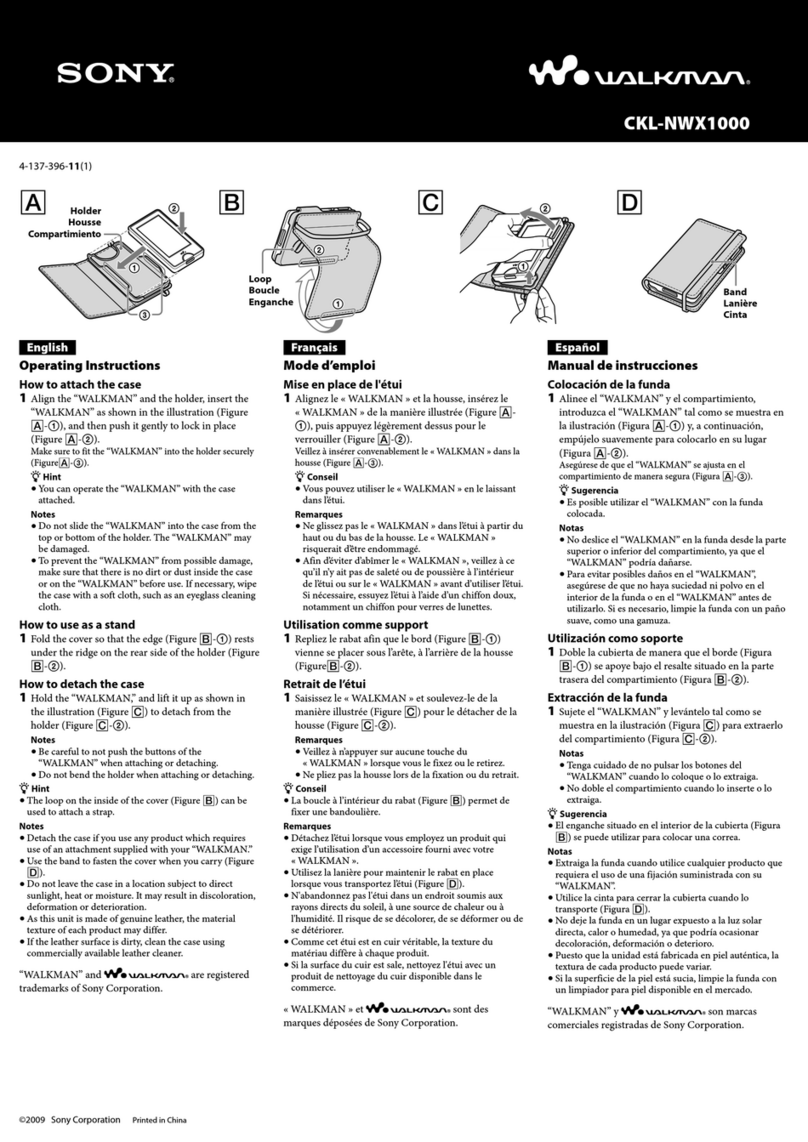
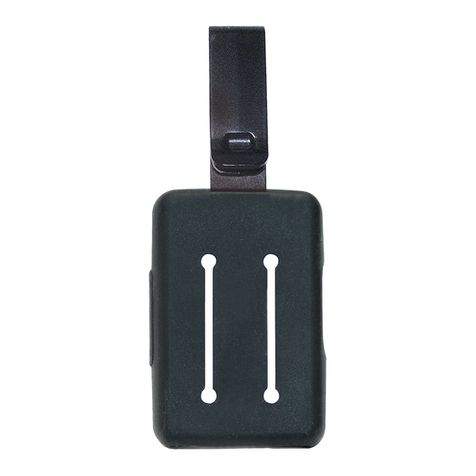
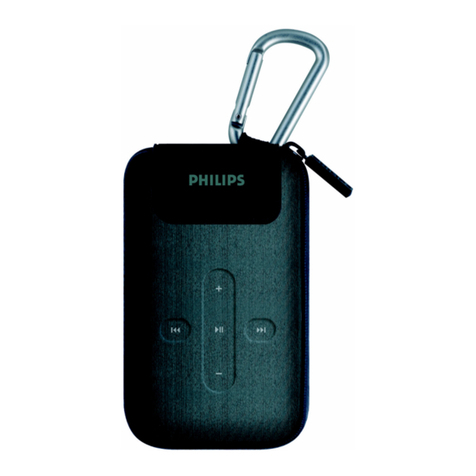
How to attach the case
•Make sure that the knobs are unlocked. (Figure
A-1)
•Ensure that your WALKMAN is to be attached
in the right direction.
1Hook the protrusion of the case into
the accessory holes of the
WALKMAN. (Figure B-1)
2Slide the hooks as shown in the
illustration by the arrows until they
click to lock. (Figure B-2)
zHint
You can operate or charge your WALKMAN
with the case attached.
How to detach the case
Unlock the hooks. (Figure A-1)
Notes
• To prevent possibly damaging the
WALKMAN, make sure that there is no dirt or
dust inside the case or on the WALKMAN
before using the case.
•Do not leave the case in a location subject to
direct sunlight, heat or moisture. It may result
in discoloration, deformation or deterioration.
•As this unit is made of genuine leather, the
material texture of each product may differ.
•As this unit uses a magnet, do not move cards
with magnetic coding toward this unit.
•If the leather surface is dirty, clean the case
using commercially available leather cleaner.
“WALKMAN” and “WALKMAN” logo are
registered trademarks of Sony Corporation.
Français
Mode d’emploi
Comment fixer l’étui
•Veillez à ce que les boutons soient
déverrouillés. (Figure A-1)
• Veillez à fixer votre WALKMAN dans le bon
sens.
1Accrochez la partie saillante de l’étui
dans les orifices pour accessoire du
WALKMAN. (Figure B-1)
2Faites glisser les crochets, de la
manière illustrée, dans le sens des
flèches jusqu’à ce qu’ils se
verrouillent en émettant un déclic.
(Figure B-2)
zConseil
Vous pouvez utiliser ou recharger votre
WALKMAN en le laissant dans l’étui.
Comment retirer l’étui
Déverrouillez les crochets. (Figure A-
1)
Remarques
•Afin d’éviter d’abîmer le WALKMAN, veillez
à ce qu’il n’y ait pas de saleté ou de poussière à
l’intérieur de l’étui ou sur le WALKMAN
avant d’utiliser l’étui.
•N’abandonnez pas l’étui dans un endroit
soumis aux rayons directs du soleil, à une
source de chaleur ou à l’humidité. Il risque de
se décolorer, de se déformer ou de se
détériorer.
•Comme cet étui est en cuir véritable, la texture
du matériau diffère à chaque produit.
•Comme cet ensemble renferme un aimant,
n’approchez pas de celui-ci des cartes
présentant une piste magnétique.
•Si la surface du cuir est sale, nettoyez l’étui
avec un produit de nettoyage du cuir disponible
dans le commerce.
« WALKMAN » et le logo « WALKMAN » sont
des marques déposées de Sony Corporation.
Deutsch
Bedienungsanleitung
So bringen Sie das Etui an
•Stellen Sie sicher, dass die Knöpfe entriegelt
sind. (Abbildung A-1)
• Stellen Sie sicher, dass der WALKMAN in der
richtigen Ausrichtung angebracht wird.
1Haken Sie den vorstehenden Teil des
Etuis in die Zubehörlöcher des
WALKMAN ein. (Abbildung B-1)
2Verschieben Sie die Haken wie in der
Abbildung gezeigt in Pfeilrichtung,
bis sie hörbar einrasten. (Abbildung
B-2)
zTipp
Sie können den WALKMAN mit angebrachtem
Etui bedienen und aufladen.
So nehmen Sie das Etui ab
Entriegeln Sie die Haken. (Abbildung
A-1)
Hinweise
•Um mögliche Schäden am WALKMAN zu
verhindern, stellen Sie sicher, dass sich im Etui
und am WALKMAN kein Schmutz oder Staub
befindet, bevor Sie das Etui verwenden.
• Lassen Sie das Etui nicht an einem Ort, an dem
es direkter Sonneneinstrahlung, Wärme oder
Feuchtigkeit ausgesetzt ist. Dies kann zu einer
Verfärbung, Verformung oder zu Verschleiß
führen.
•Da dieses Etui aus echtem Leder hergestellt
wurde, kann die Oberflächenstruktur des
Materials bei jedem Produkt unterschiedlich
sein.
•Da dieses Etui mit einem Magnet ausgestattet
ist, sollten Sie keine Karten mit magnetischer
Codierung in Richtung des Etuis bewegen.
•Wenn die Lederoberfläche schmutzig ist,
reinigen Sie das Etui mit einem im Handel
erhältlichen Lederreinigungsmittel.
„WALKMAN“ und das „WALKMAN“-Logo
sind eingetragene Warenzeichen der Sony
Corporation.
Español
Manual de instrucciones
Colocación de la funda
•Asegúrese de que las palancas están
desbloqueadas. (Figura A-1)
• Asegúrese de que el WALKMAN se coloca en
la dirección correcta.
1Coloque el saliente de la funda en los
orificios para accesorios del
WALKMAN. (Figura B-1)
2Deslice los ganchos tal y como se
muestra en la ilustración en la
dirección de las flechas hasta que
queden bien fijados. (Figura B-2)
zConsejo
Puede utilizar o cargar el WALKMAN con la
funda colocada.
Extracción de la funda
Desbloquee los ganchos. (Figura A-1)
Notas
•Para evitar posibles daños en el WALKMAN,
asegurese de que la funda o el WALKMAN no
presentan polvo o suciedad antes de colocar la
funda.
•No deje la funda en lugares expuestos a la luz
solar directa, el calor o la humedad, ya que de
lo contrario podría desteñirse, deformarse o
deteriorarse.
•Este accesorio es de piel autentica, por lo que la
textura de cada producto puede variar.
•Como esta unidad utiliza un imán, no coloque
tarjetas con bandas magnéticas cerca de la
unidad.
•Si la superficie de piel esta sucia, limpie la
funda con un limpiador especial para piel
disponible en el mercado.
“WALKMAN“ y el logotipo de “WALKMAN“
son marcas comerciales registradas de Sony
Corporation.
1
2
2