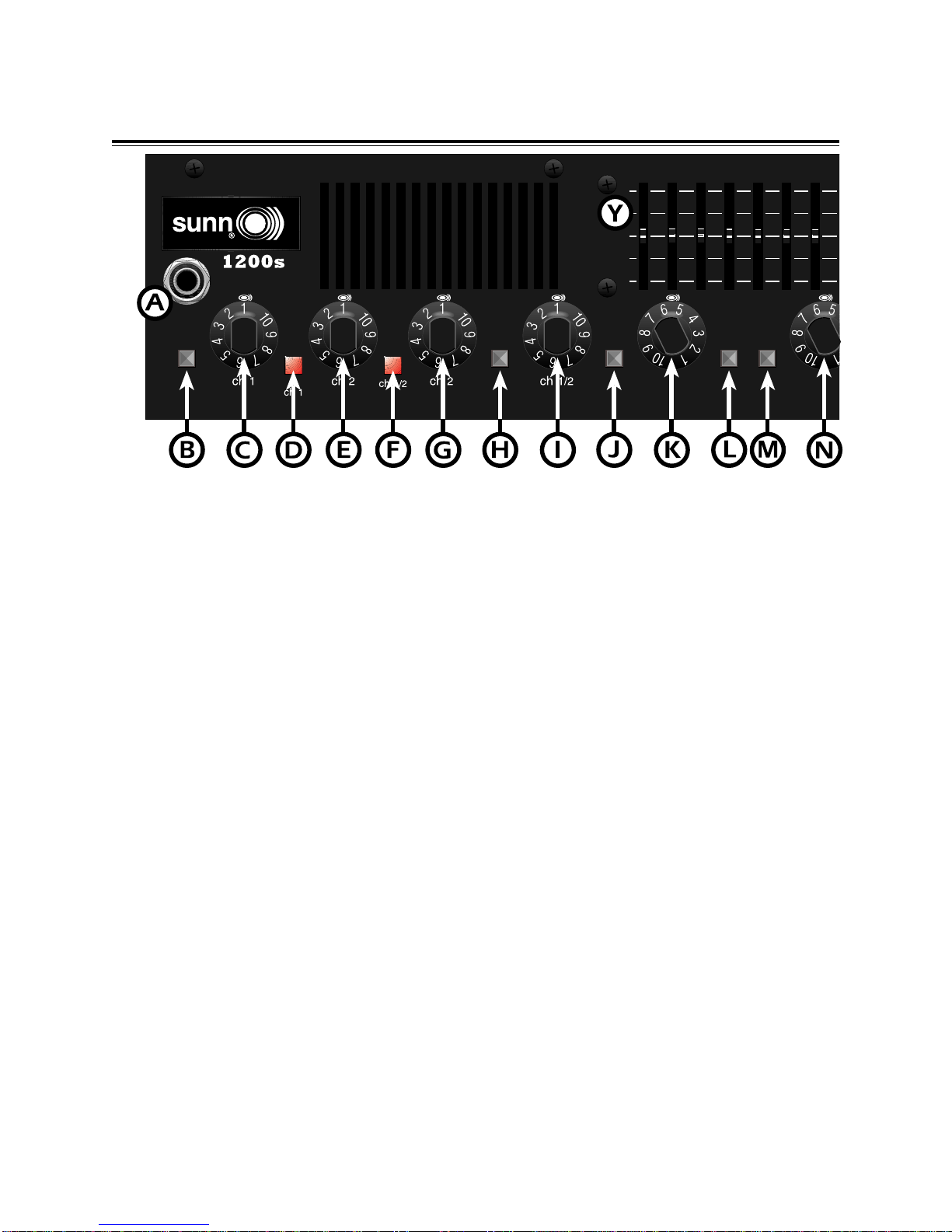
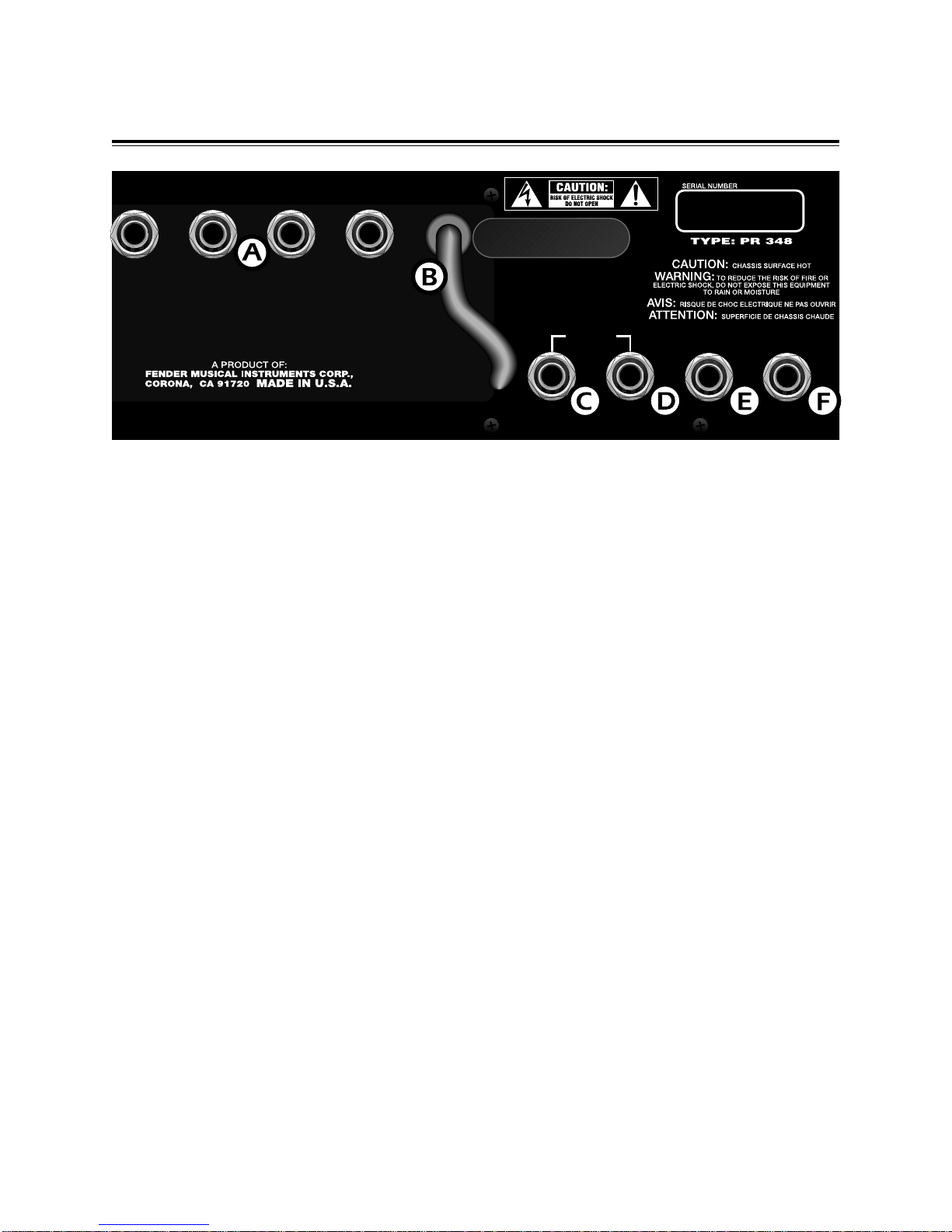
A. INPUT - Plug your bass guitar in here.
B. -6 dB PAD - Sensitivity / gain switch for the input
signal. When this button is in, it provides a 6dB
attenuation useful for reducing input levels on bass
guitars with active pickups or high level outputs.
C. CH 1 VOLUME - This knob adjusts the overall
loudness of channel 1.
D. CH 1 LED - This LED illuminates when only
channel 1 is active. (Channel 1 is active even if the
LED is not lit.)
E. CH 2 GAIN - This knob adjusts the amount of gain
or distortion in Channel 2.
F. CH 1 / 2 MIX LED - This LED illuminates when
the CH SELECT button has been pressed indicating
the Ch. 1 / Ch. 2 mix is active.
G. CH 2 VOLUME - This knob adjusts the overall
loudness of channel 2.
H. CH SELECT - This push button selects Channel
1 / 2 mix. When this button is in, both Channel 1 and
Channel 2 are active. This button is used in
conjunction with the CH. 1 / 2 MIX knob (item F).
Using the footswitch overrides the front panel
channel select switch.
I. CH 1 / 2 MIX - This knob mixes the channel 1 and
channel 2 output levels. When the knob is at “1”,
only channel 1 is in the output mix. When the knob
is at “10”, only channel 2 is in the output mix. By
rotating the knob, an optimum mix of both channels
may be obtained.
J. LOW - When this push button is in, it activates a
low frequency boost.
K. LOW - This knob adjusts the amount of increase or
decrease in the low frequency content of your 1200s.
In its center notched position, the low frequency
control is “flat” with none of the corresponding
frequencies increased or decreased.
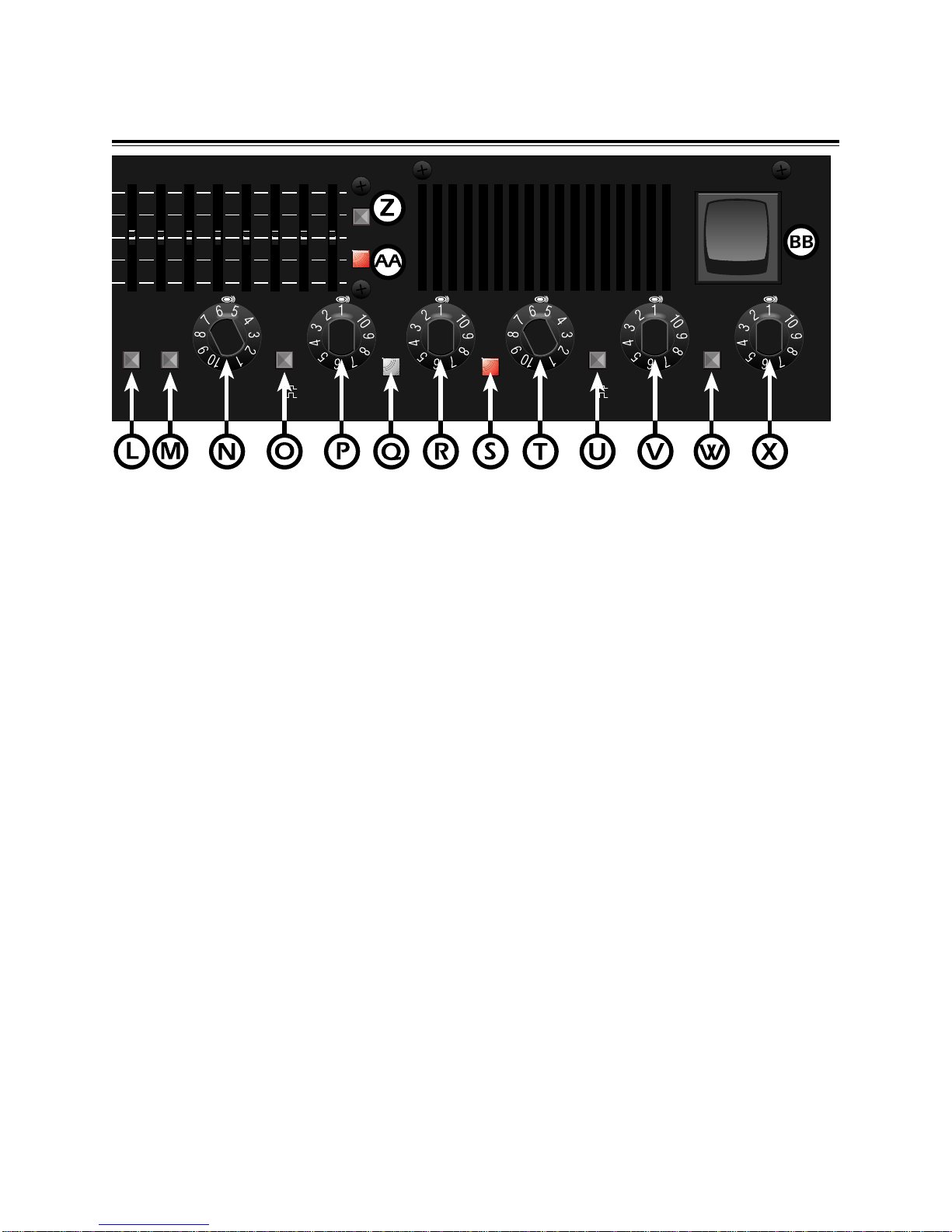
L. MID NOTCH - This push button reduces the
“muddy” mid-frequency tones found in most bass
guitars. By utilizing the mid notch button, your bass
guitar and amp should have a more “natural” tone
and timbre.
M. HIGH - When this push button is in, it activates a
high frequency boost.
N. HIGH - This knob adjusts the amount of increase or
decrease in the high frequency content of your 1200s.
In its center notched position, the high frequency
control is “flat” with none of the corresponding
frequencies increased or decreased.
O. LINE OUT - This push button switch is used in
conjunction with the line out jacks on the rear of the
1200s. When this push button is in, the signal sent
from the 1200s is post frequency shaping, channel
switching and compression. The line out signal does
NOT include any effects which may have been added
via the effects loop. If the button is out, the bass
guitar’s signal is passed through the 1200s without
any tone shaping or enhancement.
SUNN 1200s FRONT CONTROL PANEL
6
high
low
-6dB
pad ch
select
input
low high
mid
notch
31.5 63 125 250 500 1k 2k
volume gain mix mixvolume