2 - Names and Functions of Parts
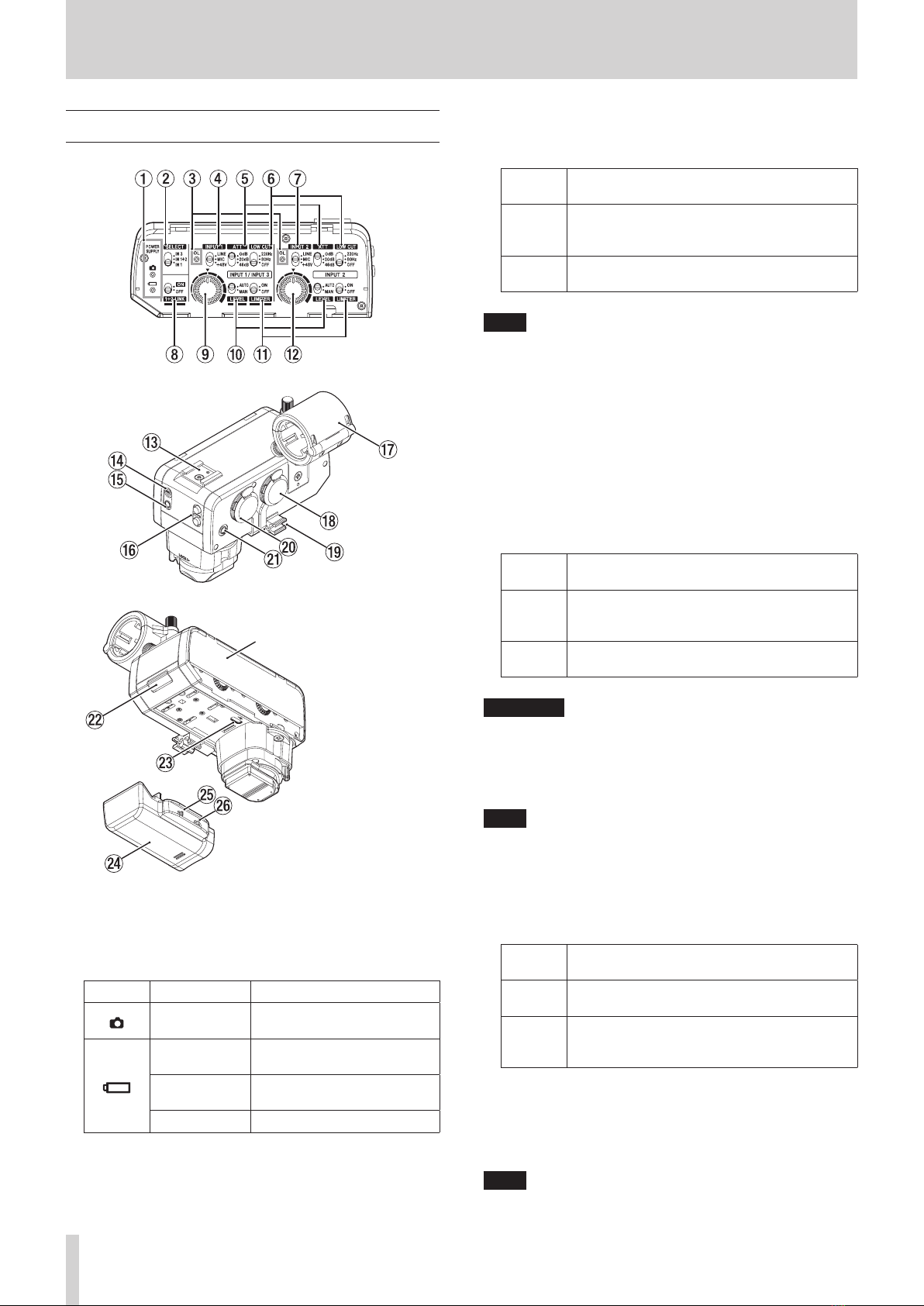
wINPUT 2 volume
Use this to manually adjust the input level when the LEVEL
switch (0) is set to“MAN”.
Minimizing the volume will mute the input.
The input adjustment that is possible depends on the
following switch settings.
SELECT
switch (2)
1+2 LINK
switch (8)Input volume operation
IN 3 — Adjustment of the input volume
will have no eect.
IN 1+2
ON Adjustment of the input volume
will have no eect.
OFF Use to adjust the input level of
the INPUT 2 jack.
IN 1
ON Adjustment of the input volume
will have no eect.
OFF Use to adjust the input level of
the INPUT 1 jack (R channel).
NOTE
iIf the LEVEL switch (0) setting is “AUTO”, adjustment of the
input volume will have no eect.
iDistortion might occur when signals that are very loud are
input even if the LIMITER switch (q) is set to“ON”. In such
a case, lower the recording level or increase the distance
between the mic and the sound source.
eAccessory shoe (cold shoe)
This accessory shoe is a cold shoe.
ATTENTION
iDo not connect accessory shoe devices that have connectors
or other parts that stick out. Doing so could damage this unit
and the connected device.
iDo not attach heavy equipment. Doing so could cause
damage or their falling o due to their weight.
rOUTPUT switch
Set the output setting according to the equipment
connected to the OUTPUT jack (t) and the application.
Use this setting when connecting to a camera mic
or line input jack.
Operation of the VOLUME +/− buttons (y) will
have no eect.
Use this setting when connecting headphones.
Operation of the VOLUME +/− buttons (y) will
adjust the headphone output level.
ATTENTION
Do not use with an analog connection to a camera when
set to . If used with the VOLUME +/− buttons (y) near
maximum level, excessive input could occur depending on
the camera input specications, possibly resulting in damage
to the connected devices.
NOTE
When set to “ ”, the level output from the OUTPUT jack is
xed. Refer to the list of cameras that have been conrmed
for operation on the TASCAM website (https://tascam.jp/int/
product/ca-xlr2d/docs) when setting the camera input gain
value.
tOUTPUT jack
This can be used in two ways, either as a headphone output
for monitoring the analog sound with headphones or as a
camera output to connect the analog sound to a camera.
Set the OUTPUT switch (r) output setting according to the
equipment connected and the application.
ATTENTION
iDo not use with an analog connection to a camera when
set to . If used with the VOLUME +/− buttons (y) near
maximum level, excessive input could occur depending on
the camera input specications, possibly resulting in damage
to the connected devices.
iTo monitor the analog connection to a camera use TASCAM
AK-DR11C or AK-DR11CMKII splitter and attenuator cables.
(see “Monitoring through this unit (CA-XLR2d-AN)”on page
16)
yVOLUME +/− buttons
i If the OUTPUT switch (r) is set to “ ”, the output volume
of the OUTPUT jack (t) can be adjusted (25 levels total).
i The volume can be reset to its center value by pressing
the + and − buttons at the same time. The setting from
previous use is retained when the power is turned on
again.
VCAUTION
Continuously pressing the VOLUME + button might cause
sudden loud noises, which could harm your hearing or result
in other trouble.
uMic holder
This holder can be used to mount mics with 19–23 mm
diameters. (see“Connecting a single mic that uses phantom
power” on page 12)
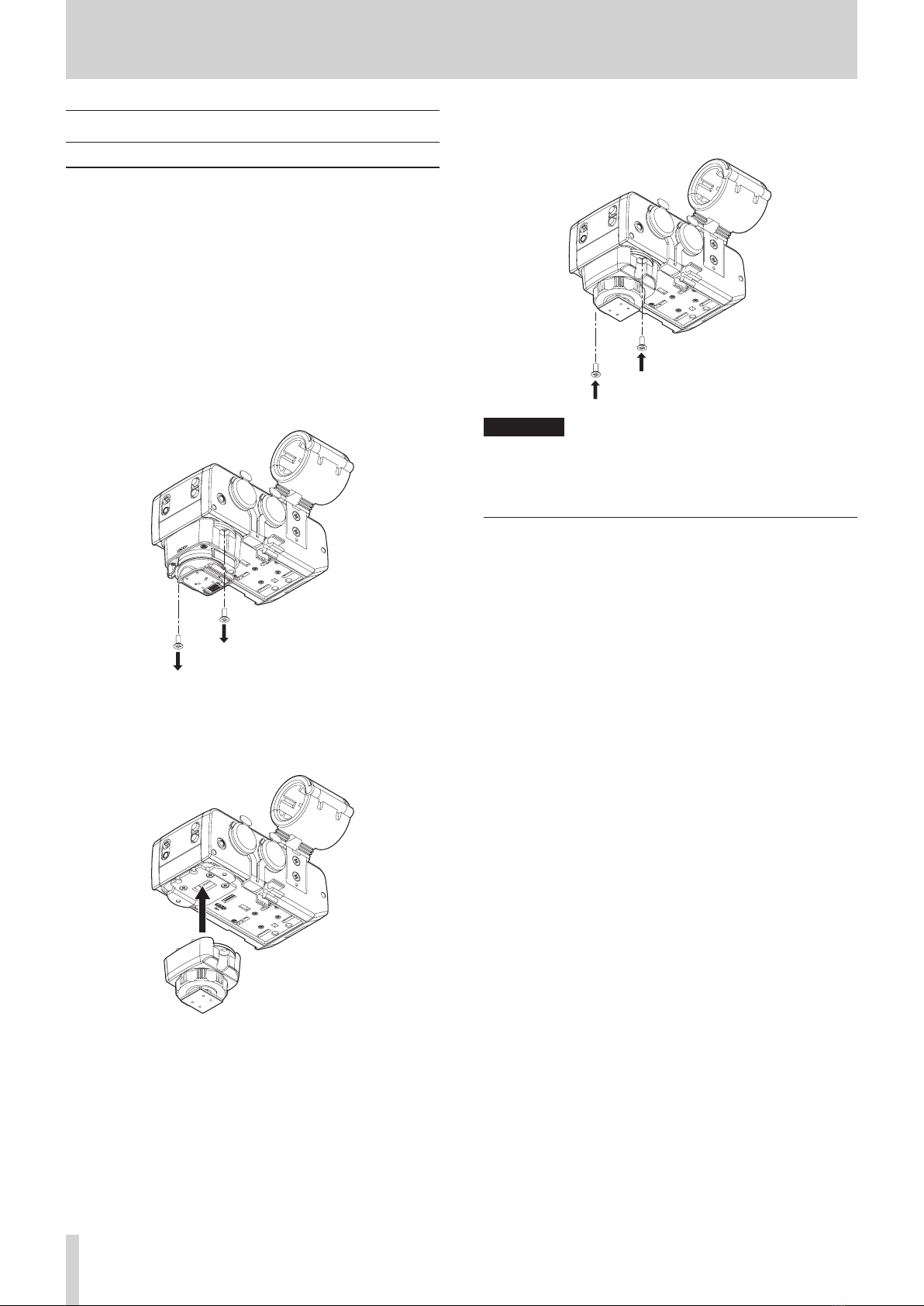
When not being used, it can be removed. (see“Removing the
mic holder” on page 13)
iINPUT 1 jack
This input jack is for mics and other recording devices.
Phantom power is supported.
ATTENTION
iBefore connecting or disconnecting a mic or other recording
device, turn this unit o.
iDo not connect or disconnect mics when the INPUT 1 switch
(4) is set to +48V. Doing so could cause a loud noise and
might damage this unit and connected equipment.
iDo not set the INPUT 1 switch (4) to “+48V” when
connecting mics that do not require phantom power.
iWhen using a single mic, connect it to the INPUT 1 jack.
oCable holder
This is a holder for mic cables.
Wrap and x cables appropriately so that noise is not caused
by loose or pulled cables.
6TASCAM CA-XLR2d