manuals.online logo
Brands
  1. Home
  2. •
  3. Brands
  4. •
  5. Technics
  6. •
  7. Amplifier
  8. •
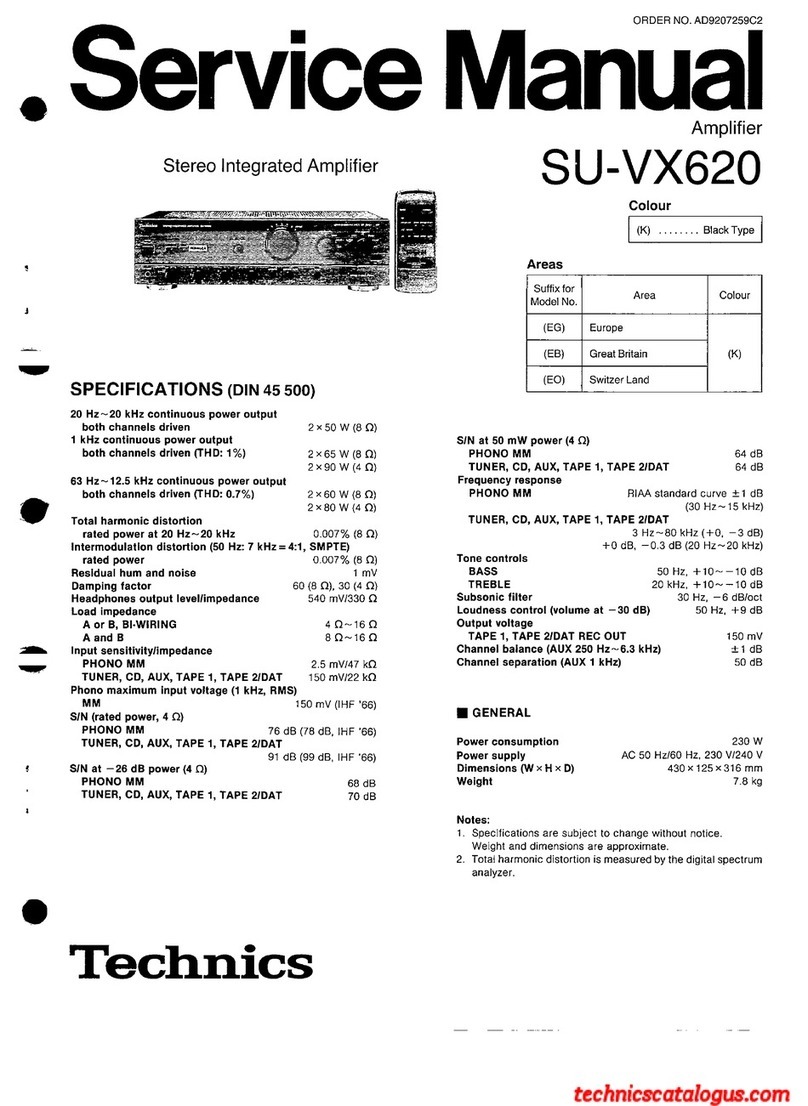
  9. Technics SU-VX620 - service User manual

Technics SU-VX620 - service User manual

Other manuals for SU-VX620 - service

3

Other Technics Amplifier manuals

Technics SA-CH750 User manual

Technics

Technics SA-CH750 User manual

Technics SU-A700MK2 User manual

Technics

Technics SU-A700MK2 User manual

Technics SU-A700 mk3 User manual

Technics

Technics SU-A700 mk3 User manual

Technics SU-A4MK2 User manual

Technics

Technics SU-A4MK2 User manual

Technics SEHD-51 User manual

Technics

Technics SEHD-51 User manual

Technics SU-C700 User manual

Technics

Technics SU-C700 User manual

Technics SE-CH770 User manual

Technics

Technics SE-CH770 User manual

Technics SE-C01 User manual

Technics

Technics SE-C01 User manual

Technics SU-G30 User manual

Technics

Technics SU-G30 User manual

Technics SE-A800S - service User manual

Technics

Technics SE-A800S - service User manual

Technics SU-C01 User manual

Technics

Technics SU-C01 User manual

Technics SU-V90D User manual

Technics

Technics SU-V90D User manual

Technics SU-V98 - SERVICE User manual

Technics

Technics SU-V98 - SERVICE User manual

Technics SU-G700 User manual

Technics

Technics SU-G700 User manual

Technics SU-A900 User manual

Technics

Technics SU-A900 User manual

Technics su-v909 User manual

Technics

Technics su-v909 User manual

Technics SU-GX70 User manual

Technics

Technics SU-GX70 User manual

Technics SU-X920DE User manual

Technics

Technics SU-X920DE User manual

Technics SU-V470 User manual

Technics

Technics SU-V470 User manual

Technics SU-C01 User manual

Technics

Technics SU-C01 User manual

Technics SU-X933 User manual

Technics

Technics SU-X933 User manual

Technics SU-X902 User manual

Technics

Technics SU-X902 User manual

Technics SU-7700 - SCHEMATICS User manual

Technics

Technics SU-7700 - SCHEMATICS User manual

Technics SU-8055 - service User manual

Technics

Technics SU-8055 - service User manual

Popular Amplifier manuals by other brands

Magnat Audio EDITION FOUR Owner's manual/warranty document

Magnat Audio

Magnat Audio EDITION FOUR Owner's manual/warranty document

Inter-m PA-2000A Operation manual

Inter-m

Inter-m PA-2000A Operation manual

Yamaha TX6n owner's manual

Yamaha

Yamaha TX6n owner's manual

Peavey TNT 150 user guide

Peavey

Peavey TNT 150 user guide

Bosch LBB 1903/10 Installation and user instructions

Bosch

Bosch LBB 1903/10 Installation and user instructions

Avocent Emerge DA1200D Installer/user guide

Avocent

Avocent Emerge DA1200D Installer/user guide

Redgum RGi35 operating instructions

Redgum

Redgum RGi35 operating instructions

Cambridge Audio AXA25 user manual

Cambridge Audio

Cambridge Audio AXA25 user manual

Alpine MRP-M200 owner's manual

Alpine

Alpine MRP-M200 owner's manual

Technical Pro H1502UrBT user manual

Technical Pro

Technical Pro H1502UrBT user manual

FMS EMGZ307 operating manual

FMS

FMS EMGZ307 operating manual

Racal Instruments 5601 user manual

Racal Instruments

Racal Instruments 5601 user manual

Valcom V-1094A Technical specifications

Valcom

Valcom V-1094A Technical specifications

Cambridge Audio 851D user manual

Cambridge Audio

Cambridge Audio 851D user manual

QSC 3800 Specifications

QSC

QSC 3800 Specifications

NAD C300 owner's manual

NAD

NAD C300 owner's manual

Rotel RMB-1077 owner's manual

Rotel

Rotel RMB-1077 owner's manual

Peavey Monitor 300 Series operating guide

Peavey

Peavey Monitor 300 Series operating guide

manuals.online logo
manuals.online logoBrands
  • About & Mission
  • Contact us
  • Privacy Policy
  • Terms and Conditions

Copyright 2025 Manuals.Online. All Rights Reserved.

U-VX620
g
CONNECTIONS
To
connect
to
each
terminals
fake
connections
to
each
component
in
the
system
by
using
tereo
connection
cables
(not
included).
(A)
(_
“PHONO”
terminals
)
Connect
to
a
turntable.
Turntable
(not
included)
OUT
‘a
R)
ePhono
input
capacitance
is
about
470
pF.
i
“GND”
terminal
This
terminalis
for
use
with
a
turntable
which
has
a
ground
wire.
Stereo
connection
cable
White
(L)
Red
(R)
VOLT
ADJ
AC
_IN~
a3
{e
SPEAKERS
(“REMOTE
CONTROL
OUT”
terminals
_)
This
terminal
can
be
used
only
with
Technics
tape
deck
and
com-
pact
disc
player
which
have
the
appropriate
remote
control
ter-
minal.
(Consult
your
dealer
for
details.)
Proper
connection
with
remote
control
connection
cables
will
allow
control
of
some
functions
from
this
unit's
remote
control
transmitter.
Connect
to
a
tape
deck
and/or
compact
disc
player
as
shown
below.
If
a
tape
deck
is
not
being
used,
the
compact
disc
player
can
be
connected
directly
(dotted
line).
This
unit
REMOTE
G)
CONTROL
OUT
Connection
cable
for
remote
control
(Included
with
tape
—|
deck)
Tape
deck
(not
included)
REMOTE
OUT
—~
Connection
cable
for
remote
control
(Included
with
compact
disc
Ke.
player)
Compact
disc
(not
included)
_
REMOTE
Note:
For
a
compact
disc
player
with
a
remote
control
sensor
the
above
connection
is
not
necessary.
ORDER
NO.
AD9207259C2
Service
Manual
Stereo
Integrated
Amplifier
SPECIFICATIONS
(DIN
45
500)
20
Hz~
20
kHz
continuous
power
output
both
channels
driven
2x50
W
(8
Q)
1
kHz
continuous
power
output
both
channels
driven
(THD:
1%)
2x65
W
(8Q)
2x90
W
(4
Q)
63
Hz~
12.5
kHz
continuous
power
output
both
channels
driven
(THD: 0.7%)
2x60
W
(8
Q)
2x
80
W
(4
Q)
Total
harmonic
distortion
rated
power
at
20
Hz~
20
kHz
0.007%
(8
Q)
Intermodulation
distortion
(50
Hz:
7
kHz
=
4:1,
SMPTE)
rated
power
0.007%
(8
Q)
Residual
hum
and
noise
1
mV
Damping
factor
60
(8
Q),
30
(4
Q)
Headphones
output
level/impedance
540
mV/330
QO
Load
impedance
A
or
B,
BI-WIRING
4Q~16Q
A
and
B
8O~16Q
Input
sensitivity/impedance
PHONO
MM
2.5
mV/47
kQ
TUNER,
CD,
AUX,
TAPE
1,
TAPE
2/DAT
150
mV/22
kO
Phono
maximum
input
voltage
(1
kHz,
RMS)
MM
150
mV
(IHF
'66)
S/N
(rated
power,
4
©)
PHONO
MM
76
dB
(78
dB,
IHF
'66)
TUNER,
CD,
AUX,
TAPE
1,
TAPE
2/DAT
91
dB
(99
dB,
IHF
’66)
S/N
at
—26
dB
power
(4
Q)
PHONO
MM
68
dB
TUNER,
CD,
AUX,
TAPE
1,
TAPE
2/DAT
70
dB
‘Technics
Amplifier
SU-VX620
Colour
c
etntioweane
Black
Type
Areas
Suffix
for
Model
No.
Area
Colour
(EG)
Europe
(EB)
Great
Britain
(K)
(EO)
Switzer
Land
SIN
at
50
mW
power
(4
Q)
PHONO
MM
64
dB
TUNER,
CD,
AUX,
TAPE
1,
TAPE
2/DAT
64
dB
Frequency
response
PHONO
MM
RIAA
standard
curve
+1
dB
(30
Hz~
15
kHz)
TUNER,
CD,
AUX,
TAPE
1,
TAPE
2/DAT
3
Hz~80
kHz(+0,
—3
dB)
+0
dB,
~0.3
dB
(20
Hz~20
kHz)
Tone
controls
BASS
50
Hz,
+10~-—10
dB
TREBLE
20
kHz,
+10~—10
dB
Subsonic
filter
30
Hz,
—6
dB/oct
Loudness
control
(volume
at
—
30
dB)
50
Hz,
+9
dB
Output
voltage
TAPE
1,
TAPE
2/DAT
REC
OUT
150
mV
Channel
balance
(AUX
250
Hz~6.3
kHz)
+1
dB
Channel
separation
(AUX
1
kHz)
50
dB
@
GENERAL
Power
consumption
230
W
Power
supply
AC
50
Hz/60
Hz,
230
V/240
V
Dimensions
(W
x
H
x
D)
430
x
125
x
316
mm
Weight
7.8
kg
Notes:
1.
Specifications
are
subject
to
change
without
notice.
Weight
and
dimensions
are
approximate.
2.
Total
harmonic
distortion
is
measured
by
the
digital
spectrum
analyzer.
SU-VX620
m
CONTENTS
Page
Page
@BEFORE
REPAIR
AND
ADJUSTMENT...................06.
2
e@PRINTED
CIRCUIT
BOARD
DIAGRAM................
18~22
@PROTECTION
CIRCUITRY
.......
0.000
2
e@WIRING
CONNECTION
DIAGRAM
.................0.005
23
@ACCESSORIES
213.
fe
etieng
orth
eesdais
eg
gaa
wad
aye
PRES
2
e@FUNCTIONS
OF
IC
TERMINALS
.................0.0000.
24
@FUNCTION
OF
CONTROLS
.......
cee
eee
eee
3
@BLOCK
DIAGRAM.........
00...
cece
cece
eee
25
@CONNECTIONS
oo...
teen
eeenes
4~6
@REPLACEMENT
PARTSLIST
.................004
26~29,
32
e@DISASSEMBLY
INSTRUCTIONS
...........
000.
e
aes
7~11
@CABINET
PARTS
LOCATION
..................0..020008
30,
31
eMEASUREMENTS
AND
ADJUSTMENTS
................
14
@PACKAGING
.....
2.2
ccc
ete
eet
ence
nee
eens
33
@SCHEMATIC
DIAGRAM
.............
000.
12~17
m@
BEFORE
REPAIR
AND
ADJUSTMENT
(1)
Turn
off
the
power
supply.
Using
a
10Q,
10
W
resistor,
shortcircuit
both
ends
of
power
supply
capacitors
C701
and
C702
in
order
to
discharge
the
voltage.
(2)
Before
turning
on
the
power
switch
of
the
unit.
.
Connect
the
voltage
controller
to
the
primary
side.
.
Connect
the
AC
ampere
meter
to
the
primary
side
or
connect
the
DC
voltage
meter
to
the
“+B”
circuit
of
the
secondary
side.
.
Turn
the
VR
of
ICQ
(VR451
and
VR452)
to
minimum
(counterclockwise).
.
After
setting
the
output
to
zero
of
the
voltage
controller,
turn
on
the
power
switch
of
the
unit.
And
increase
the
output
of
voltage
controller
gradually.
Then,
check
carefully
whether
the
current
value
of
primary
side
become
more
than
following
value
or
whether
the
DC
voltage
of
secondary
side
is
increasing
slowly.
E.
If
the
value
of
current
is
increasing
unusually
or
the
DC
voltage
is
not
increasing,
lower
the
output
level
of
voltage
controller
immediately.
@The
current
value
of
the
primary
side
at
no
signal.
(Confirm
the
power
supply
voltage
of
each
area
and
provided
voltage
of
the
unit.)
C0OWPY
Power
supply
voltage
AC
230
V
AC
240
V
m@
PROTECTION
CIRCUITRY
The
protection
circuitry
of
the
amplifier
may
have
operated
if
either
of
the
following
conditions
is
noticed:
®@No
sound
is
heard
when
the
power
is
turned
on.
Sound
stops
during
a
performance.
The
function
of
this
circuitry
is
to
prevent
circuitry
damage
if,
for
example,
the
positive
and
negative
speaker
connection
wires
are
Note:
“shorted”,
or
ifspeaker
systems
with
an
impedance
less
than
the
When
the
protection
circuitry
functions,
the
unit
will
not
operate
indicated
rated
impedance
of
the
amplifier
are
used.
unless
the
power
is
first
turned
off
and
then
on
again.
m
ACCESSORIES
@AC
powersupply
cord
......
6.
eee
il
<RJAO0019-1K>:
(EG),
(EO)
<SJA193>:
(EB)
If
this
occurs,
follow
the
procedure
outlined
below:
1.
Turn
off
the
power.
2.
Determine
the
cause
of
the
problem
and
correct
it.
3.
Turn
on
the
power
once
again.
Remote
control
transmitter
(RAK-SU301W)
..............
1
@Batteries:
scsi.
ssiaadneaieidated
stake
da
haid
mel eee
eed
2
<RO3>
L
The
configuration
of
the
AC
power
supply
cord
differs
according
to
area.
@
FUNCTION
OF
CONTROLS
STEREO
INTEGRATED
AMPLIFIER
a
SU-VX620
[1]
Power
switch
(POWER)
[2]
Operation
indicators
(AMPLIFIER
OPERATION
MONITOR)
These
indicators
illuminate
to
indicate
the
operating
condi-
tion
of
this
unit.
VOLTAGE
CONTROL:
When
the
power
is
switched
ON,
this
indicator
illuminates
when
the
unit
is
in
the
operating
condition.
CURRENT
DRIVE:
When
the
power
is
switched
ON,
this
indicator
illuminates
after
about
4
seconds
when
the
unit
is
in
the
operating
condi-
tion.
If
an
abnormal
condition
in
the
circuitry
is
detected,
such
as
DC
voltage
appearing
in
the
output,
or
a
short-circuit
of
the
positive
(+)
and
negative
(—)
wires
from
the
speaker
ter-
minals,
the
protection
circuit
functions
and
this
indicator
will
not
illuminate.
[3]
Source
direct
switch
(SOURCE
DIRECT)
This
switch
is
used
when
enjoying
high
quality
sound
playback
such
as
that
from
a
CD.
[4]
Volume
control
(VOLUME)
[5]
Recording
selector
(REC
SELECTOR)
This
selector
is
used
to
select
the
sound
source
to
be
record-
ed
by
the
connected
first
tape
deck
and/or
second
tape
deck
(or
DAT).
[6]
Remote
control
input
indicator
(REMOTE
SELECTOR)
This
indicator
illuminates
to
indicate
the
input
source
selected
(TAPE
1,
CD
or
TUNER).
While
this
indicator
is
illuminated,
the
input
will
not
change
even
if
the
input
source
is
changed
using
the
main
unit
input
selector.
Remote
control
input
erase
button
(OFF)
This
button
is
used
to
erase
the
input
selected
on
the
remote
control
transmitter
in
order
to
select
the
desired
source
us-
ing
the
input
selector
on
the
main
unit.
Input
selector
(INPUT
SELECTOR)
This
selector
is
used
to
select
the
sound
source
to
be
heard,
such
as
a
disc,
radio
broadcast,
etc.
[9]
Headphones
jack
(PHONES)
Speaker
selector
(SPEAKERS)
This
selector
is
used
to
select
the
speakers
to
be
used.
[11]
Tone
controls
(BASS/TREBLE)
The
bass
control
is
used
to
adjust
the
low-frequency
sound
range,
and
the
treble
control
is
used
to
adjust
the
high-
frequency
sound
range.
[12]
Balance
control
(BALANCE)
This
control
is
used
to
adjust
the
left/right
volume
balance.
[13]
Loudness
switch
(LOUDNESS)
This
switch
is
used
when
listening
to
music
at
a
low
volume
level.
Auditory
perception
of
sound
in
the
low
frequency
range
falls
off
at
low
volume,
but
when
the
switch
is
set
to
the
“ON”
position,
this
deficiency
is
compensated
for,
so
that
the
full
impact
of
the
musical
performance
can
be
en-
joyed.
Subsonic
filter
switch
(SUBSONIC
FILTER)
This
switch
is
used
to
eliminate
ultra-low-frequency
noise
such
as
motor
‘‘rumble”’
and
unusual
vibration
of
the
woofer
cone
caused
by
a
warped
disc,
etc.
[15]
Mode
selector
(MODE)
This
selector
is
used
to
select
stereo
or
monaural
operation.
Remote
control
signal
receptor
(REMOTE
SENSOR)
Receives
the
signals
from
the
remote
control.

U-VX620
Removal
of
the
volume
P.C.B.
Procedure
1-2-5
Volume
knob
Volume
P.C.B.
1.
Pull
outthe
volume
knob.
2.
Remove
the
nut.
3.
Remove
the
1
screw
(@).
4,
Remove
the
volume
P.C.B.
in
the
direction
of
arrow.
Removal
of
the
input
selector
P.C.B.
Procedure
1-2-6
Input
selector
Input
selector
knob
1.
Pull
out
the
input
selector
knob.
2.
Remove
the
3
screws
(@~®).
3.
Remove
the
input
selector
P.C.B.
in
the
direction
of
arrow.
Removal
of
the
operation
P.C.B.
Procedure
132-357
B:
16mm
C:
longer
than
22
mm
Use
a
wrench
of
the
dimensions
shown
in
the
illustration
above
to
remove
1.
Pullout
the
4
knobs.
nuts.
2.
Remove
the
4
nuts.
Removal
of
the
Switch
P.C.B.
Procedure
1>2—6-8
Switch
P.C.B.
eRemove
the
1
screw
(@).
Operation
P.C.B.
Procedure
1—9
1.
Remove
the
1
screw
(@).
2.
Remove
the
V-amp
P.C.B.
in
the
direction
of
arrow.
©
(
“TUNER?”
terminals
)
Connect
to
a
tuner.
(AR)
Tuner
(not
included)
OUT
9
©
CJ
ow
CJ
©)
“CD”
terminals
)
Connect
to
a
compact
disc
player.
Compact
disc
player
(not
included)
@
€
OUT
fe
=
Cs
®
®
©)
“AUX”
terminals
)
Connect
to
a
component
such
as
a
video
disc
player
(audio
only
connectable),
etc.
Video
disc
player
(not
included)
AUDIO
OUT
DO
OY
L___J
Ld
®
(R)
©
¢
|
su-vx620
(F)
(“TAPE
1”
terminals
)
Connect
to
a
first
tape
deck.
Tape
deck
1
(not
included)
REC(IN)
PLAY
(OUT)
CO
OC
()
6)
(R)
0
(R)
(RL)
(RL)
@)(
“TAPE
2/DAT”
terminals
Connect
to
a
second
tape
deck
or
a
digital
audio
tape
deck
(DAT).
Digital
audio
tape
deck
(DAT)
(not
included)
REC(IN)
PLAY(OUT)
OC
ANALOG
©
°
(AR)
()
(R)
(Ly
(RY(L)(R)(L)
To
set
the
power
voltage
VOLT
ADJ
AC
IN
a
|
{&
ofo
OO
¢
Biya
OO
Oe
SPEAKERS
|
RS
|
Set
the
voltage
selector
to
the
voltage
setting
for
the
area
in
which
the
unit
will
be
used.
{Use
a
minus
(—)
screwdriver]
Set
the
voltage
setting
to
‘230
V”
or
“240
V”.
Note:
Note
that
this
unit
will
be
seriously
damaged
if
this
setti
ng
is
not
made
correctly.
SU-VX620
|
To
connect
to
speakers
One
pair
of
speakers
can
be
connected
to
the
“A”
terminals
of
this
unit
and
one
pair
to
the
‘‘B”
terminals,
or
only
one
pair
of
bi-
wired
speakers
can
be
connected
to
all
terminals.
(
To
connect
main
and/or
second
speakers
__)
Main
(A)
speakers
(not
included)
Second
(B)
speakers
(not
included)
Mi
Load
impedance
When
only
the
‘‘A”
or
only
the
‘‘B”
terminals
are
used:
4—16
ohms
eWhen
both
the
“A” and
the
“B”
terminals
are
used
simultaneously:
8—
16
ohms
Cc.
To
connect
bi-wired
speakers
(not
included)
+)
Note:
Connect
only
bi-wired
speakers
in
this
way.
@
Load
impedance
When
bi-wired
speakers
are
used:
4—16
ohms
@
Bi-wiring
The
treble
range
and
the
bass
range
of
the
speakers
are
con-
nected
to
the
speaker
terminals
of
the
amplifier
by
using
two
speaker
connection
cords
separately
for
each.
As
a
result
of
making
connections
in
this
way,
sound
can
be
reproduced
with
much
greater
nuance
and
detail,
with
the
feel-
ings
of
air
oscillation
and
deepness
of
sound
provided
by
an
input
source
that
suppresses
reciprocal
band-range
interference.
(Refer
to
the
operating
instructions
of
the
speakers.)
To
connect
cords
to
terminals
@
Strip
off
the
outer
@
covering,
and
twist
the
—e
5S
———
center
conductor.
10
mm
Twit
@)
Turn
completely
to
the
@
cy
left.
@®
Insert
the
wire
andturn
@)
completely
to
the
right.
Pull
the
cord
to
assure
a
proper
connection.
Note:
Be
sure
to
only
connect
positive
(+)
cords
to
positive
(+)
terminals,
and
negative
(—)
cords
to
negative
{—)
terminals.
Note:
To
prevent
damage
to
circuitry,
never
short-circuit
the
plus
(+)
and
minus
(—)
speaker
wires.
To
connect
the
AC
power
supply
cord
(included)
Connect
the
AC
power
supply
cord
(included)
after
all
other
cables
and
cords
are
connected.
AC
power
supply
cord
(included)
»>—__¢«—-
up
cal
Household
[ELWARING)
SPEAKERS
AC
outlet
©
*
Cc
(
For
Europe
)
Insertion
of
Connector
Even
when
the
connector
is
perfectly
inserted,
depending
on
the
type
of
in-
let
used,
the
front
part
of
the
connec-
tor
may
jut
out
as
shown
in
the
draw-
ing.
However
there
is
no
problem
using
the
unit.
SS
Approx.
6mm
Appliance
inlet
Note:
The
configuration
of
the
AC
power
supply
cord
differs
according
to
area.
For
(EB)
area
a
—__<"
v
41)
Household
AC
outlet
Fit
a
suitable
plug
to
the
AC
power
supply
cord.
|
su-vx620
m@
DISASSEMBLY
INSTRUCTIONS
“ATTENTION
SERVICER”
|
Some
chassis
components
may
have
sharp
edges.
Be
careful
when
disassembling
and
servicing.
ae
Removal
of
the
front
panel
ass’y
Procedure
1-2
Front
panel
controller
1.
Remove
the
7
screws
(Q@~@).
2.
Remove
the
4
screws
(Q@~@®).
(For
EB,
EO
areas)
3.
Remove
the
upper
plate.
(For
EB,
EO
areas)
1.
Remove
the
remote
switch
controller.
2.
Remove
the
3
screws
(@~®).
3.
Remove
the
front
panel
ass’y
in
the
direction
of
arrow.
H
Removal
of
the
remote
switch
controller
@Remove
the
4
claws.
@
Replacing
of
the
remote
switch
controller
1.
Turn
the
selector
knobs
to
the
arrows.
2.
Put
the
switch
slider
of
switch
to
end
and
put
in
the
remote
$102
(REC
SELECTOR)
switch
controller.
Remote
Switch
Controller
Y
Rec
selector
knob
Switch
Removal
of
the
power
switch
P.C.B.
Ref.
No.
Removal
of
the
remote
switch
4
controller
Procedure
Procedure
123
152-4
Rec
selector
knob
Ne
Power
switch
P.C.B.
Clamper
.
Puli
out
the
rec
selector
knob.
.
Remove
the
nut.
Remove
the
2
screws
(@,
@).
Remove
the
rec
earth
spring.
Remove
the
remote
switch
controller
in
the
direction
of
arrow,
1.
Remove
the
1
connector
(CP501).
2.
Release
the
cables
from
code
clamper.
3.
Remove
the
2
screws
(@, @).
Akon
SU-VX620
SU-VX620
|
Ref.
No.
Ref.
No.
10
11
Procedure Procedure
o
1—9—
10
12-11
q
5
Se
P.C.B.
angle
Removal
of
the
power
transistor
Removal
of
the
remote
sensor
P.C.B.
Procedure
1—2-9-11—
12—14—16
Power
transistor
.
x
-
Solder
point
R
te
sensor
P.C.B
Solder
point
emote
s
.C.B.
CN702A/
CN702B
(7)
Main
PCB.
1.
Unsolder
the
power
transistor.
1.
Remove
the
1
screw
(@).
2.
Remove
the
4
screws
(@~@).
2.
Remove
the
P.C.B.
angle.
; :
Eva
ewhen
mounting
power
transistor,
apply
silicon
thermal
3.
Remove
the
remote
sensor
P.C.B.
in
the
direction
of
arrow.
1.
Remove
the
1
flat
cable
(CN702A/CN702B).
3.
Remove
the
main
P.C.B.
in
the
direction
of
arrow.
compound
(RFKX0002)
to
the
rear
of
the
power
transistor.
2.
Remove
the
8
screws
(Q~@).
Removal
of
the
rear
panel
Removal
of
the
AC
INLET/VOLT
ADJ.
P.C.B.
Procedure
Procedure
1-12
1512-13
Rear
panel
Check
of
the
main
P.C.B.
Procedure
1—-2—18
Procedure
1-29-11
1214-16-17
IC
Rear
panel
ie
—
a
ee
C
Oe
‘
1.
Unsolder
the
power
IC.
:
=
r
4
GO”
Re
ee
AC
IN/VOLT
ADJ
2.
Remove
the
2
screws
(@,
@).
“9
“@
@
PCB.
eWhen
mounting
the
power
IC
and
heat
sink,
apply
silicon
thermal
compound
(RFKX0002
or
equivalent)
to
rear
of
the
power
IC.
1.
Remove
the
4
screws
(@~@Q).
1.
Remove
the
11
screws
(@~@).
1.
Remove
the
1
screw
(@).
2.
Remove
the
rear
panel
in
the
direction
of
arrow.
2.
Release
the
2
claws
of
AC
inlet
cover.
Ae
switch
f.
:
controller
Rene
Removal
of
the
phono
P.C.B.
Removal
of
the
power
transformer
14
Main
P.C.B.
e
Procedure Procedure
6 0
Main
P.C.B.
/
11214
115
P.C.B.
angle
om
SS
See
ee
IN
|
Bottom
board
ass’y
<o
=
®
3)
—
transformer
fee)
_————
aes
i}
wer
eo”
A
Front
panel
ass’y
Remote
switch
controller
CN702A/CN702B
3.
Remove
the
bottom
board
ass’y.
.
Remove
the
1
screw
(@).
.
Remove
the
P.C.B.
angle.
.
Remove
the
remote
switch
controller.
1.
Remove
the
1
flat
cable
(CN702A/CN702B).
.
Remove
the
phono
P.C.B.
in
the
direction
of
arrow.
2.
Remove
the
5
screws
(@~®@).
4.
Reinstall
the
front
panel
ass’y
to
the
main
P.C.B.
and
place
the
unit
as
shown
right.
2.
Remove
the
9
screws
(@~@®).
5.
Reinstall
the
remote
switch
controller
to
the
switch.
-~9-
-10-
SU-VX620
SU-VX620
sor
P.C.B.
sor
P.C.B.
OLT
ADJ.
former
ria
Removal
of
the
main
P.C.B.
Procedure
1—2—9—11—
12—14—-16
CN702A/
CN702B
1.
Remove
the
1
flat
cable
(CN702A/CN702B).
2.
Remove
the
8
screws
(@~®@).
pera
Removal
of
the
powe
eva
Check
of
the
main
P.C.B.
Procedure
Procedure
1—-2—9—11—
:
1—2—18
12—
14-16-17
R
Rear
panel
1.
Unsolder
the
power
IC.
2.
Remove
the
2
screws
(@,
@).
When
mounting
the
power
IC
and
heat
sink,
apply
silicon
thermal
compound
(RFKX0002
or
equivalent)
to
rear
of
the
power
IC.
1.
Remove
the
4
screws
(Q@~Q).
Remote
switch
controller
~
Main
PCB.
3.
Remove
the
main
P.C.B.
in
the
direction
of
arrow.
Front
panel
ass’y
3.
Remove
the
bottom
board
ass’y.
4.
Reinstall
the
front
panel
ass’y
to
the
main
P.C.B.
and
place
the
unit
as
shown
right.
5.
Reinstall
the
remote
switch
controller
to
the
switch.
2.
Remove
the
9
screws
(@~®).
SU-VX620
eREPLACEMENT
OF
THE
FOOT
1.
Remove
the
4
heat
melted
posts
on
the
bottom
board
ass’y
with
a
pair
of
Heat
Melted
Posts
nippers
or
similar
tool.

2.
To
replace
the
foot
(RKA0053-A)
on
the
bottom
board
ass’y,
melt
the
4
posts
with
a
soldering
iron.
Foot
:
Soldering
Iron
Bottom
Board
Ass’y
Poe
Foot
m
MEASUREMENTS
AND
ADJUSTMENTS
e
ADJUSTMENT
Control
positions
and
equipment
used.
eVolume
knob
..............
x
(Minimum)
eSpeaker
selector
..........
OFF
DC
electronic
voltmeter
(EVM)
eVOLTAGE
CONTROL
(V)
AMP.
IDLING
(ICQ)
ADJUSTMENT
1.
Test
equipment
connection
is
shown
in
figure.
(Connect
the
DC
EVM
on
both
channels.)
2.
Completely
turn
the (V)
amp.
adjusting
volumes
(VR451,
VR452)
counter-clockwise.
3.
Turn
on
the
set
when
itis
cold,
and
about
8
sec.
later,
adjust
VR451
and
VR452
so
that
the
voltage
is
100410
mV.
e
ADJUSTMENT
POINTS
|
7
iTP451(V-amp.)i
=44-=
TP451(V-amp,)
|
|
|
|
|
|
!
I
|
!
|
|
|
(RKA0053-A)
SU-VX620
|
SCH
EMATIC
DIAG
RAM
(Parts
list
on
pages
26~29.)
1
2
A
Notes:
By]
esi:
Power
switch
in
“ON”
position.
(POWER)
(4L...OFF,
m...ON)
eS2:
Voltage
select
switch
in
“240
V”
positon.
(VOLT
ADJ)
©S101:
Input
select
switch
in
“PHONO”
position.
(INPUT
SELECT)
©S102:
Rec
select
switch
in
“TAPE
2/DAT
®
1”
position.
(REC
SELECTOR)
©S201:
Mode
select
switch
in
“STEREO”
position.
(MODE)
©S202:
Loudness
switch
in
‘“OFF”
position.
(LOUDNESS)
S203:
Source
direct
switch
in
“ON”
position.
(SOURCE
DIRECT)
Cc
S204:
Subsonic
filter
switch
‘“OFF”’
position.
(SUBSONIC
FILTER)
@S501:
Speaker
select
switch
in
“OFF”
position.
(SPEAKERS)
©S801:
Remote
control
input
erase
switch.
(OFF)
e\ndicated
voltage
values
are
the
standard
values
for
the
unit
measured
by
the
DC
electronic
circuit
tester
(high-impedance)
with
the
chassis
taken
as
standard.
Therefore,
there
may
exist
some
errors
in
the
voltage
values,
depending
on
the
internal
impedance
of
the
DC
circuit
tester.
No
mark:
Power
ON
(
D
e|mportant
safety
notice:
Components
identified
by
A.
mark
have
special
characteristics
important
for
safety.
Furthermore,
special
parts
which
have
purposes
of
fire-retardant
(resistors),
high-quality
sound
(capacitors),
low-noise
(resistors),
etc.
are
used.
When
replacing
any
of
components,
be
sure
to
use
only
manufacturer's
specified
parts
shown
in
the
parts
list.
eThis
schematic
diagram
may
be
modified
at
any
time
with
the
development
of
new
technology.
):
When
D810-2
is
lighting
up
Caution!
E
IC
and
LSI
are
sensitive
to
static
electricity.
Secondary
trouble
can
be
prevented
by
taking
care
during
repair.
Cover
the
parts
boxes
made
of
plastics
with
aluminum
foil.

Ground
the
soldering
iron.

Put
a
conductive
mat
on
the
word
table.
Do
not
touch
the
legs
of
IC
or
LSI
with
the
fingers
directly.
Voltage
and
signal
line
:
Positive
voltage
line.
:
Phono
signal
line.
:
Recording
output
signal
line.
F
==>
3
4
ZY
eHoNno
circuit
RIOt
PHONO
SIGNAL
{Lch)
'k
pa
ox
sn
&
|
oT
28
}
{
JKIO!
!
[ene
Oo
“
PHONO
Bae
O
RIO
390
C105
top
cl23
25V3.3
H
+
Rid
56K
RUT
270
clo7
16V33
ae
cus
cuz
Cll?
S5600P
0.022
50V!I
IK
SU-VX620
SU-VX620
8 9
10
REMOTE
SENSOR
S102
(REC
SELECTOR)
\--+
TAPE
2/DAT
PI
4---
TUNER
2:--
TAPE
1»
2/DAT
5:
-
-
PHONO
3---CD
6:--
AUX
C109
|riz3iRi27
|Ri25
180K
390P|
68
|
12K
ov
-O.1V
[I
©) ©)
Ccil6é
CIl4
5600P
0.022
Ic
101
AN6558F
PHONO
EQ
AMP
REC
OUT
SIGNAL(Lch)
Q8o
ao,
|
UN
el.
LED
6
‘tl
+
|
|
\
I
¢
l
Rooooo
|
Pepeeee
|
al
i
|
ETA
a
ESET
COA
RE)
ESAT
ER
ESE
I7V
¥
eX
ry
CHIBI
TORTI
7
©
mote
TTT]
CNIOS
asoo~a
MAIN
UN4II
|B
|
CIRCUIT
cP103 cP104
cP105
Binks
SWITCH
CIRCUIT
a
0)
O10)
OO
QIAN
sso!
JK8O!
(REMOTE
CONTROL
:
AB
MODE
/OFF)
out
|
|
ear
of
C
INPUT
mrrpOlalolale
pleh
88T
ies
+
SELECTOR
CIRCUIT
cP80s
TUNER
wat
i
OOOO®S
Rch
©
Not
elas
iy
4
CNIO2 cPlo2
iat
R203
)—18)
(INPUT
SELECTOR)
:
ake
as
[eel
Lis.
|
C—O
1s
TAPE2/DAT
2:
-TAPET
on
T
88
1
©)
3--CD
4---TUNER
oe
ob
go
Rees
0;
{¢)
—
5:PHONO
=
6+
AUX
oe
LRch
go=-
uy
+4
S
ve
4a}
JKIO3
R205
pleh
&g
AUX
G®
R206
L
85.
ve
D810
Reh
$8t
A
LNO38568PH
JKIOG
neat
0810-3
(TUNER)
rLeh
~@
UN4219TA
REC
(OUT)
R222
pelo-2cp)
RELAY
DRIVE
~
[
Rch
-
WA
——
~@
TARE
R207
Tc
0810-I(
TAPE!
ae
Ik
Sa
[.
rl
ch
6
lest
vel
—_—_§—
oe
ae
tg
ABCDE
PLAY
(IN)
2a
RZ08
LRch
G—\
&9>
6.2
v=
R223
ora)
2
G)
JKIOS
470
rRCOlO)
©
CN
804
ruiech
Ad
aeerl
Se
NA
ae
SEE
REC
(OUT)
Rech
ca
ae
Sa
Vea
TAPE2/DAT
|
1K
rlheh
©
ago
he:
PLAY
(IN)
Rao
Le
on
Rech
88
—~12-
=43'=
SU-VX620
SU-VX620
5
6
7
8
9
10
11
12
13
14
15
REMOTE
SENSOR
CIRCUIT
$102
(REC
SELECTOR)
1+
TAPE
2/DAT
PI
.+
+
TUNER
foe
RUT
C107
--TAPE
1
2/DAT
5--
-
PHONO
27o._.
1ev33
3--CD
6---
AUX
rey
ana
CHS
cuz
ClI7
RI3I
S600P
0.022
50V!_
IK
RBIO
1K
i
Z801
C109
JRi23{R127
|RIZ5
|
ox
5
=
Ro
RCDHC-237
390P
|"ga
|
12K
|
180K
ve
28
4
Oo
(REMOTE
SENSOR)
4
OS:
REC
OUT
SIGNAL(Lch)
Q@804
iv)
agav
,
a802~804
Ic1ol
UN42I1ITA
AN6558F
LED
DRIVE
1c
802
PHONO
EQ
AMP
MNI38ISTA
RESET
¢
1c
802
N
N
o
°
oO
ClHi6é
=
ClI4
®
5600P
0.022
CIB
Ri32
SOV!
1K
——
on
|+
Ox
a
ofn
MOL
Qo
oo
zoe
8S
=
a0
-
ost
S
=k
“
an
o
fe]
-171V
:
=
Ca
Se
Pe
eae
Beate
a
\7V
I7V
E
|
M37470M2063S
L
E
i
B
MICRO
COMPUTER
x
ft
+4
(REMOTE)
e
—
aupnl
ee)
ray
aeeTy
QAO
mmm)
OKO)
OOO
@
A
BC
|
4
(S4V)
(54Vi]
(OV)
15.4)
)
ov
jov
|s54vjov
jov
fov
gov
5.6V
GI—G)
6-09-28)
G6)
C)—83—€2)—€!)
kr
©
©
¢
9
=
3
2
=
we
UN42IITA
BO"
2.
28
8
2
2
oa
RE
SE
SWITCHING
a
2G
0
(RESET)
I
ol
bE
m
n >
asoo~eil
B
a
3
Fe
=
2
23
2
UN4INITA
m
FS
eo
ee
5
FS
35
ede
By
switc
circuit
UN4IIITA
Fe
$28
28
8.8
)®)
OOO
O-@-O-O-®)
O-O-O-®)
$80!
ov
fo
Ov
(REMOTE
AB
MODE
/OFF)
x4
xy
Xt
¥
—.
=
57S
osos
oss
oO
oOo
oO
oO
4
a
x
c
A
B
rey
INPUT,
Tneos
POG)
SELECTOR
CIRCUIT
cPaos
OAS
CNI02
a
sribe
sib
svi@
BI
hizay
eee
Ueay
izav)
9809
wv
Q80s
ov
RBIS
IK
é
C
OV
a
iS
(INPUT
SELECTOR)
é
(8
Cif
.
Te,
3
OY
(0.4V)
a76!
1:
TAPE2/DAT
2:
TAPE/
en
_¢
ois
\ox
bn
et
2SD2037DEFTA
(6)
(6)
“CD
4---TUNER
oo
=o
Oo
nb
REGULATOR
(5}—6)—
5--PHONO
6
AUX
act
sar
Of
Koa
98
(
2
12.6
©
2
oak
(4}—®)
ae
(ov)
asos
2
Sous
self
UT
2007...
a80s
aNealiae
-o
Oo
(5.4
(OV)
°
6
2
TT
lok
5.4v
(REMOTE)
3
1
Y
17
oH
(a
Oa
ai
2
if
9
3
D810
genio)
Evdox)
@805,806
<
©
CNIO!
cpio!
308
6
foe
LNOS856ePH
3S
UN42IITA
88
0
2
=
AY
DRIV!
o-
eS
(0)
siol
>
R
ok
Hela
3
(TUNER)
eaes
°
Sai
ia
z
RELAY
DRIVE
34
Om
P18
@
UN4219TA
a
A
T
Cuno
=
RELAY
DRIVE
OF
0810-2
(CD)
yrs
{2-—+©)
mm
(5}
5)
DBIO~
IC
TAPE!
2SC3311AQSTA
OmnO
yo
POWER
ON
DET.
2)
}—
o
OD
>
Q763
i26vt
CO)
6.2V
oy
UN42IITA
Ce
©
POWER
ON
DET.
SH
errr)
MOO
O10)
OM
OOOIELOD
A
B
AB
c
-13-
-14-
SU-VX620
SU-VX620
16
17
18 19
20
21
22
23
24
25
1H
|
OPERATION
CIRCUIT
V-AMP
CIRCUIT
VOLUME
CIRCUIT
5
50V33
1¢401
—¢—f}
VOLTAGE
CONTROL
(V)
AMP,
0461,462
if
R301|x
|%
ae
}DLING(ICQ)
ADJ.
POINT
2SK20130Y
560
|v
13
u
CLASS
AA
AMP
S
nm
mm
mx
9
°
Po)
°
p
P451
0463,
464
«
|O
cee
Ra
Ww
2.
Leh
Reh
2SU3I30Y
=e
woe
CLASS
AA
AMP
Pri
ga
ABC
no
Oe
a]
x
0465,466
CbzOi
|
x
or
S|
2SCI685RST
(1)
a
@)
ae
oT
8
oO
m
1C@
ADu.
O
yey
me
813
)
aot
o|
©
(3)
«oz
Ee
—@}
a
6.2V
saa
mo
c462
C461
0.01
0.01
+6)
oo
me
OT
Ooms
On
$204
cd
G3
ae
a
302
(SUB
SONIC
®)
i
I
50V3.3
Beg”
FILTER)
0463
D465.
©
+
1c251
ee
MA4240MTA
{
MAI67ATA
ee
ois
6
ign
Or
eats
thio
Pt
=z
4
R215
R219
C213
Ons
Oo
1
B2P|
39P
D467
E
D466
0468
MOTOR
DRIVE
3.3K
2.7K
0.056
Mme
GS
MAIG7ATA
<8
MAIG7ATA
MAI67
ATA
fuss
eyo
y3z
a
ag
46.2V
if
-46.3V
(c251
=
S40
S
Np
SAND
R306
wx
eh
we
$202
a
ey
2)
ow
)
B8285
188
i)
(Loupnes
|s)
geo
pa)
a
ea
nN
A
xr
-
--—
=
an
+
246!
|
fey
oa62/¢,,
|
o4e4
=
1
Bo
|
23g
aca
ae
=
-
|
stereo
=——mono
|
|
ot¢$
Son
|
oxe
oxu
t
«
Q465
Q466
D462
ry
STA
10301
mot
ese
$
23V
0
-2.4V
of
-24v
2.3v
[9]
|MaazaoimTa
4
L——}4--—4
L_;4--—
UPC4570C
a
ai
as
V2
_
C2
iS
M
TONE
AMP
Se
Y
3
QO)
a
-1.8V
bs
o
<
=
9
AF)
c2i4
R212
25
es
oS
0.056
56K
88
32
a)
cP202
Ped
ww
q
o
o
(\)
NODMOOM
(XD
OBDAIOQOOO®
(2)
of
By
cN402
cNaot
iS
xo
aX
|
oN
aa
(4)
R216
R220
S
3.3K
2.7K
an
(6)
°
+
mo
eery,
cN404
457,458
459,460
2SC263IRSTTA
2SAII23RSTTA
CLASS
AA
AMP
CLASS
AA
AMP
1c501
0453,454
D453
C453
S¥S
205.8
5
2SC33IIAQSTA
MAIGSTA
GEP
ie
LIMILTER
.
eral
O-OD-O)-O)
OO)
OE)
2
O~6
(—(8)
A
ca
-6.2v]
ov
ov
OV
]-44vT-14.8
ov
Tov
ov
Jov
Jov
[-13.8v
Q453
ox
Vv
2tv
tN
R46
B
B
O.2v
@
a
Nx
6
ko
a
“
Cc
Egon
4
Ox
Hig
t
o°0
ov
ont
oF¥
sya
NO
+[o>
OS
—m
t27
goo
me
oN
csxe}
O%
on
oo
al
oe
a-
0
a
3S
mn
,
oe?
lq
|i
.
s
8
+
Mol
a
ov
.0455
oSth
Racer
eg:
|
z
ISS
R528
33
é
Cpe
08
|'74wiool
e<
iy
™
5
AR530
eS
820K
=
(Pe
8
ad
c
OD
B
v2w6.8
3
og
t
|
asm
Bx
pete
Ar7s51
Ar753
R501
3.6K
2
3
an
1/2W470
1/2W
560
xs
C525
1500P
R533
1.8K
v
AR752
1
W-
“
VOLTAGE
4
1/2W470
t
[
CONTROL(V)
.
é
ASI?
el
L501
R509
AMP.
P
>
=
18P
LgyH
2Wo0.l
0455
®
|.
50
V/4wi
.
IDLING
(ICQ)
yA
Teo
ry
au
|t
20
ADJ.(Lch)
5
Sd
xfA
&
=
F
e]
os
Be
<
s
6
x
0455,456
ote
aes
Sass
|
&
=
cs
=
2SAIZ09AQSTA
>
LIMITER
R
5
2
502
3.6K
N
ox
0454
oy
<
€526
1500P
te
24V)
TN
6
E
t
iL
WA
E
3
o2y
£N
1]
a
an
R534
18K
<
m
H
t
©o
¢
W-
Pa
(s
na
TH452
08
Bot
>
||
5oo
R518
9
cst
R512
S|:
250,
5
sua}
OY
3
&
|
x]
4
vawl
go
|
'8
2wo.l
=
|5
BADCFE
+88
f
2a
%
=|]
QS
a
On
Sis
o
[sYoy
°
=
-”
ve
t
ov
~
oe
ov|
2456
oot
r
me
°o
22
|
ae
88
5]
8
°
2
R70
CN202
can
SH
0.2v
02
p
20
0°
bing
co
Ot
ais
v4awd
X
Q451,452
Frey
(7
°
1
he
on
02
a
fo
‘
nN
ral
vt
tT
Od
ART55
a>
2
exe)
Ay
2SC263IRSTTA
Sa
-2.3V
Sx
J
=
es
e,b
en
fa
ws
os
CURRENT
STABILIZER
Q452
az
tN
on
a
2%
°3
7
5
493)
Py
ta
—=l.
AR754
ART56
2
6
08
=
to)
VOWEAGE
ease
1/2W220
1/2W270
°
68P
me
a8
1
ev
oS
CONTA
ALY?
S|
Lo
So
¥
se
IDLINGUCQ)
0456
|
*
“4
s
cL
apyiRch)
MAIGSTA
6.2V
=
Eo
—
46.
3V.
-15-
—~16-
SU-VX620
SU-VX620
21
22
H
|
OPERATION
CIRCUIT
24
26
1¢40l
AN7062N
VOLTAGE
AMP
27
401,402
2SAIl23RSTTA
PRE
DRIVE
$501
(SPEAKERS)
Pa
2--A
spel
2
4--A+B/B
I-WIRING,
28
29
Q501~503
2SA992EFPTA
RELAY
DRIVE/
LED
DRIVE
SU-VX620
30
C303
100P
3.9K
LNOI4304P}
(VOLTAGE
CONTROL)
VR302-t
R313
1OOKIC)
(TREBLE)
6305
82P
-I71V
{OV
@O—®)
1K
C403
270P
R403
82K
R411
V4aw47
VR202
|OOK(G)
(BALANCE)
C3I7
Ratt
0.018
HH
$204
(SUB
SONIC
FILTER)
off
l(souRCE
C302
Re02
‘7
J
OIRECT:|
50V3.3
+
560
a
oN
bik)
rc
R570
22k
Bf
$202
(LOUDNES.
a
Ort
on
|
°
1
Lo
UPC4570C
TONE
AMP
3.9K
R56!
R563
Iwi50
1wi8o
IWIK
MAI65TA
R560 0505
R404
82K
R406
C406
2.7K
l6v22
C404
270P
VR302-2
R314
1O0K(C)
(TREBLE)
Na
oe
ox
mod
«oo
£2-
C4i4
TP
4+
R562
R564
'WwI5O
[WI80
1K
0402
MAI67ATA
R559
Wik
C318
R312
0.018
Swe
0603
ILNOI8304P
Ww
(CURRENT
DRIVE)
59,460
SAII23SRSTTA
ASS
AA
AMP
1c501 CP501
SVi3205B
POWER
AMP
46.3V
-46.4v
D501
at
e
=
i)
JK
502
Bo
<
HEADPHONES
oF
oa
=
=
go
a
si
AB
og
Ar751
AR753
R501
36K
=
(POWER)
1/2W470
1/2
560
€525
ISO0P
R533
1.8K
a
a
|
4
AR752
me
les
ao
|
\/2W470
%
own
SoHo
Oo
O)|
4
re
<
&3
Ses
°6
+
=
R5I7
csi
L501
R509
R511
ARSI9
=
=
S|
os
18
P
gut
2wo.l
2W0.!
1/2W6.8
08
ra
3}
V/4wi
sa
FO
lwo
wb
Po
A
|
~
[ms
TS
BO
oBe
= =
i
Mr-—-
oO
2)
t
«
o
rn
eS
|
Pad
88
ne
go
6
3O4
B
=
3aF
ra
a
oo
ns
=
oe
«
=
A
AC
IN/VOLT
ADJ.
CIRCUIT
me]
an
|a
_8
S
>
ty
os
R502
3.
aa
oor
Zz
O>
saa
oo
Sel
as
5
€526
1500P
2
fe
RAK:
Ap709
x
.
|
wa
R534
1.8K
MAIG5TA
-
v
©o
[
an
ms
<
S|
soa
R518
c5i2
es
AC230/240V
ai
=
Z
yaw
¢o
|
18P
zs
7
tie
a
(50/60H2)
rH
=
fed
OS
Ns
Row
-
=
em
#5
~
st
&
a
Py
z
on
SIT
o
o
<q
-
no
oe)
86
les
oye
Aovol
E701
BRO
bard
ele
P3000LF
a
as
=
°
1/2W270
gos
S3
D702
i]
ce
Be
P3000LF
iS
*62'6
s2
AR754
AR?56
ot
<j
&
eN
Weg:
(VOLTAGE
AD)
1/2W220
1/2W270
CN702A
~16-—