Safety and Caution Notes Therm-App Operation Manual
Document: UM-TAH68AQ-1100_A Page 4 of 22
Safety and Caution Notes
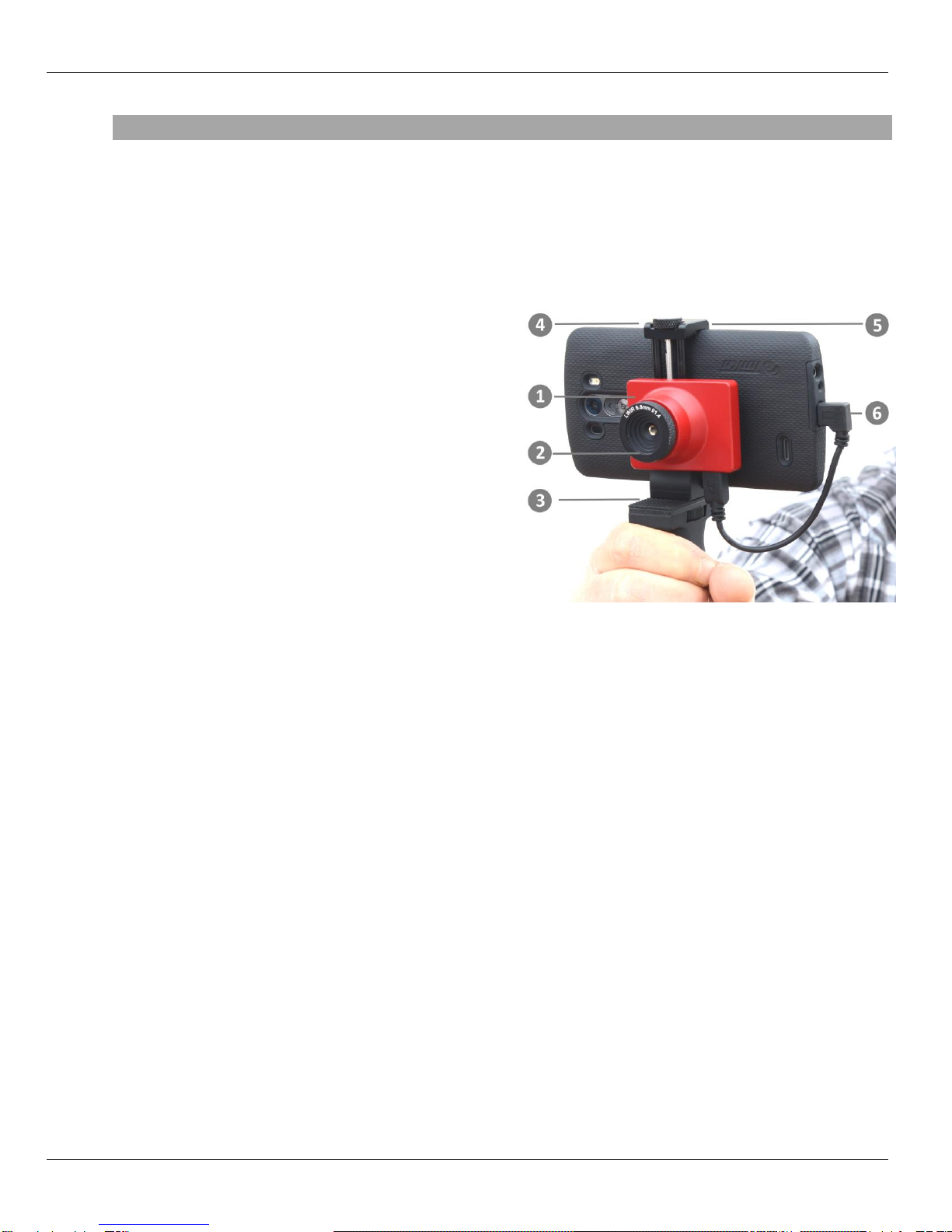
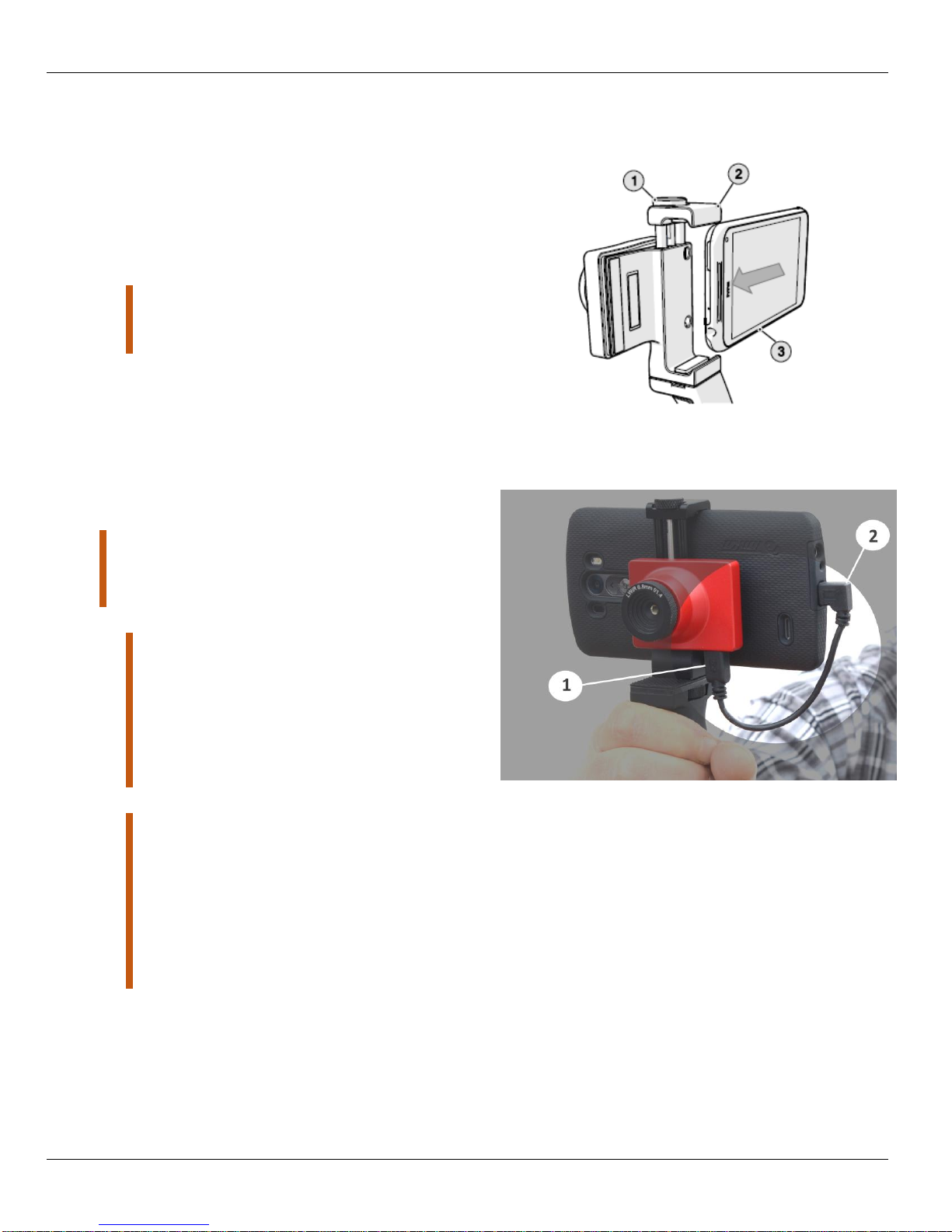
Attach Therm-App to your mobile device with care. Do not use any external tools as too much
pressure might mark or damage your mobile device. Secure locking knob using your fingers
only.
Therm-App uses specific factory-prepared calibration data. If, during prolonged field usage of
Therm-App, a degraded performance is noted, we recommend that you send the Therm-App
device, for re-calibration. Please contact our support team at http://www.therm-app.com for
further instructions.
For the most accurate temperature measurement, it is recommended to wait at least three
minutes after Therm-App starts for stabilization.
Therm-App manuals are updated from time to time, and product-critical notifications are
published occasionally. To access the latest manuals and notifications, go to http://www.therm-
app.com.
Therm-App is a Class B digital product.
This product has been tested and found to comply with the limits for a class B digital product,
pursuant to Part 15 of the U.S. FCC Rules.
Some parts of Therm-App have sharp edges and could cause injury.
Read this document in full, as well as the warranty document provided with the product.
Do not drop Therm-App or apply pressure on the IR lens to avoid breaking the lens. If the IR
lens breaks, do not touch the broken pieces. Touching the broken lens pieces can cause injury.
Do not point the infrared detector (with or without the lens and lens cover) at intensive energy
sources, for example products that emit laser radiation, or the sun. This could damage the
detector.
Do not use Therm-App in a temperature environment higher than +50 degrees Celsius (+122
degrees Fahrenheit), unless specified otherwise in user documentation or technical data. High
temperatures can cause damage to the detector.
The Therm-App device is not sealed. Do not expose the Therm-App device to water, rain or
dust.
Do not apply solvents or similar liquids to the detector or the lens.
The lens has a delicate anti-reflective coating. Clean the lens using a soft cloth applying very
light pressure.
During lens exchange, the IR detector is exposed. Avoid all contact with the detector. Do not
touch, clean or blow air on the detector. Replacement of the lens must be done in a clean, dry
area. Do not leave the IR detector exposed more than needed for performing the replacement.
Do not use pneumatic system pressurized air to remove dust from the Therm-App device.
Pressurized air contains oil mist intended to lubricate pneumatic tools, this type of a
pressurized air could damage the detector and lens.
Power the Therm-App device with 5V DC connected through the micro USB connector only, by
connecting it to a smartphone or other USB host connector. Using any other type of power
source may damage the Therm-App device.
Use only the USB OTG cables provided with the Therm-App device. Using any other types of
cables could damage the equipment.
A label tamper is attached to one of the screws on the back of the Therm-App device.
Removing this label or the S/N label voids the warranty.
For more information, FAQ, and updated device compatibility views, please visit the Therm-
App website: http://www.therm-app.com.
As with most electronic products, Therm-App device must be disposed in an environmentally
friendly way, and in accordance with existing regulations for electronic waste. Please contact
our support team at http://www.therm-app.com for more details.