manuals.online logo
Brands
  1. Home
  2. •
  3. Brands
  4. •
  5. VIORE
  6. •
  7. LCD TV
  8. •
  9. VIORE LED32VFZ61 User manual

VIORE LED32VFZ61 User manual

Other manuals for LED32VFZ61

1

Other VIORE LCD TV manuals

VIORE LC37VXF60PB User manual

VIORE

VIORE LC37VXF60PB User manual

VIORE LC26VH56 User manual

VIORE

VIORE LC26VH56 User manual

VIORE LC32VX60HDT User manual

VIORE

VIORE LC32VX60HDT User manual

VIORE LC32VH55 User manual

VIORE

VIORE LC32VH55 User manual

VIORE PLC10V49 User manual

VIORE

VIORE PLC10V49 User manual

VIORE LC47VXF60PB User manual

VIORE

VIORE LC47VXF60PB User manual

VIORE LC40VF5HTL User manual

VIORE

VIORE LC40VF5HTL User manual

VIORE LC32VF55 User manual

VIORE

VIORE LC32VF55 User manual

VIORE LED32VF60 User manual

VIORE

VIORE LED32VF60 User manual

VIORE LC24VF56PN User manual

VIORE

VIORE LC24VF56PN User manual

VIORE LC42VF55 User manual

VIORE

VIORE LC42VF55 User manual

VIORE LC42VXF120PB User manual

VIORE

VIORE LC42VXF120PB User manual

VIORE LED22VF60 User manual

VIORE

VIORE LED22VF60 User manual

VIORE LC32VH56A User manual

VIORE

VIORE LC32VH56A User manual

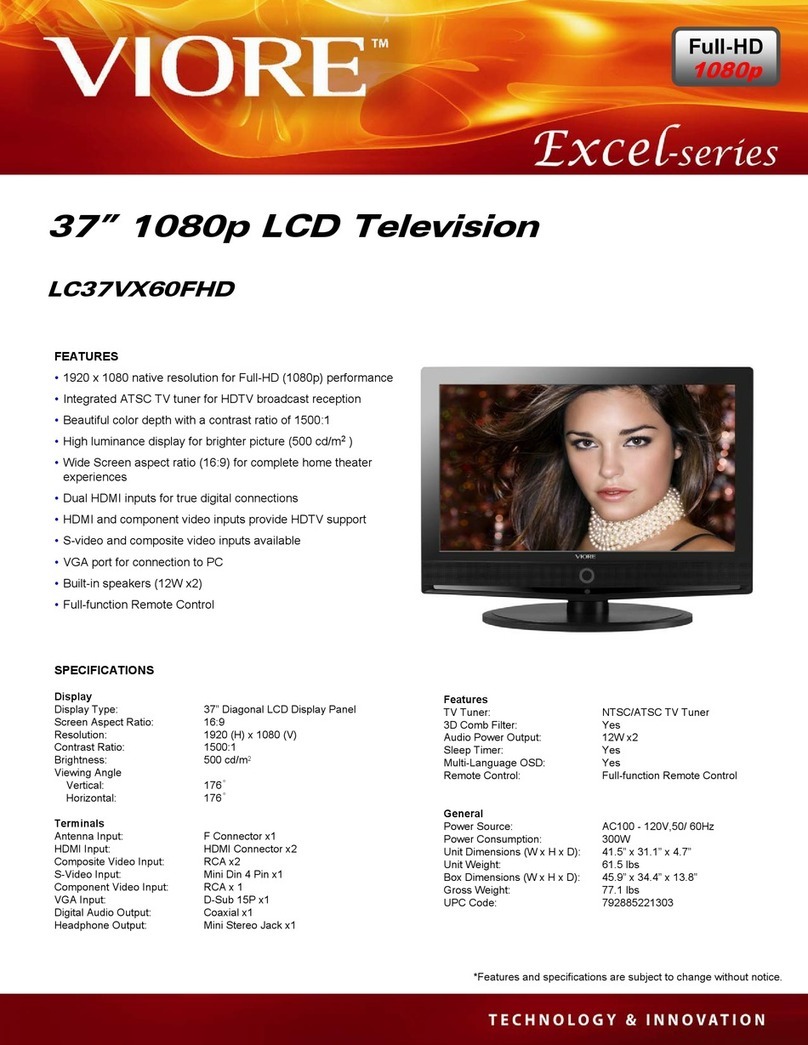
VIORE LC37VX60FHD User manual

VIORE

VIORE LC37VX60FHD User manual

VIORE LC55 VFZ61 User manual

VIORE

VIORE LC55 VFZ61 User manual

VIORE LC37VF55 User manual

VIORE

VIORE LC37VF55 User manual

VIORE LC26VH56 User manual

VIORE

VIORE LC26VH56 User manual

VIORE LC24VXF60PB User manual

VIORE

VIORE LC24VXF60PB User manual

VIORE LC26VH56 User manual

VIORE

VIORE LC26VH56 User manual

VIORE LC22VF59 User manual

VIORE

VIORE LC22VF59 User manual

VIORE EXCEL LC32VX60PB User manual

VIORE

VIORE EXCEL LC32VX60PB User manual

VIORE LC42VXF120PB User manual

VIORE

VIORE LC42VXF120PB User manual

VIORE LC19VX60PB User manual

VIORE

VIORE LC19VX60PB User manual

Popular LCD TV manuals by other brands

Samsung LA32E420 E-manual

Samsung

Samsung LA32E420 E-manual

ViewSonic VS12119-1M user guide

ViewSonic

ViewSonic VS12119-1M user guide

iLO CIWL3706 owner's manual

iLO

iLO CIWL3706 owner's manual

LG 32LT560C Quick reference guide

LG

LG 32LT560C Quick reference guide

Sony WEGA KLV-27HR3 operating instructions

Sony

Sony WEGA KLV-27HR3 operating instructions

Zenith Z32LC2D Specifications

Zenith

Zenith Z32LC2D Specifications

Sony KDL-32S3000R - 32" Class Bravia S-series Digital Lcd... Specifications

Sony

Sony KDL-32S3000R - 32" Class Bravia S-series Digital Lcd... Specifications

Medion MEDION LIFE X14330 quick start guide

Medion

Medion MEDION LIFE X14330 quick start guide

Vizio HDTV30A VW32L Service manual

Vizio

Vizio HDTV30A VW32L Service manual

Sharp LC-24DV250K Operation manual

Sharp

Sharp LC-24DV250K Operation manual

SOYO Dymond DYLT032A user manual

SOYO

SOYO Dymond DYLT032A user manual

Kalley K-LED40FHDST2 Service manual

Kalley

Kalley K-LED40FHDST2 Service manual

Dynex DX-L40-10A Guide de l'utilisateur

Dynex

Dynex DX-L40-10A Guide de l'utilisateur

Hisense M3300 user manual

Hisense

Hisense M3300 user manual

Toshiba 42XV600A owner's manual

Toshiba

Toshiba 42XV600A owner's manual

Panasonic TX-26LX1A operating instructions

Panasonic

Panasonic TX-26LX1A operating instructions

HP LT3200 Illustrated parts & service map

HP

HP LT3200 Illustrated parts & service map

Sharp LC-32GA8 Service manual

Sharp

Sharp LC-32GA8 Service manual

manuals.online logo
manuals.online logoBrands
  • About & Mission
  • Contact us
  • Privacy Policy
  • Terms and Conditions

Copyright 2025 Manuals.Online. All Rights Reserved.

32" 1080p/120Hz LCD Television
with LED Backlight
LED32VFZ61
AIR (TV)/CABLE MODE SELECTION
The Air/CABLE menu option is set to the "CABLE" (Cable Television) mode at the factory.
If you want to use an antenna for the built-in TV tuner, this menu option must be set to the
"Air" mode. Please refer to page ] 6 of the owner's manual for the details of this menu.
• Names of each part(Front View) /Accessories ...................................................... 3
• Names of each part(Back View) .................................................................... 4
• Mounting on a Desktop /Installation Precautions. .................................................... 5
• Installing an Antenna ............................................................................. 6
• Remote control ................................................................................. 7
• Precautions /How to use remote control ........................................................... 8
• Powering the LCD TV /Selecting input source ....................................................... 9
• Operating the Menu ............................................................................ 10
• Customizing the PICTURE Settings ............................................................... 11
• Customizing the SOUND Settings ................................................................. 12
• Customizing the TIMER Settings .................................................................. 13
• Customizing the SETUP Settings .................................................................. 14
• Customizing the LOCK Settings .................................................................. 15
• Customizing the CHANNEL Settings ............................................................. 16
• Trouble shooting .............................................................................. 18
• Specifications .................................................................................. 19
The lightning flash with arrowhead symbol, within an equilateral triangle is
intended to alert the user to the presence of un-insulated "dangerous voltage"
within the products enclosure that may be of sufficient magnitude to constitute a
risk of electric shock to the persons.
The exclamation point within an equilateral triangle is intend to alert the user to
the presence of important operating and maintenance (servicing) instructions in
the literature accompanying the appliance.
Correct disposal of this Product
Waste Electrical & Electronic Equipment (WEEE)
Your product is designed and manufactured with high quality materials and
components which can be recycled and reused.
This symbol means that electrical and electronic equipment, at their end-of-life,
should be disposed of separately from your household waste.
Please dispose of this equipment at your local community waste
collection/recycling centre.
To ensure reliable and safe operation of this equipment, please read carefully all the
instructions in this user guide, especially the safety information below.
Electrical safety
•The TV set should only be connected to a mains supply which matches that stated on
the label.
•To prevent overload, don't share the same mains supply socket with too many other
items of equipment.
• Do not place any connecting wires where: they may be stepped on or tripped over.
• Do not place heavy items on them, which may damage the leads.
• Hold the main plug, not the wires, when removing from a socket.
• During a thunderstorm or while leaving the TV for long periods, set the switch off.
• Do not allow water or moisture to enter the TV or mains adaptor. Do NOT use in wet or
moist areas, such as Bathrooms, steamy kitchens or near swimming pools.
•Pull the plug out immediately, and seek professional help if: the mains plug or cable is
damaged, liquid is spilt onto the set, or if it is accidentally exposed to water or moisture,
anything accidentally penetrates the ventilation slots, the set doesn't work normally.
•Do not remove the safety covers. There are no user serviceable parts inside. You may
invalidate the warranty. This apparatus must only be serviced by qualified personnel.
• To avoid battery leakage, remove exhausted batteries from the remote control, or when
not using far a long period.
• Do not break open or throw exhausted batteries on a fire.
Physical safety
•Do not block ventilation slots in the hack cover. You may place the TV in a cabinet, but
ensure at least 5cm (2") clearance all around.
•Do not tap or shake the TV screen, or you may damage the internal circuits. Take good
care of the remote control.
•To clean the TV use a soft dry cloth. Do not use solvents or petrol based fluids.
• Do not install near any heat sources such as radiators, heat registers stoves or other
apparatus (including amplifiers) that produce heat.
• Do not defeat the safety purpose of the polarized or grounding-type plug. A polarized
plug has two blades with one wider than the other. A grounding type plug has two
blades and a third grounding prong, the wide blade or the third prong is provided for
your safety. If the provided plug does not fit into your outlet, consult an electrician for
replacement of the obsolete outlet.
• Protect the power cord from being walked on or pinched particularly at plugs.
•Use only attachments/accessories specified by the manufacturer.
•Unplug this apparatus during lightning storms or when unused for long periods of time.
• Refer all servicing to qualified service personnel. Servicing is required when the appara-
tus has been damaged in any way, such as power-supply cord or plug is damaged,
liquid has been spilled or objects have fallen into the apparatus, has been exposed to
rain or moisture, does not operate normally or has been dropped.
• Please always connect an apparatus with Class I structure to a main socket with protec-
tive earthing connection.
• Please make sure both main plug and appliance coupler work properly.

o Led Indicator INPUT MENU CH+ CH- VOL+ VOL-
O Remote Control window
(Keep clear)
1. (IR) Infrared Receiver: Receives IR signals from the remote control.
(Power on/Standby)LED Indicator: Press POWER to turn on and off.
POWER
Indicator on(Red) Standby mode
Indicator on(Green) Power on mode
® The configuration of the components may look different from the following illustration.
User's Manual
User's Guide Remote Control
Batteries for
Remote Control
(Size AAA x 2 pcs)
3
VGA PC-IN Y Pb Pr Video L-in R-in Coax Headphone RF
Service HDMI3 HDMI2 HDMI 1
VGA: For PC display.Connect it to the D-Sub 15 pins analog output connector of the PC.
PC IN: Connect it to the audio output terminal of PC.
YPbPr: Connect them to the YPbPr video output terminal of DVD.(used in YPbPr source)
VIDEO: Connect it to video output terminal of DVD.
L/R in: Connect them to the audio output terminal of DVD
Coax: Digital audio output.
Headphone : Headphone output.
RF: Connect antenna or cable 75 Ohm coaxial to receive TV signal.
Service= USB port for service(not for playing digital media files).
HDMII/2/3 : Connect it to the HDMI of DVD or other equipment.
4
@Your LCD TV can be placed on a Desktop as shown in the figure above.
÷Please refer to the following precautions "Using the Stand".
@
@
Please secure enough space for safe use. (Please refer to A and B.)
Installation of the LCD TV in an improperly ventilated location can cause a fire or damage to the LCD TV
due to increased temperature. @
(Mounting on awall) ....................................
÷ Contact your dealer to purchase the "Adjustable-angle wall mount" required for wall-mounted installation.
@ Do not install on an unstable location with support area smaller than the LCD TV.
a ...............................................................................................................................
(Using the Stand)
2inch@8
5
@For connecting to ATSC or NTSC broadcasts
VGA PC-IN Y Pb Pr Video L-in R-in Coax
Headphone_@RF i
I
O ] Wall Jack with
F-Connector
external .....
Antenna
Coaxial (Round) Antenna Cable
Analog+Digital 75
Press INPUT button on the remote control to select TV, then press OK button to confirm.
Then you can receive the ATSC/NTSC signal.
6
3. Remote Control
The remote control is using Infra-Red(IR). Point it towards the front of the LCD TV. The remote
control may not work correctly if it is operated out of range or out of angle.
ii!i!i!i!i!i!i!i!i!i!i!i!i!i!i!i!i!i!i!i!i!i!i!i!i!i!i!i!i!i!i!i!i!i!i!i!i!i!i!i!i!i!i!i!i!i!i!i!i!i!i!i!i!i!i!i!i!i!i!i!i!i!i!i!i!i!i!i!i!i!i!i!i!i!i!i!i!i!i!i!i!i!i!i!i!i!i!i!i!i!i!i!i!i!i!i!i!i!i!i!i!i!i!i!i!i!i!i!i!i!i!i!i!i!i!i!i!i!i!i!i!i!i!i!i!i!i!i!i!i!i!i!i!i!i!i!i!i!i!i!i!i!i!i!i!i!i!i!i!i!i!i!i!i!i!i!i!i!i!i!i!i!i!i!i!i!i!i!i!i!i!i!i!i!i!i!i!i!i!i!i!i!i!i!i!i!i!i!i!i!i!i!i!i!i!i!i!i!i!i!i!i!i!i!i!i!i!i!i!i!i!i!i!i!i!i!i!i!i!i!i!i!i!i!i!i!i!i!i!i!i!i!i!i!i!i!i!i!i!i!i!i!i!i!i!i!i!i!i!i!i!i!i!i!i!i!i!i!i!i!i!i!i!i!i!i!i!i!i!i!i!i!i!i!i!i!i!i!i!i!i!i!i!i!i!i!i!i!i!i!i!i!i!i!i!i!i!i!i!i!i!i!i!i!i!i!i!i!i!i!i!i!i!i!i!i!i!i!i!i!i!i!i!i!i!i!i!i!i!i!i!i!i!i!i!i!i!i!i!i!i!i!i!i!i!i!i!i!i!i!i!i!i!i!i!i!i!i!i!i!i!i!i!i!i!i!i!i!i!i!i!i!i!i!i!i!i!i!i!i!i!i!i!i!i!i!i!i!i!i!i!i!i!i!i!i!i!i!i!i!i!i!i!i!i!i!i!i!i!i!i!i!i!i!i!i!i!i!i!i!i!i!i!i!i!i!i!i!i!i!i!i!i!i!i!i!i!i!i!i!i!i!i!i!i!i!i!i!i!i!i!i!i!i!i!i!i!i!i!i!i!i!i!i!i!i!i!i!i!i!i!i!i!i!i!i!i!i!i!i!i!i!i!i!_!_i!i_ii
7
1. Check the polarity (+,-) of the batteries in the remote control.
2. Check that the batteries have power.
3. Check that the LCD TV is powered and that it is properly plugged in.
4. Check if any three-wavelength lamp, special fluorescent or neon sign is turned on near the LCD TV.
1. Open the cover completely.
2. Insert the two supplied batteries. Ensure that the polarities (+ and -) of the batteries are aligned
correctly.
3. Silde back the cover.
m m
m
z_ CAUTION 'Risk of explosion if battery is replaced by an incorrect type.
Dispose of used batteries according to the national code (Recycling program).
The remote control should be operated within 30feet(7m) and 30°to the left and the right of the IR receiver
at the front of the LCD TV.
Used batteries should be disposed properly.