3
2.1 BEFORE SWITCHING ON
Before switching the appliance on, please familiarise yourself with:
- how to isolate the appliance from the gas, water, and elec-
tricity supplies;
- how to check and top-up – if necessary – the system water
pressure;
- the time clock or programmer (if fitted);
- any external thermostats and their functions;
- the appliance controls.
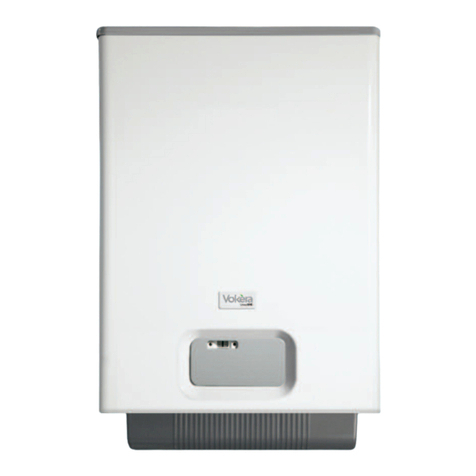
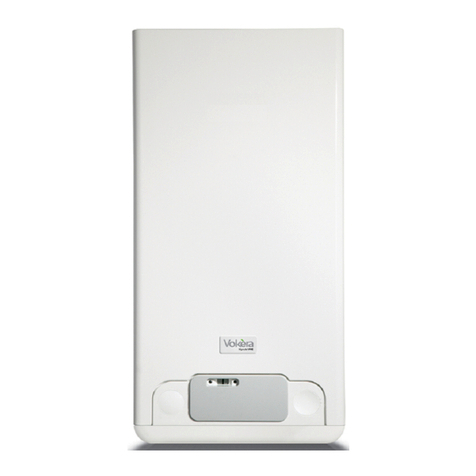
2.2 APPLIANCE CONTROLS (see fig. 1)
The appliance controls are situated on the lower front of the
appliance. The appliance controls include:
- pressure gauge;
- appliance mode selector;
- temperature selector;
- display
- burner ON mode (green);
- fault indicator (red);
- servicing mode indicator (yellow)
- optional integral time clock/programmer (if fitted).
NOTE
The appliance frost protection is active in all the boiler modes.
The temperature selector can be used to vary the temperature
of the water that circulates around your radiators.
The display and LEDS normally show the status of the appliance.
When the status indicator (Green) is lit it indicates that the
flame is present and the burner is ON.
When the fault indicator (Red) is lit it indicates that the
appliance has identified a possible fault and performed a safety
lockout.
When the fault indicator (Yellow) is lit it indicates that there is
a Servicing operation in progress.
The integral time clock (when fitted) can be used to switch the
heating on and off at pre-determined intervals.
2.3 LIGHTING THE BOILER
Ensure the gas and electrical supply to the boiler are turned on.
Turn the mode selector switch to the ON position.
After being powered, the boiler begins an automatic vent cycle
lasting approximately 2 minutes.
During this phase the display shows the icons .
To interrupt the automatic vent cycle proceed as follows:
access the electronic board by removing the casing, turning the
control panel towards you and opening the board cover.
push the SW1 (CO) button (fig. 40)
When there is a request for heating or hot water , the boiler will
begin an ignition sequence. When the appliance reaches the
target temperature, the burner will go off for a minimum period
of approximately 3 minutes.
When the programmer/time clock or external thermostats
request has been satisfied, the appliance will switch off
automatically.
2.4 ADJUSTING THE HEATING TEMPERATURE
Rotate the temperature selector – clockwise to increase,
counter-clockwise to decrease – to the desired temperature
setting.
Depending on the type of the system, it is possible to pre-select
the suitable temperature range:
- standard systems: 40-80 °C
- floor systems: 20-45 °C
For further details consult the”Boiler configuration” section
7.12.
2.5 EXPLANATION OF FEATURES
Although the Vokèra Verve has been designed for simplicity of
use, it utilises the latest in boiler technology, enabling a host of
functions to be carried out simultaneously.
2.6 AUTOMATIC TEMPERATURE CONTROL
The automatic temperature control function (SARA), permits
the boiler (when the heating temperature selector is set within
4 and 6 sector) to automatically adjust (raise) the heating.
The activation and the disable of the function is visualized by
blinking the green led.
2.GETTING STARTED
3.1 HOW TO TOP-UP THE SYSTEM PRESSURE
(fig. 1-2)
The system pressure must be checked periodically to ensure
the correct operation of the boiler. The needle on the gauge
should be reading between 1.5 and 2.0 BAR when the boiler
is in an off position and has cooled to room temperature. If the
pressure requires ‘topping-up’ use the following instructions
as a guide.
- Locate the filling valve connections (usually beneath the
boiler, see fig. 2).
- Attach the filling loop to both connections.
- Open the filling valve slowly until you hear water entering the
system.
- Close the filling valve when the pressure gauge (on the
boiler) reads between 1.5 and 2.0 BAR (see fig. 1).
- Remove the filling loop from the connections.
3.2 HOW TO RESET THE APPLIANCE
When the red fault LED is illuminated, the appliance will require
to be reset manually. Before resetting the boiler, check what
action is required to be taken, using the information on the
fault code table below. Allow a period of two minutes to
elapse before rotate the mode selector knob across the
position (see fig. 1).
IMPORTANT
If the appliance requires to be reset frequently, it may be
indicative of a fault, please contact your installer or Vokèra
Customer Services for further advice.
3. HOWTO...
Fig. 2
control
valve
temporary
connection
control
valve
supply pipe
double
check valve
flow/return
pipe
3.3 HOW TO SHUT DOWN THE SYSTEM FOR
SHORT PERIODS
The system and boiler can be shut down for short periods by
simply turning the time clock to the off position. It is also
advisable to turn off the main water supply to the house.
3.4 HOW TO SHUT DOWN THE SYSTEM FOR
LONG PERIODS
If the house is to be left unoccupied for any length of time –
especially during the winter – the system should be thoroughly
drained of all water. The gas, water, and electricity supply to the
house should also be turned off. For more detailed advice
contact your installer.
3.5 HOW TO CARE FOR THE APPLIANCE
To clean the outer casing use only a clean damp cloth. Do
not use any scourers or abrasive cleaners.