manuals.online logo
Brands
  1. Home
  2. •
  3. Brands
  4. •
  5. Whirlpool
  6. •
  7. Dishwasher
  8. •
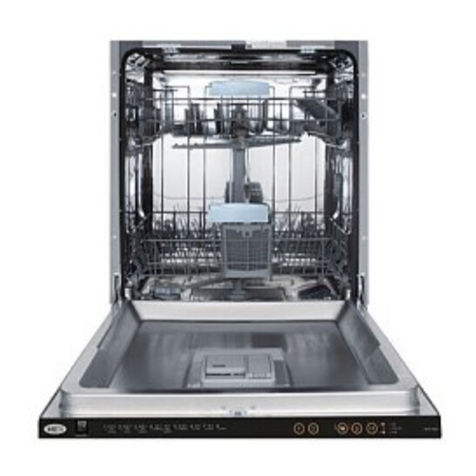
  9. Whirlpool 6 ADP 951 User manual

Whirlpool 6 ADP 951 User manual

Other Whirlpool Dishwasher manuals

Whirlpool 920 User manual

Whirlpool

Whirlpool 920 User manual

Whirlpool 3369092 REV. A User manual

Whirlpool

Whirlpool 3369092 REV. A User manual

Whirlpool DU8500XT Series User manual

Whirlpool

Whirlpool DU8500XT Series User manual

Whirlpool ADG 955 NBM User manual

Whirlpool

Whirlpool ADG 955 NBM User manual

Whirlpool DU018DWJX0 User manual

Whirlpool

Whirlpool DU018DWJX0 User manual

Whirlpool WIE 2B16 Installation and operation manual

Whirlpool

Whirlpool WIE 2B16 Installation and operation manual

Whirlpool Gold GU2200 Parts list manual

Whirlpool

Whirlpool Gold GU2200 Parts list manual

Whirlpool GU2200XTSB3 User manual

Whirlpool

Whirlpool GU2200XTSB3 User manual

Whirlpool Gold GU2800XTV User manual

Whirlpool

Whirlpool Gold GU2800XTV User manual

Whirlpool 940 series User manual

Whirlpool

Whirlpool 940 series User manual

Whirlpool DU1100XTPB3 User manual

Whirlpool

Whirlpool DU1100XTPB3 User manual

Whirlpool I-93 User manual

Whirlpool

Whirlpool I-93 User manual

Whirlpool ADG 6600 User manual

Whirlpool

Whirlpool ADG 6600 User manual

Whirlpool WDF550SAFW User manual

Whirlpool

Whirlpool WDF550SAFW User manual

Whirlpool WBO 3T133 PF X Installation and operation manual

Whirlpool

Whirlpool WBO 3T133 PF X Installation and operation manual

Whirlpool DISHWASHERS User manual

Whirlpool

Whirlpool DISHWASHERS User manual

Whirlpool WDT780SAEM2 User manual

Whirlpool

Whirlpool WDT780SAEM2 User manual

Whirlpool DU900PCDQ5 User manual

Whirlpool

Whirlpool DU900PCDQ5 User manual

Whirlpool WDTA75SAHN0 User manual

Whirlpool

Whirlpool WDTA75SAHN0 User manual

Whirlpool ADP 951 User manual

Whirlpool

Whirlpool ADP 951 User manual

Whirlpool AWM 8050-F User manual

Whirlpool

Whirlpool AWM 8050-F User manual

Whirlpool 8575989 User manual

Whirlpool

Whirlpool 8575989 User manual

Whirlpool 900 SERIES User manual

Whirlpool

Whirlpool 900 SERIES User manual

Whirlpool GU3200XTXB Assembly instructions

Whirlpool

Whirlpool GU3200XTXB Assembly instructions

Popular Dishwasher manuals by other brands

Samsung DW-FN320T user manual

Samsung

Samsung DW-FN320T user manual

LG LDS 5811WW Service manual

LG

LG LDS 5811WW Service manual

Elba EDW-B1462D owner's manual

Elba

Elba EDW-B1462D owner's manual

VESTEL NOVUS Series Service manual

VESTEL

VESTEL NOVUS Series Service manual

Bosch SMS4EMW00E Instructions for use

Bosch

Bosch SMS4EMW00E Instructions for use

Global-Tek GT-CR 2 manual

Global-Tek

Global-Tek GT-CR 2 manual

Smeg Dishwasher 85028 Instructions for installation and use

Smeg

Smeg Dishwasher 85028 Instructions for installation and use

LG LD-4080W Service manual

LG

LG LD-4080W Service manual

Bauknecht GCF 625 operating instructions

Bauknecht

Bauknecht GCF 625 operating instructions

Sharp QW-HX13F47EI-EU user manual

Sharp

Sharp QW-HX13F47EI-EU user manual

Asko D5536XLFI operating instructions

Asko

Asko D5536XLFI operating instructions

Modena WP 7134 WVM User manual book

Modena

Modena WP 7134 WVM User manual book

Beko DFN39340X instruction manual

Beko

Beko DFN39340X instruction manual

AEG FAVORIT 65050 VI1P user manual

AEG

AEG FAVORIT 65050 VI1P user manual

Siemens SN23HI37VE user manual

Siemens

Siemens SN23HI37VE user manual

Maytag MDB4651AWB - Tall Tub Dishwasher User instructions

Maytag

Maytag MDB4651AWB - Tall Tub Dishwasher User instructions

Hotpoint Ariston LL 42 Instruction book

Hotpoint Ariston

Hotpoint Ariston LL 42 Instruction book

Siemens SN45ZW56CS user manual

Siemens

Siemens SN45ZW56CS user manual

manuals.online logo
manuals.online logoBrands
  • About & Mission
  • Contact us
  • Privacy Policy
  • Terms and Conditions

Copyright 2025 Manuals.Online. All Rights Reserved.

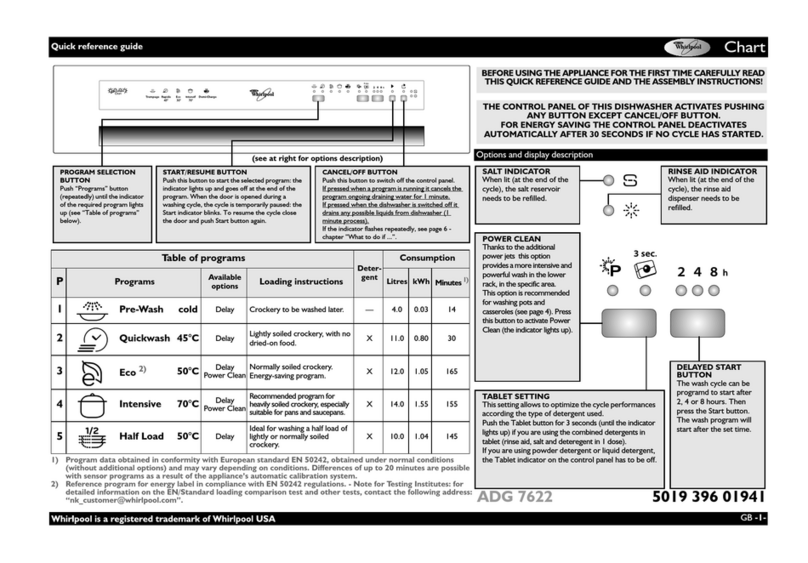
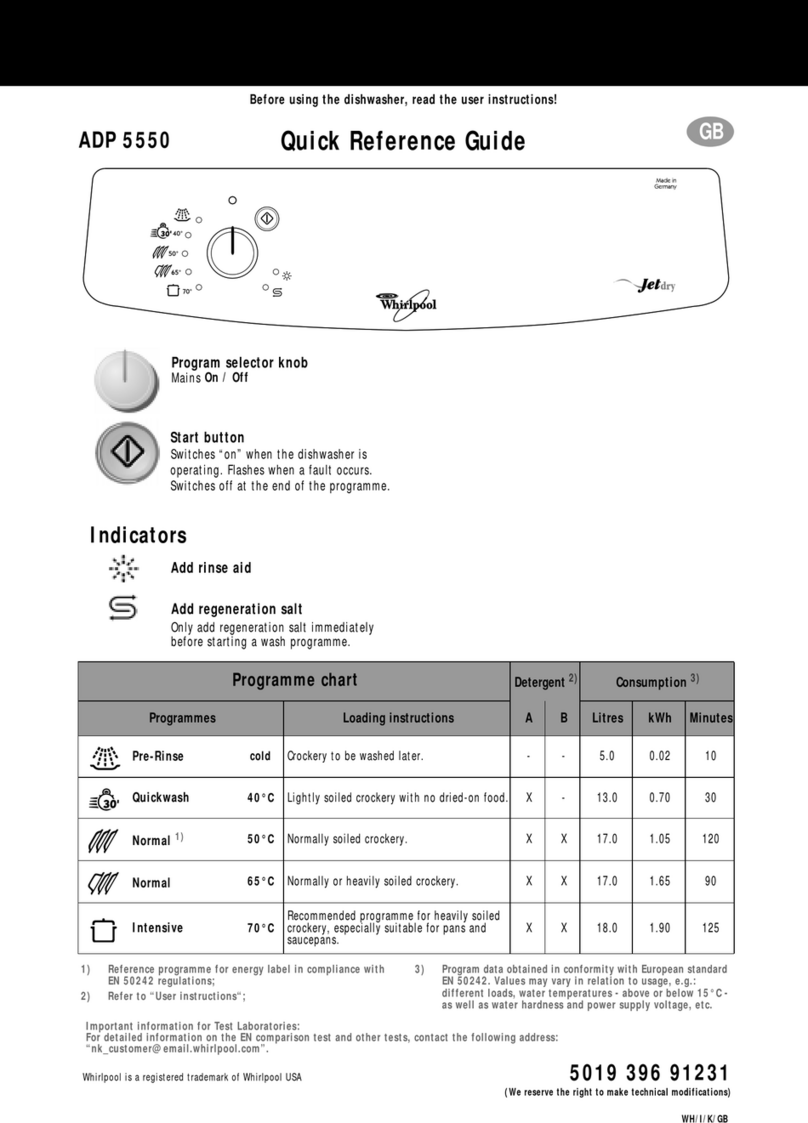
Further indications are given in the pages to follow and in the user instructions.
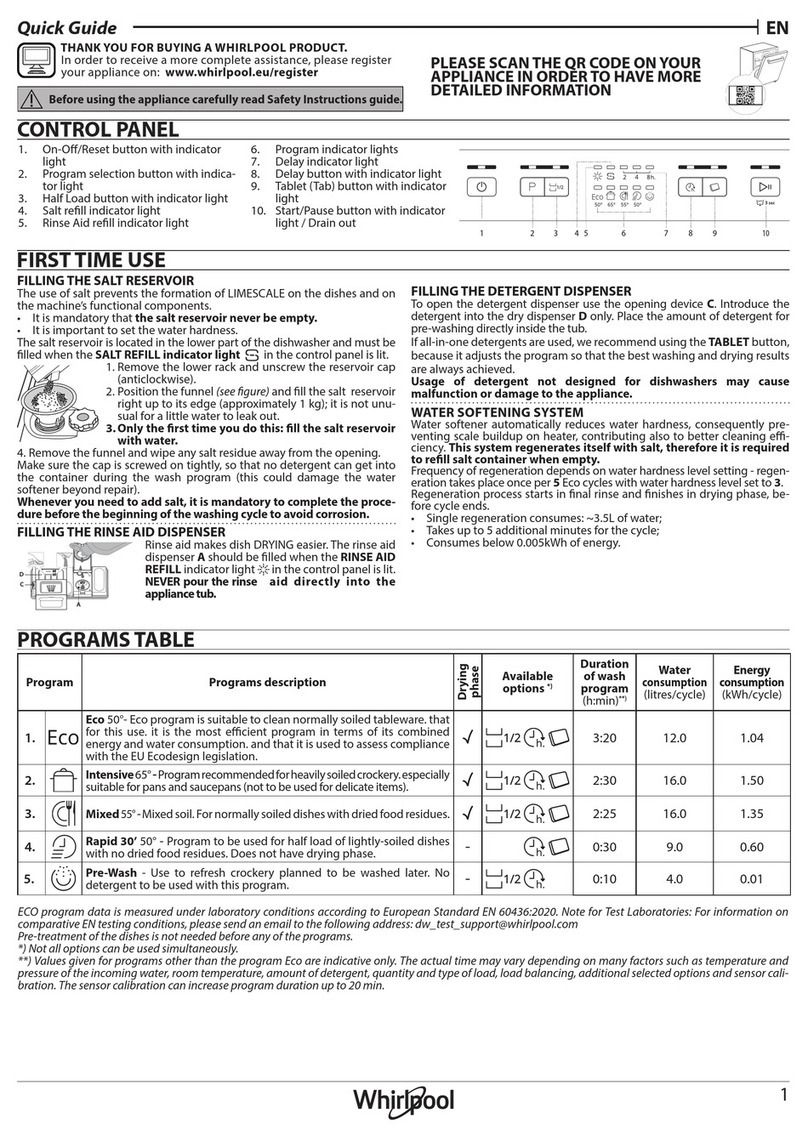
Rinse aid level indicator
Add rinse aid.
Programme progress indicator
Pre-rinse / Pre-wash
Washing
Drying
Programme end
Start button
Indicator lamp lit while the dishwasher is operating.
Flashes when a fault occurs.
Switches off at the end of the programme.
Programme selector
Programme Symbol
and Temperature Programme selection and
recommended load type
Place the detergent in the: Consumption1)
Normal load
small
compartment large
compartment
Water
(Litres) Energy
(kWh) Time
(Min.)
Pre-wash Crockery to be washed later. --5.00.029
Normal 65° C 4) Lightly soiled crockery. X X 23.0 0.89 88
Eco 50° C 2) Normally or heavily soiled crockery with dried-on food. X X 18.0 1.40 87
Universal 65° C 3) Normally or heavily soiled crockery. X X 22.0 1.64 93
Intensive 70° C Heavily soiled pans and saucepans. X X 22.5 1.75 93
Quick Reference Guide
GB
5019 100 91243
(We reserve the right to make technical modifications)
1) Values may vary in relation to usage, e.g.: different loads, water temperatures (above or below 15° C), water hardness and power supply
voltage, etc.
2) Programme recommended when using detergents of type B (enzyme-based detergents). Reference programme for energy label.
3) Programme recommended when using detergents of type A (non enzyme-based detergents).
4) For AS 2007 Test Standards
6 ADP 951
1. After loading the dishwasher, close the
door properly and open the water
supply tap.
2. The dishwasher switches on
automatically as soon as the
programme selector knob is turned.
One of the programme indicator
lamps will switch on.
3. Turn the selector knob to select the
desiredprogramme.Thecorresponding
indicator lamp lights up. If required,
select options (if supplied).
4. Press the Start button to start the
selected wash programme. The
corresponding indicator lamp
switches on. Once set, the
programmeddatacannotbealteredby
turning the programme selector knob.
Note: Once the Start button has been
pressed, the dishwasher memorises the
last programme selected. This
information remains in the memory even
during interruption of the power supply.
To change the selected
programme, press the Start button
for about 5 seconds, until the Start
indicator lamp switches off.
Select a new programme using the
programme selector knob and
press the Start button.
Note: If the dishwasher is switched off
during a wash programme, when
switched on again it will resume the
wash cycle from where it was
interrupted.
Only open the dishwasher door if
strictly necessary during a wash
cycle and exercise maximum
caution. Danger of scalding from
steam.
5. To indicate the end of the programme,
the Start indicator lamp switches off
and the End indicator lamp (if fitted)
lights up (about 30 min.).
6. Turn the programme selector knob to
the “0” position to switch off the
dishwasher (only after the Start
indicator lamp has switched off). All
the indicator lamps switch off.
7. Open the door (warning: beware of hot
steam). Unload the lower rack before
the upper one. Close the water tap.
Upper rack
Rack height adjustment:
(The dishwasher is delivered with the upper
rack in the top position).
The rack height can also be changed
when loaded.
• To lower: pull out the two side
handles and gently lower the rack.
• To raise: pull up the two side handles
until the rack clicks into place.
•The rack must be level on both sides.
Crockery Holders:
• Down:
cups and long-stemmed glasses.
•Up: plates.
Glass holder:
Lower rack
Plate holders:
•(
A) may be lowered to increase
available space.
Cutlery basket:
The cutlery basket can be removed to
increase (C) available space.
A
A
C
C
How to use the dishwasher
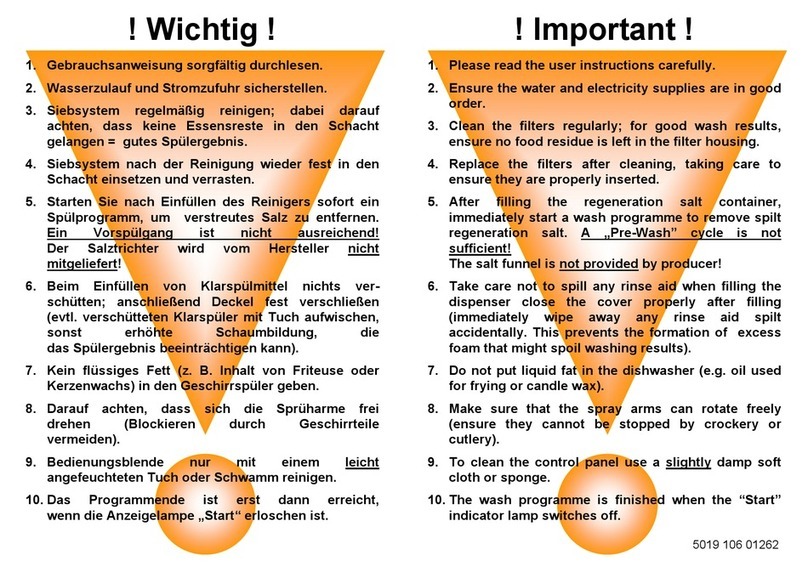
Please read the user instructions carefully.
Upper and lower rack
Tips and advice
•Arrange crockery so that items do not
touch each other. Arrange large
crockery in the lower rack and smaller
crockery in the upper rack.
•Load cups at an angle to facilitate
water drainage.
•Generally speaking, place cutlery in the
basket with the handles positioned
downwards, but ensure that any sharp
knives and forks that might cause
injury are placed in the basket with the
handles positioned upwards.
•Make sure the water jet can reach all
loaded items and that the spray arms
turn freely. Important
•Fill the detergent dispenser and check
the salt and rinse aid level.
•Do not use the appliance for items not
suitable for washing in a dishwasher,
for example: wooden items, aluminium,
plastic utensils, tin, hand-decorated
crockery (unglazed), silver cutlery.
•Do not put liquid fat in the dishwasher
(e.g. oil used for frying) or candle wax.
•If a fault occurs or you wish to change
the current programme, press the
“START”button for about 5 seconds
until the Start indicator lamp switches
off.
•If regeneration salt is to be added,
immediately start a wash programme
in order to eliminate any residual salt
(rinsing alone is not sufficient).
•Sometimes even though the
regeneration salt container has been
filled, the corresponding indicator lamp
(if fitted) will light up during the first
wash cycle after filling with salt.
•Before starting a wash programme,
make sure that the spray arms can turn
freely and are not impeded by crockery
or cutlery.
•Only switch off the dishwasher once the
“Start”indicator lamp has switched off.
If the dishwasher is switched off during a
wash cycle, when switched on again it
will resume the cycle from where it was
interrupted without having to start it
again.
If a fault occurs, before contacting our
After-Sales Service, make the following
checks to try and remedy the problem:
The dishwasher is not working:
•Is the plug properly inserted in the wall
socket?
•Is there a power failure?
•Is the dishwasher switched on?
•Has the Start button been pressed?
•Has the delayed start timer been set (if
fitted)?
•Is the water supply tap on?
•Is the flow of water obstructed by impurities?
If so, close the water supply tap, detach the
water hose and clean the filter. Then re-
connect the water hose to the tap and open
the water tap once again.
•Are the filters clogged?
(See “Care and maintenance”chapter in
the user instructions).
•Is the door closed properly?
•Is a fault indicated?
(The Start indicator lamp flashes).
Start the programme again from the
beginning: press the Start button for
about 5 seconds, until the Start indicator
lamp switches off. Select a new
programme and press the Start button.
Crockery still dirty after washing:
•Was the crockery loaded properly?
•Crockery must be loaded facing
downwards; this is important, especially
for large items of crockery.
•The water jets must spray the entire
surface of all items.
•Make sure that crockery and cutlery are
arranged properly.
•Have you selected the correct programme?
•Did you use too much or too little
detergent? (The use of poor quality
detergents may result in less effective
washing).
•Are the filters clogged or incorrectly
assembled?
(See “Care and Maintenance”chapter in
the user instructions).
•Arethe sprayarms blocked orthe nozzles
clogged? (See “Care and Maintenance”
chapter in the user instructions).
•Is the lower spray arm correctly fitted?
•Is the salt container cap (water softening
system) screwed down?
Marked crockery:
•Is the water hardness level selector not
properly adjusted? (See “Filling the salt
container”in the user instructions).
•Is the salt container empty?
(See “Filling the salt container”in the user
instructions).
•Was insufficient detergent used?
(See “Filling the detergent dispenser”in
the user instructions).
Marked glasses and cutlery:
•Was too much rinse aid used?
(See“Fillingtherinseaiddispenser”inthe
user instructions).
Note: With some models, when the Start
button is pressed a pre-wash cycle precedes
the actual wash programme; this
regenerates the water softening system.
If, after carrying out the above checks the
malfunction persists or appears again,
turn the appliance off and turn off the
water supply tap, then call our After-Sales
Service (see guarantee). Please specify:
•The nature of the fault.
•The appliance type and model.
•The service code (the number after the
wordServiceontheadhesiverating plate)
inside the door on the right-hand side.
•Your full address and telephone number.
AFTER-SALES
SERVICE
Troubleshooting Guide
Please read the user instructions carefully.

LOWER RACK
UPPER RACK
Dishwasher loading instructions
Depending on the model, rack features may vary (see “Upper and lower rack”description).