manuals.online logo
Brands
  1. Home
  2. •
  3. Brands
  4. •
  5. Whirlpool
  6. •
  7. Microwave Oven
  8. •
  9. Whirlpool MW850EXP User manual

Whirlpool MW850EXP User manual

This manual suits for next models

2

Other Whirlpool Microwave Oven manuals

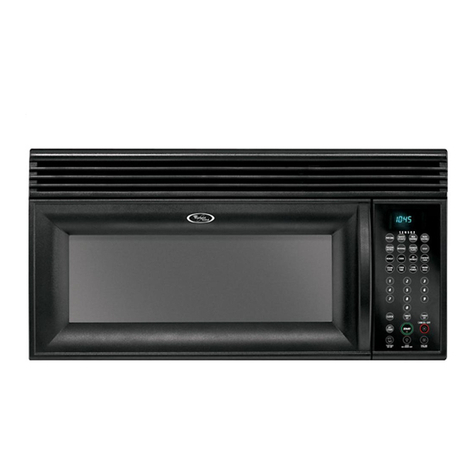
Whirlpool WMH31017AW0 User manual

Whirlpool

Whirlpool WMH31017AW0 User manual

Whirlpool W11510161A User manual

Whirlpool

Whirlpool W11510161A User manual

Whirlpool Cook30 User manual

Whirlpool

Whirlpool Cook30 User manual

Whirlpool WMC10007AWCYBER User manual

Whirlpool

Whirlpool WMC10007AWCYBER User manual

Whirlpool WML55011HS User manual

Whirlpool

Whirlpool WML55011HS User manual

Whirlpool WMC30311LUS User manual

Whirlpool

Whirlpool WMC30311LUS User manual

Whirlpool YMH1170XSB1 User manual

Whirlpool

Whirlpool YMH1170XSB1 User manual

Whirlpool MT4110RP User manual

Whirlpool

Whirlpool MT4110RP User manual

Whirlpool AMW 712 Operating and maintenance manual

Whirlpool

Whirlpool AMW 712 Operating and maintenance manual

Whirlpool MH6300XM1 User manual

Whirlpool

Whirlpool MH6300XM1 User manual

Whirlpool Roper MHE14XMB0 User manual

Whirlpool

Whirlpool Roper MHE14XMB0 User manual

Whirlpool WOC75EC0HS User manual

Whirlpool

Whirlpool WOC75EC0HS User manual

Whirlpool GH4155XPS2 User manual

Whirlpool

Whirlpool GH4155XPS2 User manual

Whirlpool MAX 28 User manual

Whirlpool

Whirlpool MAX 28 User manual

Whirlpool MH2175XS Use and maintenance manual

Whirlpool

Whirlpool MH2175XS Use and maintenance manual

Whirlpool  GH7208XRS User manual

Whirlpool

Whirlpool  GH7208XRS User manual

Whirlpool GMH6185XVB Use and maintenance manual

Whirlpool

Whirlpool GMH6185XVB Use and maintenance manual

Whirlpool AMW 730/NB User manual

Whirlpool

Whirlpool AMW 730/NB User manual

Whirlpool MH3185XPB2 User manual

Whirlpool

Whirlpool MH3185XPB2 User manual

Whirlpool W10182518A User manual

Whirlpool

Whirlpool W10182518A User manual

Whirlpool MH9115XB User manual

Whirlpool

Whirlpool MH9115XB User manual

Whirlpool WMH1162XVD - 1.6 cu. ft. Microwave-Range Hood... User manual

Whirlpool

Whirlpool WMH1162XVD - 1.6 cu. ft. Microwave-Range Hood... User manual

Whirlpool MT9160XBB User manual

Whirlpool

Whirlpool MT9160XBB User manual

Whirlpool MWD 201 User manual

Whirlpool

Whirlpool MWD 201 User manual

Popular Microwave Oven manuals by other brands

Sharp R-390D manual

Sharp

Sharp R-390D manual

PROFILO MD1000 instruction manual

PROFILO

PROFILO MD1000 instruction manual

Candy MIC 201 EX User instructions

Candy

Candy MIC 201 EX User instructions

PITSOS GMW3101B user manual

PITSOS

PITSOS GMW3101B user manual

Sears 5648744780 Use & care manual

Sears

Sears 5648744780 Use & care manual

BOMANN CB 1272 Instruction manual & guarantee

BOMANN

BOMANN CB 1272 Instruction manual & guarantee

Conrad Electronic 2372935 operating instructions

Conrad Electronic

Conrad Electronic 2372935 operating instructions

GE Spacemaker JVM1440BH datasheet

GE

GE Spacemaker JVM1440BH datasheet

DAEWOO ELECTRONICS KOR-6L8K5S83 Operating instructions & cook book

DAEWOO ELECTRONICS

DAEWOO ELECTRONICS KOR-6L8K5S83 Operating instructions & cook book

DAEWOO ELECTRONICS KOR-1N5A9S Operating instructions & cook book

DAEWOO ELECTRONICS

DAEWOO ELECTRONICS KOR-1N5A9S Operating instructions & cook book

Daewoo KQG-6617G Operating instructions & cook book

Daewoo

Daewoo KQG-6617G Operating instructions & cook book

Samsung M1779 Owner's instructions

Samsung

Samsung M1779 Owner's instructions

GE JES1143 Use and care & cooking guide

GE

GE JES1143 Use and care & cooking guide

Miele H6200BM(TB) Operating and installation instructions

Miele

Miele H6200BM(TB) Operating and installation instructions

Jocel JMO011480 instruction manual

Jocel

Jocel JMO011480 instruction manual

Sharp R-752M Operation manual with cookbook

Sharp

Sharp R-752M Operation manual with cookbook

Electrolux EVL8E00X user manual

Electrolux

Electrolux EVL8E00X user manual

STOVES Q900GRF DO User, installation & servicing instructions

STOVES

STOVES Q900GRF DO User, installation & servicing instructions

manuals.online logo
manuals.online logoBrands
  • About & Mission
  • Contact us
  • Privacy Policy
  • Terms and Conditions

Copyright 2025 Manuals.Online. All Rights Reserved.

MICROWAVE
OVEN
Models MW85OOXPand
MW850EXP
BY., Freezers. Refrlgerabr-Freezers. Ice Makers. DIshwashers, Built-In Ovens and Surface Units, Ranges, Microwave Ovens, Trash Compactors, Room Air Condltlonars, Dahumldific
Contents
Parts and Features
Before You Install
Your Microwave Oven
Before You Use Your
Microwave Oven
Precautions to Avoid Possible
Exposure to Excessive
Mlcrowave Energy
Important Safety Instructions
Using Your Microwave Oven
Microwave Oven Controls
Setting the Clock
Cooking at High Cook Power,
Cooking at Lower Cook Powers
Defrosting
Cooking Automatically after
Defrosting
Page2
3
3
10
Minute Timer
Changing or Adding Instructions
Cancelling Instructions
Programming Tone
Other Operating Hints
Operating Safety Precautions
lnstallatlon Instructions
Grounding Instructions
Building in Your Microwave Oven
Caring for Your Microwave Oven
Cleaning the Microwave Oven
Replacing the Light Bulb
How Your Microwave Oven Works
If You Need Service or Assistance
1. Before Calling for Assistance
2. If You Need Assistance
3. If You Need Service
4. If You Have a Problem
12
13
13
13
14
14
16
17
18
18
18
18
19
zi
20
21
21
Parts and features
0 1985 Whirlpool Corporation
‘iii lil
,i
- DEFRGSTGUIDE
[Not Shown1
’ GYINTS -
(Not Shown)
CONTROL
PANEL
MODEL AND SERIAL
NUMBER PLATE
DOOR
LATCH
Copy your Model and Serial Numbers here...
Ifyou need service or call with a question, have
this information ready:
1.Complete Model and Senal Numbers (from the
plate just behind the microwave oven door on
Model Number
the oven frame].
2. Purchase date from sales slip.
Serial Number
Copy this information in these spaces. Keep this
book, your warranty and sales slip together in a
Purchase Date
handy place. There is no warranty registration to
return. Proof-of-purchase is all that is required for
inwarrantY service.
Service Company Phone Number
2
Fill out and return the “Microwave Registration Card” attached to the oven door. If the card IS
missing, please send the model number of your mlcrowave oven, with your name and address to
Whirlpool Corporation
Microwave Registration Department
Administrative Center
2000 US 33 North
Benton Harbor, Michigan 49022
This Information WIII help us reach you
if
there ISever a need to pass along lnformatton about your
microwave oven
Before you install your microwave oven
Read and carefully follow the “INSTALLATION INSTRUCTIONS”
found on page 16 of this “Use & Care Guide!’
Before you use your microwave oven
Read this”Use & Care Guide” carefully for important use and safety information
Store in a convenient place for future use
It Is your personal responslbllity and obligation to be sure your microwave oven:
l
Has been installed where it is protected from the elements The microwave
oven should be at a temperature above 50°F (10°C) for proper operation.
l
Has been installed on a surface strong enough to support its weight.
l
Has been properly connected to electrical supply and grounded.
(See “Installation Instructions:‘)
l
Is not used by children or anyone unable to operate it properly.
l
Is properly maintained.
l
Is used only for jobs expected of a home microwave oven.
PRECAUTIONS TO AVOID
POSSIBLE EXPOSURE TO EXCESSIVE
MICROWA~ ENERGY...
DO NOT
attempt to oper-
DO NOT
operate the The microwave.oven
ate this oven with the door oven if it is damaged. It is should be checked for
open since open-door op- particularly important that microwave leakage by
eration can result in harm- the oven door close qualified service personnel
ful exposure to microwave properly and that there is after a repair is made.
energy. It is important not to no damage to the
defeat or tamper with the (1) Door (bent], The oven should not be
safety interlocks. (2) Hinges and latches adjusted or repaired by
DO NOT
place any object (broken or loosened), anyone except properly
(3) Door seals and sealing qualified service
between the oven front
face and the door or allow surfaces. personnel.
soil or cleaner residue
DO NOT
operate the
DO NOT
operate the
to accumulate on sealing microwave oven if the microwave oven with the
surfaces. door glass is broken. outer cabinet removed.
3
IMPORTANT
SAFETY INSTRUCTIONS
Mlcrowave ovens have been used successfully in homes for a number of years.
They are thoroughly tested for safe and efficient opemtion. However, as with
any appliance, there are special installation and safety precautions which must
be followed to ensure safe and satisfactory operation and prevent damage to
the unit.
WARNING -
To reduce the risk of burns, electric shock,
fire, injury to persons or exposure to excessive microwave energy:
1.
Read all instructions before using
appliance.
2. Read and follow the specific “PRECAU-
TIONS TO AVOID POSSIBLE EXPOSURE TO
EXCESSIVE MICROWAVE ENERGY” found
on page 3.
3. This appliance must be grounded. Con-
nect only to properly grounded outlet. See
“GROUNDING INSTRUCTIONS” found on
page 17.
4. Install or locate this appliance only in
accordance with the provided “INSTALLA-
TION INSTRUCTIONS” found on page 16.
5. Some products such as whole eggs and
sealed containers - for example, closed
glass jars - may explode and should not
be heated in this oven.
6.
Use this appliance only for its intended
use as described in this manual.
7. As with any appliance, close supervi-
sion is necessary when used by children.
8.
Do not operate this appliance if it has a
damaged cord or plug, if it is not working
properly, or if it has been damaged or
dropped. Electric shock, fire or other haz-
ards may result.
9. This appliance should be serviced only
by qualified service personnel. Call a
Whirlpool authorized TECH-CARE@ Service
Company for examination, repair or
adjustment.
10.
Do not cover or block any opening on
the appliance, for fire may result.
11.
Do not use outdoors for damage to the
oven or electric shock may result.
12. Do not immerse cord or plug in water for
electric shock may result.
13. Keep cord away from heated surfaces
for electric shock may result.
14. Do not let cord hang over edge of table
or counter for electric shock may result.
15.
See door surface cleaning instructions
on page 18.
16.
To reduce the risk of fire in the oven
cavity:
a. Do not overcook food. Carefully attend
appliance if paper, plastic, or other com-
bustible materials are placed inside the
oven to facilitate cooking. Paper can char
or burn, and some plastics can melt if used
when heating foods.
b. Remove wire twist-ties from paper or
plastic bags before placing bag in oven.
Cooking in metal containers can damage
the oven. So can containers with hidden
metal (twist-ties, foil-lining, staples, metallic
glaze or trim]. Testdinnenvare or cookware
before using. See page 14.
c. If materials inside the oven should ignite,
keep oven door closed, turn oven off, and
disconnect the power cord, or shut off
power at the fuse or circuit breaker panel.
17. Read and follow “OPERATING SAFETY
PRECAUTIONS” starting on page 14.
SAW THESE
INSTRUCTIONS

Using your microwave oven
Microwave oven controls
There are three parts in the control section:
-The Digital Display/Clock, and Signal
Lights
-Command Pads
- Number Pads
Instructions for each control are covered on the
following pages. Read them carefully.
When you first plug in the oven, the Display
will show 88:88. If.after you set the Clock
(page6], the Display again shows all 8’s, it
means your electricity was off for a while.
Reset the Clock.
Digital display/clock and signal lights
When you are not
using the microwave
oven, this is an accu-
rate digital clock.
When you are using
the microwave oven,
this displays time and
Cook Power settings,
signal lights and
shows you what
Number Pads you
Command pads
touched.
q
Touch Command
.a Pads to tell the
.. - microwave oven
what to do and in
what order. A few
examples:
-CLOCK SETtells
the oven YOU are
oven to start See
page 13for information on the tone you hear
when touching any pad.
Each Command Pad (except STARTand
CANCEL) lights a Signal Light on the digital
display. The Signal Light comes on when
you touch the Command Pad.
While the oven is running, a Signal Light
(or lights] will be on to show what the oven
is doing.
Number pads
- a time,
p p m -a CookPower.
Setting the clock
When the oven is first plugged in, the Display shows 88:88. If the electric power ever
goes off, the Display will also show all 8’s when the power comes back on.
You can cook without setting the clock, but the display will be blank after cooking.
the oven door must be closed betore setting the clock.
DO THIS...
1. Touch CLOCK SET.
2. Touch Number Pads for
the correct time of day.
3.
Touch START.
THIS HAPPENS...
The CLOCK SETSignal Light will
come on. The Display will show a
“01’ Start touching number pads
for the desired time within 5
seconds.
Cooking at high cook power
DO THIS...
,” _ __ ._
1.
Put food in the oven and
close the door.
,-_.~...-..--_,. _ . _._
m . .
2.
Touch COOK.
The Display will show what num-
bers you touched in the order you
touched them. This example
shows 3125.
,-
The Clock is set when the CLOCK
SETSignal Light goes off.
The Display will flash on and off if
you have touched in an incorrect
time such asl2:65.
THIS HAPPENS...
The COOK Signal Light will come
on and the Display will show four 0’s.
3. Touch Number Pads for
the cooking time you
want.
6
The oven will automatically cook at high Cook Power.
4.
Touch START.
d
count
own
When the cooking time ends you
will hear 4 beeps. (You can stop
the beeping by opening the oven
door or touching CANCEL.) When
the beeping stops, the Display will
show the time of day.
Changing the cooking time
You can change the cooking time anytime during the cycle:
1. Touch COCK.
2. Touch numbers for new time.
3. Touch START.
The COCK cycle will continue cooking for the new time.
Cooking at lower Cook Powers
For best results, some recipes call for lower Cook Powers. The lower the Cook Power, the
slower the cooking. Each Number Pad on your microwave oven stands for a different
percentage of Cook Power. Many recipes in your MICRO MENUS* Cookbook tell you, by
number, which Cook Power to use. Recipes in other books and magazines may tell you
by name (HI, MED, LO,etc.] or percentage (IO%, 50%, 80%, etc.).
The following chart gives you the percentage of Cook Power each Number Pad stands
for, and Cook Power name usually used.
‘Tmk
automatic 100% of full power HIGH
9 = 90% of full power 4 = 40% of full power
8 = 80% of full power 3 = 30% of full power MED-LOW
7 = 70% of full power MED-HIGH 2 = 20% of full power
6 = 60% of full power 1 = 10% of full power LOW
5 = 50% of full power MED 0 = no power (fan and light
will be off)
DO THIS...
1.
Put food in the oven and
close the door.
THIS HAPPENS...
m . .
2.
Touch COOK.
The COOK Signal Light will come on
and the Display will show four 0’s.
3. Touch Number Pads
for the cooking time you
want.
4.
Touch COOK POWER.
5. Touch a Number Pad for
the Cook Power you
want.
6. Touch START.
The Display will show the numbers
you touched in the order you
touched them. This example shows
7 minutes, 30 seconds.
The COOK POWER Signal Light will
come on and the Display will show
two 0’s.
The display will show what you
touched. This example shows 50%
of full power.
The COOK and COOK POWER
Signal Lights will stay on to show
that the oven is cooking at a Cook
Power other than high.
The Display counts down the time
to show how much cooking time is
left.
For 2 of every10 seconds, the Dis-
play will show the Cook Power you
selected.
When the cooking time ends, you
will hear 4 beeps. (You can stop
the beeping by opening the door
or by touching CANCEL.) When
the beeping stops, the Display will
show the time of day.
Changing cook powers
l
Cook Power can be changed at any time during the cooking cycle.
-Touch COOK POWER.
-Touch a number for the new Cook Power.
-Touch START.The oven will cook at the new Cook Power for the original time.
OR...
-Touch COOK POWER twice, then touch START,if you want to change a lower
Cook Power to high.
8
Defrosting
Use Quick Defrost to thaw frozen food before cooking. For suggested defrost times,
see the guide on the inside of the oven door or the chart in your MICRO MENUS’
Cookbook.
‘Tmk
DO THIS...
1.
Put frozen food in the
oven and close the door.
2.
Touch QUICK DEFROST.
3. Touch Number Pads for
the defrosting time you
want.
4.
Touch START.
THIS HAPPENS...
d
count
own
The QUICK DEFROST Signal Light
will come on and the Display will
show four 0’s.
The Display will show the numbers
you touched in the order you
touched them.
This example shows 2 minutes, 30
seconds.
The QUICK DEFROST Signal Light
will stay on to show that the oven is
in the QUICK DEFROST Cycle.
The Display counts down the time
to show how much defrosting time
is left.
When the defrost time ends, you
will hear 4 beeps. (You can stop
the beeping by opening the oven
door or touching CANCEL.] When
the beeping stops, the Display will
show the time of day.
Standing time
For best results, allow the food to stand for a while after defrosting. This helps equalize the
temperature of the food to provide more even defrosting.
When the COOK Cycle follows QUICK DEFROST,the oven automatically provides a
standing time equal to the time touched in for QUICK DEFROST.The COOK Cycle will
begin after the automatic standing time.
About the “QUICK DEFROST” Cycle
The microwave oven automatically divides the time set for the QUICK DEFROSTCycle into
three equal parts:
-First part 80% of full Cook Power;
-Second part 50% of full Cook Power;
-Third part, 20% of full Cook Power.
This automatic step-down in Cook Power helps defrost food quickly and completely with
less cooking.
9
Changing or adding defrost time
You can change the defrosting time while the QUICK DEFROSTCycle is operating:
I. Touch QUICK DEFROST.
2. Touch numbers for the new time.
3. Touch START.
Any new time setting made while QUICK DEFROST is operating will continue the
defrosting only at 20% of full Cook Power.
The best time to change the setting is near the end of the QUICK DEFROSTCycle.
1. Open the door.
2. Check the food with long-tined fork; if center area IShard frozen, set additional time.
Remember that standing time will further defrost the food.
3. Close the door and touch STARTto continue the cycle if no additional time is needed
4. Or, touch in new instructions if additional time is needed.
Cooking automatically after defrosting
The controls can be set so the microwave oven goes automatically from defrosting to the
Cook Cycle you have touched In.
DO THIS...
1.
Put frozen food in the oven
and close the door.
THIS HAPPENS...
I
m
.
‘,
2.
Touch QUICK DEFROST.
3. Touch Number Pads for
defrosting time you want.
m
..
4.
Touch COOK.
The QUICK DEFROSTSignal Light will
come on and the Display will show
four 0’s.
The Display will show the numbers
you touched in the order you
touched them. This example shows
2 minutes, 30 seconds.
The COOK Signal Light will come on
and the Display will show four Ok.
The Display will show the numbers
you touched in the order you
touched them. This example shows
3 minutes, 25 seconds.