manuals.online logo
Brands
  1. Home
  2. •
  3. Brands
  4. •
  5. Whirlpool
  6. •
  7. Microwave Oven
  8. •
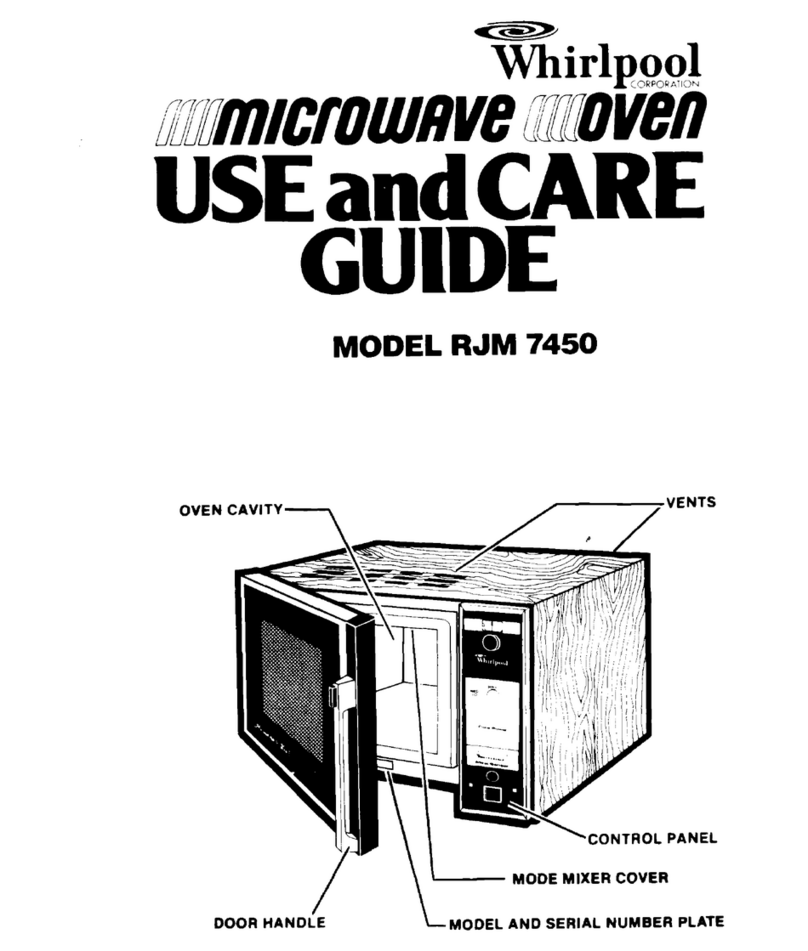
  9. Whirlpool RJM 1870 User manual

Whirlpool RJM 1870 User manual

This manual suits for next models

1

Other Whirlpool Microwave Oven manuals

Whirlpool WMH53521HZ User manual

Whirlpool

Whirlpool WMH53521HZ User manual

Whirlpool WMC10511AB User manual

Whirlpool

Whirlpool WMC10511AB User manual

Whirlpool MH3184XPY4 User manual

Whirlpool

Whirlpool MH3184XPY4 User manual

Whirlpool W6-ME550 Installation and operation manual

Whirlpool

Whirlpool W6-ME550 Installation and operation manual

Whirlpool RMC305PVS00 User manual

Whirlpool

Whirlpool RMC305PVS00 User manual

Whirlpool GUSTO GT 285 SL User manual

Whirlpool

Whirlpool GUSTO GT 285 SL User manual

Whirlpool MW8300XP0 User manual

Whirlpool

Whirlpool MW8300XP0 User manual

Whirlpool MH6600XV User manual

Whirlpool

Whirlpool MH6600XV User manual

Whirlpool GH5184XPB3 User manual

Whirlpool

Whirlpool GH5184XPB3 User manual

Whirlpool COMPACT EASYTRONIC MWD240 User manual

Whirlpool

Whirlpool COMPACT EASYTRONIC MWD240 User manual

Whirlpool Estate TMH14XMB0 User manual

Whirlpool

Whirlpool Estate TMH14XMB0 User manual

Whirlpool MWL1093 User manual

Whirlpool

Whirlpool MWL1093 User manual

Whirlpool 8206588 User manual

Whirlpool

Whirlpool 8206588 User manual

Whirlpool YWMH1162XVS User manual

Whirlpool

Whirlpool YWMH1162XVS User manual

Whirlpool GMH6185XV User manual

Whirlpool

Whirlpool GMH6185XV User manual

Whirlpool MWN 440 User manual

Whirlpool

Whirlpool MWN 440 User manual

Whirlpool MT4145SK User manual

Whirlpool

Whirlpool MT4145SK User manual

Whirlpool 8205144 User manual

Whirlpool

Whirlpool 8205144 User manual

Whirlpool JT 366 SL User manual

Whirlpool

Whirlpool JT 366 SL User manual

Whirlpool RM280PXA User manual

Whirlpool

Whirlpool RM280PXA User manual

Whirlpool AMW 130 IX User manual

Whirlpool

Whirlpool AMW 130 IX User manual

Whirlpool MT 263/WH User manual

Whirlpool

Whirlpool MT 263/WH User manual

Whirlpool GH7208XRQ2 User manual

Whirlpool

Whirlpool GH7208XRQ2 User manual

Whirlpool AMW 4900/IX Installation and operation manual

Whirlpool

Whirlpool AMW 4900/IX Installation and operation manual

Popular Microwave Oven manuals by other brands

Sharp R-390D manual

Sharp

Sharp R-390D manual

PROFILO MD1000 instruction manual

PROFILO

PROFILO MD1000 instruction manual

Candy MIC 201 EX User instructions

Candy

Candy MIC 201 EX User instructions

PITSOS GMW3101B user manual

PITSOS

PITSOS GMW3101B user manual

Sears 5648744780 Use & care manual

Sears

Sears 5648744780 Use & care manual

BOMANN CB 1272 Instruction manual & guarantee

BOMANN

BOMANN CB 1272 Instruction manual & guarantee

Conrad Electronic 2372935 operating instructions

Conrad Electronic

Conrad Electronic 2372935 operating instructions

GE Spacemaker JVM1440BH datasheet

GE

GE Spacemaker JVM1440BH datasheet

DAEWOO ELECTRONICS KOR-6L8K5S83 Operating instructions & cook book

DAEWOO ELECTRONICS

DAEWOO ELECTRONICS KOR-6L8K5S83 Operating instructions & cook book

DAEWOO ELECTRONICS KOR-1N5A9S Operating instructions & cook book

DAEWOO ELECTRONICS

DAEWOO ELECTRONICS KOR-1N5A9S Operating instructions & cook book

Daewoo KQG-6617G Operating instructions & cook book

Daewoo

Daewoo KQG-6617G Operating instructions & cook book

Samsung M1779 Owner's instructions

Samsung

Samsung M1779 Owner's instructions

GE JES1143 Use and care & cooking guide

GE

GE JES1143 Use and care & cooking guide

Miele H6200BM(TB) Operating and installation instructions

Miele

Miele H6200BM(TB) Operating and installation instructions

Jocel JMO011480 instruction manual

Jocel

Jocel JMO011480 instruction manual

Sharp R-752M Operation manual with cookbook

Sharp

Sharp R-752M Operation manual with cookbook

Electrolux EVL8E00X user manual

Electrolux

Electrolux EVL8E00X user manual

STOVES Q900GRF DO User, installation & servicing instructions

STOVES

STOVES Q900GRF DO User, installation & servicing instructions

manuals.online logo
manuals.online logoBrands
  • About & Mission
  • Contact us
  • Privacy Policy
  • Terms and Conditions

Copyright 2025 Manuals.Online. All Rights Reserved.

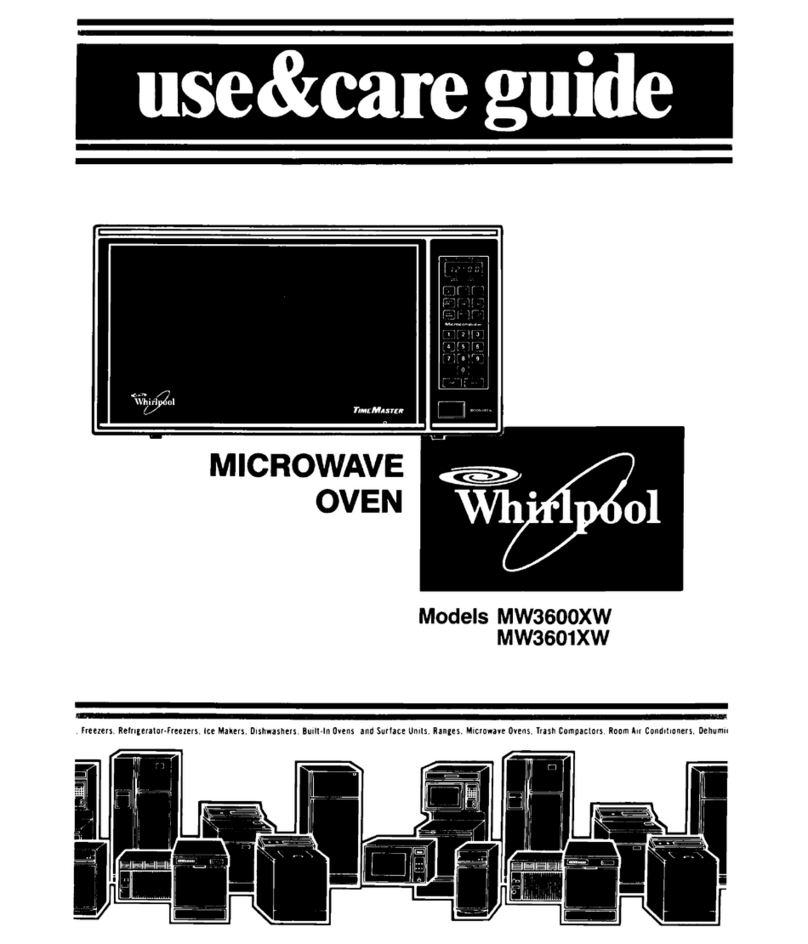
Tkrlpool
C;jkP@KATION
~~m~c~owflvemoven
USEandCARE
GUIDE
MODEL RJM 7700
RJM 1870
OVEN CAVITY
._ ~.
._
in, .._
SAFETYPRECAUTIONSTO
AVOIDPOSSIBLEEXPOSURE
~TOEXCESSIVEMICROWAVE
~ENERGY
Do not attempt to operate this oven with the door open stnce
open-door operation can result In harmful exposure to mlcrowave
energy It IS Important not to defeat or tamper with the safety
Interlocks
Do not place any object between the oven front face and the door or
allow so11 or cleaner residue to accumulate on sealing surfaces
Do not operate the oven If It IS damaged It IS particularly important
that the oven door close properly and that there
IS
no damage to the
(1) Door (bent). (2) hinges and latches (broken or loosened), (3) door
seals and sealing surfaces
The oven should not be adjusted or repatred by anyone except
properly qualifled service personnel
The oven should be checked for microwave leakage by quaIltied
personnel after a repair
IS
made
Do not operate the oven if the door glass IS broken
Do not oDerate the microwave oven with the outer cabinet removed
Do not attempt to cook eggs in the shell in the microwave
oven. Steam build-up within the egg will cause it to burst.
Damage to the oven or injury to the user may result.
BeforeYouUseYour
MicrowaveOven
Whirlpool Microwave Ovens are built to last. It is up to you to make
sure your microwave oven is properly installed, used and maintained.
You have to be sure that your Whirlpool Microwave Oven is,
. installed according to installation instructions.
. installed where it is protected from the weather
l
installed on a counter, or shelf strong enough for its weight (RJM
7700).
. connected to an electrical circuit according to the installation
instructions.
. grounded according to the installation instructions.
. used only for the job expected of a home microwave oven
. not used by children or others who might not understand how to use
it properly.
. kept clean and in good repair.
. serviced or repaired only by qualified service technicians.
2
Contents
Page g
n
Introduction .._,...,....,,......,,..........,....,..,.....,.. 3 2
Safety Precautions ..............................
Before You Use Your Microwave Oven ............
Installation Instructions (RJM 7700) ................
How a Microwave Oven Works ................................. 4 5
How to Use Your Microwave Oven .......................... 5 5
l
Using the Controls 2
........................................ 6 v)
l
Cooking With Time .......................................... 7 \
l
Defrosting ..’ 7 0
l
Using the Control as a Minute Timer 8;
l
To Check. Change or Cancel Instructions 8;
l
To Stop the Oven
l
Cookrng With Temperature
l
Bi-Level Oven Rack
Yips on Microwave Oven Use
2
l
Do’s, Don’ts and Hints
10 c
l
Replacing the Oven Light Bulb -11 ;
l
Care and Cleantng 11 E
l
Before Calling for Service 12 g
l
If you need service 12 s
b
:
0
2
Fist 2
please read this guide all the way through. Save it for future use
when you may wish to look up some helpful fact or suggestion.
Now
is a good trme to fill in the spaces below. You will need this
information if you
call
for service or to ask questions about your
~ microwave oven. Model and serial numbers are located behind the
door of the microwave oven, as illustrated Be sure to record all letters
and numbers.
MODEL AND SERIAL NUMBER PLATE
MODEL NO.
SERIAL NO.
PURCHASE DATE
SERVICE COMPANY TELEPHONE NO.
3
lnstallationInstructions
(RJM7700’
First:
Take everything out of the oven. Wipe out the inside with a damp
cloth.
Second:
Put the microwave oven on a counter, table or shelf which
has enough strength to hold it. For ventilation, leave two inches
between the back of the oven and the wall.
Do not block the vents on
top.
They are needed for air flow and even cookrng.
This oven can be built into a wall or cabinet. Kits RCK703 and RCK707
are available from your dealer for recessed installation. It can also be
installed, with those kits, above Whirlpool RDE, REE and RGE series
single ovens, or Hardwick 7200 single gas ovens. Follow the manufac-
turer’s installation instructions. The RCK 710, RCK 711 and RCK 713
kits can be used for surface mounting on a wall. The MICRO SHELF’
Hood, Model RJH 3330, is available for mounting the microwave oven
above a range or cooktop.
Third:
For your safety, this oven must be grounded. Its cord has the
3-prong grounding plug. DO NOT CUT THE ROUND GROUNDING
PRONG FROM THE PLUG. If the wall receptacle doesn’t have the right
plug-in, or If the plug-in isn’t grounded according to the National
Electncal Code and local codes or ordinances, you must have a
qualified electrrctan put in the right outlet.
Fourth:
The outlet must supply 120 volts, 60 Hz., A.C. The microwave
oven will use about 1450 watts when it is operating, so no other major
household appliance should share the circuit.
Fifth:
Fill a glass container with about one cup (250 mL) of cold water
and put it in the oven. Turn the oven on full power for 1 to
IV2
minutes
(see page 7). When the time is up, the water should be heated.
Sixth:
If the microwave oven has been stored in a cool room. the fan
may run slower than usual until the oven warms up to room
temperature. ‘Tmk.
How a MicrowaveOvenWorks
ON When food absorbs microwaves, heal is created because Water
molecules in the food are disturbed and bounce around colliding with
each other. Heat IS created by this bouncing and collidrng like
when you warm your hands by rubbing them together.
Microwaves are lrke radio waves or radar waves. They will
pass
through
glass, plastic, paper and most other types of containers that
are not metal. Microwaves
bounce off
metal and are absorbed by food.
When all safety systems are secure (door shut completely and the
START button pushed), electric current IS allowed to reach the
magnetron tube.
The magnetron tube uses electricity to create
microwaves. They pass through a metal tunnel called the
waveguide,
past the
wavetuner,
into the
oven cavity.
Just at the point where the microwaves are about to go Into the oven
cavity, Whirlpool Microwave Ovens use a
mode mixer
(a slow-moving
metal fan) to scatter them. If all the microwaves went in the same
direction, they’d all bounce In the same direction, like water from a

Howa MicrowaveOvenWork (cont’d)
hose. Some parts of the food wouldn’t be touched. The
mode mixer E
works like a sprinkler to spread microwaves all around.

:.
$&gg, _o , 6
The walls, top and bottom of the oven cavity are metal. Mtcrowaves will 2
bounce around inside the oven until they are absorbed by food. :
The food container rests on a sealed-in shelf above the metal bottom of
the oven cavity. Because the food is above the metal bottom, A
microwaves can get under it, through the shelf, to bounce up from the I
bottom into the food. 2
The screen in the door is designed to keep microwaves in the oven, yet b
allow you to see inside. it
” ,.e /
SHeu: ‘. &FT&
There are three safety interlock switches designed to make sure that z
MICROWAVESBOUNCEUPFROM the microwave oven will not operate unless the door is closed and g
THE BOTTOM microwaves are sealed inside. 5
Do not tamper with any of these interlock switches.
How to Use
YourMicrowaveOven
DISPLAY AND
INDICATORS\
“Cycle 1”
“Cycle 2”
“Defrost”
“Cook
Temp”
“Cook Power”
NUMBER SELECT
“Minutes”
“Seconds”
COOK SELECTOR
“Cycle 1”
“Cycle 2”
“Defrost”
“Cancel”
“Cook Power”
“Cook Temp”
“ON” INDICATOR
START BUTTON c
‘ORS
IS -
Before you set the microwave oven controls
open the door.
Two dots 1:] WIII show In the display Put the food in the oven and
close the door When these dots are on. you can set your mrcrowave
oven to cook. The dots will glow when the door IS open. when the oven
is set, and for 1 minute after the door is closed or after the cycle ends.
5
READTHISCHARTTODECIDEWHICHCONTROLS
TOUSE
Control Use for: What happens:
button. The display
ress start. The disp
he Cycle 1 indicate
countdown. At the e
buzz once and cook
indicator will glow an
Cycle 2 cook time. At the end
6 is-about 150 F (66 C)
7
IS about 160 F (71 C)
6 IS about 165 F (74 C)
9 IS about 185 F (65 C)
ht IS the temperature setting’e
Cook Temp setting 8
to coo% al a power level
other than HIGH
Power Level
Settings
Lit
60
70
60
50
40
30
Cookbook
Description
After setting a cook time or temperature, you can a&the *-:
oven to cook at a power level other than H4Gt-i. Many recipes.. .
call for lower power level setting. The oven will automaffMf& :’
cook on HIGH unless you push the Cook Power button and i 1,
select a different power level .“. _>i’
Push and hold the Cook Power button until the p&&r I
you want shows on the left side of the display. _ ,?...
‘.,
_ _.,
High or full power
Cook Power 9
Cook Power 6
Cook Power ?
or Medium High (7)
Push once until “1” shows
Push and hold until “2” shows
Push and hold until “3” shows
checkmg the oven as It
SettingYour
MicrowaveOvenControls
l
To turn on the control panel, open the door Fl
l YOU
can set Defrost Cycle 1 and Cycle 2 In any order When you N
start the mlcrowave oven it WIII automatlcally go through ;he cycles
0
In order (Defrost - tiold - 1 - 2) E
l
The oven WIII cook on HIGH unless you set a dlffererlt COOK z
POWER level
or
DEFROST
setting 5
l
If you set two rnstructlons for the same cycle tne second :
~istructlons erase the first s
l
The oven WIII buzz once between Held and Cycle 1 and once $
between Cycles 1 and 2 You can use this sIgnal as a reminder to stir g
or turn food or to add lngredlenis <
ToCookWithTime
Cycle 1
1, Put the food into the microwave oven and shut the door
2. Push Cycle 1 button.
3. Set cooking time. Push and hold the Minutes or Seconds button
below the number you want to set (see page 6).
4. Set Cook Power, If desired. Push and hold Cook Power button until
the power you want shows In the display. See page 6 for power level
settings.
5. Push START button. At the end of the cooking cycle. the oven will
buzz four times.
Cycle 1 and 2
1. Put the food into the mlcrowave oven and shut the door
2. Push Cycle 1 button.
3. Set cooking time.
4. Set Cook Power. if desired
5. Push Cycle 2 button.
6. Set Cycle 2 cooking time.
7. Set Cook Power, if desired.
8. Push START button. The oven will buzz once between Cycle 1 and 2
At the end of Cycle 2, the oven will buzz four times.
Defrost
1. Put the food into the microwave oven and shut the door.
2. Push Defrost button.
3. Set defrost time.
4. Push START button. At the end of the defrost cycle, a buzzer will
sound four times.
NOTE:
The Defrost setting is 30% of power. If you want to defrost foods
faster (may cause cooking on outside of food before the inside IS
defrosted) or slower, use Cycle 1 and set a lower or higher cook power
level (209/o or 40%). Hold time (standing time) is usually necessary for
complete thawing of foods before cooking.
7
ToCookWithTime(cont’d)
Defrost and Cook
1. Put the food into the microwave oven and shut the door.
2. Push Defrost button.
3. Set defrost time
4. Push Cycie 1 button
5. Set Cycle 1 cooking t/me.
6. Set Cook Power, if desired.
7. Push Cycle 2 button (if desired)
8. Set Cycle 2 cook/ng t/me.
9. Set Cook Power, if desired
10. Push START button
At the end of the Defrost time, the oven will hold (no cooking) for the
same time as the Defrost time. The oven will buzz once after the hold
time and once after Cycle 1. At the end of Cycle 2, the oven will buzz
four times.
To check instructions.. .
l
Touch the button for the setting you want to check. For
example, to check the Cycle 2 cook time, push the Cycle 2
button. To check the Cycle 2 Cook Power, push Cycle 2 then
Cnnk Pnwer
To change or cancel instructions.. .
l
After the oven has started, push
Cancel.
All instructions will be
erased. You may reset the instructions immediately, if desired.
. Before the oven has started, push the button for the setting you
want to change. (Example: To change Cycle 1 cook time, push
the Cycle 1 button and reset the time.) I
To stop oven -. .
l
Push
Cancel
(instructions will be erased).
or
l
Onen the
dnnr
To restart oven . . .
l
Close the oven door.
l
If the oven is set, push START button.
l
If you pushed Cancel, reset the oven and push START button. I
MinuteTimer
You can use the microwave oven control as a Minute Timer to remind
you to turn off another appliance, make a call, etc.
1. Open the door to turn on the power to the control. Close the door.
2. Push Cycle 1 button
3. Set timer time
PLUG
c \
4
4. Push and hold Cook Power button until “00” shows on the left side E
of the display (0% power - no cooking). s
5. Press START button. At the end of the set time, the oven will buzz 2
four times. c
ToCookWithTemperature
1. Put the temperature sensing end of the MEAL SENSOR* Tempera-
ture probe into the food you are heating or cooking. It is important
to
place l/3 of the probe in the center of the thickest part of the food. The z
oven may turn off too fast or too slow when using the probe if the 5
3
probe is placed near a bone, in fat, in an air pocket or away from the
center of the food. It may be necessary to relocate the probe and restart 2
B
the oven.
2. Place the food and the probe into the mlcrowave oven. Plug the 2
probe Into the side of the oven. Close the door. 0
2
3. Push and hold the Cook Temp button
until the setting you want 2
shows on the left of the display
4. Set Cook Power, if desired.
5. Push START button. The temperature setting sensed by the probe
will show on the right of the display.
When the probe senses the final temperature. a buzzer will sound, and
the oven will turn off.
Remove the food and probe from the
mlcrowave oven.
ProbeUseHints
DO:
l
Do use hot pads
when removing the MEAL SENSOR’ probe from the
mlcrowave
oven
after cooking.
l
Do stir foods when recommended during cooking so they will cook
more evenly Relocate the probe In center of dish after stirring.
l
Do stir soups, casseroles, and drinks before serving
l
Do let roasts stand, covered with foil (shiny side in). after cooklng.
Remove foil before returning roast to microwave oven if additional
cooklng 1s needed
DON’T:
l
Don’t use metal cooking utensils.
l
Don‘t let MEAL SENSOR’ probe touch sides, bottom. or door of oven
Interior when In operation.
l
Don’t use paper, plastic wrap, or plastic containers in the oven when
using the probe
l
Don’t use probe In conventlonal oven
l
Don t force probe Into frozen food.
l
Don’\ use MEAL SENSOR’ probe for foods llke stews that require
simmering
l
Don’t let foil touch the probe. (Do keep foil at least ‘14inch (6mm)
away
from probe Secure
foil
with wooden picks. Remove loll if arcing
occurs )
l
Don’t let the cable of the MEAL SENSOR’
temperature probe touch
the plastic mode mixer cover in the top of the oven. ‘Tmk
l
Don’t store the probe in the oven
9
B-Level OvenRack
See BI-LEVEL COOKING GUIDE that was provided with the rack. lke
the BI-LEVEL OVEN RACK when cooking more than one food. The
rack has two positions. If dishes don’t fit properly, turn rack over for
more space.
CLEANING THE OVEN RACK
Wash in the top rack of dishwasher or wash by hand using a mild
detergent and a non-abrasive plastic scrubber or sponge. Avoid using
harsh abrasives or scouring pads
CAUTIONS
l
The BI-LEVEL OVEN RACK is designed for microwave oven use
ONLY.
l
Do not use in conventional ovens or under broiler.
. Do not use in microwave oven without food
l
Do not use with browning dish.
l
Do not allow food, placed on rack to touch the top of the oven
l
Use only when cooking more than one food at a time.
. Do not store rack in oven.
l
Use the BI-LEVEL OVEN RACK only in your microwave oven.
SomeDo’s,Don’ts,andHints
DO:
l
Plug the mlcrowave oven tnto a separate 15 ampere clrcult. Use only an electncally grounded 3-pronged wall
outlet (RJM 7700).
l
Remove metal ties from
plastic bags before placing them In the oven to avold arcing and possible oven
damage. Check carryout food containers for metal before reheating foods In them.
l
Use your microwave oven only for cooklng. reheating and defrosting
l
Slice whole eggs before reheating to avoid a steam buildup and possible bursting.
l
For cooking times longer than four minutes. avoid using paper containers and be careful of the
PlaStlCS
you
use. (Some plastics may get hot and melt )
l
Follow rectpe InstructIons to stir. turn or add foods between cooking cycles to avoid possible damage to the
utensil or oven
DON’TS:
l
Your microwave oven uses 1450 wdts at full power It can’t share an outlet wllh another operallng
appliance
(RJM 7700).
l
Be careful that food or utensils do not push against the plastic mode mixer cover Don’t remove the cover.
l
Harsh abrasives may scratch the oven flnlsh
l
Don’t use dishes or utensils with metal?rlm, staples. closures or liners
Metals should not be used In the oven unless especially directed tn the MICRO MENUS’ Cookbook
l
Always have food In the microwave oven before operating It 10 avold possible damage lo Ihe oven
l
Store
nothing
In the microwave oven
l
Scorched or burned foods are overcooked Continued cooking can only burn them further and may
Cause
them to flame. especially potatoes. corn-on-the-cob and snacks
l
Don’t operate oven by holding START butlon down
HINTS:
1 Most of the oven’s weight
IS
on one stde (the side with the controls) and
II
may be awkward lo move (RJM
7700).
2.
INDICATORS may flicker when the mlcrowave oven
IS
on This IS normal ‘Tmk
10