manuals.online logo
Brands
  1. Home
  2. •
  3. Brands
  4. •
  5. Whirlpool
  6. •
  7. Refrigerator
  8. •
  9. Whirlpool ET20NK User manual

Whirlpool ET20NK User manual

Other manuals for ET20NK

2

Other Whirlpool Refrigerator manuals

Whirlpool WRIBT24WA User manual

Whirlpool

Whirlpool WRIBT24WA User manual

Whirlpool 8S21FNI GD User manual

Whirlpool

Whirlpool 8S21FNI GD User manual

Whirlpool ARG 926 User manual

Whirlpool

Whirlpool ARG 926 User manual

Whirlpool TT21AKXKQ02 User manual

Whirlpool

Whirlpool TT21AKXKQ02 User manual

Whirlpool 3ET16NK User manual

Whirlpool

Whirlpool 3ET16NK User manual

Whirlpool GB2SHDXTB11 User manual

Whirlpool

Whirlpool GB2SHDXTB11 User manual

Whirlpool Gold GSS30C6EYY User manual

Whirlpool

Whirlpool Gold GSS30C6EYY User manual

Whirlpool GX5FHDXV Assembly instructions

Whirlpool

Whirlpool GX5FHDXV Assembly instructions

Whirlpool REFRIGERATOR User manual

Whirlpool

Whirlpool REFRIGERATOR User manual

Whirlpool WSE 2930 W User manual

Whirlpool

Whirlpool WSE 2930 W User manual

Whirlpool ARC 0880 User manual

Whirlpool

Whirlpool ARC 0880 User manual

Whirlpool GI0FSAXVA - 19.8 cu. ft. Refrigerator User manual

Whirlpool

Whirlpool GI0FSAXVA - 19.8 cu. ft. Refrigerator User manual

Whirlpool ED5PVEXWS Assembly instructions

Whirlpool

Whirlpool ED5PVEXWS Assembly instructions

Whirlpool WRS526SIAH00 User manual

Whirlpool

Whirlpool WRS526SIAH00 User manual

Whirlpool WH SP70 T242 P User manual

Whirlpool

Whirlpool WH SP70 T242 P User manual

Whirlpool CS25AEXHN00 User manual

Whirlpool

Whirlpool CS25AEXHN00 User manual

Whirlpool ET22DKXDB00 User manual

Whirlpool

Whirlpool ET22DKXDB00 User manual

Whirlpool ARC 4130 WH User manual

Whirlpool

Whirlpool ARC 4130 WH User manual

Whirlpool GB2FHDXWB Assembly instructions

Whirlpool

Whirlpool GB2FHDXWB Assembly instructions

Whirlpool W10214130A User manual

Whirlpool

Whirlpool W10214130A User manual

Whirlpool WSR57R18DM02 User manual

Whirlpool

Whirlpool WSR57R18DM02 User manual

Whirlpool GI0FSAXVQ - 19.8 cu. Ft. Refrigerator Troubleshooting guide

Whirlpool

Whirlpool GI0FSAXVQ - 19.8 cu. Ft. Refrigerator Troubleshooting guide

Whirlpool ETl8DK User manual

Whirlpool

Whirlpool ETl8DK User manual

Whirlpool ED2JHGXRQ00 User manual

Whirlpool

Whirlpool ED2JHGXRQ00 User manual

Popular Refrigerator manuals by other brands

Frigidaire FRS26TS7DW2 Use & care manual

Frigidaire

Frigidaire FRS26TS7DW2 Use & care manual

Fisher Scientific 10ECEEFSA manual

Fisher Scientific

Fisher Scientific 10ECEEFSA manual

Summit FF22BDRSS user manual

Summit

Summit FF22BDRSS user manual

Frigidaire FFRU17B2QWE use & care

Frigidaire

Frigidaire FFRU17B2QWE use & care

Hotpoint ENBGH 19xxx FW operating instructions

Hotpoint

Hotpoint ENBGH 19xxx FW operating instructions

Hitachi R-SG28KPH instruction manual

Hitachi

Hitachi R-SG28KPH instruction manual

Dometic RMH 7390 L operating instructions

Dometic

Dometic RMH 7390 L operating instructions

AEG S71700TSW0 user manual

AEG

AEG S71700TSW0 user manual

Electrolux ENB3669 Instruction book

Electrolux

Electrolux ENB3669 Instruction book

Electrolux ERN 2930 Instruction book

Electrolux

Electrolux ERN 2930 Instruction book

Beko GNE 60520 X user manual

Beko

Beko GNE 60520 X user manual

Jenn-Air JUR248LBES00 Use & care guide

Jenn-Air

Jenn-Air JUR248LBES00 Use & care guide

Dometic RGE 4000 Installation and operating manual

Dometic

Dometic RGE 4000 Installation and operating manual

Dometic L-0191B Brochure & specs

Dometic

Dometic L-0191B Brochure & specs

LG LRBP1031W - 10 Cu. Ft. Cabinet Depth Bottom Freezer... owner's guide

LG

LG LRBP1031W - 10 Cu. Ft. Cabinet Depth Bottom Freezer... owner's guide

Daewoo RN-33 Series user manual

Daewoo

Daewoo RN-33 Series user manual

Haier RF-8888-174 Service manual

Haier

Haier RF-8888-174 Service manual

Blaupunkt 5CK2 Series user manual

Blaupunkt

Blaupunkt 5CK2 Series user manual

manuals.online logo
manuals.online logoBrands
  • About & Mission
  • Contact us
  • Privacy Policy
  • Terms and Conditions

Copyright 2025 Manuals.Online. All Rights Reserved.

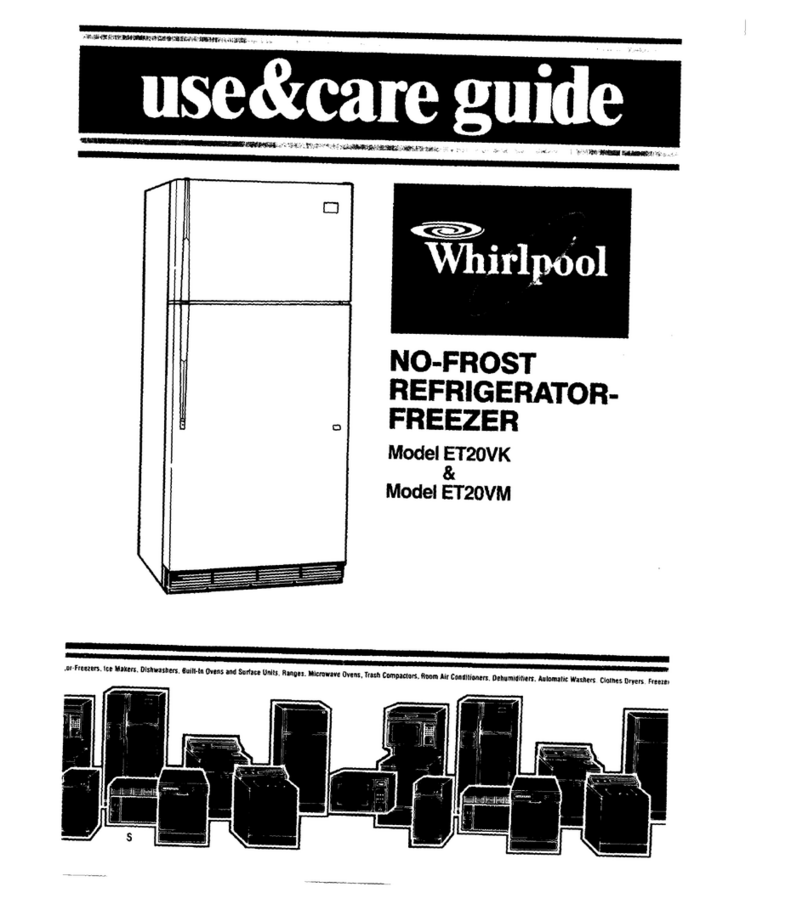
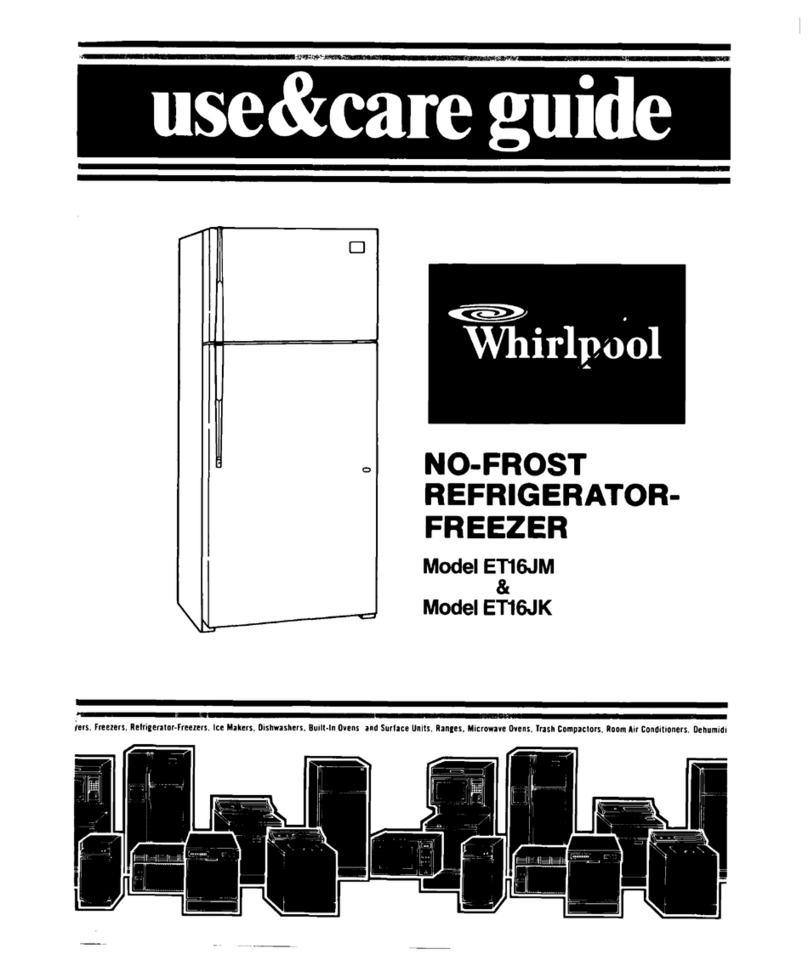
NO-FROST
REFRIGERATOR-
FREEZER
Model ET20NK
Please read this
Use and Care Guide
before you do anything else...
This booklet tells you how to start your
refrigerator, clean it, move shelves and adjust
controls. It even tells you what new sounds to
expect from your refrigerator.
Treat your new refrigerator with care. Use it
only to do what home refrigerators are designed
to do.
Parts and features
ICE CUBE
izEsT>
FREEZER SHELF\
REFRIGERATOR
CONTROL \
MODEL AND SERIAL
NUMBER LABEL -
(not shown]
POWER SAVING
CONTROL -
LIGHT y
FREEZER N
CONTROL
MEAT y
DRAWER
GLASS
CRISPER -
COVER
CRISPERS-
LEVELLING
UTILITY
ZARTMENT
- BUllER
COMPARTMENT
ADJUSTABLE
= SHELVES
/
BASE
GRILLE
Copy your Model and Serial Numbers here...
When you need service or call with a question,
have this information ready:
1. Complete
Model and Serial Numbers (from Modef Number
the label located as shown).
2. Purchase date from sales slip.
Serial Number
Copy this information in these spaces. Keep this
book and your sales slip together in a handy
place.
Purchase Date
Thank you for purchasing a Whirlpool prod-
uct. Please complete and mail the Owner Reg-
istration card furnished with this product.
Service Company Phone Number
2
Contents
Page Page
SAFETYFIRST 3
Moving the Meat Drawer and Cover 6
BEFOREYOUPLUGITIN ,.. ..,.. 3
Install Properly I :. Changing the Light Bulbs 7
4 Removing the Base Grille 7
Level Refrigerator-Freezer 4 Ice Cube Trays 7
Remove Sales Labels
Clean It .1 4 Optional Ice Maker. 7
4 Sounds You May Hear 8
Plug ltln ,,..., 4 Energy Saving Tips 8
USING YOUR REFRIGERATOR 5 CLEANING YOUR REFRIGERATOR 8
Setting the Controls 5 Cleaning Chart 9
Changing the Control Settings 5
FOOD STORAGEGUIDE
ICI
Power Saving Control 5 Storing Fresh Food 10
Adjusting Refrigerator Shelves 6 Freezing and Storing Frozen Foods 11
Removing and Adjusting the Freezer
VACATION AND MOVING CARE.
14
Shelf .,, ..,......, .., 6
IFYOU NEEDSERVICEOR ASSISTANCE
15
Removing the Crispers and Cover 6
REFRIGERATORWARRANTY,
16
c1988 Whirlpool Corporation
Before you plug it in
Important
Before using your refrigerator, you are personally
responsible for making sure that it...
l
is installed and leveled on a floor that will hold
the weight, and in an area suitable for its size
and use.
9 is connected only to the right kind of outlet, with
the right electrical supply and grounding.
(Refer to your “Electrical Requirements and
Grounding Instructions?)
. IS used only for jobs expected of home
refrigerators.
l
IS not near an oven, radiator or other heat
source.
l
IS properly maintained.
8 ISout of the weather.
. ISused in an area where the room temperature
will not fall below 55 F (13 C].
l
is not used by those who may not understand
how it should be used.
l
is not loaded with food before it has time to get
properly cold.
Install properly... Remove sales labels.. .
Remove the Consumer Buy Guide label, tape
and any
inside
labels before using the re-
frigerator.
To remove any remaining glue:
1.
Rub briskly with thumb to make a ball then
remove.
OR
2. Soak area with liquid hand dishwashing
detergent before removing glue as described
in step 1.
DO NOT USErubbing alcohol or flammable or
toxic solvents, such as acetone, gasoline, car-
bon tetrachloride, etc. These can damage the
material.
NOTE: DO NOT REMOVE ANY PERMANENT IN-
STRUCTIONS LABELS INSIDE YOUR REFRIGER-
ATOR.
Do not remove the Tech sheet fastened under
the refrigerator at the front.
u
1.
Allow YZinch (1.25 cm] space on each side and
at the top of the refrigerator for ease of
installation,
2. If the refrigerator is to be against a wall, you
might want to leave extra space so the door
can be opened wider.
3. The refrigerator back can be flush against the
wall.
Level refrigerator-freezer.. .
FRONT ROLLER
VELLING SCREW
IGHT TO RAISE;
LEFl TO LOWER
1. Remove base grille (see page 7).
2. To raise front, turn screw in the direction shown
3. To lower front, turn screw in the direction shown
4. Check with level.
5. Replace base grille (see page 7).
Clean it...
Clean your refriger-
ator before using it.
See cleaning instruc-
tions on page 8.
Plug it in...
J-PRONG
TYPE WALI
REFRIGERATOR
POWER CORD
J
I-PRONG
GROUNDIHG PLUG
RECOMMENDED GROUNDING METHOD
A 115Volt, 60 Hz., AC only 15 or 20 ampere fused
and properly grounded electrical supply is
required. It is recommended that a separate cir-
cuit serving only this appliance be provided.
Do not use an extension cord. Use a recepta-
cle which cannot be turned off with a switch or
pull chain.
See individual electrical requirements
and grounding instruction sheet in your literature
package.
4
Setting the controls... I
Controls for the refrigerator and freezer are in the
Give the refrigerator time to cool down com-
refriaerator. When the refrigerator is plugged in for
pletely before adding food.
(This may take sev-
the f%sttime...
1.
Set the REFRIGERA-
TOR CONTROL TO 4
2. Set the FREEZER
CONTROL TO C
To adjust a control,
reach under the cons
and turn the knob.
2 /
T
ole
\
Refirgerator Control adjustments range from 1to
, 8. Freezer Control adjustments range from A to D.
eral hours.]
These settings should be about right for nor-
mal household refrigerator usage.
The controls will be set about right when milk or
juice is as cold as you like and when ice cream is
firm.
Changing the control settings...
If you need to adjust temperatures in refrigerator
or freezer, use the settings listed in the chart below
l
Adjust the Refrigerator Control first.
l
Wait at least 24 hours between adjustments.
l
Then adjust the Freezer Control if needed.
QUESTIONS?
.call you
COOL-LINE ’
service
CONDITION:
If Refrigerator
Section is
TOO WARM
If Freezer
Section is
TOO WARM
If Refrigerator
Section is
TOO COLD
assistance
telephone If ICE isn’t
number MADE FAST ENOUGH
(page 151.
If BOTH SECTIONS
are TOO WARM
REASON: CONTROL SETTINGS:
Door opened often
Large amount of food added
Room temperature too warm
Door opened often
Large amount of food added
Very cold room temperature
(can’t cycle often enough]
Controls not set correctly
for your conditions
Heavy ice usage
Very cold room temperature
(can’t cycle often enough]
Door opened often
Larae amount of food added
Very warm or very cold
room temperatures
Power Saving Control...
1.
Use the “CONSUMES LESSENERGY” setting when
The
Power Saving Control
on the Control Con- humidity is low.
sole operates electric heaters around the door 2. Use the “REDUCES EXTERIOR MOISTURE” setting if
openings. These heaters help keep moisture from moisture forms on the outside of the refrigerator.
forming on the outside of the refrigerator.
Using your refrigerator
REFRIGERATO
RECOMMENDED
Refrigerator
Freezer
Refrigerator
Freezer
Refrigerator
Freezer
Refrigerator
Freezer
Refrigerator
Freezer
POWP SAVING CONTROL
., ....j
2’, ml-
.I_
.,
6
D
6
C
Adjusting the refrigerator shelves...
Shelves can be adjusted to match the way you use
To remove shelves:
your refrigerator.
1.
Tilt up at front.
2. Lift up at back.
3. Pull shelf straight out.
To replace shelves:
1.
Guide the rear hooks into the slots in the shelf
supports.
2. Tilt up front of shelf until hooks drop into slot.
Lower front of shelf to level position
Removing and adjusting the freezer shelf...
To remove the shelf:
1.
Lift front slightly.
2. Lift back off supports.
3. Replace in reverse order.
To adjust the shelf:
1.
Remove shelf.
2. Remove supports by sliding upwards
3. Replace supports on desired level.
4. Replace shelf.
SHELF SUPPORT
Removing crispers and crisper cover. ..
PULL OUT TO THE STOP, LIFT THE
FRONT AND PULL AGAIN.
REMOVE THE
GLASS INSERT,
GLASS IS HEAVY.
BE CAREFUL.
To remove the crispers:
1.
Slide crisper straight out to the stop, lift front, then
slide the rest of the way out.
2. Replace in the reverse order,
To remove the cover:
1.
Push up glass insert from bottom, then slide out
with both hands.
2. ILiftfront of cover frame.
3. L~ttout cover frame by pulling up and out.
4. Remove metal cover support.
To replace the cover:
1.
2.
3.
Replace metal cover support on wall supports
In front section of cabinet.
Fit back of corner into notch supports on walls of
refrigerator, then lower into place.
Slide back of glass insert into place, then lower
front
Moving the meat drawer and cover...
PULL OUT TO THE STOP. LIFT 8’
THE FRONT AND PULL AGAIN. ,k
I / ‘-
To remove the meat drawer:
1.
Slide the meat drawer out to the stop
2. Lift the front.
3. Slide the drawer the rest of the way out.
4. Replace in reverse order.
To remove the cover:
1.
Tilt front of cover up, lift it back, and pull straight
out
2. Replace in reverse order.
“p.
,,
iLASS IS HEAVY.
E CAREFUL.
Changing the light bulbs...
1.
Reach behind the control console to find bulbs.
2. Remove bulb.
3. Replace with a 40.watt appliance bulb.
Removing the base grille...
To remove the grille:
r
METAL CLIPS
7
1. Open the door
To replace the grille:
2. Pull grille outwards as shown.
1.
Line up grille support tabs with metal clips.
3.
Do not remove Tech Sheet
fastened behinc! 2. Push firmly to snap into place.
grille.
3.
Close the door.
Ice cube trays...
It cubes are not used.they may shrink The mov-
1’19cold air starts a slow evaporation. The longer
c.Abes are stored, the smaller they get.
To remove ice:
1.
Hold tray at both ends.
2. Slightly twist.
Optional automatic ice maker...
It you have the automatic ice maker accessory,
GI If you plan to add one luter (Part No ECKMF-83)
there are a few things you will want to know
* The ON/OFF lever is a wire signal arm
Down...for making Ice automatically
lip...to shut off the Ice maker.
DO NOT TURN ICE MAKER ON UNTIL IT IS CON-
NECTEDTO THEWATERSUPPLY.
* !ne dial or lever on the side of the Ice maker
changes the size ot the cubes.
* Shakethe bin occasionally to keep cubes sepa-
r.lted,and toobtain Increased storage capacity
l
It ISnormal for Ice crescents to be attached by a
~rner They will break apart easily 6
p-c-, Off
LOWER SIGNAL
ARM TO START IT
di I
RAISE SIGNAL
ARM TO STOP ICE
L
-
vOCr
will hear water running when Ice maker IS
tiorking You I heo: Ice fall lntn the b,r- Don’t ie!
‘.“.;e s(-,J7(-4: *, -+c. .P‘_
l
The Ice maker WIII not operate until the freezer
1s cold enough to make ice. This can take
overnight.
* Because of new plumbing connections, the first
Ice may be discolored or off-flavored. Discard
the first few batches of ice.
l
If ice is not being made fast enough and more
(ce
IS
needed, turn the Refrigerator Control to-
tiard a higher number. Wait a day and, if neces-
sary, turn the Freezer Control toward A
If you remove the ice bin, raise the signal arm to
shut off the ice maker. When you return the bin,
push it all the way in and lower the arm to the ON
posltion.
If cubes are stored too long, they may develop
an off-flavor ..like stale water. Throw them away.
They will be replaced. Cubes in the ice bin can
nls~ become smaller by evaporation
Good water quality is important for good ice
quality It ISnot recommended that the ice maker
be connected to a softened water supply. Water
boftener chemicals such as salt from a malfunc-
+loning softener can damage the ice maker
mold and lead to poor quality ice. If a softened
water supply cannot be avoided, then it is impor-
-ail+ that the water softener be well maintained
operr!ting properI\
7
Sounds you may hear...
‘/
3
9
Your new refrigerator may make sounds that your old one didn’t.
Because the sounds are new to you, you might be concerned about them.
=i
Don’t be. Most of the new sounds are normal. Hard surfaces like the floor,
walls and cabinets can make the sounds seem louder.
’ \\
The following chart describes the kinds of sounds that might be new to
you, and what may be making them.
Possible Sounds:
l
Slight Hum, Soft Hiss:
l
Clicking or Snapping
Sounds:
Probable Causes:
You may hear the refrigerator’s fan motor and moving air.
The thermostat makes a definite click when the refrigerator stops running.
It also makes a sound when the refrigerator starts. The defrost timer will
click when the defrost cycle starts and stops.
l
Water Sounds:
When the refrigerator stops running, you may hear gurgling in the tubing
for a few minutes after it stops. You may also hear defrost water running
into the defrost water pan.
l
Ice Maker Sounds:
-trickling water
-thud (clatter of ice)
l
Running Sounds:
If your refrigerator has an ice maker you may hear buzzing (from the
water valve], trickling water and the clatter of ice dumped into the bin.
Your refrigerator has a high-efficiency compressor and motor. It will run
longer than older designs. It may even seem to run most of the time.
Energy saving tips...
You can help your refrigerator use less electricity . It is a waste of electricity to set the refrigerator
l
Check door gaskets for a tight seal. Level the and freezer to temperatures colder than they
cabinet to be sure of a good seal. need to be. If ice cream is firm in the freezer and
l
Clean the condenser coil regularly. drinks are as cold as your family likes them, that’s
. Open the door as few times as possible. Think cold enough.
about what you need before you open the door
l
Keep the Power Saving Control on CONSUMES
Get everything out at one time. Keep foods orga- LESSENERGY unless moisture forms on refrigerator
nized so you won’t have to search for what you exterior.
want. Close door as soon as food is removed
l
Make sure your refrigerator is not next to a heat
9 Go ahead and fill up the refrigerator, but don’t
overcrowd it so air movement is blocked. source such as a range, water heater, furnace,
radiator or in direct sunlight.
Cleaning your refrigerator
Both the refrigerator and freezer sections defrost
automatically. But both should be cleaned about
once a month to help prevent odors from building
up. Of course, spills should be wiped up right away.
To clean your refrigerator turn the Refrigerator
Control to OFF, unplug it, take out all removable
parts and clean it according to the following
directions.
Cleaning chart@..
Part
Removable parts
(shelves, crisper, meat
drawer, etc.)
Outside
Inside walls (Freezer Sponge, soft cloth or
should be allowed to paper towel, baking
warm up so cloth won’t soda, warm water, mild
stick.) detergent.
Door liners and gaskets
Dark plastics
(covers and panels)
Defrost pan
Condenser Coil
Floor under refrigerator
What to use
Sponge or cloth; mild
detergent and warm
water.
Sponge, cloth or paper
towel;mild detergent;
appliance wax (or
good auto paste wax]
How to clean
l
Wash removable parts with warm water
and a mild detergent.
. Rinse and dry.
9 Wash with warm water and a mild
detergent.
Do not use abrasive or harsh
cleansers.
l
Rinse and dry.
l
Wax painted metal surfaces at least
twice a year with appliance wax or a
good auto paste wax. Apply wax with a
clean, soft cloth.
Do not use wax on plas-
tic parts.
Waxing painted metal surfaces provides rust protection.
l
Wash with warm water and
- mild detergent or
- baking soda (2 tablespoons [26 g] to
1quart (.95 L.] warm water).
l
Rinse and dry.
Sponge, soft cloth or
l
Wash with mild detergent and warm
paper towel, mild water.
detergent, warm water.
l
Rinse and dry.
DO NOT USECleaning waxes, concentrated detergents, bleaches
or cleansers containing petroleum on plastic parts.
Mild detergent and
warm water; soft clean
sponge and soft. clean
cloth.
l
Wash with a soft cloth or sponge.
l
Rinse and dry.
DO NOT USEpaper towels, window sprays, scouring cleansers,
or flammable or toxic solvents like acetone, gasoline, carbon
tetrachloride, etc. These can scratch or damage the material.
Sponge or cloth; mild
detergent and warm
water.
l
Remove base grille. (See page 7 .]
l
To remove defrost pan, lift pan over wire
brace (remove tape; if any).
l
Wash defrost pan with warm water and
mild detergent.
l
Rinse and dry.
l
Replace with notched corner to the rear.
Push it all the way in.
l
Make sure defrost drain tube is pointing
into pan.
l
Replace base grille.
Vacuum cleaner; using
the extended narrow
attachment.
l
Remove base grille.
l
Clean dust and lint from condenser at
least every other month.
l
Replace base grille.
Usual floor cleaners
l
Roll refrigerator out only as far as water
supply line allows.
l
Clean the floor.
l
Roll refrigerator back.
l
Check to see if the refrigerator ISlevel.
Food storage guide
STORING FRESH FOOD
ihere is a right way to package and store
refrigerated or frozen foods. To keep foods fresher
longer, take the time to study these recommended
steps.
leafy Vegetables...Remove
store wrapping
and trim ortear off bruised and discolored areas
Wash in cold water and drain. Place in plastic bag
or plastic container and store in crisper. Cold. moist
air helps keep leafy vegetables fresh and crisp
Vegetables with Skins
(carrots, peppers). Store
:n crisper, plastic bags or plastic container
Fruit...Wash,
let dry and store in refrigerator In
plastic bags or crisper. Do not wash or hull berries
until they are ready to use. Sort and keep berries IF
their store container in a crisper, or store In a
ioosely closed paper bag on a refrigerator shelf
Meat!..Meat is perishable and expensive. you
won’twantto wasteanounceof itthrough careless
handling. The following list and chart give you
packaging hints and time limits. Store meat in the
meat drawer.
Fresh, Prepackaged Meat.
Store fresn meat IrT
the store wrapping. Vacuum packaged meat car?
be frozen for as long as one month if the seal is not
broken If you want to keep it frozen longer YOL
should wrap it with special freezer wrapping
material.
Fresh Meat, Not Prepackaged.
Remave the
market wrapping paperand re-wrap in aluminums
foil for storing it unfrozen.
Cooked Meat.
Wrap or cover cooked meal with
plastic wrap or aluminum foil Store immediately
Cured or Smoked Meat and Cold Cuts.
Ham,
bacon, sausage, cold cuts, etc., keep best in origl-
nal wrappings. Once opened, tightly re-wrap in
plastic wrap or aluminum foil
Canned Ham.
Store in refrigerator unless the
label says it’s okay to store on the shelf Do not
freeze
Fresh
Poultry...Wrap in plastic wrap. The plastic
on poultry, as purchased, may be used for storage.
STORAGECHARTFORFRESHANDCUREDMEAT*
rVw Approximate Time
Ways)
Variety Meats . . . . . . . . . . . . . . . . . . . . . . . lto2
Chicken . . . . . . . . . . . . . . . . . . . . . . . . . . . . 1 to 2
Ground Beef . . . . . . . . . . . . . . . . . . . . . . . . 1 to 2
Steaks and Roask . . . . . . . . . . . . . . . . . . 3 to 5
Cured Meats . .. . . . . . .. . . . . . .. . . . . . .. 7 to 10
Bacon . . . . . . . . . . . . . . . . . . . . . . . . . . . . . . 5fo7
Cold Cuts . . . . . . . . . . . . . . . . . . . . . . . . . . . 3 to 5
‘If meat is to be stored longer than the times given,
follow the directions for freezing.
NOTE:Fresh fish and shellfish should be used the
same day as purchased.
Eggs...Store without washing in the original car-
ton or use the Utiltty Bin that came with your
refngerator
Milk...Wipe
milk cartons For best storage, place
-filk on interior shelf
Bevemges...Wlpe bottles and cans Store on a
door shelf or inside the refrigerator.
Butter...Keep opened butter In covered dish or
n the Butter Compartment When storing an extra
supply, wrap in freezer packaging and freeze
Cheese...Store tn the original wrapping until
YOU are ready to use it Once opened. re-wrap
:Ightly In plastic wrap or aluminum foil
Condiments...Store
small Jars and bottles
icatsup, mustard, jelly, olives] on the door shelves
adhere they are in easy reach
Lefiovers...Cover leftovers with plastic ‘wrap or
3uminum foil to keep food from drying out and
transferring food odors. Plastic containers with tight
IIds are fine, too.