Basic Operations
!
Switch On/Switch Off
!
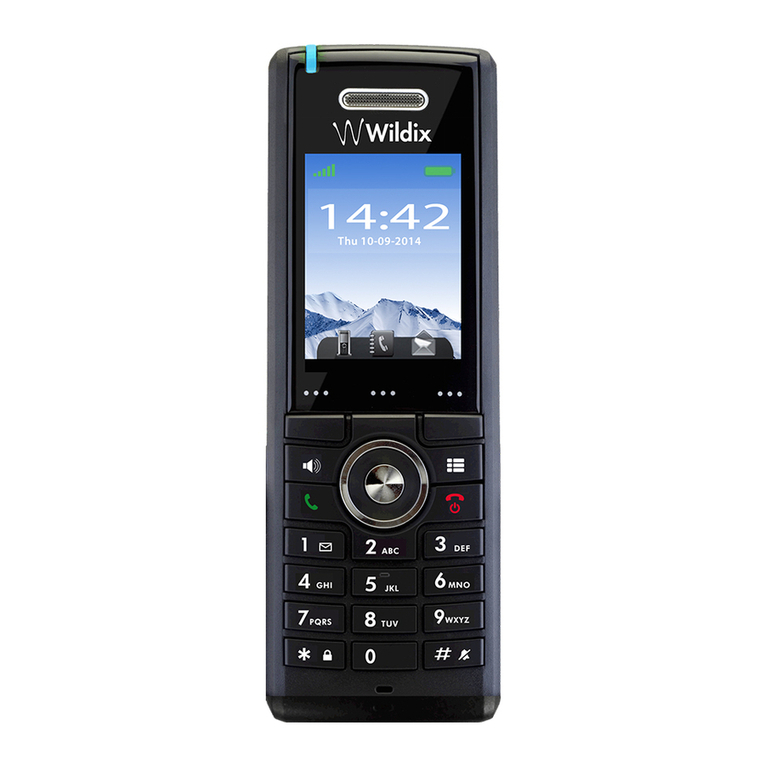
To switch the handset on, long-press the red On-hook Key. When the handset is on, it displays “Searching” until
the signal is detected. As soon as the handset displays the user name and the extension number, it is ready to
use.
!
To switch the handset off, long-press the red On-hook Key.
!
!
Lock/Unlock
!
To prevent the accidental pressing of keys, it is possible to lock the keypad.
!
To lock the keypad long-press the * key in idle, and the message “Press and hold *” appears. The “Key lock”
icon will be displayed in the status bar.
!
To unlock the keypad, long-press the * key again until the message “Press and hold *” disappears.
!
Note: It is possible to answer/reject an incoming call while the keypad is locked and to dial the emergency
numbers.
!
!
Enter a number in Idle
!
Start entering a number, after which it is possible to:
-Press the green Off-hook Key to call the number
-Press the Left Soft key “Save” to save the number to the local phonebook
-Press the Right Soft key “Clear” to delete the last entered character at a time.
!
!
Silent Mode
!
To turn the handset in silent mode from idle, long-press the # key. The “Sound Off” icon is displayed in the status
bar. To turn off the silent mode, long-press the # key again.
!
!
Text input
!
The sketch displays the available characters.
!
In text input mode, by pressing the * key it is possible to switch between
the upper/lower case and numeric characters.
In text input mode, by pressing the Left Soft key “Symbol” it is possible to
view the list of additional characters (such as “. , ’ ? ” - ( )” , etc) and select
the character to enter.
In text input mode, use “0” to add a space.
!
When there is no data input for some time, the phone goes in idle mode and the information which has not
been saved, gets lost.
!