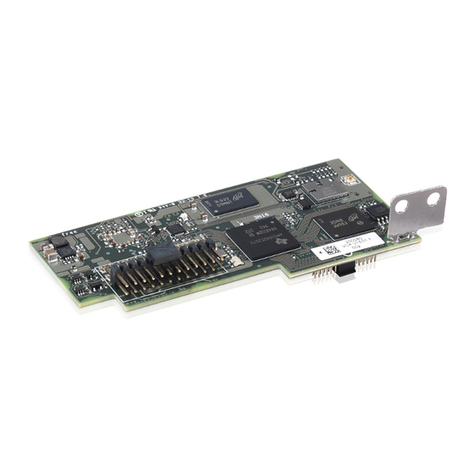
ABB CDD User manual

ABB solar inverters
Product manual
CDD (concentrator data device)

- 2 -
001CV
IMPORTANT SAFETY INSTRUCTIONS
This manual contains important safety instructions that must be followed during installation
and maintenance of the CDD.
It is required that the CDD be installed with any ABB MICRO inverter in compliance with
UL1741, for the purpose of indication and resetting of ground faults.
SAVE THESE INSTRUCTIONS!
Keep this document in a safe place near the inverter for easy access during installation and
maintenance.
THE INSTALLER MUST READ THIS DOCUMENT IN ITS ENTIRETY BEFORE
INSTALLING OR COMMISSIONING THIS EQUIPMENT.
This operating manual is a valid guide that will enable users to work safely, install the CDD
(concentrator data device) and carry out the operations necessary for keeping the equipment in
good working order.
Warranty conditions can be found on the product page of the website. NOTE: Any changes or
modications not approved by the responsible party could void the user authority to operate
the equipment.
FCC REMARKS
The equipment has been tested and found to comply with the limits for a Class B digital
device, pursuant to Part 15 of the FCC Rules. These limits are designed to provide reasonable
protection against harmful interference in a residential installation. This equipment generates,
uses and can radiate radio frequency energy and, if not installed and used in accordance with
the instructions, may cause harmful interference to radio communications.
However, there is no guarantee that interference will not occur in a particular installation. If
this equipment does cause harmful interference to radio or television reception, which can be
determined by turning the equipment off and on, the user is encouraged to try to correct the
interference by one or more of the following measures:
• Reorient or relocate the receiving antenna.
• Increase the separation between the equipment and receiver.
• Connect the equipment into an outlet on a circuit different from that to which the receiver
is connected.
• Consult the dealer or an experienced radio/TV technician for help.

- 3 -
001CV
Product Manual
CDD - concentrator data device
1 - Introduction and safety
2 - Plan the installation
3 - CDD display operations
4 - Connect and congure the CDD
5 - Acquire the MICRO inverters
6 - System monitoring
7 - Appendix
CDD Product manual
BCG.00613.1_AA, NA Rev 1.0
© Copyright 2014 ABB. All Rights Reserved.

- 4 -
002TC
Contents
Introduction and safety ...................................................................................................................... 7
Warnings in this document ...................................................................................................................7
Intended use............................................................................................................................................7
Available versions ..................................................................................................................................8
Product label .........................................................................................................................8
Regulatory nameplate ..........................................................................................................8
Plan the installation........................................................................................................................... 9
Description of the CDD ..........................................................................................................................9
System integration ...............................................................................................................................10
Select the installation location............................................................................................................ 11
Evaluate the installation position .......................................................................................................12
Mount the CDD......................................................................................................................................14
Connect and congure the CDD.................................................................................................... 15
Connect the CDD ..................................................................................................................................15
Wireless connection to the internet ...................................................................................................16
Open networks with a MAC address filter .......................................................................16
Secure networks without a MAC address filter...............................................................17
Secure networks with a MAC address filter.....................................................................17
Autoconnection configuration ..........................................................................................17
DHCP configuration............................................................................................................18
IP address view ...................................................................................................................18
Ethernet connection to the internet ...................................................................................................19
Firmware upgrade ................................................................................................................................20
CDD display operations .................................................................................................................. 21
LED and display operations................................................................................................................21
Description of the display menus.......................................................................................................22
General Information cyclical display................................................................................24
Basic information menu.....................................................................................................24
Main menu - Statistics........................................................................................................24
Main menu - View information...........................................................................................25
Main menu - Change settings............................................................................................25
Acquire the MICRO inverters ......................................................................................................... 27
Acquisition process ............................................................................................................................27
Acquire the MICRO inverters using the CDD display menu............................................................27
Acquire the MICRO inverters using a computer and the integrated web server ..........................28

- 5 -
002TC
System monitoring .......................................................................................................................... 33
Remote monitoring on the Easy View web portal ............................................................................33
Self-registration procedure................................................................................................33
Aurora vision plant viewer.................................................................................................35
Local monitoring using the CDD web server ....................................................................................36
HOME page..........................................................................................................................36
VIEW menu ..........................................................................................................................37
CONFIG menu .....................................................................................................................38
EVENTS menu .....................................................................................................................40
UPGRADE menu .................................................................................................................40
REGISTRATION menu ........................................................................................................42
HELP menu..........................................................................................................................42
Appendix........................................................................................................................................... 43
The MICRO inverter system ................................................................................................................43
Characteristics of MICRO inverters..................................................................................43
Description of the CDD .....................................................................................................44
Alarm messages and codes................................................................................................................44
Making a service call............................................................................................................................49
Routine maintenance ...........................................................................................................................49
Technical data and types.....................................................................................................................49
Wireless routers compatible with CDD..............................................................................................50

- 6 -
002TC

- 7 -
003CH1
Warnings in this document
This is a list of special safety symbols used in this manual that highlight potential safety risks and/or useful
information. The symbol usage is described below:
CAUTION
The reader should stop, use caution and fully understand the operations
explained before proceeding.
DANGEROUS VOLTAGE
The MICRO inverter product works with high voltages. All work on the
inverter must follow the described documentation and must comply with all
prevailing codes and regulations associated with high voltages.
UL60950-1 Safety of Information Technology Equipment – General
Requirements: Part 1; CSA 60950-1-07 Safety of Information Technology
Equipment – General Requirements: Part 1
Intended use
This equipment is a device designed to congure and control a network of ABB MICRO inverters, using radio
communication and to supply data relating to the system, using a wireless connection or an Ethernet port, to
an internet or local portal for monitoring.
• The device cannot be used in environments where there are particular restrictions on the use of radio
waves.
• The device used to transmit data to the ABB portal requires a user-supplied router connected to the internet.
The cost of connection is to be paid by the end user.
1
Introduction and safety

- 8 -
004CC1
1- Introduction and safety
Available versions
The CDD described in this manual is available in a single version suitable for all countries of installation. It is
required that the CDD be installed with any MICRO inverter in compliance with UL1741, for the purpose of
indication and resetting of ground faults.
The device can be associated with the following MICRO inverter equipment from ABB:
0.25 kW models MICRO-0.25-I-OUTD-US-208/240
0.3 kW models MICRO-0.3-I-OUTD-US-208/240
MICRO-0.3HV-I-OUTD-US-208/240
Product label
The sample product label is afxed to the inverter and provides the following information:
CDD Part Number
CDD Serial Number
WIFI communication MAC address
Radio frequency communication MAC address
Ethernet MAC address
When registering the CDD on the Easy View portal, the MAC RF (radio frequency)
address is used as the product identication code (see System monitoring, Part 6).
Regulatory nameplate
The nameplate shown is afxed to the inverter and provides the following information:
Technical data reported in this manual does not replace the data on the labels afxed
to the equipment.
P/N: PPPPPPPPPPP
S/N: YYWWSSSSSS
MAC WIFI:
MAC RF:
MAC ETH:
A1:B1:C1:D1:E1:F1
A2:B2:C2:D2:E2:F2:G2:H2
A3:B3:C3:D3:E3:F3
CONCENTRATOR DATA DEVICE
MODEL:
CDD
®
Contains FCC ID: X6W-EMBZ
INPUT DC : 5V , 0.5 A
This device complies with Part 15 of the FCC Rules. Operation is subject to the
following two conditions:(i.) this device may not cause harmful interference and
(ii.) this device must accept any interference received, including interference
that may cause undesired operation.
Contains FCC ID: W70ZG2100-ZG2101
www.abb.com/solar
Made in Italy

- 9 -
005CH2
Description of the CDD
The ABB MICRO Inverters associated with the CDD can be monitored using the CDD display, the CDD web
server interface, or from the Aurora Vision monitoring portal.
The CDD display allows simultaneous monitoring of all the associated inverters. The following information can
be viewed by navigating in the display menu:
• Operating status and statistics of each MICRO inverter
• Operating status of the connection to the internet/local network
• Alarm messages and fault indicators
The menus are navigated by means of buttons on the side of the CDD.
01
Wireless antenna
02
Status LED
(not on all models)
03
Radio antenna
(MICRO inverter)
04
Display
05
Button pad
06
Ethernet port
07
Power connector
08
Ethernet communi-
cation status LED
2
Plan the installation
180mm
7.08”
25mm
0.98”
150mm
5.90”
01
02
03
04
05
06
07
08
UP
DOWN
ESC
ENTER

- 10 -
006CC2
2 - Plan the installation
System integration
The diagram below shows several MICRO inverters communicating with a CDD, which in turn connects, by
Ethernet or wireless, to a PC or a router connected to the internet. It is also possible to manage and monitor
the system using a PC or Smartphone with internet access by registering on the Aurora Vision Plant Viewer.
The CDD device must be congured in order to commission the PV system. The following congurations must
be completed on the CDD for proper operation of the system:
• Acquisition of MICRO inverters
• Setting geographical parameters
• Setting of grid standard for the country/region of installation.
These operations can be carried out using the CDD display or the Web Server integrated in the CDD. When
conguring using the Web Server it is necessary to connect the CDD to a PC via Ethernet or Wireless (see
conguration and connection details in part 4).
Once the conguration has been completed, the device can be registered on the Plant Viewer web portal using
an internet connection, which allows remote monitoring of the MICRO inverters making up the PV system.
CDD
Internet
Smartphone
Tablet
Home Router
Desktop
Laptop
Desktop
Laptop
Local monitoring and settings
(internal web server)
Ethernet or
802.11
Radio IEEE 802.15.4
Ethernet or 802.11
Ethernet
802.11
Remote monitoring and settings
(internal web server)
Table of contents
Other ABB Data Logger manuals