8
Placement for Maximum Accuracy
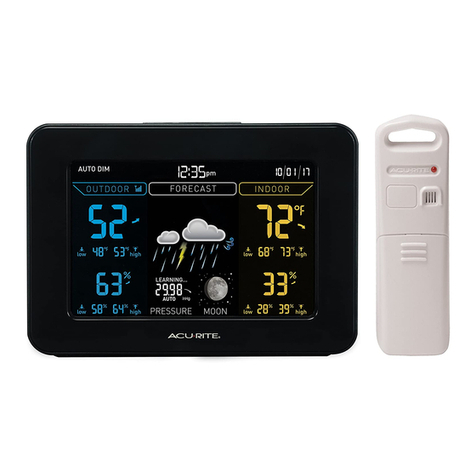
AcuRite sensors are sensitive to surrounding environmental conditions. Proper
placement of both the display unit and outdoor sensor are critical to the
accuracy and performance of this product.
Display Unit Placement
Place the display unit in a dry area free of dirt and dust.
Display unit stands upright for tabletop use or is
wall-mountable.
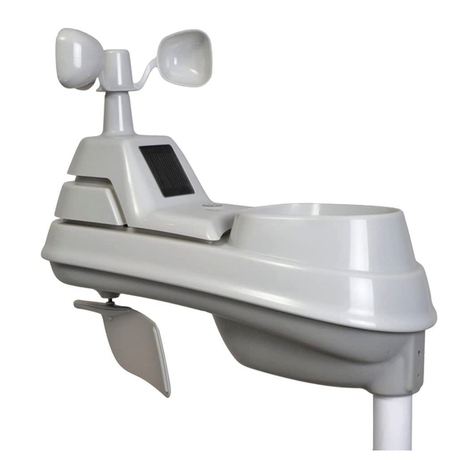
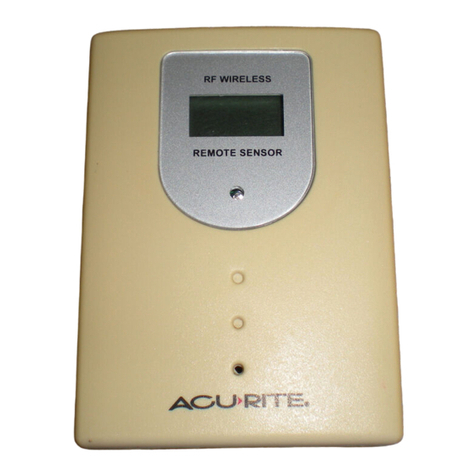
Outdoor Sensor Placement
Sensor must be placed outside to observe outdoor conditions.
Sensor is water resistant and is designed for general outdoor
use, however, to extend its life place the sensor in an area
protected from direct weather elements.
Hang the sensor using the integrated hang holes or hanger, or
by using string (not included) to hang it from a suitable location,
like a well covered tree branch. The best location is 4 to 8 feet
above the ground with permanent shade and plenty of fresh air
to circulate around the sensor.
Important Placement Guidelines
• To ensure accurate temperature measurement, place units out of direct
sunlight and away from any heat sources or vents.
• Display unit and outdoor sensor must be within 330 ft (100 m) of each other.
• To maximize wireless range, place units away from large metallic items, thick
walls, metal surfaces, or other objects that may limit wireless communication.
• To prevent wireless interference, place both units at least 3 ft (.9 m) away
from electronic devices (TV, computer, microwave, radio, etc.).
TV 3
(330 feet maximum)
(.91 m)
AT
LEAST
APART
Setup is Complete
The sensor will now synchronize with the display unit. It may take a few
minutes for synchronization to complete. Please refer to the troubleshooting
section of this manual if anything appears to be functioning improperly.
OR DOWN OR DOWN
OR DOWNOR DOWN
OR DOWN
SELECTS ºF or ºC
AND PRESSURE
SCALE
ºF ºC
(flashes)
MIN/MAX CLOCK/CAL. SETTING
When NOT in clock/cal setting mode:
will automatically time out and return
to“live”display mode after 5 seconds
will automatically clear all MIN/MAX
recorded values for the day @ 12:00AM
= display MAX outdoor & indoor values
= light up“MAX”segment
= display MIN outdoor & indoor values
= light up“MIN”segment
TAP
TAP
TAP
TAPAND HOLD FOR 3 seconds to manually reset and clear
current MIN values
TAPAND HOLD FOR 3 seconds to manually reset and clear
current MAX values
“TIME ZONE” text and timezone selection
ONLYshows during setup process!!!
OR
OR DOWN
ADJUST DST
ON OR OFF
“DST”, “ON”,“OFF” only show during setup procedure,
NONE SHOW DURING LIVE DISPLAY
1
FORECAST: STORM CONDITOINS DEVELOPING
FORECAST: A CHANCE OF LIGHT RAIN
3
FORECAST: A CHANCE OF LIGHT SNOW
FORECAST: RAIN LIKELY
5
FORECAST: SNOW LIKELY
6
FORECAST: A CHANCE OF MIXED RAIN AND SNOW
7
FORECAST: RAIN & SNOW MIX LIKELY
9
FORECAST: P ARTL Y CLOUDY
FORECAST: MOSTLY CLEAR S KIE S
11
FORECAST: CLEAR SKIES
Rain will ash
-one second on / one second o
Rain and Snow
will ash: one second on
one second o
Weather statment Forecast Icon
FORECAST: WINTER STORM CONDITOINS DEVELOPING
Snow will ash
-one second on / one second o
0
Temp < 32F
Above 30.20 Falling >0.03 <0.06
Above 30.20 Falling >0.06 <0.18
29.80to 30.20 Steady <0.02
29.80to 30.20 Rising >0.02
29.80to 30.20 Falling >0.02 <0.04
29.80to 30.20 Falling >0.04 <0.06
Large Cloud with rain and
snow animation
29.80to 30.20 Falling >0.06 <0.18
Large Cloud with flashing
snow
Large Cloud with rain and
snow animation
Large Cloud with flashing
Rain
Below 29.80 Rising >0.03 <0.06
Below 29.80 Falling >0.03 <0.06
Large cloud with light rain
and light snow animation
6Cloud with Rain 2
Below 29.80 Falling >0.06 <0.18
Large Cloud with flashing
Large Cloud with rain and
Large Cloud with flashing
Rain 1
Any Reading Falling >0.18
Large Cloud with flashing
Large Cloud with rain and
Large Cloud with flashing
Rain 1
Any Reading Any change >0.2
changes just add text to
the ticker rotation
14
changes just add text to
the ticker rotation
14
GUSTY WINDS, ADD
WIND MARKS TO ICON
GUSTY WINDS, ADD
WIND MARKS TO ICON
GUSTY WINDS, ADD
WIND MARKS TO ICON
13230“Buzz TREO” REVISED MMI
v. 1.0
R.Torgerson
OUTDOOR CONDITIONS
INDOOR CONDITIONS
MOON PHASE
BAROMETRIC PRESSURE
12 HOURS
AGO CURRENT
FALLING
FUTURE FORECAST
ORDOWN ORDOWN
ORDOWNORDOWN
ORDOWN
SELECTSºF or ºC
ANDPRESSURE
SCALE
ºF ºC
(flashes)
MIN/MAX CLOCK/CAL.SETTING
When NOT in clock/cal setting mode:
will automatically time out and return
to“live” display mode after 5 seconds
will automatically clear all MIN/MAX
recorded values for the day@ 12:00AM
=display MAX outdoor & indoor values
=light up “MAX”segment
=display MIN outdoor & indoor values
=light up “MIN”segment
TAP
TAP
TAP
TAPAND HOLD FOR 3 seconds to manually reset and clear
currentMIN values
TAPAND HOLD FOR 3 seconds to manually reset and clear
currentMAX values
“TIMEZONE” tex t and timezoneselec tion
ONLYshowsduring setup process!!!
OR
ORDOWN
ADJUSTDST
ONOR OFF
“DST”,“ON”,“OFF”onlyshow during setup procedure,
NONESHOW DURING LIVE DISPLAY
1
FORECAST: STORMCONDITOINSDEVE LOPING
FORECAST: A CHANCE OFL IGHT RAIN
3
FORECAST: A CHANCE OFL IGHT SNOW
FORECAST: RAINLIKELY
5
FORECAST: SNOW LIKELY
6
FORECAST: A CHANCE OFMIXED RAIN AND SNOW
7
FORECAST: RAIN& SNOW MIXLIKELY
FORECAST: MOSTLYCLE AR SKIES
11
FORECAST: CLEAR SKIES
Rain will ash
-one second on / one second o
Rain and Snow
willash: one second on
onesecond o
Weather statment Forecast Icon
FORECAST: WINTER STORM CONDITOINS DEVELOPING
Snowwill ash
-one second on / one second o
0
Temp< 32F
Above 30.20 Falling >0.03 <0.06
Above 30.20 Falling >0.06 <0.18
29.80to 30.20 Steady <0.02
29.80to 30.20 Rising >0.02
29.80to 30.20 Falling >0.02 <0.04
29.80to 30.20 Falling >0.04 <0.06
Large Cloud with rain and
snow animation
29.80to 30.20 Falling >0.06 <0.18
Large Cloud with flashing
snow
Large Cloud with rain and
snow animation
Large Cloud with flashing
Rain
Below 29.80 Rising >0.03 <0.06
Below 29.80 Falling >0.03 <0.06
Large cloud with light rain
and light snow animation
6Cloud with Rain 2
Below 29.80 Falling >0.06 <0.18
Large Cloud with flashing
Large Cloud with rain and
Large Cloud with flashing
Rain 1
Any Reading Falling >0.18
Large Cloud with flashing
Large Cloud with rain and
Large Cloud with flashing
Rain 1
Any Reading Any change >0.2
changes just add text to
the ticker rotation
14
changes just add text to
the ticker rotation
14
GUSTY WINDS, ADD
WIND MARKSTO ICON
GUSTY WINDS, ADD
WIND MARKSTO ICON
GUSTY WINDS, ADD
WIND MARKSTO ICON
13230 “Buzz TREO”REVISED MMI
v.1.0
R.Torgerson
OUTDOORCONDITIONS
INDOORCONDITIONS
MOONPHASE
BAROMETRICPRESSURE
12HOURS
AGO CURRENT
FALLING
FUTUREFORECAST