manuals.online logo
Brands
  1. Home
  2. •
  3. Brands
  4. •
  5. Aiphone
  6. •
  7. Adapter
  8. •
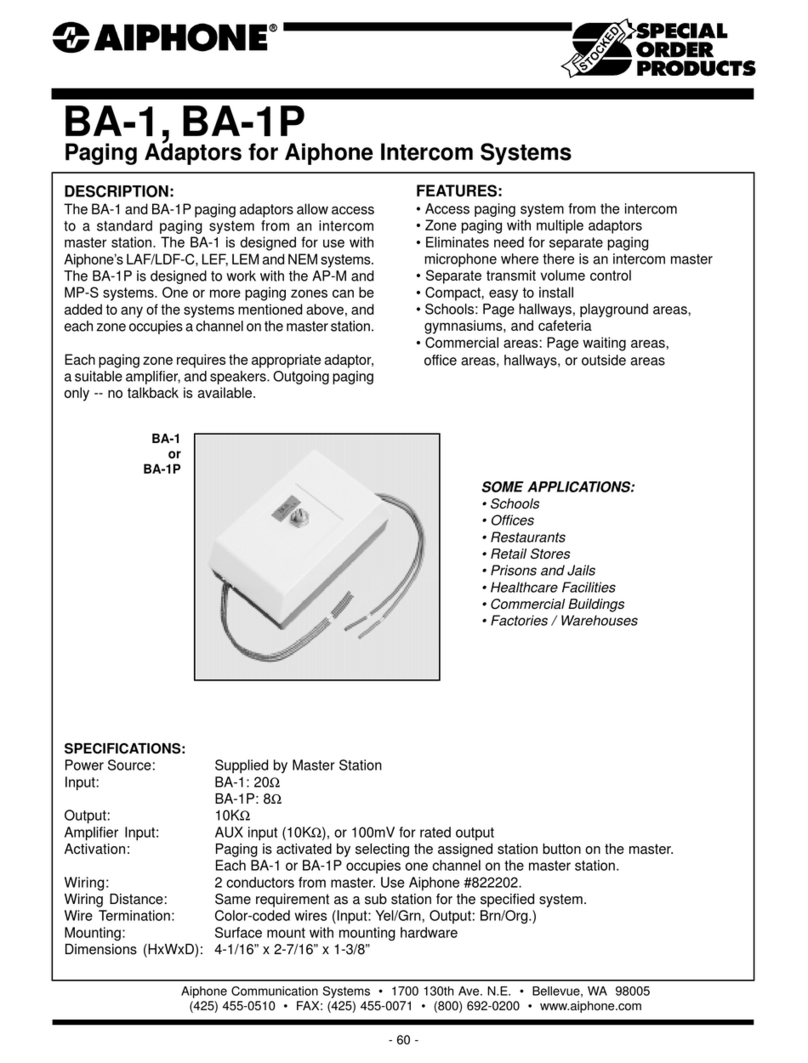
  9. Aiphone BA-1P User manual

Aiphone BA-1P User manual

Other Aiphone Adapter manuals

Aiphone MKW-DK/A User manual

Aiphone

Aiphone MKW-DK/A User manual

Aiphone JBW-BA User manual

Aiphone

Aiphone JBW-BA User manual

Aiphone BG-1A User manual

Aiphone

Aiphone BG-1A User manual

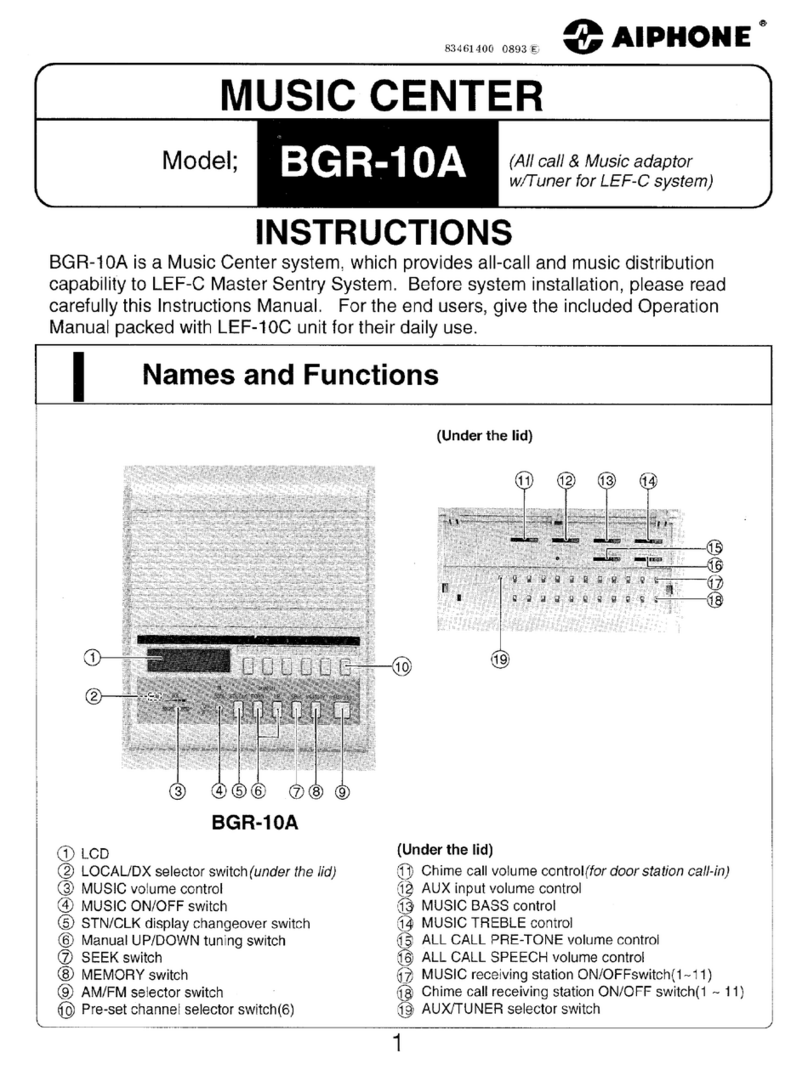
Aiphone BGR-10A User manual

Aiphone

Aiphone BGR-10A User manual

Aiphone IPW-1A User manual

Aiphone

Aiphone IPW-1A User manual

Aiphone JKW-IP User manual

Aiphone

Aiphone JKW-IP User manual

Aiphone MFW-P3 User manual

Aiphone

Aiphone MFW-P3 User manual

Aiphone RY-IP44 Owner's manual

Aiphone

Aiphone RY-IP44 Owner's manual

Aiphone JKW-IP User manual

Aiphone

Aiphone JKW-IP User manual

Aiphone IX SERIES Manual

Aiphone

Aiphone IX SERIES Manual
Aiphone BG-10C User manual

Aiphone

Aiphone BG-10C User manual

Aiphone JKW-BA User manual

Aiphone

Aiphone JKW-BA User manual

Aiphone MYW-P3CB User manual

Aiphone

Aiphone MYW-P3CB User manual

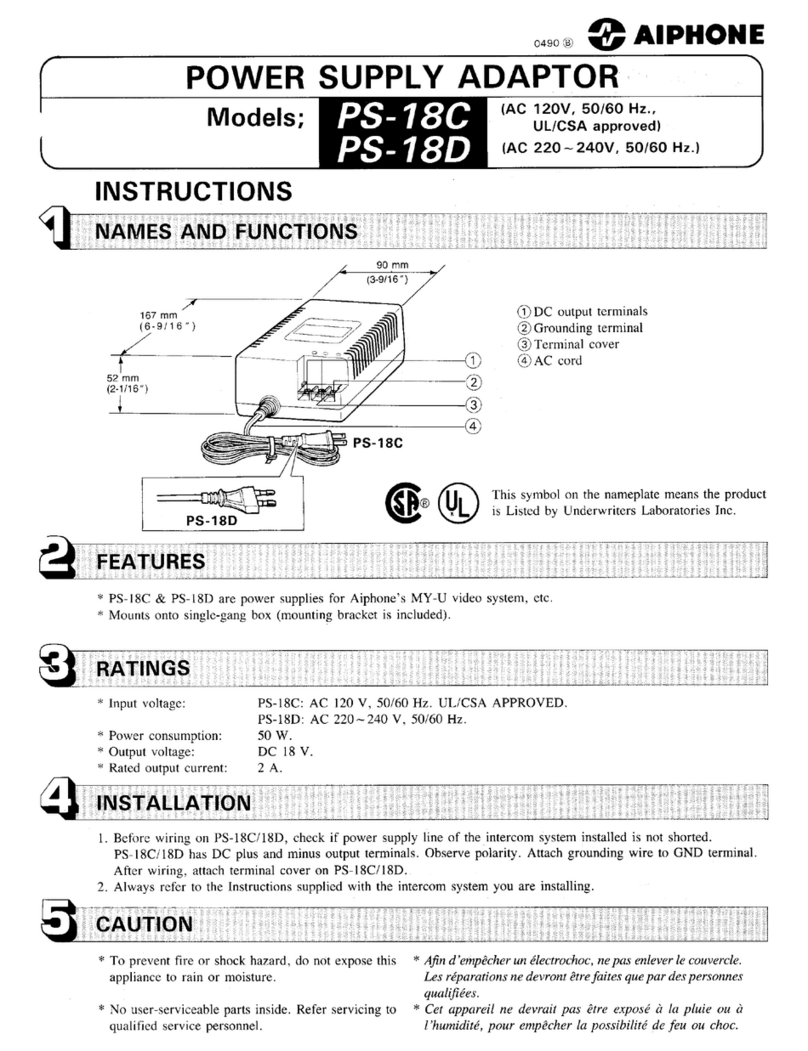
Aiphone PS-18C User manual

Aiphone

Aiphone PS-18C User manual

Aiphone PS-18C User manual

Aiphone

Aiphone PS-18C User manual

Aiphone BG-10C User manual

Aiphone

Aiphone BG-10C User manual

Aiphone GHW-LC User manual

Aiphone

Aiphone GHW-LC User manual

Aiphone DS-B User manual

Aiphone

Aiphone DS-B User manual

Aiphone JKW-IP Configuration guide

Aiphone

Aiphone JKW-IP Configuration guide

Aiphone BA-1 User manual

Aiphone

Aiphone BA-1 User manual

Aiphone BG-10C User manual

Aiphone

Aiphone BG-10C User manual

Aiphone JKW-IP User manual

Aiphone

Aiphone JKW-IP User manual

Aiphone IX SERIES Manual

Aiphone

Aiphone IX SERIES Manual

Aiphone IPW-1A User manual

Aiphone

Aiphone IPW-1A User manual
Popular Adapter manuals by other brands

Mini Gadgets BB2Outlet user manual

Mini Gadgets

Mini Gadgets BB2Outlet user manual

LSI LSISAS3442E-R Quick installation guide

LSI

LSI LSISAS3442E-R Quick installation guide

Moeller BBA -16 Series installation instructions

Moeller

Moeller BBA -16 Series installation instructions

Acer MWA3 quick start guide

Acer

Acer MWA3 quick start guide

Connect Tech ADG095 user guide

Connect Tech

Connect Tech ADG095 user guide

cable matters 604002 user manual

cable matters

cable matters 604002 user manual

Solwise PL-85PEW Easy start

Solwise

Solwise PL-85PEW Easy start

HP Photosmart 7100 user guide

HP

HP Photosmart 7100 user guide

HP E2494A installation guide

HP

HP E2494A installation guide

StarTech.com USB150WN1X1 quick start guide

StarTech.com

StarTech.com USB150WN1X1 quick start guide

Lindy 43198 user manual

Lindy

Lindy 43198 user manual

A&D AD-8527 instruction manual

A&D

A&D AD-8527 instruction manual

Motorola WU830G user guide

Motorola

Motorola WU830G user guide

Hawking HUF2 Specifications

Hawking

Hawking HUF2 Specifications

Allen-Bradley E3 Plus installation instructions

Allen-Bradley

Allen-Bradley E3 Plus installation instructions

Trust BT-2210Tp manual

Trust

Trust BT-2210Tp manual

HP NC7170 overview

HP

HP NC7170 overview

Uconnect BLE-485C user manual

Uconnect

Uconnect BLE-485C user manual

manuals.online logo
manuals.online logoBrands
  • About & Mission
  • Contact us
  • Privacy Policy
  • Terms and Conditions

Copyright 2025 Manuals.Online. All Rights Reserved.

Org
Brn
Yel
Grn
TONE
- INSTRUCTIONS -
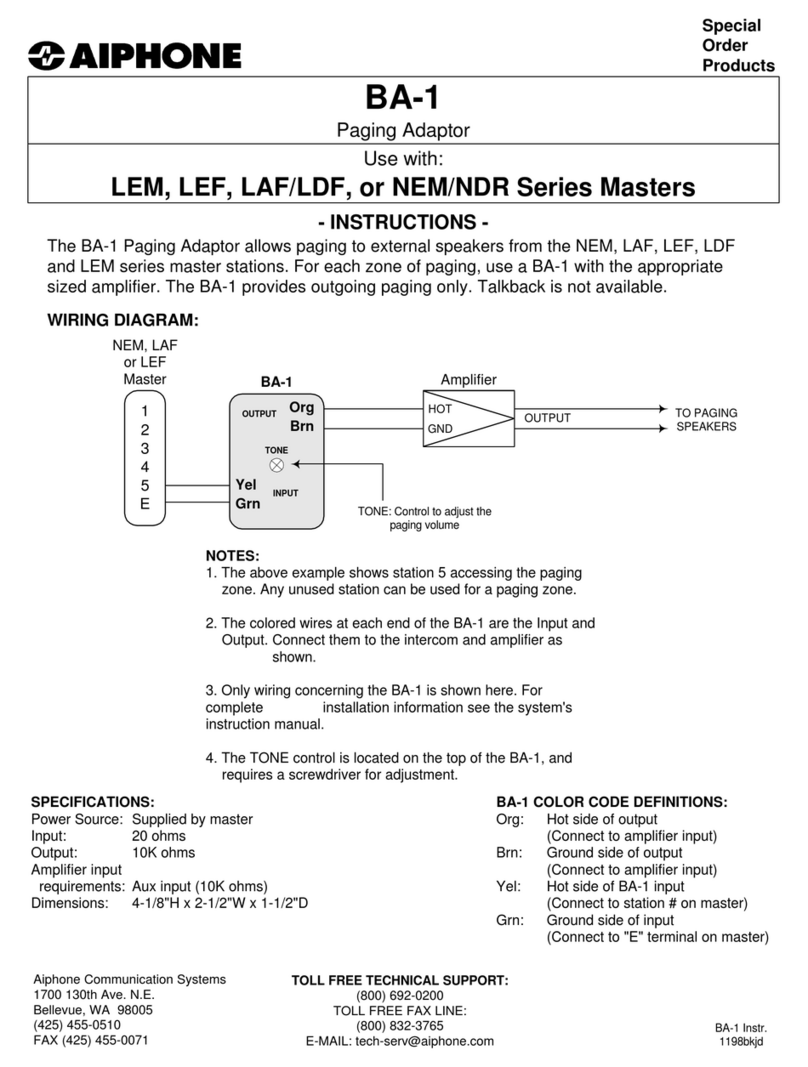
The BA-1P Paging Adaptor allows paging to external speakers from the AP-M or MP-S series
master stations. For each zone of paging, use a BA-1P with the appropriate sized amplifier.
The BA-1P provides outgoing paging only. Talkback is not available.
WIRING DIAGRAM:
BA-1P
Paging Adaptor
Use with:
AP-M or MP-S Series Systems
Special
Order
Products
1
2
3
4
5
E
AP-5M
HOT
GND OUTPUT TO PAGING
SPEAKERS
TONE: Control to adjust the
paging volume
BA-1P
NOTES:
1. The above example shows station 5 accessing the paging
zone. Any unused station can be used for a paging zone.
2. The colored wires at each end of the BA-1P are the Input
and Output. Connect them to the intercom and amplifier as
shown.
3. Only wiring concerning the BA-1P is shown here. For
complete installation information see the system's
instruction manual.
4. The TONE control is located on the top of the BA-1P, and
requires a screwdriver for adjustment.
Aiphone Communication Systems
1700 130th Ave. N.E.
Bellevue, WA 98005
(425) 455-0510
FAX (425) 455-0071
TOLL FREE TECHNICAL SUPPORT:
(800) 692-0200
TOLL FREE FAX LINE:
(800) 832-3765
E-MAIL:
[email protected]
BA-1P COLOR CODE DEFINITIONS:
Org: Hot side of output
(Connect to amplifier input)
Brn: Ground side of output
(Connect to amplifier input)
Yel: Hot side of BA-1 input
(Connect to station # on master)
Grn: Ground side of input
(Connect to "E" terminal on master)
SPECIFICATIONS:
Power Source: Supplied by master
Input: 8 ohms
Output: 10K ohms
Amplifier input
requirements: Aux input (10K ohms)
Dimensions: 4-1/8"H x 2-1/2"W x 1-1/2"D
BA-1P Instr.
0598bkjd
Amplifier
OUTPUT
INPUT