AMS AS6500-DK User manual

User Guide
UG000424
AS6500-DK
Development Kit
Hardware and Graphical User Interface
v1-00 •2019-Mar-14

Document Feedback
AS6500-DK
Content Guide
Demo Kit Manual •PUBLIC
UG000424 •v1-00 • 2019-Mar-14
18 │2
Content Guide
1Introduction....................................3
1.1 Kit Content & Ordering Information.............. 3
2Quick Start Guide ..........................4
2.1 Manual Driver Installation............................. 5
3Hardware Description....................7
3.1 Introduction................................................... 7
3.2 Communication Interface............................. 8
4Software Description.....................9
4.1 Main Window.................................................9
4.2 Menu & Support Windows ......................... 11
5Schematics, Layers and BOM .... 14
6Revision Information................... 17
7Legal Information ........................ 18

Document Feedback
AS6500-DK
Introduction
Demo Kit Manual •PUBLIC
UG000424 •v1-00 • 2019-Mar-14
18 │3
1 Introduction
1.1 Kit Content & Ordering Information
Figure 1:
Kit Content
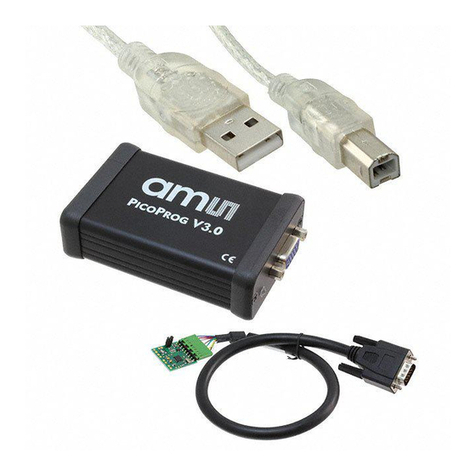
AS6500-QF_DK_RB (Based on AS6500 in QFN40 package)
Cable connecting board and PICOPROG
PICOPROG V3.0 (Programmer and interface)
USB cable (Connects PICOPROG V3.0 to PC)
Please download the latest software for the kit from
https://download.ams.com/SPECIALTY-SENSORS/AS6500
Ordering Code
Part Number
Description
AS6500-QF_DK
221050003
AS6500 Demo Kit including PICOPROG and
cables
AS6500-QF_DK_RB
221050002
AS6500 Reference board

Document Feedback
AS6500-DK
Quick Start Guide
Demo Kit Manual •PUBLIC
UG000424 •v1-00 • 2019-Mar-14
18 │4
2 Quick Start Guide
This section describes how to quickly set up the AS6500-DK, establish basic operation and make
measurements.
●It is crucial to install the software before connecting the development kit to your computer:
https://download.ams.com/SPECIALTY-SENSORS/AS6500
●Unzip the package to the desired directory, open “setup.exe” and follow the instructions on the
screen
●Connect the PICOPROG V3.0 to the computer using the USB cable and connect the board to
the PICOPROG using the DB15 connector cable.
●Quick Start for Initial Measurements
From the “Start” menu, go to “All Programs” and then to the “ams AG” directory. Click the “AS6500
Evaluation Software” icon to begin execution of the evaluation software. The following screen should
appear:
Figure 2 :
Opening Page

Document Feedback
AS6500-DK
Quick Start Guide
Demo Kit Manual •PUBLIC
UG000424 •v1-00 • 2019-Mar-14
18 │5
●First click “Power On Reset”, “Write Config” and “Init Reset”.
The lights for the communication status should both become green.
●Enable the channels that are used.
●Check the REFCLK/SPI page settings
●Connect your signal source
●Press “Start Measurement”
At this point, after successful completion of the above steps, a basic operation of the development kit
should be possible.
Figure 3:
Setup Window
2.1 Manual Driver Installation
If PICOPROG is not displayed correctly then go to the drivers folder, e.g. C:\Program Files\ams
AG\AS6500 Evaluation Software and install the driver for your operating system manually.

Document Feedback
AS6500-DK
Quick Start Guide
Demo Kit Manual •PUBLIC
UG000424 •v1-00 • 2019-Mar-14
18 │6
Figure 4:
Device Manager

Document Feedback
AS6500-DK
Hardware Description
Demo Kit Manual •PUBLIC
UG000424 •v1-00 • 2019-Mar-14
18 │7
3 Hardware Description
3.1 Introduction
The AS6500-QF_DK_RB board, shown in Figure 5, is a basic board for the 4-channel time-to-digital
converter AS6500. The reference clock can be applied from external via pin or from the on-board
4 MHz quartz oscillator (X1).
Figure 5:
AS6500-QF_DK_RB
VCC ——
GND ——
VCC_LEVEL ——
- ——
SSN ——
MOSI ——
SCK ——
MISO ——
INTN ——
Icc
Signal source:
—— STOP1
—— STOP2
—— REFCLK
—— STOP3
—— STOP4

Document Feedback
AS6500-DK
Hardware Description
Demo Kit Manual •PUBLIC
UG000424 •v1-00 • 2019-Mar-14
18 │8
3.2 Communication Interface
The PICOPROG device is a USB-to-SPI converter box that interfaces all UFC evaluation systems.
The PICOPROG is registered by the operating system initially as “PICOPROG v2.0 unprogrammed”.
As soon as the AS6500-QF_DK_RB evaluation software starts, a special firmware is written into the
PICOPROG to handle the SPI communication with the AS6500-DK. The PICOPROG is now listed as
“UNIPRO” in the device manager. For SPI communication only, PICOPROG version 2.0 is sufficient.
The flat connector connecting the PICOPROG and the AS6500-QF_DK_RB. includes the power lines
and the SPI communication lines. VCC_LEVEL is the voltage feedback for the PICOPROG level
shifters.

Document Feedback
AS6500-DK
Software Description
Demo Kit Manual •PUBLIC
UG000424 •v1-00 • 2019-Mar-14
18 │9
4 Software Description
4.1 Main Window
The main windows shows two pages for configuration and result display:
4.1.1 Stop Page
On this window major settings are made:
1. Selects the input pins that are used in the application
2. Enable the internal measurement channels. Each pin refers to minimum one internal channel.
Two will be needed in case of channel combination.
3. Select the resolution. High resolution achieves a betters single-shot rms noise, but at the cost of
pulse-pair resolution.
4. Selects optional channel combination
This can be for better pulse-pair resolution or for pulse width measurement. Both options
demand internally two channels per stop pin.
5. Having done the settings, download the configuration and initialize the chip.
6. Start the measurement.
7. At the bottom the results for the four stop channels are displayed.
8. In many cases the differences between the channels are of interest. This can be activated here.

Document Feedback
AS6500-DK
Software Description
Demo Kit Manual •PUBLIC
UG000424 •v1-00 • 2019-Mar-14
18 │10
Figure 6:
Stop Page
1
345
26
7
8
Table of contents
Other AMS Microcontroller manuals
Popular Microcontroller manuals by other brands

Novatek
Novatek NT6861 manual
Espressif Systems
Espressif Systems ESP8266 SDK AT Instruction Set

Nuvoton
Nuvoton ISD61S00 ChipCorder Design guide

STMicrolectronics
STMicrolectronics ST7 Assembler Linker user manual

Texas Instruments
Texas Instruments Chipcon CC2420DK user manual

Lantronix
Lantronix Intrinsyc Open-Q 865XR SOM user guide