speakers can cause permanent ear damage.
Your unit should always be un-racked when traveling or in a flight case.
The device is designed to operate in a temperate environment, with a correct operating
temperature of 0-50 °C, 32-122 °F
2. Introduction
Thank you for choosing Antelope Audio!
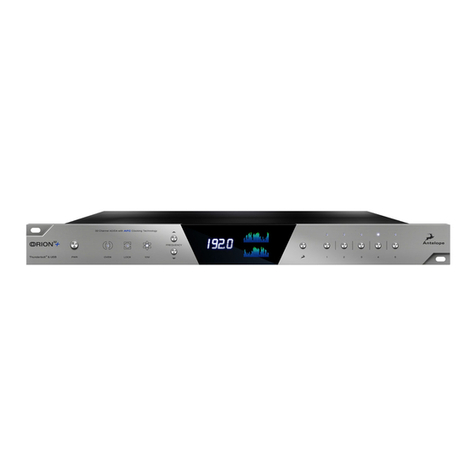
Our HDX-ready AD/DA converter has become an industry-leader, achieving a phenomenal
dynamic range of 136 dB at the Monitoring D/A section! With upgraded conversion and
refreshed design, the Orion32 HD | Gen 3 will make your productions and live shows sound
like nothing else on the market.
Key Fea ures
•FPGA-based low latency effects modeling legendary studio gear worth thousands
•Pro Tools HD and Native-compatible
•Streaming of 24-bit, 192 kHz audio via HDX or USB 3.0
•Flawless 4th Generation 64-bit clocking and jitter management
•Additional connectivity on MADI, ADAT, S/PDIF, 8 DB25
•Mastering Grade monitor outputs
•Housed in an efficient “green design” fanless chassis
•Network Control from multiple computers
•macOS and Windows compatible
Enjoy working with the Orion 32 HD | Gen 3!
With compliments,
Team Antelope
3. Getting Started
1. Hook up to a power source and connect the Orion 32 HD | Gen 3 to your Windows or Mac
computer with an HDX or USB cable (an USB cable is included). Power on the unit.
2. Visit www. HYPERLINK "hp://www.antelopeaudio.com/" HYPERLINK
"hp://www.antelopeaudio.com/"antelopeaudio.com and log in or create a customer account.
3. Head to the Antelope Audio Customer Support page and download the Antelope Launcher.
Windows users must download the drivers as well.
4. Install the software by following the on-screen instructions.
5. Open the Antelope Launcher and update the Orion 32 HD | Gen 3 firmware & Control
Panel to the latest available version.
6. Launch the Orion 32 HD | Gen 3 Control Panel from the Antelope Launcher.
7. Use the Antelope Audio Registration Wizard to register your device. Simply follow the on-
screen instructions.
8. Proceed with connecting your equipment and setting up the Orion 32 HD | Gen 3 for use in
your preferred DAW.