manuals.online logo
Brands
  1. Home
  2. •
  3. Brands
  4. •
  5. Apogee Instruments
  6. •
  7. Measuring Instrument
  8. •
  9. Apogee Instruments MS-100 User manual

Apogee Instruments MS-100 User manual

Other Apogee Instruments Measuring Instrument manuals
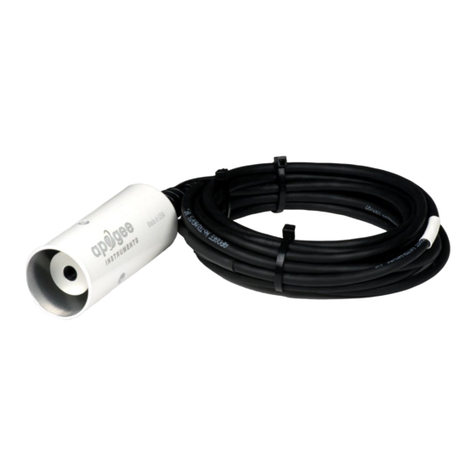
Apogee Instruments SI-100 Series User manual
Apogee Instruments

Apogee Instruments SI-100 Series User manual

Apogee Instruments SP-420 User manual

Apogee Instruments

Apogee Instruments SP-420 User manual

Apogee Instruments MO-200 User manual

Apogee Instruments

Apogee Instruments MO-200 User manual
Apogee Instruments MQ-100 Series User manual
Apogee Instruments

Apogee Instruments MQ-100 Series User manual

Apogee Instruments MQ-501 User manual

Apogee Instruments

Apogee Instruments MQ-501 User manual
Apogee Instruments MQ-500 User manual

Apogee Instruments

Apogee Instruments MQ-500 User manual
Apogee Instruments MQ-210X User manual
Apogee Instruments

Apogee Instruments MQ-210X User manual

Apogee Instruments SI-121-SS User manual
Apogee Instruments

Apogee Instruments SI-121-SS User manual

Apogee Instruments SIF-131 User manual
Apogee Instruments

Apogee Instruments SIF-131 User manual

Apogee Instruments MQ-650 User manual

Apogee Instruments

Apogee Instruments MQ-650 User manual
Apogee Instruments MQ-620 User manual

Apogee Instruments

Apogee Instruments MQ-620 User manual
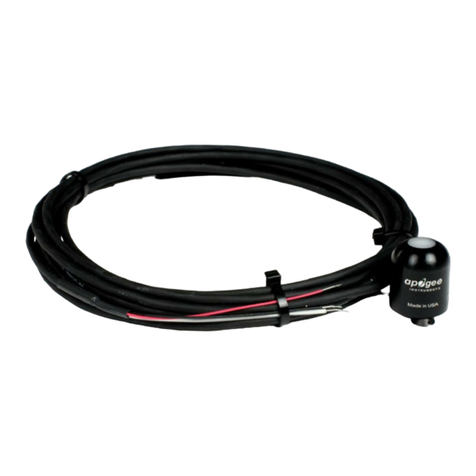
Apogee Instruments SP-110 User manual

Apogee Instruments

Apogee Instruments SP-110 User manual
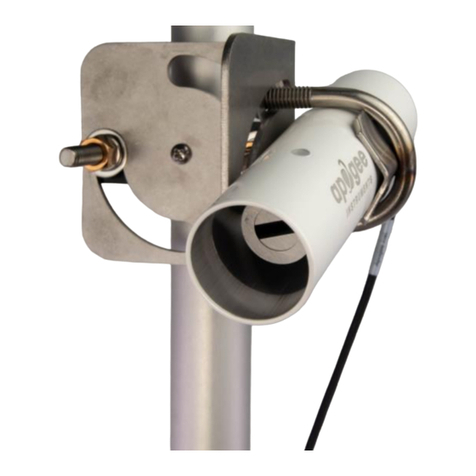
Apogee Instruments SI-4HR User manual

Apogee Instruments

Apogee Instruments SI-4HR User manual
Apogee Instruments SP-214 User manual

Apogee Instruments

Apogee Instruments SP-214 User manual
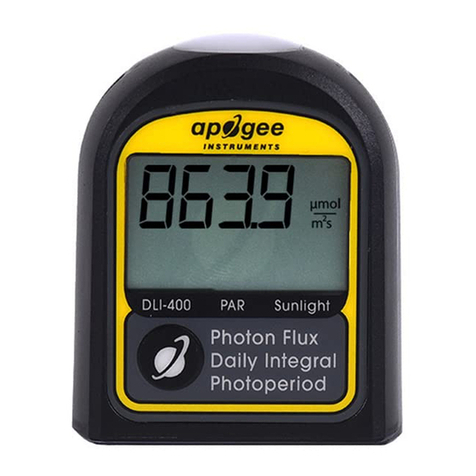
Apogee Instruments DLI-400 User manual
Apogee Instruments

Apogee Instruments DLI-400 User manual

Apogee Instruments SP-722-SS User manual
Apogee Instruments

Apogee Instruments SP-722-SS User manual

Apogee Instruments MU-250 User manual

Apogee Instruments

Apogee Instruments MU-250 User manual
Apogee Instruments MQ-100X User manual
Apogee Instruments

Apogee Instruments MQ-100X User manual

Apogee Instruments MQ-510 User manual

Apogee Instruments

Apogee Instruments MQ-510 User manual
Apogee Instruments SIL-111 User manual

Apogee Instruments

Apogee Instruments SIL-111 User manual
Apogee Instruments QUANTUM MQ-301X User manual

Apogee Instruments

Apogee Instruments QUANTUM MQ-301X User manual

Apogee Instruments MQ-610 User manual

Apogee Instruments

Apogee Instruments MQ-610 User manual

Apogee Instruments SP-110-SS User manual

Apogee Instruments

Apogee Instruments SP-110-SS User manual

Apogee Instruments SIF-111 User manual

Apogee Instruments

Apogee Instruments SIF-111 User manual

Popular Measuring Instrument manuals by other brands

Powerfix Profi 278296 Operation and safety notes

Powerfix Profi

Powerfix Profi 278296 Operation and safety notes

Test Equipment Depot GVT-427B user manual

Test Equipment Depot

Test Equipment Depot GVT-427B user manual

Fieldpiece ACH Operator's manual

Fieldpiece

Fieldpiece ACH Operator's manual

FLYSURFER VIRON3 user manual

FLYSURFER

FLYSURFER VIRON3 user manual

GMW TG uni 1 operating manual

GMW

GMW TG uni 1 operating manual

Downeaster Wind & Weather Medallion Series instruction manual

Downeaster

Downeaster Wind & Weather Medallion Series instruction manual

Hanna Instruments HI96725C instruction manual

Hanna Instruments

Hanna Instruments HI96725C instruction manual

Nokeval KMR260 quick guide

Nokeval

Nokeval KMR260 quick guide

HOKUYO AUTOMATIC UBG-05LN instruction manual

HOKUYO AUTOMATIC

HOKUYO AUTOMATIC UBG-05LN instruction manual

Fluke 96000 Series Operator's manual

Fluke

Fluke 96000 Series Operator's manual

Test Products International SP565 user manual

Test Products International

Test Products International SP565 user manual

General Sleep Zmachine Insight+ DT-200 Service manual

General Sleep

General Sleep Zmachine Insight+ DT-200 Service manual

Sensa Core Lacto Spark user manual

Sensa Core

Sensa Core Lacto Spark user manual

VOLTCRAFT UTS-1980 operating instructions

VOLTCRAFT

VOLTCRAFT UTS-1980 operating instructions

EBCHQ 94915 Operation manual

EBCHQ

EBCHQ 94915 Operation manual

Balluff BIP LD2-T017-01-EP-S4 Series user guide

Balluff

Balluff BIP LD2-T017-01-EP-S4 Series user guide

Pulsar IMP Lite Series instruction manual

Pulsar

Pulsar IMP Lite Series instruction manual

ETCR 6800 user manual

ETCR

ETCR 6800 user manual

manuals.online logo
manuals.online logoBrands
  • About & Mission
  • Contact us
  • Privacy Policy
  • Terms and Conditions

Copyright 2025 Manuals.Online. All Rights Reserved.

APOGEE INSTRUMENTS, INC. | 721 WEST 1800 NORTH, LOGAN, UTAH 84321, USA
TEL: (435) 792-4700 | FAX: (435) 787-8268 | WEB: APOGEEINSTRUMENTS.COM
Copyright © 2023 Apogee Instruments, Inc.
OWNER’S MANUAL
INSIGHT QUANTUM
SPECTRORADIOMETER
Models MS-100
Rev: 8-Mar-2023
2
TABLE OF CONTENTS
Owner’s Manual ............................................................................................................................................................1
Certificate of Compliance ......................................................................................................................................3
Certificate of Compliance ......................................................................................................................................4
Packing Contents ...................................................................................................................................................5
Introduction...........................................................................................................................................................6
Sensor Models .......................................................................................................................................................7
Product Diagram....................................................................................................................................................8
Getting Started ......................................................................................................................................................9
Dark Calibration...................................................................................................................................................11
Taking a Measurement ........................................................................................................................................12
Data Screen Explanations ....................................................................................................................................14
Specifications.......................................................................................................................................................17
Cosine Correction ................................................................................................................................................19
Using Apogee InSight PC Software ......................................................................................................................20
Downloading Data ...............................................................................................................................................34
Using the Apogee InSight App .............................................................................................................................35
Maintenance and Recalibration ..........................................................................................................................42
Troubleshooting and Customer Support .............................................................................................................43
Return and Warranty Policy ................................................................................................................................44
3
CERTIFICATE OF COMPLIANCE
EU Declaration of Conformity
This declaration of conformity is issued under the sole responsibility of the manufacturer:
Apogee Instruments, Inc.
721 W 1800 N
Logan, Utah 84321
USA
for the following product(s):
Models: MS-100
Type: Spectroradiometer
The object of the declaration described above is in conformity with the relevant Union harmonization legislation:
2014/30/EU Electromagnetic Compatibility (EMC) Directive
2011/65/EU Restriction of Hazardous Substances (RoHS 2) Directive
2015/863/EU Amending Annex II to Directive 2011/65/EU (RoHS 3)
Standards referenced during compliance assessment:
EN 61326-1:2013 Electrical equipment for measurement, control, and laboratory use –EMC requirements
EN 63000:2018 Technical documentation for the assessment of electrical and electronic products with
respect to the restriction of hazardous substances
Please be advised that based on the information available to us from our raw material suppliers, the products
manufactured by us do not contain, as intentional additives, any of the restricted materials including lead (see
note below), mercury, cadmium, hexavalent chromium, polybrominated biphenyls (PBB), polybrominated
diphenyls (PBDE), bis (2-ethylhexyl) phthalate (DEHP), butyl benzyl phthalate (BBP), dibutyl phthalate (DBP), and
diisobutyl phthalate (DIBP). However, please note that articles containing greater than 0.1 % lead concentration
are RoHS 3 compliant using exemption 6c.
Further note that Apogee Instruments does not specifically run any analysis on our raw materials or end products
for the presence of these substances, but we rely on the information provided to us by our material suppliers.
Signed for and on behalf of:
Apogee Instruments, March 2023
Bruce Bugbee
President
Apogee Instruments, Inc.
4
CERTIFICATE OF COMPLIANCE
UK Declaration of Conformity
This declaration of conformity is issued under the sole responsibility of the manufacturer:
Apogee Instruments, Inc.
721 W 1800 N
Logan, Utah 84321
USA
for the following product(s):
Models: MS-100
Type: Spectroradiometer
The object of the declaration described above is in conformity with the relevant UK Statutory Instruments and
their amendments:
2016 No. 1091 The Electromagnetic Compatibility Regulations 2016
2012 No. 3032 The Restriction of the Use of Certain Hazardous Substances in Electrical and Electronic
Equipment Regulations 2012
Standards referenced during compliance assessment:
BS EN 61326-1:2013 Electrical equipment for measurement, control, and laboratory use –EMC requirements
BS EN 63000:2018 Technical documentation for the assessment of electrical and electronic products with
respect to the restriction of hazardous substances
Please be advised that based on the information available to us from our raw material suppliers, the products
manufactured by us do not contain, as intentional additives, any of the restricted materials including lead (see
note below), mercury, cadmium, hexavalent chromium, polybrominated biphenyls (PBB), polybrominated
diphenyls (PBDE), bis (2-ethylhexyl) phthalate (DEHP), butyl benzyl phthalate (BBP), dibutyl phthalate (DBP), and
diisobutyl phthalate (DIBP). However, please note that articles containing greater than 0.1 % lead concentration
are RoHS 3 compliant using exemption 6c.
Further note that Apogee Instruments does not specifically run any analysis on our raw materials or end products
for the presence of these substances, but we rely on the information provided to us by our material suppliers.
Signed for and on behalf of:
Apogee Instruments, March 2023
Bruce Bugbee
President
Apogee Instruments, Inc.
5
Case
MS-100 InSight Spectroradiometer
Protective Case
Quick Start Guide
Mini-USB Cable
Power Adapter
Modbus Communication Board
Neck Strap Screw
Neck Strap
6
Spectral (i.e., wavelength-dependent) radiation is intensity of output from a radiation source (e.g., sun, electric
lamp, reflected radiation from a surface of interest) as a function of wavelength. Radiation spectra vary for
different radiation sources and conditions. Radiation spectra can be used to characterize radiation sources.
Spectrometers measure relative spectral radiation over a specified wavelength range. Spectroradiometers are
spectrometers calibrated to output spectral measurements in absolute units (e.g., energy flux density in W m-2
nm-1 or photon flux density in µmol m-2 s-1 nm-1).
Typical applications of spectroradiometers include measurement of spectral output from radiation sources used to
grow plants, algae, and corals (e.g., in greenhouses, growth chambers, and aquarium lighting), measurement of
solar spectra with changing atmospheric conditions, and measurement of spectral reflectance on stationary (e.g.,
agricultural or ecological weather stations and flux towers) and mobile (e.g., plant phenotyping) platforms. Please
note that the meter is not waterproof.
Apogee Instruments InSight model MS-100 (380 to 780 nm measurement range) spectroradiometers are handheld
units designed for laboratory and field use. Each spectroradiometer consists of a spectrometer (slit, diffraction
grating, detector array) and diffuser mounted in a small plastic housing. Each unit is calibrated to provide spectral
measurements in absolute units. Onboard circuitry allows for output to a computer (via USB), handheld device (via
Bluetooth), or datalogger (via ModBus).
7
The Apogee InSight MS series handheld quantum spectroradiometers covered in this manual are self-contained
and come complete with a handheld meter, carrying case, protective case, quick start guide, mini-USB cable,
power adapter, communication board, neck strap screw, and neck strap.
Sensor model number is located
on a label on the right side of the
meter. The serial number is
located on the same side under
the bar code.
8
9
Installing the SD Card
This unit writes measurement data onto a MicroSD card (1 GB to 32 GB). The SD card is not
included and must be purchased separately. Insert the card into the MicroSD card slot. All
captured data is written to excel files (.xls).
Even without a MicroSD Card, the MS-100 can capture data.
Setting the Date/Time
Plug your MS-100 into your PC using the included mini-USB cable. Launch the
Apogee InSight software. Click on “Device.” Under “Device List,” click on your
meter and choose “Connect” to automatically sync up your device with the
Date/Time on your PC.
Charging the Internal Battery
Connect one end of the mini-USB charger cable to the MS-100 and the other end
into a wall socket with the appropriate voltage. You can also connect the meter
to a computer to charge. The indicator light will illuminate orange while it is
charging. The light will turn green when fully charged. For first time use, charge
the battery for at least 6 hours.
The indicator light will light up in orange
while charging, and light up green when
the battery is fully charged.
If the unit is charging, a lightning bolt will
appear over the battery symbol.
charging
charged
10
Using the Lanyard Strap/Tripod
You can attach a lanyard (neck strap) onto the ring at the
bottom of the MS-100.
If you detach the lanyard screw on the bottom of the MS-
100, it will expose a screw hole where you can attach a
tripod for hands-free LED measurements.