English
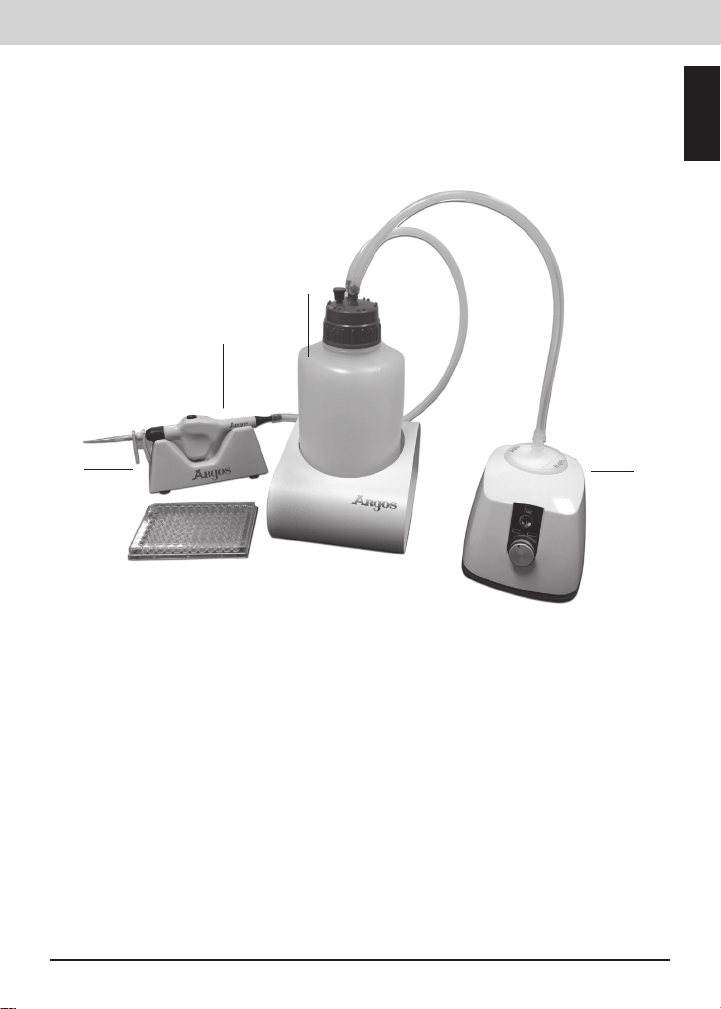
Argos Technologies P-Vac™ Portable Vacuum System — Operator’s Manual
6
General Operating Instructions
1. Remove the P-Vac from the box and examine all of the contents for breakage or
missing parts. Save all packaging and paperwork.
2. Place the product on a sturdy, level surface away from the edge of the counter and
other moving equipment. Make sure the AC power adapter and cords are clear of
hot surfaces and other hazards. Make sure the AC power adapter and cords are not
blocked by other equipment in case it needs to be disconnected.
3. Make sure the product has ventilation and is not encased in any material that will
limit airow. An overheating situation could occur.
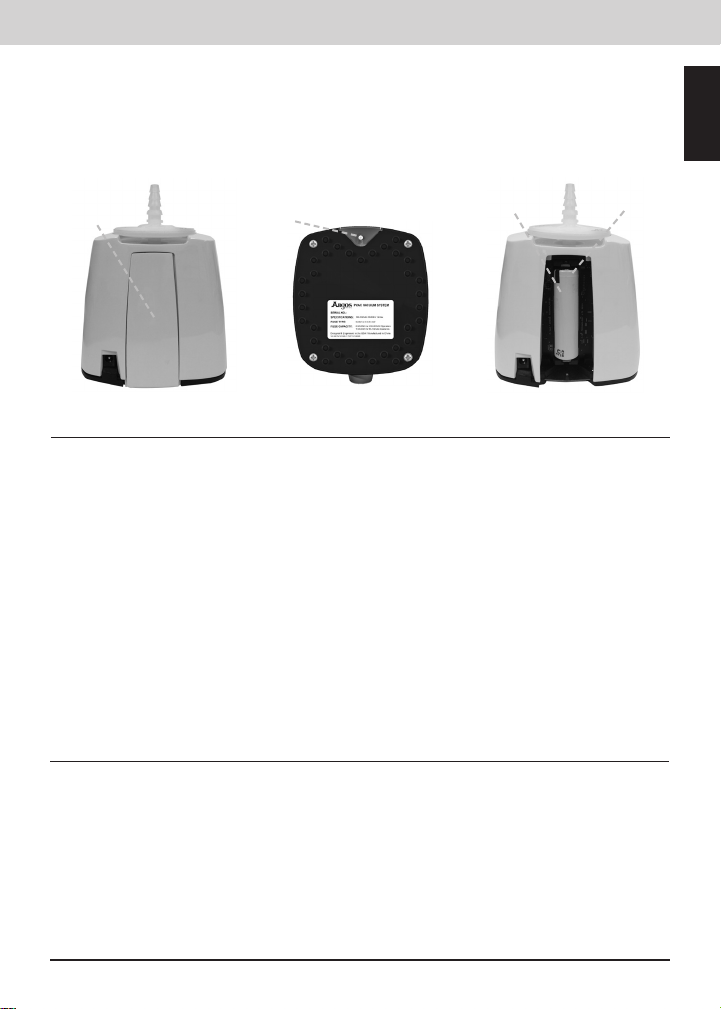
4. Insert the DC plug into the DC receptacle located on the back of the P-Vac housing.
Plug the AC Adapter into an electrical outlet. e outlet location should allow for
easy access to plug and unplug the product.
5. Allow the P-Vac battery to charge for three (3) hours before operating for the rst
time. e unit will then run for 2+ hours of continuous use. When charging, the
LED will turn amber. Once the battery has been fully charged, the indicator LED
will turn green. During use if the LED ashes green the battery is becoming low and
will need to be recharged soon. If it ashes amber, the battery is almost empty and
should be recharged immediately. If the battery is empty the LED will rapidly ash
amber for a moment and the P-Vac will switch o. In these conditions the P-Vac
should be recharged. e P-Vac can still be operated while it is charging
Note: If charging is not required, or if there is no battery, then the LED will remain
o.
6. Insert the lter provided into the P-Vac by screwing the threaded end into the
opening at the top of the unit. Rotate clockwise until just snug. en rotate counter
clockwise ¼ turn. Please ensure the lter is aligned properly and that you do not
over-tighten.
7. Insert the tubing provided on top of the lter and connect your receiving vessel or
aspirating ask.
8. Turn the unit on by pressing the silver power button on the front of the unit.
9. Adjust the vacuum by turning the red knob on the front of the unit. Rotate to the
right to increase vacuum
and left to decrease
vacuum. When the unit
is pumping the indicator
will turn amber. When the
vacuum has been reached,
the indicator light will turn
Green. If there is a fault
such as blocked tubing or
where the unit has been
continuously pumping for
ten minutes, the P-Vac
will stop and the vacuum
indicator will turn red.
Battery
Charge
Indicator
Vacuum Port
Power ON/OFF
Vacuum Indicator
Vacuum Control DC
receptacle