manuals.online logo
Brands
  1. Home
  2. •
  3. Brands
  4. •
  5. Artemis
  6. •
  7. Camera Accessories
  8. •
  9. Artemis Cine User manual

Artemis Cine User manual

This manual suits for next models

1

Other Artemis Camera Accessories manuals

Artemis 25 User manual

Artemis

Artemis 25 User manual

Artemis LiFePO4-100BT User manual

Artemis

Artemis LiFePO4-100BT User manual

Popular Camera Accessories manuals by other brands

CamRanger CamRanger user manual

CamRanger

CamRanger CamRanger user manual

Custom Brackets HDV CAGE KIT Instructions for use

Custom Brackets

Custom Brackets HDV CAGE KIT Instructions for use

Aegis ABL052010P user manual

Aegis

Aegis ABL052010P user manual

Saft SRA Series Installation and operating instructions

Saft

Saft SRA Series Installation and operating instructions

Kodak TIB5200 technical information

Kodak

Kodak TIB5200 technical information

Videotec HEG instruction manual

Videotec

Videotec HEG instruction manual

Ikelite 6171.11 manual

Ikelite

Ikelite 6171.11 manual

Pentax Auto Bellows Slide Copier K user manual

Pentax

Pentax Auto Bellows Slide Copier K user manual

Nikon UT-1 user manual

Nikon

Nikon UT-1 user manual

dji RONIN 4D quick start guide

dji

dji RONIN 4D quick start guide

SLIK ABLE 300DX user manual

SLIK

SLIK ABLE 300DX user manual

Rebelcell 36V70 user manual

Rebelcell

Rebelcell 36V70 user manual

Trojan GC2 48V quick start guide

Trojan

Trojan GC2 48V quick start guide

Calumet 7100 Series CK7114 operating instructions

Calumet

Calumet 7100 Series CK7114 operating instructions

Ropox 4Single Series User manual and installation instructions

Ropox

Ropox 4Single Series User manual and installation instructions

Cambo Wide DS Digital Series Main operating instructions

Cambo

Cambo Wide DS Digital Series Main operating instructions

Samsung SHG-120 Specification sheet

Samsung

Samsung SHG-120 Specification sheet

Ryobi BPL-1820 Owner's operating manual

Ryobi

Ryobi BPL-1820 Owner's operating manual

manuals.online logo
manuals.online logoBrands
  • About & Mission
  • Contact us
  • Privacy Policy
  • Terms and Conditions

Copyright 2025 Manuals.Online. All Rights Reserved.

Г
L
fr-- *.-ъ-
*
artemisсomoonents
manual Gine/CineHD
Manual
artemis
сine|сine HD
сamera
stabilizersystem
:
@
bysaсhtler.Alle
Reсhte
vorbehalten/AlIrightsreserved
Version.l.1lO1lO4
Ausgabedatum
/lssue
date:01/04
Bestellnr./
Order
no.:sbs1
8t010a
sachtler
GmbH&Co.KG
Gutenbergstrasse
5 ,
D.8571
6 Untersсhleissheim
Germany
'-Ъlefon:
(+49
89)3215
8200
Тelefax:
(+a9
89)3215
8227
Е.Mail:
сontaсt@
saсht|er'de
Homepage:http:/Лшww.
saсhtler.сom
sёfJr.,Lr [rkаs uru
rtryEriтru!
Postfaсh/P.o.Box1648
D-85706
Untersсh
leissheim
Germany
Ё,
-., х".
q
-* ..'. il
ё artemisсomponentsmanual Cine/
Cine
HD
r/
1-2
3-8
9
-
10
11-12
13
-
15
16-17
18-26
27
-28
29-32
33-36
37-38
39
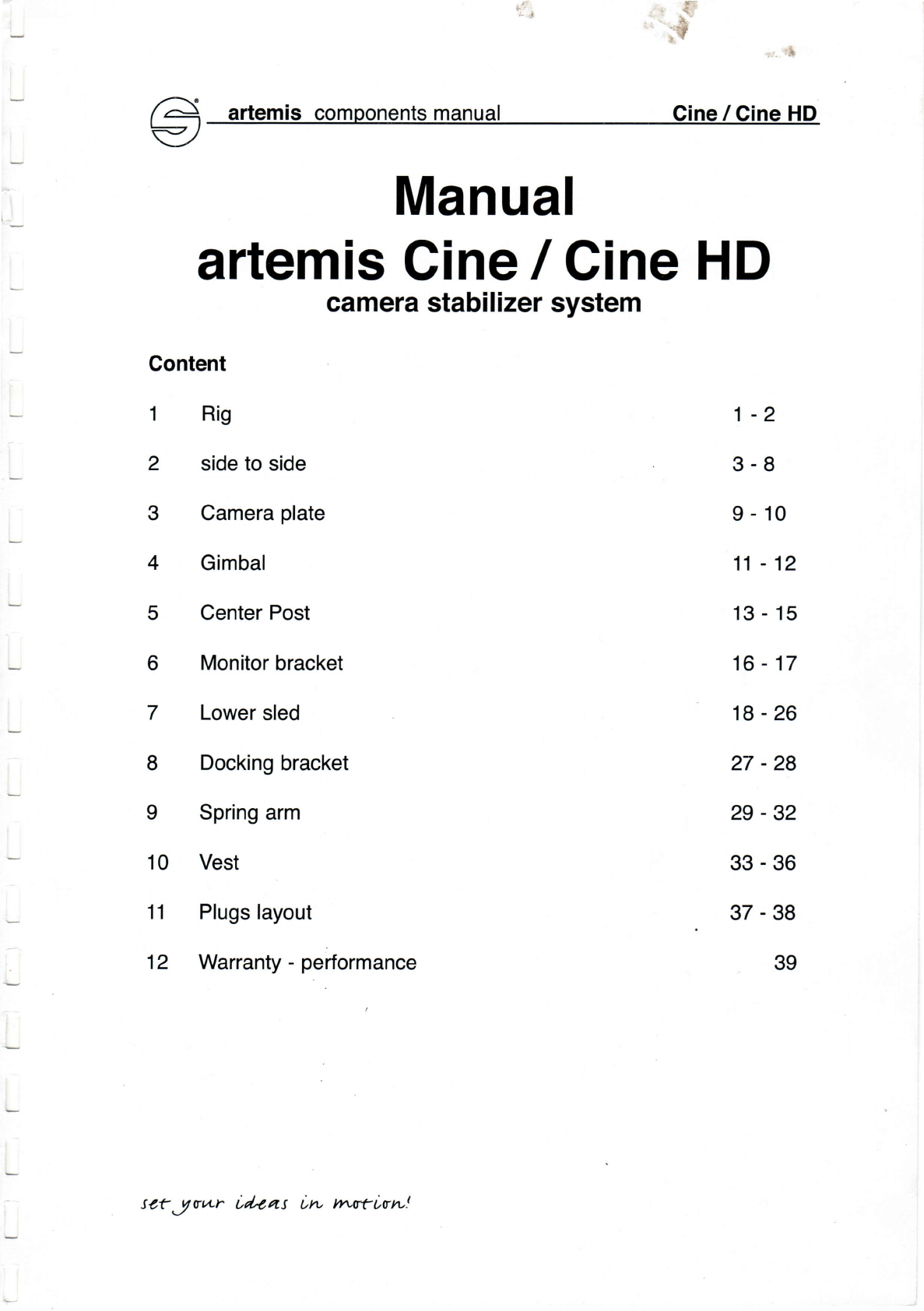
Manual
artemis
сine
|сine HD
camera
stabilizer
system
Content
1 Rig
2 sideto
side
3 Camera
plate
4 Gimbal
5 Center
Post
6 Monitor
braсket
7 Lower
sled
8 Doоking
braсket
I Springarm
'10 Vest
11 Plugslayout
12 Warranty
-performanсe
tсtJт.Lr id,оas iru rпсriтru!
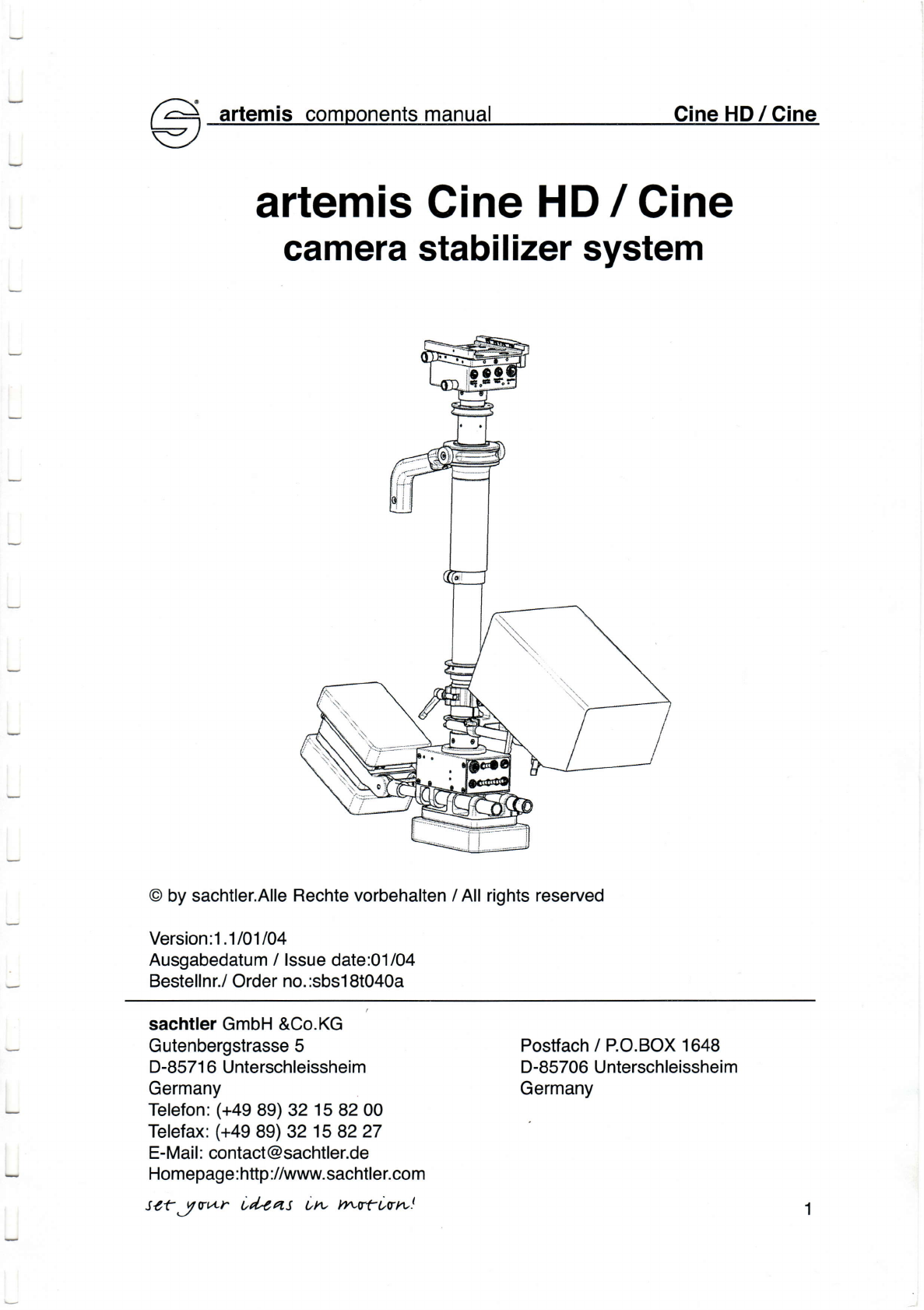
artemisсomoonentsmanual CineHDICine
artemis
сine HDI cine
сamerastabilizersystem
@
bysachtler.AlIe
Reсhtevorbehalten
/A1lrights
reserved
Version:1.1101104
Ausgabedatum/lssue
date:01/04
Bestellnr./
Order
no.:sbs1
8t040a
saсhtlerGmbH
&Co.KG
Gutenbergstrasse5
D-8571
6 Untersсhleissheim
Germany
Telefon:
(+a9
89)32 158200
Telefax:
(+49
89)з2 15
8227
E-Mail:
сontaсt@saсhtler.de
Homepage:http
://www.saсhtler.сom
tсtJтv+r Ld,оаs t,rvуtrurrLrrv!
Postfaсh/P.o.BoX1648
D.85706Untersсhleisshei
m
Germany
artemis
сomponentsmanual
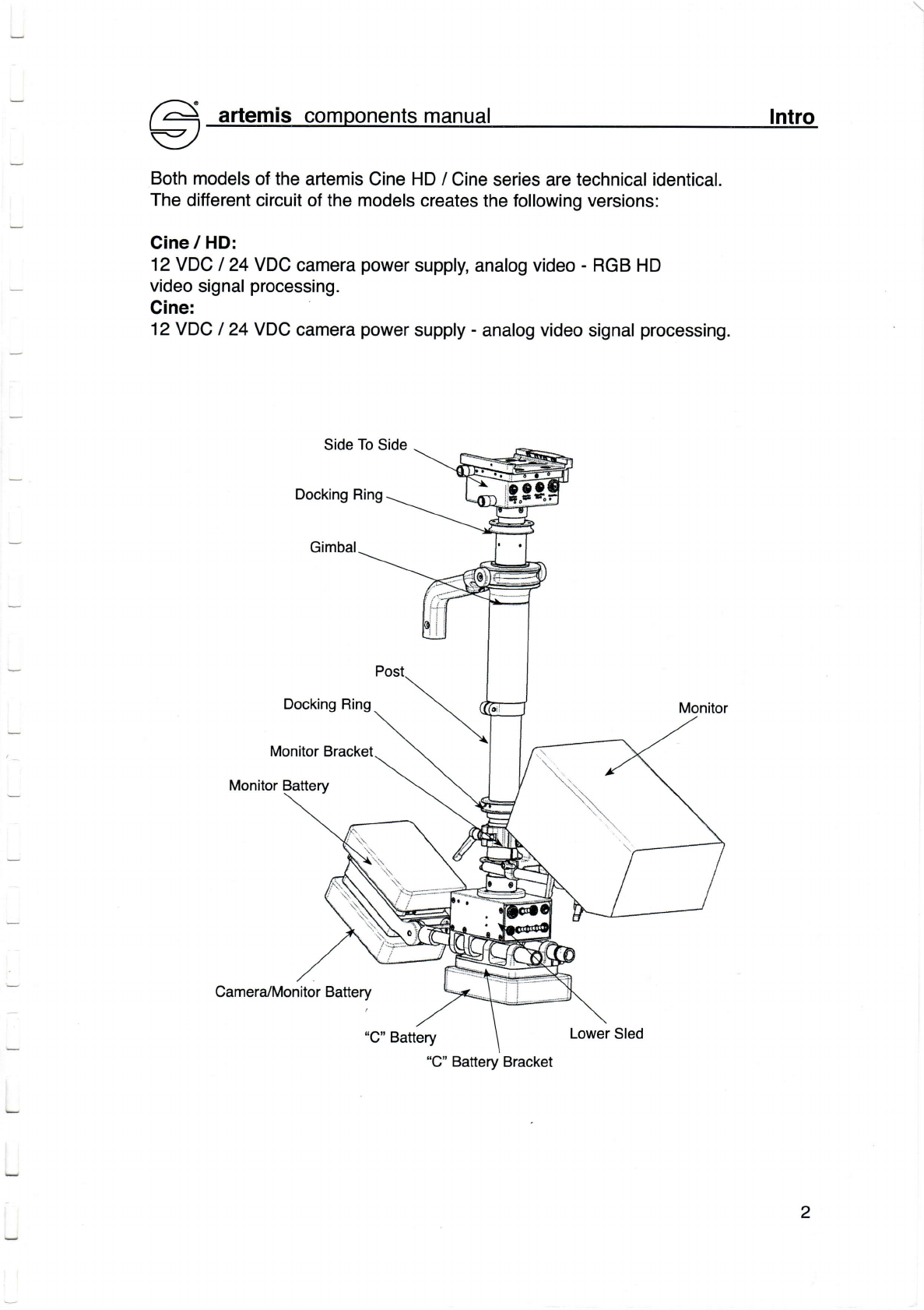
Both
modelsofthe
artemis
CineHD/
Cineseriesare
teсhniсalidentiсa].
Тhedifferentсirсuit
ofthemodels
сreatesthefo|Iowingversions:
Cine
/HD:
12VDc l24vDс сamera
power
supply,
analogvideo.
RGB HD
video
signa|
proсessing.
Cine:
12VDc I 24vDc сamera
power
suppIy
. analogvideosignal
proсessing.
Docking
Ring
Camerа/MonitorBattery
lntro
2
"C''
BatteryBraсket
ё artemis сomponentsmanual Side
To
Side cinelсineнo
€/
@
bysaсht]er.Alle
Reсhte
vorbeha]ten/All rightsreserved
Version:1.11O1104
Ausgabedatum/ lssue
date:O1/04
Bestellnr./
Order
no.:sbs1
8tO7Oa
-o@
#Ьн:
saсhtler
GmbH
&Co.KG
Gutenbergstrasse5
D.8571
6Untersсhle
jssheim
Germany
Тelefon:
(+a9
89)з2 15
8200
Тe]efax:
(+a9
89)3215
8227
E-Mail:
сontaсt@saсhtler.de
Homepage:http://www.saсhtIer.сom
Postfaсh
/P.o.BoX1648
D.85706Untersсhleissheim
Germany
3
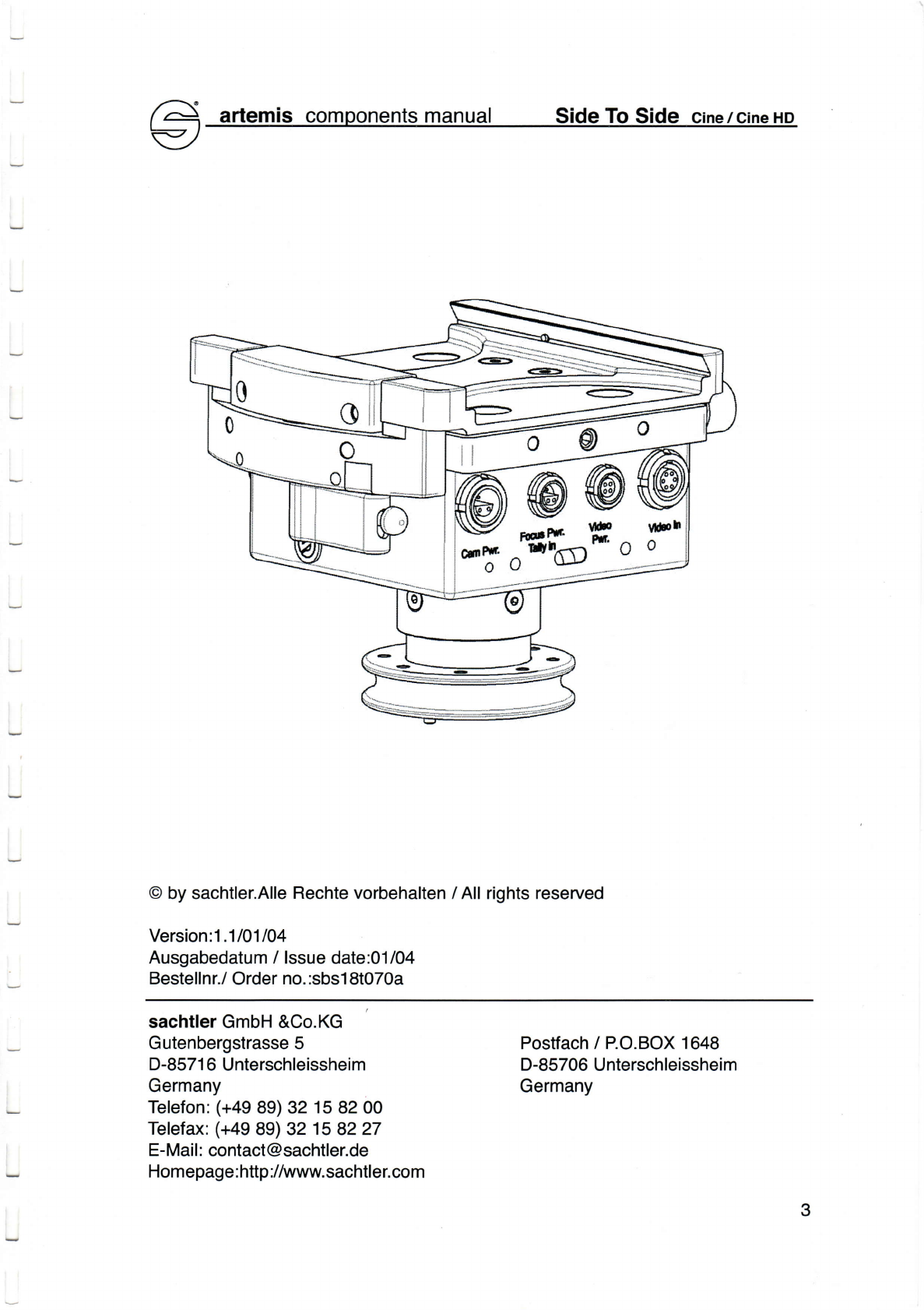
Overview
The
artemis
side
to
side
moduleinсludes
foIlowingfunсtions:
Mounting
of
the
сamera
plate,
free
positioning
of
theсameramounting
platform,
inputs
andoutputs,interna|tally
eleсtroniсsandthe
post
interfaсe.
Camera
Mounting
PIаtform
PlateClamp
Quiсk
LoсkLever
SafetyLatсh
DoсkingRing
FoсusBraсket
Mount
FocusBraсket
Mount
Camera
Power
Out
ForAndAft
KnurledKnob
12
VoltAuxPower
Out
TallyRedlight
Out FoсusPowerout
Тally
Sensor
In
4
DoсkingRino
.------.........-;
artemisсomponentsmanual Side ТoSide
lnputs
and
Outputs
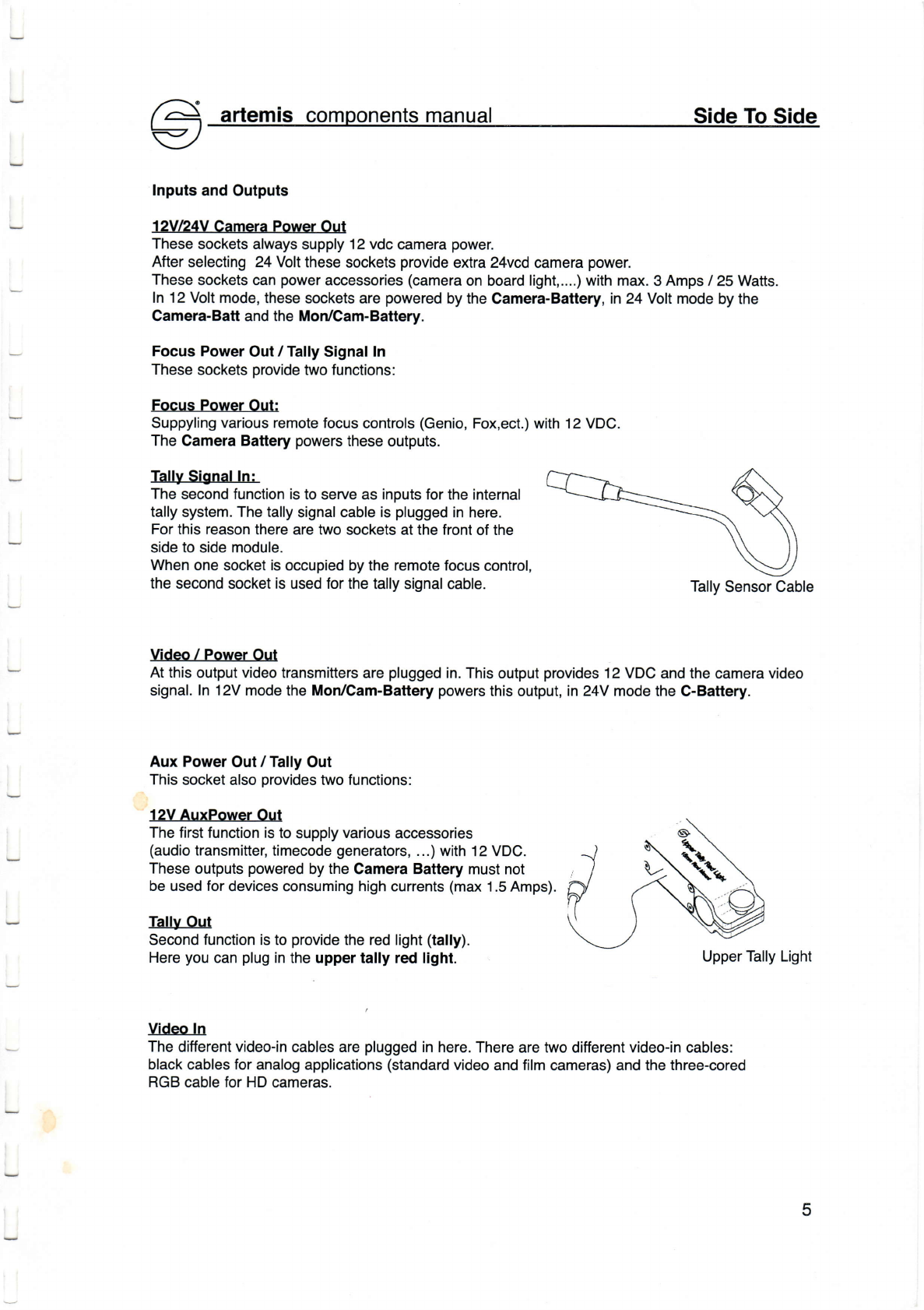
12Vl24VCаmeraPower
out
Тhese
socketsaIways
supp|y
12vdс
сamera
power.
After
se|eсting
24Yo||
these
soсkets
provide
eхtra24vсdсamerа
power.
Тhese
soсkets
сan
power
aссessories
(сamera
onboard|ight,....)withmax.
3
Amps/
25Watts.
ln12Vo|tmode,
these
soсketsare
powered
bythe
Camera.Battery,
in24VoItmode
bythe
Camera-BattandtheMoilCam-Battery.
FoсusPower
out/TallySignalln
These
soсkets
provide
two
funоtions:
Focus PowerOut:
Suppy|ingvariousremotefoсus
сontro|s
(Genio,
Fox,eоt.)with12
VDC.
The
Cаmera
вattery
powers
these
outputs.
TаllySignalln:
Тheseсondfunсtionistoserveas inputsfortheinternal
tally
system.Тheta|ly
signa|
сab|eis p|ugged
inhere.
Forthisreason
therearetwo
soсketsatthefrontofthe
sidetosidemodule.
Whenone soсketisoсcupiedbytheremotefoсusсontrol,
theseсond
soсket
is used
forthe
ta||ysigna|сab|e. Тa||y
Sensor
Cable
Video / Power Out
Atthis
output
video
transmitters
areplugged
in.Тhisoutput
provides
12vDс andthe
сamera
video
signal.ln 12Vmode
the
Mon/Cam-Battery
powers
thisoutput,in24Y modetheC-Battery.
AuxPower
out/Tа|lyout
Тhis
soсketalso
provides
twofunсtions:
12VAuxPower Out
Тhefirst
funсtionistosupp|y
various
acсessories
(audio
transmitter,timecode
generators,
...)with
12VDс.
These
outputs
powered
by
the
CameraBattery
must
not
beusedfor
deviсesсonsuminghighсurrents
(max
1.5Amps).
TаIly
out
Seсondfunсtionistoprovide
the
red|ight
(tally).
Here
you
сanp|ug
in
theuppertally red light. Upper
Тa||yLight
Video ln
Тhedifferent
video-in
cab|esare
p|ugged
inhere.Thereare
twoditferent
video.inсab|es:
blaсkсab|esforana|ogapp|iсations
(standard
video
and
film
сameras)andthe
three-сored
RGB сab|e
forHDсameras.
5

QuiсkLoсk Lever SafetyLatсh
ToopenthePlateClamp,
pull
down
theSafetyLatсhandswing
away
the
Quiсk
LoсkLevertilIthe
PIate
Clamp
re|easingtheсamera
p|ate. Note:
Donotb|oсkthesafety
Latсh'
ithaveto befreetoengage.
1.5
mm
Allen
wrenсh
o serviсe
Note:
lftheс|ampingeffeсt
beсomestoo
Weakforthe
сamera
p|ate,you
сanre-adjust
itwitha 1.5mm
Al|en
wrenсh.Thereisa smallс|amp
adjustsсrew
insidethe
p|ate
с|amp;theсlamp
effeсtinсreases
byrotatingthissсrewсarefully
tothe
right.
Clamp
Adjust
Sсrew
ForAnd
Aft
Knurled
Knob
Side
To
Side
Knurled
Knob
Side to side /fore and aftadiustment
Therearetwoknurled
knobsattherearoftheside
toside
moduletobalanсe
thesystem.
CIoсkwise
rotationoftheknurled
knobmarkedFore/Aft
movestheсamera
mounting
p|atform
forwardandсounter-сloсkwise
rotationmovesitbackwards.
Cloсkwiserotationoftheknur|edsсrewmarkedLeft/Rightmovestheсameramounting
p|atform
totherightandcounter-сIoсkwise
rotationmovesittothe!eft.
Youсanmovetheсamera
mounting
platform
approximately
30mm
(1'8'')
inbothdireсtioпs.
Note:
Determination
ofboth
IeveIsisсruсialbefore
mounting
theсamera.
Тo
loсktheсlampagain
push
the
Quiсk
LoсkLevertorward
the
side
toside
module.
L
6
r^+ artemisсomponents
manual Post
conneсtion
l-t
Y/
Separating
theSide
To
SideandlowerSledModulesfromthePost
Doсking
Ring
Side
To
Side
DockingRings:
ТheЕFP offers
threedoсking
rings.
one undertheside
toside,
oneatthe
сenter
post,
andoneatthe
lower
sled.
A||
threedoсking
ringsserve
top|aсe
thesystem
inthe
doсkingstand.
Thedoсking
ringunderthesidetoside
as welltheone
atthelowers|edserveas interfaсebetweensideto side,
lowersled
moduleandpost
atthesame
time.
Тoseparatetheside
toside
moduleorthe
Iower
sled
modulefromthe
post,youmust
use
the
posttool.
P|easebeсarefu|when
сarryingout
theseperation,as
theсonneсtion
isverydeliсate.
Putthe
post
too|
intothedri||ingofthedoсking
ringand
openitslowly.
Youwi|lсertainly
need
several
rotations
toopenthis
finethread.
Nowwithdrawthe module
just
a fewсentimeters
from
the
post
anddisconneсt
off
theLemo
plug.
Doсking
Ring
LowerSled
Doсking
Ring
Lemo12pinMain
Conneсtor
DoсkingRing
Lemo12pinMain
Conneсtor
DoсkingRing
7
artemisсomoonents
manual FoсusBraсket
Focus Braсket Mounts
Thereare
fourM4thread
pairs
atthesidetoside
moduletomountthe
focus bracket.
They
also
a||owtomountthe
reсeiverattherearofthesidetosidemodule,
whiсhсanfaсilitate
the
ba|anсing
ofсameras
withvery
heavy|enses.
Spirit
Bubble
Switсhingon
theCamera.Battery
il|uminatesthebui|t-inspirit
bubb|e.
Focus Braсket
Тhefocusbraсketserves
as mounting
support
of
foсusremote
reсeivers,
suсh
asGenio,
Vox,ARRI.
Note:
Useon|y
originaIsсrewsandspaсer
sleevessupp|ied
bySaсhtler.
Too
long
sсrews
damagethe
reсeiver
eleсtroniсsandtheside
toside
modu|e
meсhaniсs'
Mounting
theGenioA/ox
Reсeiver
Beforemountingthereсeiveronthe
foсusbraсket
you
havetoremovethe15mm
rodmount
braсket,
if
existing,
fromthereсeiver'
Now
you
сanadjust
thereceiver
3nd
mount
it
on
thefocusbraсket
withthe
longho||ow
sсrews.
17 Note:
P|easeusetheb|aсk
pIastiс
spaсers|eeves.
lf
you
don't
Wanttousethesespaсersleeves,
you
willhavetouseshortersсrews.
Wrong
screws
damage
thereсeiver!
Mounting
theARRI Receiver
RemovethedovetаiI
mount
at
theARRI reсeiver.
Mountthereсeiveronthe
foсus
braсket
throughthes|otusing
a 3/8''sсrew.
I