9
on the power bank.
• Once connected and charging, the LED
screen will show remaining capacity with %.
• Once fully charged, the power capacity will
show 100% power capacity.
2. Charging Electronic Devices with the
Power Bank
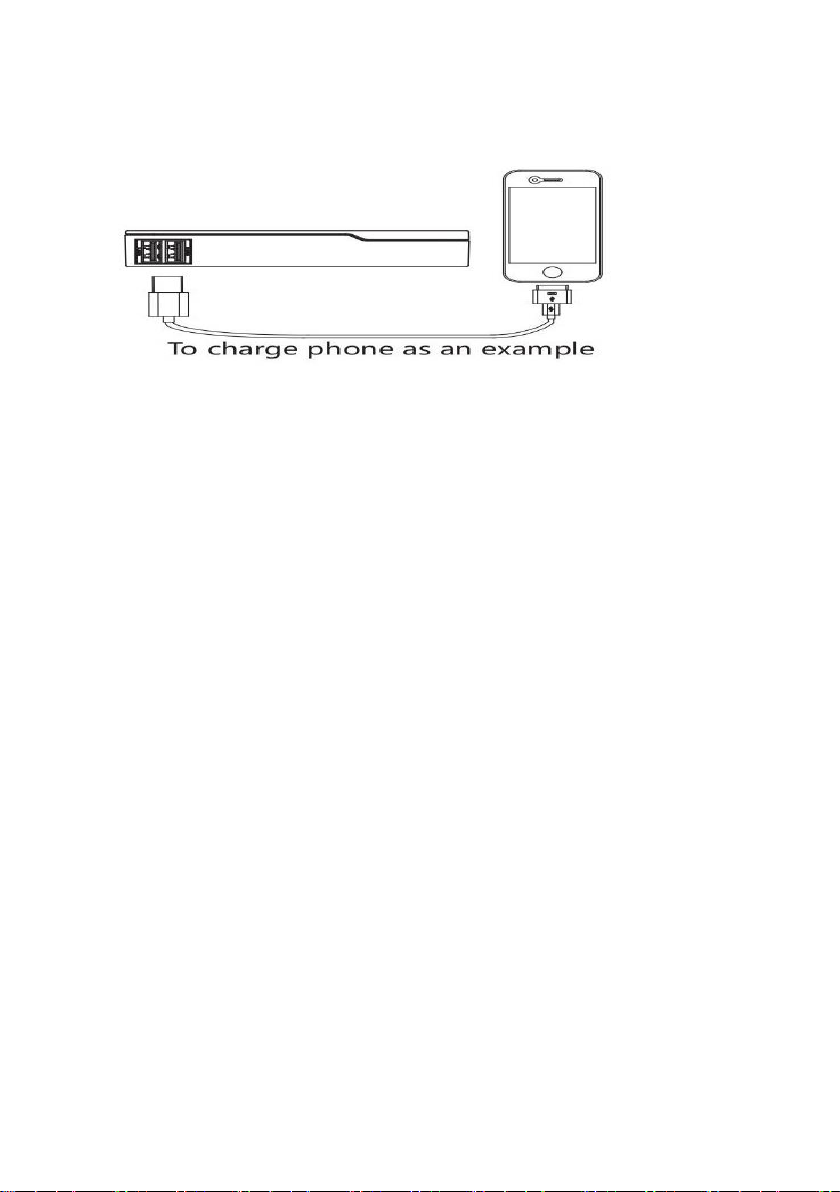
• Connect the appropriate cable to your
mobile phone/device.
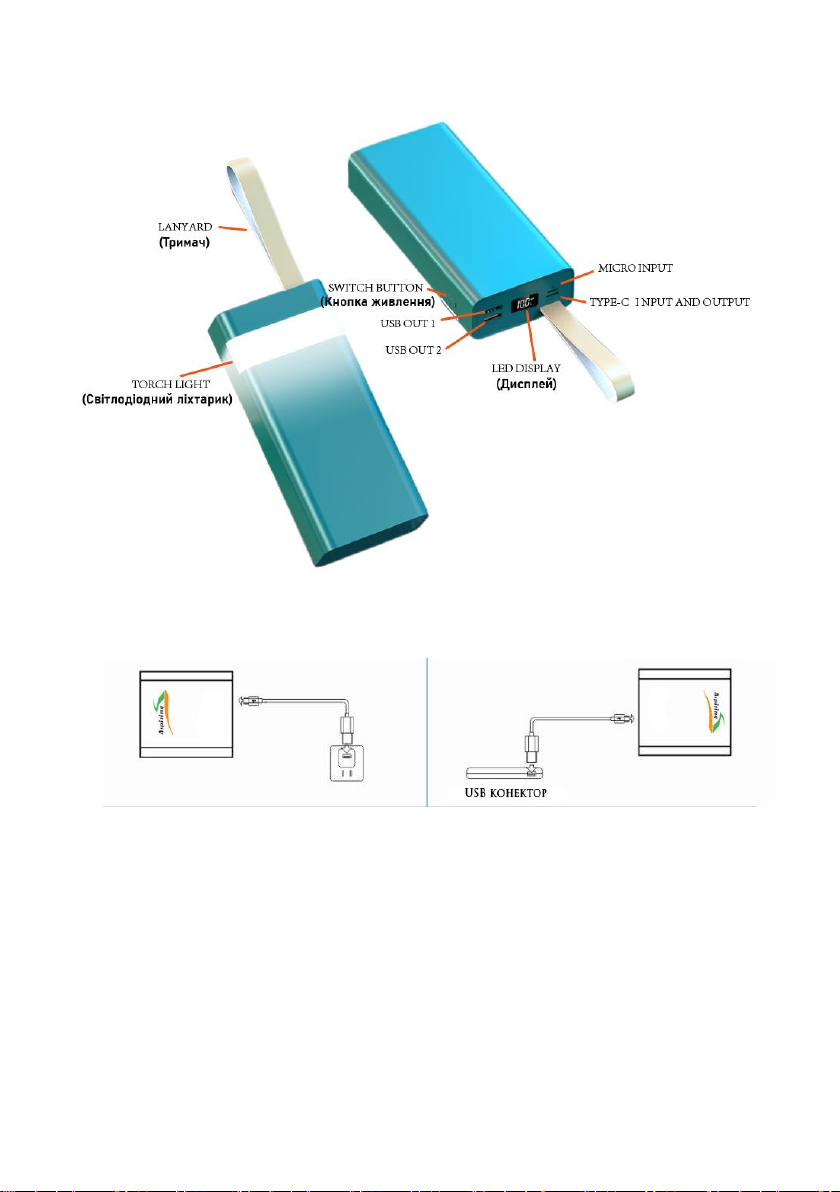
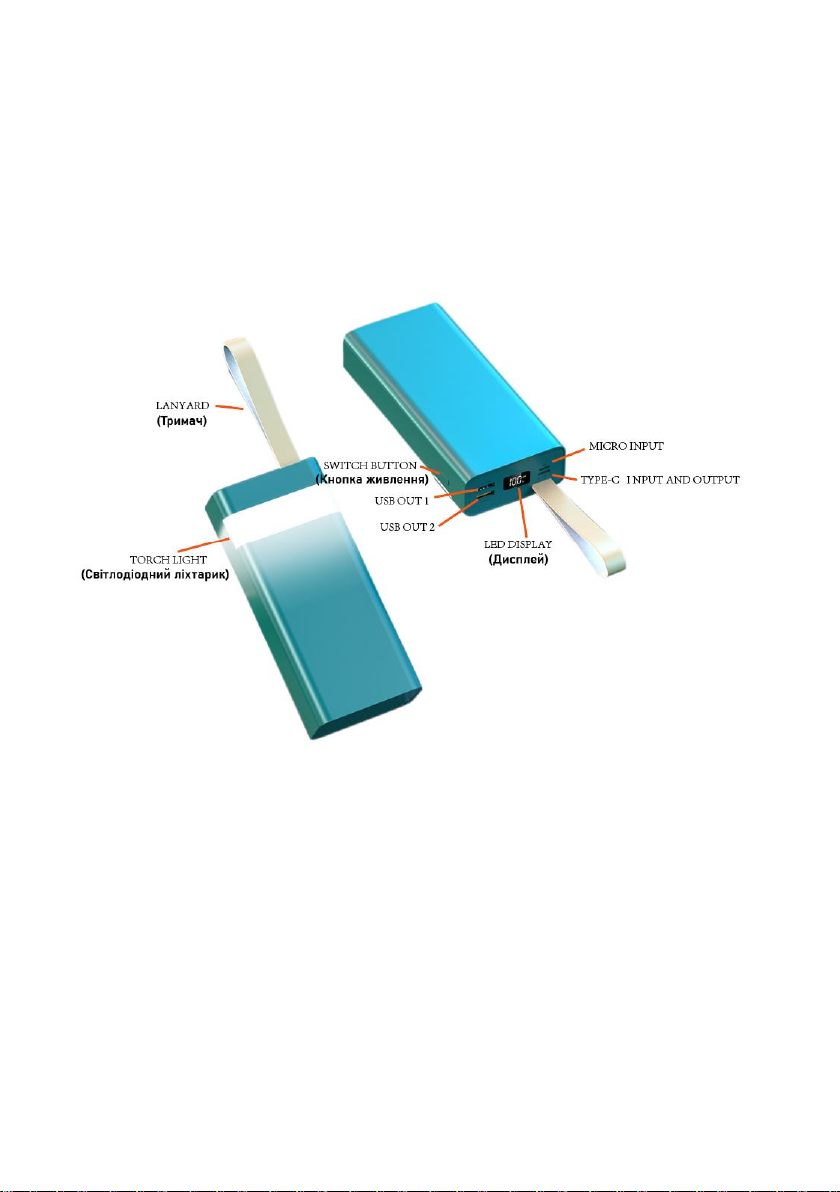
• Plug and play, when connect the Type-C tip or USB tip of a cable to Type-C Output or
USB-OUT1 or USB-OUT2, the power on, and the LED screen will show remaining
capacity with % when charging.
•Press the side switch button two times, the power off.
•Press the side switch button one time, the power on again.
• Remove the charging cable from your
mobile device when fully charged.
3. LED torch light
When press the side switch button for 3 seconds, the LED light on, then press the side
switch button for 3 seconds, the LED light off.
*Caution:
1. This product works in temperatures between 0°C to 45°C.
2. If you find the product doesn’t work during the charging phase, please confirm
whether the cable is firmly connected or if you are using a correct changeable connector.
3. During power conversion, each power bank will experience a loss of efficiency.
Power bank’s capacity is not as large as chargeable capacity.
4. For the first time to use please make sure this product is full of power.
5. Warning: Failure to follow the safe operation may cause fire, electric shock,
damage or injury. Do not open or puncture it. Don’t install the charger backwards as it
may cause it to short circuit. Don’t expose the charger to fire, high temperatures or water.
please keep this product drying. Rain, moisture and liquids will erode electronic
components and circuit. We suggest charging with the formal branded adapter. If there is
a bulge or other faulty phenomena on the product and charged device, please stop using
it.