logo
Brands
  1. Home
  2. •
  3. Brands
  4. •
  5. AUDAC
  6. •
  7. Speakers
  8. •
  9. AUDAC VEXO110A User manual

AUDAC VEXO110A User manual

This manual suits for next models

5

Other AUDAC Speakers manuals

AUDAC KYRA Series Guide

AUDAC

AUDAC KYRA Series Guide

AUDAC BASO Series Guide

AUDAC

AUDAC BASO Series Guide

AUDAC KYRA24 Guide

AUDAC

AUDAC KYRA24 Guide

AUDAC NELO706 Series User manual

AUDAC

AUDAC NELO706 Series User manual

AUDAC IME01 User manual

AUDAC

AUDAC IME01 User manual

AUDAC Ateo 2 Guide

AUDAC

AUDAC Ateo 2 Guide

AUDAC ALTI Series Guide

AUDAC

AUDAC ALTI Series Guide

AUDAC CELO8 Guide

AUDAC

AUDAC CELO8 Guide

AUDAC MERO5 Guide

AUDAC

AUDAC MERO5 Guide

AUDAC Outdoor Series Guide

AUDAC

AUDAC Outdoor Series Guide

AUDAC WX802/W Installation and operating instructions

AUDAC

AUDAC WX802/W Installation and operating instructions

AUDAC Ateo 6 Guide

AUDAC

AUDAC Ateo 6 Guide

AUDAC ATEO M Series User manual

AUDAC

AUDAC ATEO M Series User manual

AUDAC CELO5 Guide

AUDAC

AUDAC CELO5 Guide

AUDAC VEXO112A User manual

AUDAC

AUDAC VEXO112A User manual

AUDAC VEXO1 A Series User manual

AUDAC

AUDAC VEXO1 A Series User manual

AUDAC LINO4 Guide

AUDAC

AUDAC LINO4 Guide

AUDAC HS208MK2 Guide

AUDAC

AUDAC HS208MK2 Guide

AUDAC GIAX Installation and operating instructions

AUDAC

AUDAC GIAX Installation and operating instructions

AUDAC CS74 User manual

AUDAC

AUDAC CS74 User manual

AUDAC CIRA506 User manual

AUDAC

AUDAC CIRA506 User manual

AUDAC MERO6 Guide

AUDAC

AUDAC MERO6 Guide

AUDAC AXIR/O Series User manual

AUDAC

AUDAC AXIR/O Series User manual

AUDAC WXMK2 Series Guide

AUDAC

AUDAC WXMK2 Series Guide

Popular Speakers manuals by other brands

Yamaha DXR10 null

Yamaha

Yamaha DXR10 null

argon audio IE20 quick start

argon audio

argon audio IE20 quick start

Denon SC-N7 owner's manual

Denon

Denon SC-N7 owner's manual

Gemline Ace 3952 user manual

Gemline

Gemline Ace 3952 user manual

Focal ON WALL 300 User manua

Focal

Focal ON WALL 300 User manua

HEADRUSH Maximus HRSP 5024 manual

HEADRUSH

HEADRUSH Maximus HRSP 5024 manual

SoundLogic BCCS-6/6395 instruction manual

SoundLogic

SoundLogic BCCS-6/6395 instruction manual

Peavey DTH 218 Specification sheet

Peavey

Peavey DTH 218 Specification sheet

Avantree Pluto Air user guide

Avantree

Avantree Pluto Air user guide

Morel Integra Series INTEGRA OVATION 4 install guide

Morel

Morel Integra Series INTEGRA OVATION 4 install guide

Oppo SONICA quick start guide

Oppo

Oppo SONICA quick start guide

Bose SoundLink Wireless Music System owner's guide

Bose

Bose SoundLink Wireless Music System owner's guide

Rocksteady Stadium owner's manual

Rocksteady

Rocksteady Stadium owner's manual

Bowers & Wilkins 4 owner's manual

Bowers & Wilkins

Bowers & Wilkins 4 owner's manual

Sonance SONOS OUTDOOR Series installation manual

Sonance

Sonance SONOS OUTDOOR Series installation manual

Electro-Voice EVID FM4.2 Brochure & specs

Electro-Voice

Electro-Voice EVID FM4.2 Brochure & specs

Pioneer XW-HTD630 manual

Pioneer

Pioneer XW-HTD630 manual

Onn BWA16AA002 Product guide

Onn

Onn BWA16AA002 Product guide

https://manuals.online logo
https://manuals.online logoBrands
  • About & Mission
  • Contact us
  • Privacy Policy
  • Terms and Conditions

Copyright 2025 Manuals.Online. All Rights Reserved.

User manual
VEXO1xxA
VEXO1xxA - User manual
02
ADDITIONAL INFORMATION
VEXO1xxA - User manual 03
Table of contents
Introduction 05
Active high performance loudspeaker � � � � � � � � � � � � � � � � � � � � � � � � � � � � � � � � � � � � � � � � � � � � � � 05
Precautions 06
Chapter 1 08
Connections and connectors � � � � � � � � � � � � � � � � � � � � � � � � � � � � � � � � � � � � � � � � � � � � � � � � � � � � � � 08
Chapter 2 09
Overview VEXO1xxA: Back � � � � � � � � � � � � � � � � � � � � � � � � � � � � � � � � � � � � � � � � � � � � � � � � � � � � � � � 09
Chapter 3 011
Block diagram DSP structure � � � � � � � � � � � � � � � � � � � � � � � � � � � � � � � � � � � � � � � � � � � � � � � � � � � � � � 011
DSP functions � � � � � � � � � � � � � � � � � � � � � � � � � � � � � � � � � � � � � � � � � � � � � � � � � � � � � � � � � � � � � � � � � � 012
Chapter 4 013
Connecting VEXO1xxA � � � � � � � � � � � � � � � � � � � � � � � � � � � � � � � � � � � � � � � � � � � � � � � � � � � � � � � � � � � 013
Updating VEXO1xxA � � � � � � � � � � � � � � � � � � � � � � � � � � � � � � � � � � � � � � � � � � � � � � � � � � � � � � � � � � � � � 013
Technical specications 014
Notes 015
VEXO1xxA - User manual04
VEXO1xxA - User manual 05
Introduction
Active high performance loudspeaker
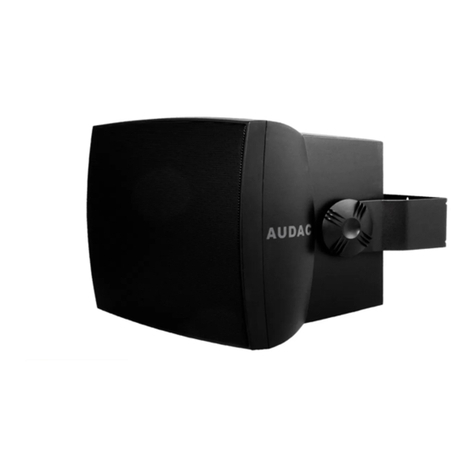
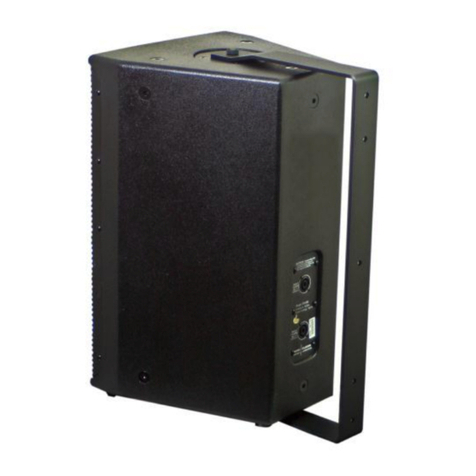
The VEXOxxA is a high-output loudspeaker cabinet, providing a powerful and detailed sound in a compact cabinet.
Their elegant enclosure allows them to be used in modern & trendy installation applications such as bars and nightclubs,
while their functional features make them perfect for use in compact mobile systems. The integrated amplier can deliver
an impressive amount of power and includes a stereo line input which is implemented balanced and unbalanced, allowing
convenient connection to any kind of audio source. It delivers a powerful sound. Compression driver overload protection is
provided through an internal limiting circuit. Mounting in both horizontal and vertical direction is possible with the optional wall
bracket and the rotatable horn. An standard 35 mm pole adapter can be installed when used in mobile applications. The
VEXOxxA loudspeaker is available in Black (/B) or White (/W).
VEXO1xxA - User manual06
Precautions
READ FOLLOWING INSTRUCTIONS FOR YOUR OWN SAFETY
ALWAYS KEEP THESE INSTRUCTIONS. NEVER THROW THEM AWAY
ALWAYS HANDLE THIS UNIT WITH CARE
HEED ALL WARNINGS
FOLLOW ALL INSTRUCTIONS
NEVER EXPOSE THIS EQUIPMENT TO RAIN, MOISTURE, ANY DRIPPING OR SPLASHING LIQUID. AND NEVER PLACE AN OBJECT FILLED WITH
LIQUID ON TOP OF THIS DEVICE
NO NAKED FLAME SOURCES, SUCH AS LIGHTED CANDLES, SHOULD BE PLACED ON THE APPARATUS
DO NOT PLACE THIS UNIT IN AN ENCLOSED ENVIRONMENT SUCH AS A BOOKSHELF OR CLOSET. ENSURE THERE IS ADEQUATE
VENTILATION TO COOL THE UNIT. DO NOT BLOCK THE VENTILATION OPENINGS.
DO NOT STICK ANY OBJECTS THROUGH THE VENTILATION OPENINGS.
DO NOT INSTALL THIS UNIT NEAR ANY HEAT SOURCES SUCH AS RADIATORS OR OTHER APPARATUS THAT PRODUCE HEAT
DO NOT PLACE THIS UNIT IN ENVIRONMENTS WHICH CONTAIN HIGH LEVELS OF DUST, HEAT, MOISTURE OR VIBRATION
THIS UNIT IS DEVELOPED FOR INDOOR USE ONLY. DO NOT USE IT OUTDOORS
PLACE THE UNIT ON A STABLE BASE OR MOUNT IT IN A STABLE RACK
ONLY USE ATTACHMENTS & ACCESSORIES SPECIFIED BY THE MANUFACTURER
UNPLUG THIS APPARATUS DURING LIGHTNING STORMS OR WHEN UNUSED FOR LONG PERIODS OF TIME
ONLY CONNECT THIS UNIT TO A MAINS SOCKET OUTLET WITH PROTECTIVE EARTHING CONNECTION
THE MAINS PLUG OR APPLIANCE COUPLER IS USED AS THE DISCONNECT DEVICE, SO THE DISCONNECT DEVICE SHALL BE READILY
OPERABLE
USE THE APPARATUS ONLY IN MODERATE CLIMATES
CAUTION
The symbols shown are internationally recognized symbols that warn about potential hazards of electrical products.
The lightning ash with arrow point in an equilateral triangle means that the unit contains dangerous voltages. The
exclamation point in an equilateral triangle indicates that it is necessary for the user to refer to the users manual.
These symbols warn that there are no user serviceable parts inside the unit. Do not open the unit. Do not attempt to service
the unit yourself. Refer all servicing to qualied personnel. Opening the chassis for any reason will void the manufacturer’s
warranty. Do not get the unit wet. If liquid is spilled on the unit, shut it off immediately and take it to a dealer for service.
Disconnect the unit during storms to prevent damage.
VEXO1xxA - User manual 07
CAUTION - SERVICING
This product contains no user serviceable parts. Refer all servicing to qualied service personnel. Do
not perform any servicing (unless you are qualied to)
EC DECLARATION OF CONFORMITY
This product conforms to all the essential requirements and further relevant specications described
in following directives: 2014/30/EU (EMC) & 2014/35/EU (LVD).
WASTE ELECTRICAL AND ELECTRONIC EQUIPMENT (WEEE)
The WEEE marking indicates that this product should not be disposed with regular household waste
at the end of its life cycle. This regulation is created to prevent any possible harm to the environment
or human health.
This product is developed and manufactured with high quality materials and components which can be
recycled and/or reused. Please dispose this product at your local collection point or recycling centre for
electrical and electronic waste. This will make sure that it will be recycled in an environmentally friendly
manner, and will help to protect the environment in which we all live.
VEXO1xxA - User manual08
Chapter 1
Connections and connectors
CONNECTION STANDARDS
The in- and output connections for AUDAC audio equipment are performed according to international wiring
standards for professional audio equipment
6.3 mm Jack (AUX):
For balanced line input connections
Tip:
Ring:
Sleeve:
Sig +
Sig -
Ground
Ground
Sig +
Sig -
PIN 1:
PIN 2:
PIN 3:
XLR
For balanced line input connections
3-Pin Terminal block:
Left:
Center:
Right:
For balanced signal input and output connections
For balanced signal input and output connections For unbalanced signal input and output connections
Signal -
Signal +
Ground
+
+
USB
USB-A: For updates and custom WaveDynamics™ presets
VEXO1xxA - User manual 09
Chapter 2
Overview VEXO1xxA: Back
1) Integrated carry handle
The integrated handle allows easy movement and handling
of the speaker.
2) Mic / line switch
The switch changes the input sensitivity of the amplier in the
speaker. In the ‘Mic’ position the input has a higher sensitivity
than in the ‘line’ position (+23dB). In ‘line’ you need a stronger
signal to drive the signal. For safety reasons, press and hold
for three seconds to change the input.
7
5
2
4
9
1
3
10
6
8
11
GAIN
VEXO10AVEXO10A
Powerful speaker cabinetPowerful speaker cabinet
PROTECPROTECTT
LINE / MICLINE / MIC
MIMICCFULLFULL RANGERANGE
SASATELLITETELLITE
CUSCUSTOTOMM
CLIPCLIP
INPUTINPUT CH1CH1 INPUTINPUT CH2CH2 POWER INPOWER INLINE OULINE OUTT
CLIPCLIP
-20 dB-20 dB
SIGNALSIGNAL
POWEPOWERR
VEXO1xxA - User manual010
3) Mode selection:
You can choose from different modes. By pushing the button,
you can switch between Full Range, Satellite and Custom
modes.
In full-range, the full capacity of the speaker is used. In
satellite, the low frequencies are cut away. This requests
for an external bass cabinet to be connected to the system.

In custom mode WaveDynamics™ can be congured live
thanks to the ANI44XT module or can be uploaded thanks
to the provided USB-port.
4) Status LED:
PROTECT: The Amplier Protection Mode is a shutdown state
that ampliers can enter in critical situations. The purpose of
the shutdown state is to prevent damage to the amplier or
other system components.
CLIP: The Clip LED illuminates when the corresponding
channel is working at maximum level. To ensure the best
signal-to-noise ratio, the Clip LED may only illuminate at peak
levels.
-20 dB: the -20dB LED illuminates when the input signal
reaches the -20 dBV level.
SIGNAL: The Signal LED illuminates whenever a signal is
detected.
POWER: When the VEXO is on, the LED is blue. By default,
the VEXO will go into standby mode after 20 minutes of
inactivity. This is indicated by the LED turning orange. The
time period for activating standby can be adjusted in the
device settings.
5) USB port for custom WaveDynamics™ speaker
presets
WaveDynamics™ is an audio control and processing
technology implemented in AUDAC ampliers. The powerful
DSP processor, that is built in the ampliers, can deliver
control over the most advanced acoustic congurations.
Custom WaveDynamics™ can be made in the AUDAC
Touch2™ app and imported true this USB port.
6) Gain control:
The gain for the inputs is adjustable within a range of -∞dB
to +7 dB which can accept either microphone or line level
signals.
7) Optional Dante network audio
The VEXO has the option to be equipped with a ANI44XT
Dante™ audio network. The installation of this optional
module allows these ampliers to be integrated into any
DANTE enabled AV network and transfer digital audio with
any compatible product on the market, ranging from music
sources to microphone systems, mixers, and many more.
When the optional ANI44XT module is installed, the
VEXO1xxA can be connected to the network here.
8) Input connections
The combination input of XLR / 6.3mm Jack and the
3-pin terminal block accepts both XLR or TRS balanced
connections (such as microphones or other professional
audio signals) and unbalanced 6.3mm Jack connections
(such as laptops, phones, CD players,... ).
9) Powercon mains input connection:
For power supply, the VEXO model is equipped with a
compatible PowerCON TRUE1 connector. The powerCON
TRUE1 is a locking 3 conductor equipment AC connector.
10) Line output connections:
This XLR or 3-pin terminal block output connection should
be used to connect an active VEXO loudspeaker. Be sure
that the polarity of the speakers is correct.
It is possible to intercept the line out signal at various times.
See the block diagram on page 11 for more information.
Filters and/or delays pre-made in the AUDAC Touch2™ app
can be transferred via the line out of the VEXO1xxA.
11) Integrated 35 mm pole adapter:
The pole adapter makes it possible to install the VEXO quickly
and conveniently on speaker stands with a tube diameter
of 35 mm.