logo
Brands
  1. Home
  2. •
  3. Brands
  4. •
  5. AUDAC
  6. •
  7. Speakers
  8. •
  9. AUDAC VIRO5 User manual

AUDAC VIRO5 User manual

This manual suits for next models

4

Other AUDAC Speakers manuals

AUDAC BASO10/B Guide

AUDAC

AUDAC BASO10/B Guide

AUDAC WX802/OB Installation and operating instructions
AUDAC

AUDAC WX802/OB Installation and operating instructions

AUDAC ALTI Series Guide

AUDAC

AUDAC ALTI Series Guide

AUDAC VEXO1A Series User manual

AUDAC

AUDAC VEXO1A Series User manual

AUDAC Outdoor Series Guide

AUDAC

AUDAC Outdoor Series Guide

AUDAC SPRING-FIT CENA506 User manual

AUDAC

AUDAC SPRING-FIT CENA506 User manual

AUDAC HS212MK2 Guide

AUDAC

AUDAC HS212MK2 Guide

AUDAC CS75B User manual

AUDAC

AUDAC CS75B User manual

AUDAC SPRING-FIT CENA510D User manual

AUDAC

AUDAC SPRING-FIT CENA510D User manual

AUDAC IME01 User manual

AUDAC

AUDAC IME01 User manual

AUDAC NELO706V Series User manual

AUDAC

AUDAC NELO706V Series User manual

AUDAC CALI Series User manual

AUDAC

AUDAC CALI Series User manual

AUDAC WMM630 User manual

AUDAC

AUDAC WMM630 User manual

AUDAC PX108 Installation and operating instructions

AUDAC

AUDAC PX108 Installation and operating instructions

AUDAC CS74 User manual

AUDAC

AUDAC CS74 User manual

AUDAC VEXO 8 Guide

AUDAC

AUDAC VEXO 8 Guide

AUDAC WXMK2 Series Guide

AUDAC

AUDAC WXMK2 Series Guide

AUDAC CS85 Installation and operating instructions

AUDAC

AUDAC CS85 Installation and operating instructions
AUDAC ARES5A User manual

AUDAC

AUDAC ARES5A User manual

AUDAC CS75 User manual

AUDAC

AUDAC CS75 User manual

AUDAC VEXO110A User manual

AUDAC

AUDAC VEXO110A User manual

AUDAC BASO Series Guide

AUDAC

AUDAC BASO Series Guide

AUDAC CELO8 Guide

AUDAC

AUDAC CELO8 Guide

AUDAC AWP06 Installation and operating instructions

AUDAC

AUDAC AWP06 Installation and operating instructions

Popular Speakers manuals by other brands

Yamaha DXR10 null

Yamaha

Yamaha DXR10 null

argon audio IE20 quick start

argon audio

argon audio IE20 quick start

Denon SC-N7 owner's manual

Denon

Denon SC-N7 owner's manual

Gemline Ace 3952 user manual

Gemline

Gemline Ace 3952 user manual

Focal ON WALL 300 User manua

Focal

Focal ON WALL 300 User manua

HEADRUSH Maximus HRSP 5024 manual

HEADRUSH

HEADRUSH Maximus HRSP 5024 manual

SoundLogic BCCS-6/6395 instruction manual

SoundLogic

SoundLogic BCCS-6/6395 instruction manual

Peavey DTH 218 Specification sheet

Peavey

Peavey DTH 218 Specification sheet

Avantree Pluto Air user guide

Avantree

Avantree Pluto Air user guide

Morel Integra Series INTEGRA OVATION 4 install guide

Morel

Morel Integra Series INTEGRA OVATION 4 install guide

Oppo SONICA quick start guide

Oppo

Oppo SONICA quick start guide

Bose SoundLink Wireless Music System owner's guide

Bose

Bose SoundLink Wireless Music System owner's guide

Rocksteady Stadium owner's manual

Rocksteady

Rocksteady Stadium owner's manual

Bowers & Wilkins 4 owner's manual

Bowers & Wilkins

Bowers & Wilkins 4 owner's manual

Sonance SONOS OUTDOOR Series installation manual

Sonance

Sonance SONOS OUTDOOR Series installation manual

Electro-Voice EVID FM4.2 Brochure & specs

Electro-Voice

Electro-Voice EVID FM4.2 Brochure & specs

Pioneer XW-HTD630 manual

Pioneer

Pioneer XW-HTD630 manual

Onn BWA16AA002 Product guide

Onn

Onn BWA16AA002 Product guide

https://manuals.online logo
https://manuals.online logoBrands
  • About & Mission
  • Contact us
  • Privacy Policy
  • Terms and Conditions

Copyright 2025 Manuals.Online. All Rights Reserved.

User manual
VIRO5
audac.eu
VIRO5 - User manual02
ADDITIONAL INFORMATION
This manual is put together with much care, and is as complete as could be on the publication date. However,
updates on the specications, functionality or software may have occurred since publication. To obtain the latest
version of both manual and software, please visit the Audac website @ www.audac.eu.
VIRO5 - User manual 03
Table of contents
Introduction 05
Sounds that lasts � � � � � � � � � � � � � � � � � � � � � � � � � � � � � � � � � � � � � � � � � � � � � � � � � � � � � � � � � � � � � � � � � 05
Precautions 06
Chapter 1 07
Connections and connectors � � � � � � � � � � � � � � � � � � � � � � � � � � � � � � � � � � � � � � � � � � � � � � � � � � � � � � 07
Chapter 2 08
Overview VIRO: Back � � � � � � � � � � � � � � � � � � � � � � � � � � � � � � � � � � � � � � � � � � � � � � � � � � � � � � � � � � � � 08
Chapter 3 010
Bracket � � � � � � � � � � � � � � � � � � � � � � � � � � � � � � � � � � � � � � � � � � � � � � � � � � � � � � � � � � � � � � � � � � � � � � � � 010
Chapter 4 010
Connecting VIROs � � � � � � � � � � � � � � � � � � � � � � � � � � � � � � � � � � � � � � � � � � � � � � � � � � � � � � � � � � � � � � � 010
Technical specications 011
VIRO5 - User manual04
VIRO5 - User manual 05
Introduction
Sounds that lasts
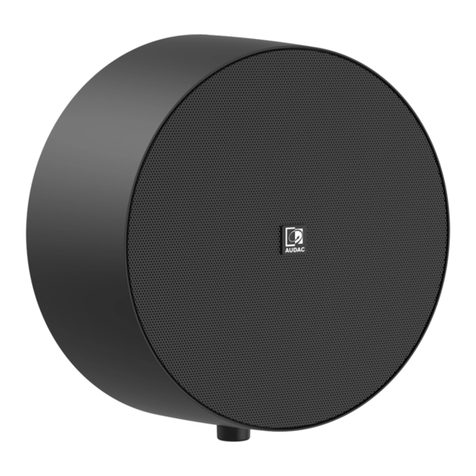
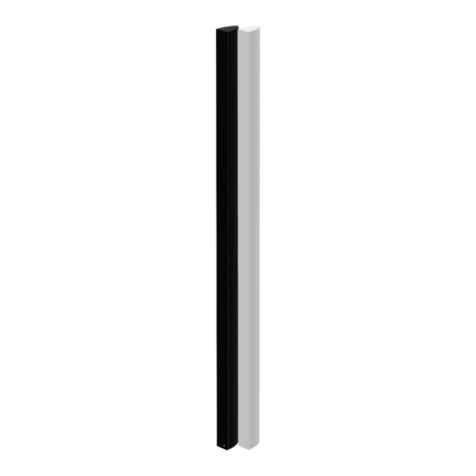
The VIRO is a powerful 2-way performance speaker which is designed for outdoor and indoor use, ensuring true-to-nature,
high delity reproduction of music and speech in every environment, ranging from residential applications to the most
demanding outdoor applications in parks, hotels and even clubs.
Its stunningly design is made of robust and elegant aluminium. The aluminium construction and grill with hydrophobic cloth
provides the necessary protection for all weather conditions. The combination of the cloth, sealing rubbers and drainage
holes on the bottom of the speaker make it IP55 compliant. The VIRO loudspeaker is available in Black (/B) or White (/W).
VIRO5 - User manual06
Precautions
READ FOLLOWING INSTRUCTIONS FOR YOUR OWN SAFETY
ALWAYS KEEP THESE INSTRUCTIONS. NEVER THROW THEM AWAY
ALWAYS HANDLE THIS UNIT WITH CARE
HEED ALL WARNINGS
FOLLOW ALL INSTRUCTIONS
NEVER EXPOSE THIS EQUIPMENT TO RAIN, MOISTURE, ANY DRIPPING OR SPLASHING LIQUID. AND NEVER PLACE AN OBJECT FILLED WITH
LIQUID ON TOP OF THIS DEVICE
NO NAKED FLAME SOURCES, SUCH AS LIGHTED CANDLES, SHOULD BE PLACED ON THE APPARATUS
DO NOT STICK ANY OBJECTS THROUGH THE VENTILATION OPENINGS.
DO NOT INSTALL THIS UNIT NEAR ANY HEAT SOURCES SUCH AS RADIATORS OR OTHER APPARATUS THAT PRODUCE HEAT
PLACE THE UNIT ON A STABLE BASE OR MOUNT IT IN A STABLE RACK
ONLY USE ATTACHMENTS & ACCESSORIES SPECIFIED BY THE MANUFACTURER
UNPLUG THIS APPARATUS DURING LIGHTNING STORMS OR WHEN UNUSED FOR LONG PERIODS OF TIME
USE THE APPARATUS ONLY IN MODERATE CLIMATES
VIRO5 - User manual 07
CAUTION - SERVICING
This product contains no user serviceable parts. Refer all servicing to qualied service personnel. Do
not perform any servicing (unless you are qualied to)
EC DECLARATION OF CONFORMITY
This product conforms to all the essential requirements and further relevant specications described
in following directives: 2014/30/EU (EMC) & 2014/35/EU (LVD).
WASTE ELECTRICAL AND ELECTRONIC EQUIPMENT (WEEE)
The WEEE marking indicates that this product should not be disposed with regular household waste
at the end of its life cycle. This regulation is created to prevent any possible harm to the environment
or human health.
This product is developed and manufactured with high quality materials and components which can be
recycled and/or reused. Please dispose this product at your local collection point or recycling centre for
electrical and electronic waste. This will make sure that it will be recycled in an environmentally friendly
manner, and will help to protect the environment in which we all live.
Chapter 1
Connections and connectors
CONNECTION STANDARDS
The in- and output connections for AUDAC audio equipment are performed according to international wiring standards for
professional audio equipment
4-Pin Terminal block:
For signal input and output linking connections
+
+
VIRO5 - User manual08
Chapter 2
Overview VIRO: Back
1) Cable entry plate
To connect the VIRO, the cable must pass through the
backplate. The VIRO has two standard cable grommets in
the provided openings. This grommet provides water tight
protection.
An optional speakON connection plate with two NL4MP
connectors (CVS102) is available. It can be installed by
loosening the four screws of the cable entry plate. To
connect, the back plate must be released.
3) Bracket
The bracket of the VIRO is attached to the centre point of
the speaker. It is designed in such a way that it can be fully
rotated around the centre point. This allows the bracket to
be mounted in all directions . More information about the
bracket in ‘Chapter 3’.
2) Drop safety bushing
The VIRO5 has a M6 safety bushing. This provides the
option of mounting drop safety wires. Please check your
local regulations if this is required.
4) Water drainage holes
Two drainage holes are located at the bottom of the VIRO.
The loudspeaker has a protection class of IP55 thanks to the
sealing rubbers, the water-repellent cloth behind the grill and
the drainage holes.
Install VIRO at a minimum down tilt of 5°. Standing water is
avoided trough this installation. At the same time, make sure
that the drainage holes are located at the bottom.
1
2
4
3
VIRO5 - User manual 09
5
6
5) Terminal block
The VIRO has the possibility of a link through connection. For
this purpose, a 4-pole terminal block is provided. The wires
coming from the amplier must be connected to the left poles
of the terminal block via the cable entry plate.
The correct polarity is indicated above the connector. Make
sure that the polarity is correct throughout the system.
6) Transformer module point
Mounting point for the optional 70/100V transformer
module (TRV106).
VIRO5 - User manual010
Chapter 4
Chapter 3
Connecting VIROs
Bracket
198,00
110,00
R5,50
R2,50
40,00
70,00
The bracket of the VIRO is attached to the centre point of the speaker. It is designed in such a way that it can be fully rotated
around the centre point. This allows the bracket to be mounted in all directions, on the ceiling, wall or oor. As a result, VIRO
can be attached to various accessories.
For a solid xation of the loudspeaker, it should always be attached by at least two screws. The position of the fastening
holes depends on the surface to be mounted. Always use the proper fasteners depending of the mounting surface. Once
the bracket is mounted on the desired location, the loudspeaker can be xed to the bracket.
Multiple VIROs can be connected to each other. Make sure that all devices are switched off.
Connect the amplier to the far left +/- of the 4-pin terminal block. The right-hand +/- at the terminal block is the connection
to the next VIRO. If the optional transformer module is installed, the linktrough must be done at the primary side of the
transformer.
- -+ +