www.avsl.com 500.210UK
Checking Connections in Windows 10:
1. In the Windows search box, which is in the
bottom left-hand corner of your desktop type
“device manager”and select the icon.
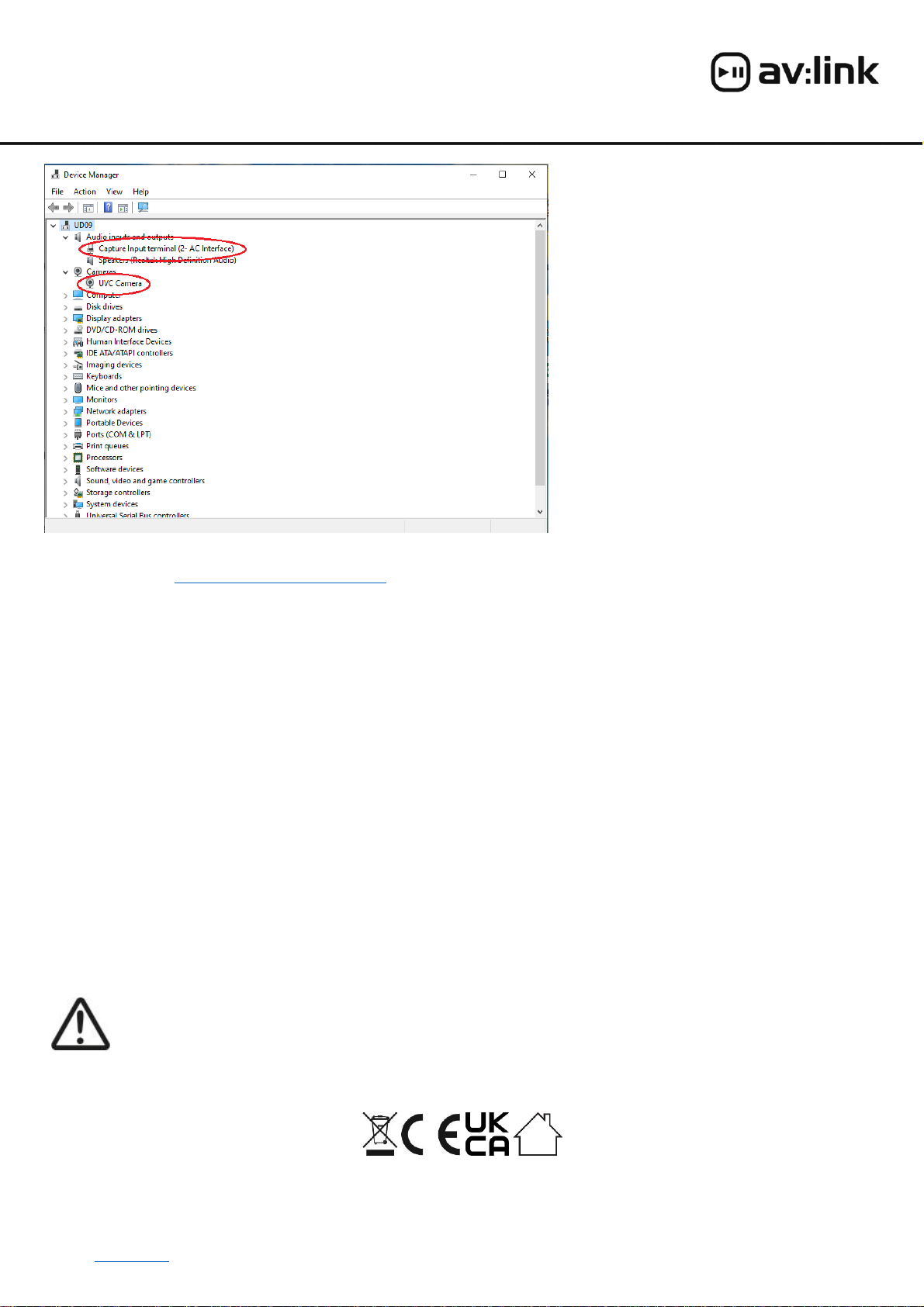
2. To check the camera settings, open the
Camera section and check that the option
selected is “UVC Camera”(see image).
3. If you have any issues with the video quality,
you can update the driver by right clicking and
selecting “update driver”.
4. To check the microphone settings, open the
Audio inputs and outputs section and check
that the option selected is “Capture Input
Terminal (2-AC Interface)”(see image).
5. If you have issues with the sound you can
always update the driver by right clicking and
selecting “update driver”
6. If you open the device manager and don’t see
the UVC camera present, try unplugging the
camera and inserting in another vacant USB
port.
NOTE: If you are using an older version of Windows or alternative O/S you may need to manually install software for the web camera.
This can be found at https://potplayer.en.softonic.com/
Testing and adjusting the camera in Windows 10:
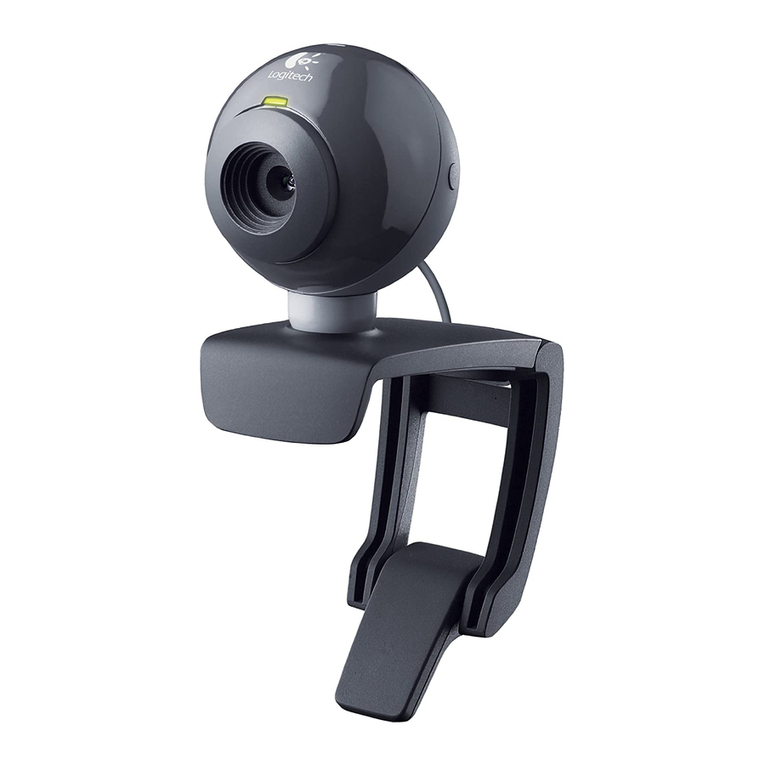
Open the Camera app in Windows 10 by typing “camera”in the search box and selecting the Camera app icon. Once opened an image
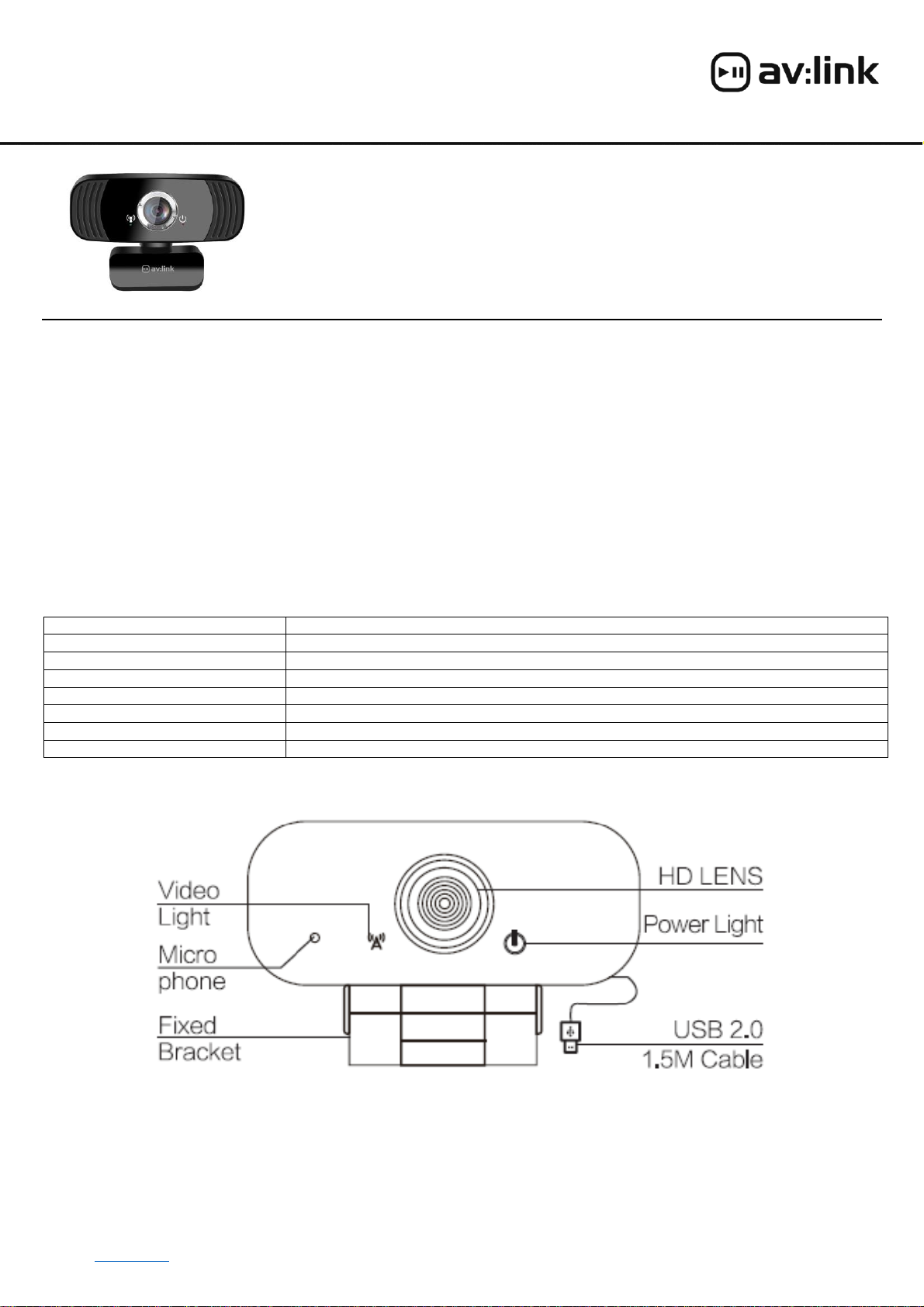
should be visible on the screen and the green video light on the camera should be lit. Next adjust the position of the camera so that
your target image is positioned centrally. It may also be necessary to adjust the focus if the lens has been moved during the shipping
process. The focus can be adjusted by carefully turning the silver bezel around the lens clockwise or anti-clockwise.
In the Box:
1pc USB HD Webcam
1pc User manual
FAQ
Q) Why is there no image when connected to the webcam? A) Check that both the red power light and green video lights are lit. If
one or both are out, unplug the camera and try again in the same or an alternative USB port.
Q) Why is the image on my screen not the image I expected from the webcam? A) Maybe your device has another webcam
connected?! Go to the device manager in control panel and ensure that “UVC camera”is selected in the Camera section.
Q) Why is there no sound being received from my webcam? A) Go to the device manager in control panel and ensure that “Capture
Input Terminal”is selected in the Audio inputs and outputs section.
Safety Disclaimer
Do not attempt to service this product yourself as opening or removing covers may result in fire, electric shock or equipment damage and
will also invalidate the warranty. This product is only designed for indoor use and must be kept away from water and high humidity along
with high temperatures and direct sunlight.
This product is classed as Electrical or Electronic equipment and should not be disposed with other household or commercial waste at the end of its
useful life. The goods must be disposed of according to your local council guidelines.
Errors and omissions excepted.
Copyright© 2021 AVSL Group Ltd, Unit 2 Bridgewater Park, AVSL (Europe) Ltd, Unit 3D North Point House,
Taylor Road, Trafford Park, Manchester. M41 7JQ. North Point Bus. Park, New Mallow Road, Cork, Ireland.