manuals.online logo
Brands
  1. Home
  2. •
  3. Brands
  4. •
  5. Axium
  6. •
  7. Amplifier
  8. •
  9. Axium AX4752 User manual

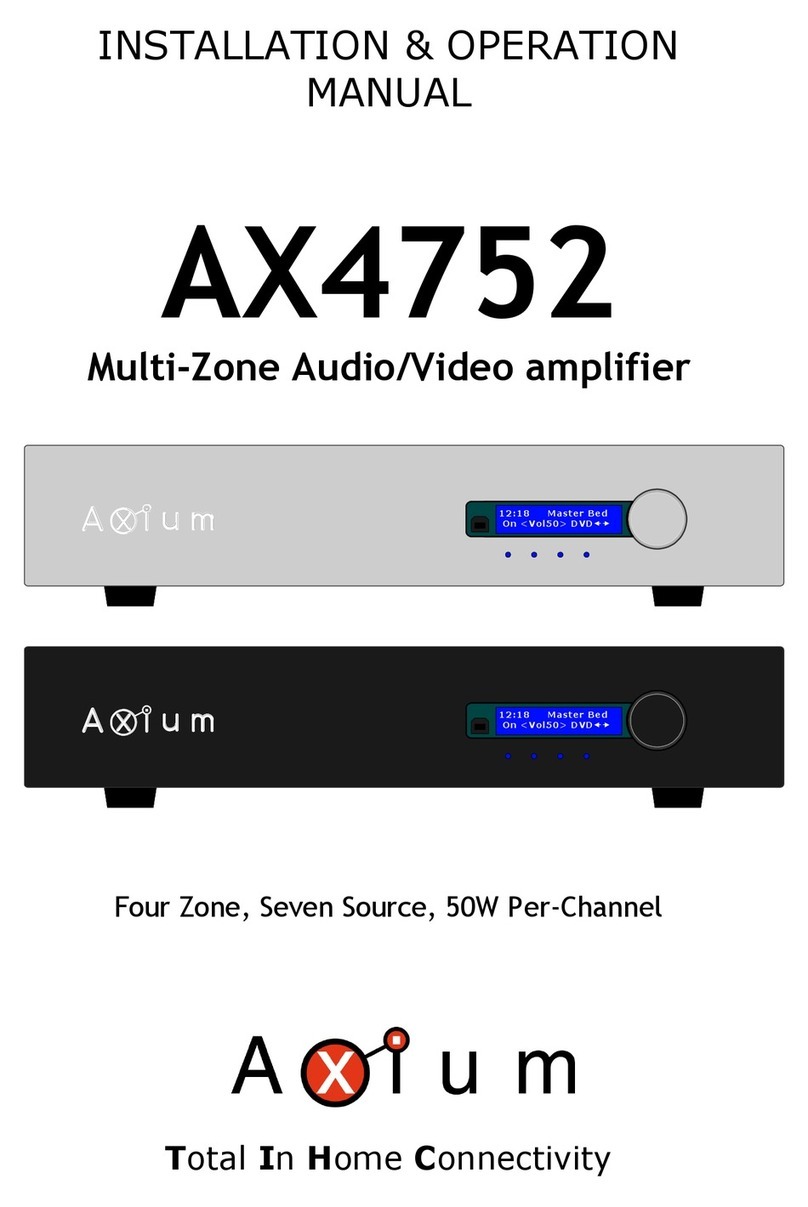
Axium AX4752 User manual

Other manuals for AX4752

1

Other Axium Amplifier manuals

Axium AX4752 User manual

Axium

Axium AX4752 User manual

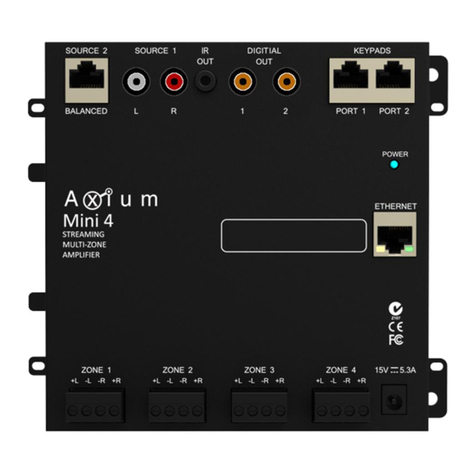
Axium Mini4 Manual

Axium

Axium Mini4 Manual

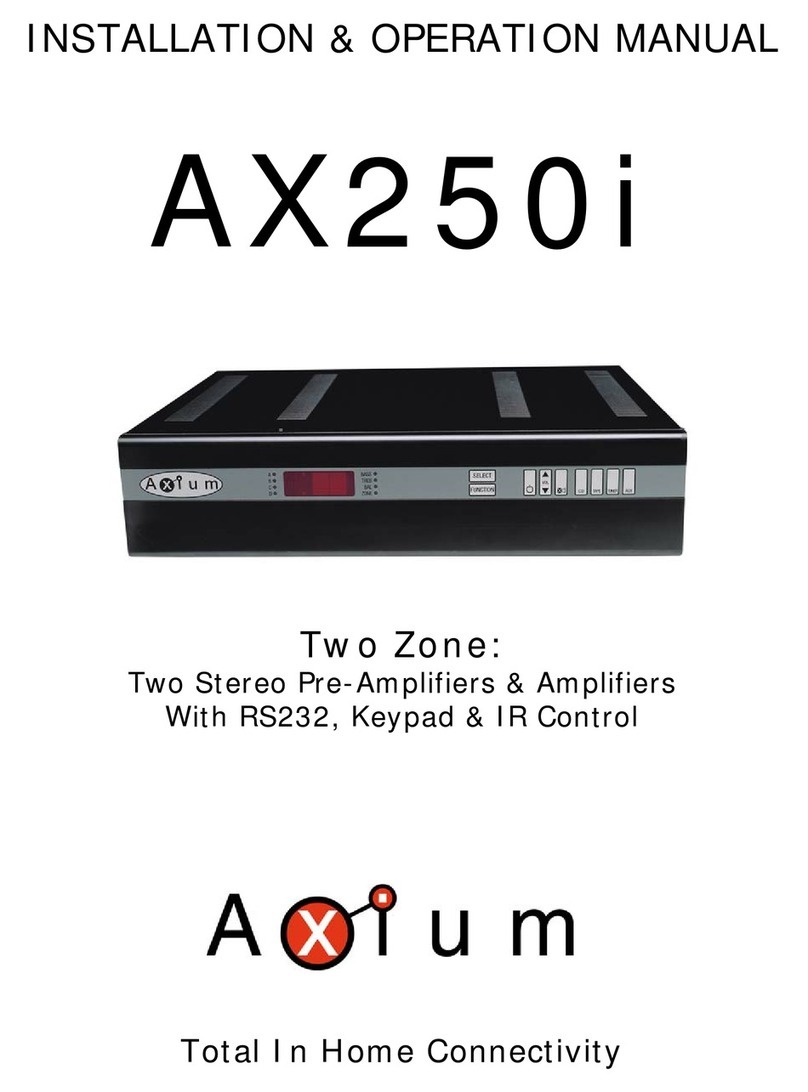
Axium AX250i User manual

Axium

Axium AX250i User manual

Axium AX-1250 Instruction Manual

Axium

Axium AX-1250 Instruction Manual

Axium AX-800DAV User manual

Axium

Axium AX-800DAV User manual

Popular Amplifier manuals by other brands

Magnat Audio EDITION FOUR Owner's manual/warranty document

Magnat Audio

Magnat Audio EDITION FOUR Owner's manual/warranty document

Inter-m PA-2000A Operation manual

Inter-m

Inter-m PA-2000A Operation manual

Yamaha TX6n owner's manual

Yamaha

Yamaha TX6n owner's manual

Peavey TNT 150 user guide

Peavey

Peavey TNT 150 user guide

Bosch LBB 1903/10 Installation and user instructions

Bosch

Bosch LBB 1903/10 Installation and user instructions

Avocent Emerge DA1200D Installer/user guide

Avocent

Avocent Emerge DA1200D Installer/user guide

Redgum RGi35 operating instructions

Redgum

Redgum RGi35 operating instructions

Cambridge Audio AXA25 user manual

Cambridge Audio

Cambridge Audio AXA25 user manual

Alpine MRP-M200 owner's manual

Alpine

Alpine MRP-M200 owner's manual

Technical Pro H1502UrBT user manual

Technical Pro

Technical Pro H1502UrBT user manual

FMS EMGZ307 operating manual

FMS

FMS EMGZ307 operating manual

Racal Instruments 5601 user manual

Racal Instruments

Racal Instruments 5601 user manual

Valcom V-1094A Technical specifications

Valcom

Valcom V-1094A Technical specifications

Cambridge Audio 851D user manual

Cambridge Audio

Cambridge Audio 851D user manual

QSC 3800 Specifications

QSC

QSC 3800 Specifications

NAD C300 owner's manual

NAD

NAD C300 owner's manual

Rotel RMB-1077 owner's manual

Rotel

Rotel RMB-1077 owner's manual

Peavey Monitor 300 Series operating guide

Peavey

Peavey Monitor 300 Series operating guide

manuals.online logo
manuals.online logoBrands
  • About & Mission
  • Contact us
  • Privacy Policy
  • Terms and Conditions

Copyright 2025 Manuals.Online. All Rights Reserved.

INSTALLATION & OPERATION
MANUAL
AX4752
Multi-Zone Audio/Video amplifier
Four Zone, Seven Source, 50W Per-Channel
Total In Home Connectivity
12:18 Master Bed
On <Vol5 0> DVD
12:18 Master Bed
On <Vol5 0> DVD
Congratulations!
You have purchased one of the most advanced, dedicated multi-room amplifiers on the
market. he AX4752 like other Axium products is designed to maximize control, simplify
functionality, & expedite installation. Axium products are built to the highest standards of
quality and reliability.
o view Axium’s product line of multi-room amplifiers, controllers, & accessories please
visit the Website at www.axium.co.nz
able Of Contents
IN RODUC ION ………………………………………………………………….………………1
FEA URES……………………………………………………………………………………………2
INS ALLA ION GUIDE….…………………………………………………………….……….4
FRON PANEL GUIDE……...………………………………………………………….……..5
REAR PANEL GUIDE…………..…………………………….………………………….………6
YPICAL SYS EM CONFIGURA ION …………………………………………….………7
CON ROLLER ERMINA ION……………………………………………………………….9
ADVANCED IR CON ROL……………………………………………………………………..10
MUL IPLE AX4752 S ACKS………………………………………………………………….11
ZONE LINKING………………………………………………………………………………………12
AU OMA ION……………………………………………………………………………………….13
RS232 PRO OCOL………………………………………………………………………………..14
MENU NAVIGA ION……………………………………………………………………………….17
PROGRAMMING USING AMC………………………………………………………………….20
SPECIFICA IONS…………………………………………………………………………………..26
IN RODUC ION
he AX4752 multi-zone audio/video amplifier combined with Axium controllers, and/or a
home automation system enables you to individually control the power, volume and source
selection in up to four rooms, with four Sub-zone preamplifier outputs available.
Axium multi-zone amplifiers may be interconnected via the expansion bus, providing up to
32 zones of control which vastly simplifies installation cabling.
An RS232 & USB interface may be used to control & monitor the amplifier either from a PC
or building management system.
Axium Keypads are IR Learning and include a host of features to simplify / enhance the
amplifier and source equipment control. Such features include amplifier feedback of
Power, source select etc, IR receiver pass through, macro and long press functions.
he IRFX Infra-Red receiver is plasma proof & sunlight tolerant utilizing Axium’s ‘Data-
stream filtered’ technology to provide the best possible IR system reliability.
A utility program called AMC is available on the product CDROM or Axium website.
AMC provides a simple user interface from a PC or Laptop, and provides control of all Axium
networked components.
FUSE
0V PG 1 2 3 4 # C D
Expansion Bus OutputRS232 Serial interface
Expansion Bus Input
L R
230 - 240VAC 50 - 60Hz
500VA
Fuse = 2.5A Slow Blow
ZONE1 ZONE2
ZONE3 ZONE4
CD TA TU UT
INPUT SOURCESPRE OUTPUTS
Z1 Z2 Z3 Z4
L
R
L
R
CAUTION ATTENTION
RISK OF ELECTRIC
SHOCK DO NOT
OPEN
RISQUE DE CHOC
ELECTRIQUE NE PAS
OUVRIR
POWER
L R
AX4752i
Multi-Room amplifier
Made in New Zealand
Audio Engineering Ltd
Z 107
WARNING
TO REDUCE THE RISK O F FIRE OR ELECTRIC
SHOCK DO NOT EXPOSE THIS UNIT
TO RAIN OR MOISTURE
Data 12V IR1 0V
Data 12V IR2 0V
IR outputs
IR2
IR1+IR2
IR1
AMP ON
L R L R
12 :18 Master Bed
On <Vo l50> DVD
SAT DVD VID AUX
L
R
+12V
AX-KPD KRXm and KRXs
DISC
1
4
2
5
3
6
987
0
-/-- AV
SELECT
GROUP RANDOM
CD MCD
AUX
TU
DMS DVD
VOL
MUTE
Axium
+
-
IRFX
- VOL VOL +
06 7 98
51 2 43
Skip
SET
C Tuner Cable
MS Aux V
Axium
FEA URES
Mulit-Zone , Multi-Source, Video Switching
he AX4752 has four separate preamplifiers and amplifiers, providing 4 zones of independent yet
integrated control.
here are seven stereo sources (SA , DVD, VID, AUX, CD, ape & uner) and an eighth mono source
(Utility) typically used for paging applications.
Each zone has an eight source composite video switcher, so screen’s in four different rooms may
display any of the eight sources (SA , DVD, VID, AUX, CD, ape, uner & Utility)
Preamplifiers and outputs
Each zone has bass, treble, balance and loudness control. hese are accessed either from the front
panel or AMC program.
he preamplifier output volume may be independent of the amplifier volume, or made to track the
amplifier with an adjustable offset (± 20dB). he tracking feature is great for passive subwoofer
control, while the independent volume feature is useful for limited control in close-coupled rooms.
A useful protection feature is ‘Maximum volume limiting’. his limits the maximum volume of either
the amplifier or preamplifier.
Amplifier Power, Protection, and Clipping indicators
50 Watts RMS per channel into 8 ohms, capable of driving into 4 ohms.
he amplifiers are protected against short-term output shorts.
here are three progressive levels of thermal protection:
1) An internal fan is turned on to aid cooling.
2) he amplifier volume is reduced 20dB.
3) he amplifiers are shutdown until the temperature reduces below the first level.
Care should be taken to ensure adequate ventilation – see “installation guide”
he front panel zone indicators will flash red when the zone amplifiers are overdriven into clipping.
USB, RS232 & IR Control
he AX4752 may be controlled and monitored via either the front Panel USB or rear panel RS232
serial interface.
In multi amplifier installations where the amplifiers are interconnected using an expansion bus cable,
only one USB or RS232 connection is required to control the stack of amplifiers.
An AX4752 may receive IR directly from the front panel receiver or via the two ‘Controller interface’
connections.
here are zone specific IR commands and also a set of global IR commands.
he commands are: ON, OFF, Standby (toggling), Mute, Amp Volume Up, Amp Volume Down, Pre
Volume Up, Pre Volume Down, SA , DVD, VID, AUX, CD, A, U, U ILI Y, On with Source specific
commands.
he Global commands also include; PRESE 1 – PRESE 6, Alarm Enable, Alarm OFF, & 5 minute Sleep.
Real time clock
he AX4752 is equipped with a real time clock.
he amplifier may be set up to function as an alarm clock, so that at 6.30am in the morning 5 days a
week, the master bedroom zone could be made to turn on, select tuner, and go to a specific volume.
Another application of the clock is temperature and event logging, providing a history of the amplifier
environment which aids servicing.
he clock continues to operate typically > 48 hours without power – more than enough to keep the
time current during lengthy power outages.
IR Emitter Ports
here are 4 Buffered IR emitter Ports.
wo IR ports have routing, and are linked to their respective ‘Controller Interface’ ports. hese ports
control zone specific source components.
wo IR ports are the sum of both IR sources; these control the all zone source components.
2

Presets & Paging
here are six amplifier presets, and a ‘page preset’.
Presets 1 - 6 are momentary and cause the amplifier to go to a predetermined setup, i.e. standby,
volume & source selection. he presets may also be programmed with event scheduling, and are used
by the alarm clock feature.
he ‘page preset’ mode is for paging applications and is invoked by a contact closure between the
‘0V’ and the ‘PG’ terminals. When the contact closure is released the amplifier zones return to their
previous states.
Zone Linking
A zone may be programmed to link one other zone. Zone linking ties the source selection together. It
may also tie the volume, and standby. his is useful for closely coupled audio areas where it is
advantageous to have different volume control but the same source, or the same volume with
separate standby control. Zone linking is setup either via the front panel user interface or by the AMC
program.
32 Zones
here are 32 zones of possible control. On an AX4752 each zone must be different, however in a
multiple amplifier stack same zone amplifiers are possible – they simply mimic every parameter.
Expansion Bus
Data, IR, Amp-On & audio sources are interconnected via the expansion bus.
he expansion bus feature vastly simplifies the installation cabling of an Axium amplifier stack.
One amplifier is connected to another using a 34-way ribbon cable. Connections are made from the
output of the first amplifier to the input of the second etc.
All audio sources must be connected to the first amplifier.
Note: Video signals are not passed through the expansion bus.
Amplifier ON Status - “Amp-On”
Each zone has front panel ON status indication, and +12VDC outputs on the rear panel connector. (1,
2, 3, 4 & #) he # ‘AMP ON’ output is a logic ‘And’ output, i.e. if any of the zones are ON then the
output is +12V. his is useful for driving a relay that connects AC power to source equipment. he
‘AMP ON’ output’s are protected against shorts. he ‘AMP ON’ output default to tracking the
preamplifier ON status but may be set to track the amplifier ON status. his is set via the AMC
program.
Axium Bus
Axium Bus provides inter-amplifier control & amplifier status for the old style KRX membrane
Keypads.
he Bus is short protected. ( erminals C & D)
Power failure Restoration
After an AC power outage the AX4752 restores it’s settings to the pre-interrupted state. All internal
settings are stored in non-volatile memory, except the clock that runs for at least 48 hours on stored
power.
Restore factory defaults
Push and holding down the rotary encoder for > 10 seconds takes you to the setup menu, select
restore factory defaults, and press again. he amplifier will be reset to factory defaults, and the
memory cleared.
Firmware upgradeable
he AX4752 may be updated with the latest operational firmware, using Axium ‘Uploader 2’ program.
he ability to enhance the functionality of installed Axium product’s provides a degree of future
proofing, and flexibility.
3
INS ALLA ION GUIDE
UNPACKING
Immediately upon receiving your AX4752 inspect the carton for evidence of mishandling
during shipment. hen carefully unpack the unit and inspect for damage.
Please save the shipping carton and all inner packing materials in the event that the
AX4752 needs to be shipped for service or moved to a new location.
Should you discover that the AX4752 has been damaged during shipping please contact your
dealer immediately.
PRECAU IONS
1) Never expose the unit to moisture.
2) Avoid restricting the airflow around the AX4752. Good airflow is necessary to help
ensure proper operation. Not only should you provide enough free space around the
unit, but also ensure that air can flow freely and escape from the amplifier
surroundings. Failure to do so may cause thermal shutdown of the unit, or
intermittent channel cutout and reduced life expectancy. A thermal temperature
log is kept.
3) Under no circumstances should the speaker output terminals of the unit be short
circuited, or connected to another output.
4) Avoid plugging the RS232 cable into the unit while power is connected.
5) Never short the controller interface or 9 way controller terminals.
6) Avoid installing the AX4752 in positions where the front panel is exposed to direct
sun light. his may intermittently slow down the response of the unit.
7) Never connect more than four Axium controllers to the unit’s +12Vdc power supply
terminals. he supply is internally fused and will open circuit (self-resetting).
8) Never connect the AX4752’s +12Vdc power supply to an external power supply or
other Axium amplifier’s +12Vdc output.
4
FRON PANEL GUIDE
1 Front Panel: Solid Aluminum front Panel with Engraved Axium Logo.
2 Infra-Red Receiver: Receiver for front panel IR control – Not IR pass through!
3 LCD display: Back lit LCD display for menu guided control & programming.
he display is dimmed when all zones are OFF.
4 Rotary Encoder & Push Select: he display menus are navigated and selections made
using left and right rotation and pushes on the knob.
5 Zone Indicators: From Left to right zone 1 – 4. he indicators are blue when ON, and flash
red when the amplifiers are overdriven into clipping.
6 USB port: Front panel programming.
7 Chassis Feet: Set high enough to provide unrestricted airflow through the chassis for
convection cooling.
5
12:18 Master Bed
On <Vol50> DVD
4
57
31 2
6 7
REAR PANEL GUIDE
8 AC Power Socket: IEC socket, with integral fuse and power switch.
9 Speaker erminals: Plug in terminal clamp connectors accept 1.5mm² speaker wires
10 Preamplifier Outputs: Audio and composite video outputs. Gold plated RCA connectors.
11 RS232 Comm Port: DB9 connector. he port is used to setup, control or monitor the
AX4752. A null modem cable must be used when connecting to a PC or building management
system.
12 Expansion Bus Output: 34 way IDC header. Connects to the expansion bus input of the
next AX4752i amplifier in the stack.
13 Paging & Status erminals: 9 way Plug in terminal clamp connector.
A short between PG and 0V invokes the ‘Page’ preset, making possible telephone paging
through the multi-zone system.
AMP-ON 1, 2, 3, 4 provides +12VDC when the preamplifier or amplifier zone is ON.
AMP-ON # is +12VDC whenever any of the zones are ON.
erminals C & D are Axium Bus connections for operation of the Axium KRX membrane
keypads.
14 Controller Interface: 4 way green plug in terminal clamp connectors, used for connecting
to
Keypads & IR receivers. here are two controller interface ports each linked with an IR port
providing IR routing. he +12VDC output is internally fused (self-resetting), and has a
maximum loading of 4 Axium keypad’s or IR receivers. he ‘Data’ terminal sends amplifier
status to Axium keypads.
15 Routed IR Emitter Ports: 3.5mm mono phone jacks. IR1 & IR2 are used to control specific
source components. he ports only output IR strings received from their associated controller
interface.
16 IR Emitter Ports: 3.5mm mono phone jacks. he two jacks labeled IR1+IR2 are for control
of source components common to all zones. hey output the combined IR1 & IR2 IR strings.
17 +12VDC Center Positive Outputs: For powering the AX07S slave amplifiers.
18 Expansion Bus Input: 34 way IDC header. Connects from another Axium amplifiers
expansion bus output – provides connection of source component audio, control, & IR.
Note: Video does not go up the expansion bus lead.
19 Source Component Connections: Gold plated RCA jacks. Source component line level
and composite video inputs.
6
16
8 9 10 11 12
15 14
13
1819
FUSE
0V PG 1 2 3 4 # C D
Expansion Bus OutputRS232 Serial interface
Expansion Bus Input
L R
230 - 240VAC 50 - 60Hz
500VA
Fuse = 2.5A Slow Blow
ZONE1 ZONE2
ZONE3 ZONE4
CD TA TU UT
INPUT SOURCESPRE OUTPUTS
Z1 Z2 Z3 Z4
L
R
L
R
CAUTION ATTENTION
RISK OF ELECTRIC
SHOCK DO NOT
OPEN
RISQUE DE CHOC
ELECTRIQUE NE PAS
OUVRIR
POWER
L R
AX4752i
Multi-Room amplifier
Made in New Zealand
Audio Engineering Ltd
Z 107
WARNING
TO REDUCE TH E RISK OF FIRE OR ELECTRIC
SHOCK DO NOT EXPOSE T HIS UNIT
TO RAIN OR MOISTURE
Data 12V IR1 0V
Data 12V IR2 0V
IR outputs
IR2
IR1+IR2
IR1
AMP ON
L R L R
SAT DVD VID AUX
L
R
+12V
17
YPICAL SYS EM CONFIGURA ION
Fig 1
7
FUSE
0V PG 1 2 3 4 # C D
Expansion Bus OutputRS232 Serial interface
Expansion Bus Input
L R
230 - 240VAC 50 - 60Hz
500VA
Fuse = 2. 5A Slow Blow
ZONE1 ZONE2
ZONE3 ZONE4
CD TA TU UT
INPUT SOURCESPRE OUTPUTS
Z1 Z2 Z3 Z4
L
R
L
R
CAUTION ATTENTION
RISK OF ELECTRIC
SHOCK DO NOT
OPEN
RISQUE DE CHOC
ELECTRIQUE NE PAS
OUVRIR
POWER
L R
AX4752i
Multi-Room amplifier
Made in New Zealand
Audio Engineering Ltd
Z 107
WARNING
TO REDUCE THE RISK OF FIRE OR ELECT RIC
SHOCK DO NOT EXPOSE THIS UNIT
TO RAIN OR MOISTURE
Data 12V IR1 0V
Data 12V IR2 0V
IR outputs
IR2
IR1+IR2
IR1
AMP ON
L R L R
SAT DVD VID AUX
L
R
+12V
DMS player
Tuner
CD changer
DVD Player
VCR Player
SAT receiver To IR1
To IR1+ IR2
To IR2
To IR1 + IR2
Gym
StudyLounge
IRFX Receiver
Controller 1
interface Keypad
Controller 2
interface
DISC
1
4
2
5
3
6
987
0
-/-- AV
SELECT
GROUP RANDOM
CD MCD
AUXTU
DMS DVD
VOL
MUTE
Axium
+
-
Keypad
Controller 1
interface
CD MCD
AUX
TU
DMS DVD
VOL
MUTE
Axium
+
-
Keypad
Controller 1
interface
Zone 1 Zone 2
Zone 3 Zone 4
ACTIVE
SUB
Bedroom & Ensuite
AMP
CD MCD
AUXTU
DMS DVD
VOL
MUTE
Axium
+
-
ypical System Configuration:
Fig 1 depicts a typical configuration, where the AX4752 is providing audio into four listening zones.
Each zone consists of a room with a pair of speakers, and a suitable controller. Additionally a zone
may require V’s or screens. In Fig 1 three such screens are shown in the Lounge, Gym, and Bedroom.
Each zone may be listening / watching any of the 6 connected sources: Satellite Receiver, DVD,
Video, Digital Music Server, CD Changer, or uner.
Controllers:
Each zone has specific control requirements.
Zone 1 - he Lounge - he ideal control in the lounge environment is from the sofa or lounge suite.
he IRFX is a Plasma proof IR receiver, and is most suitable for IR reception from a learning
remote control.
Zone 2 - he Study - his is a listening environment where remote controls are not welcome on the
busy
desk. he best solution is a wall-mounted keypad. An Axium keypad displays amplifier power
& source selection status. he keypad learns the source equipment IR commands, and relays
these to the equipment via the AX4752.
Zone 3 - he Gym - A KRXm & the numeric KRXs keypad are used to provide additional access to the
CD
changer, and SA receiver. In addition the Keypads IR receiver is enabled so that changes can
be made using a remote while working out.
Zone 4 - he Bedroom - he KRXm keypad is situated by the bedrooms adjoining ensuite and
provides
control in that environment. he bedroom control is via the keypad’s IR receiver and a
learning remote control.
Source control IR emitters are plugged into the IR out ports.
here are two IR ports which combine both the controller inputs (IR1 + IR2) hese outputs control
sources required in all zones i.e. DVD, VCR, CD & DMS. Each controller interface has an associated IR
Out port that routes IR only to that output. In Fig1 the SA emitter is plugged into IR out port IR1,
which means the zone 1, 3 & 4 controllers may control the SA source. he uner emitter is plugged
into IR Out port IR2, so only the zone 2 controller may control the uner.
Source Components:
he AX4752 has RCA audio inputs for connecting seven stereo source components & one mono source.
he Fig 1 configuration has only six of the possible eight sources populated.
Each zone may select from any of the connected sources. Someone in the lounge may be listening and
viewing the DVD source, while another in the study may be listening to music from the Digital Music
server.
All four zones may even select the same source, in such circumstances there is a possibility that all
four zones may be trying to control that source - this is not always desirable - so a system should be
well planned and where appropriate additional source equipment installed.
Speakers:
Speakers in each zone are connected to the AX4752 by ‘Home-Run’ speaker cables.
Each zone has a maximum loading of 4 ohms.
Fig 1 depicts a powered subwoofer in the study. he subwoofer is driven by the zone 2 preamplifier,
and is set to track the zone 2 amplifier volume. he subwoofer volume or offset can be adjusted for
correct tonal balance.
Fig 1 additionally depicts a pair of speakers in the bedroom. hese are the associated bedroom
ensuite speakers and are driven by a low powered slave amplifier. he zone 4 preamplifier has been
set to ‘Independent’ mode and connects to the low powered slave amplifier.
Independent mode is where the preamplifier volume may be different from the amplifier volume
(within a range of 55dB), it also has independent Standby and Muting.
Suitable cable for Line level audio is RG59.
Video Outputs:
he composite video outputs are suitable for driving ONE composite video display device. o avoid
signal degradation, home runs of Quad screen RG6 should be less than 100meters.
8