OPERATION
If this is your rst all-tube amplier, please become familiar
with a few issues that differentiate your amp from solid-
state or hybrid amp products. Only a few precautions are
required but they will insure that you will get the most of
your new all-tube amplier. Vacuum tubes are “old world”
thermal devices that require more attention than transis-
tors, but that’s the reason they sound so much sweeter and
more musical than integrated circuits and other solid-state
components. A little heads-up on the following points will
ensure maximum performance from your Bad Cat amp.
1. Place the amp at least 6 inches away from any wall or
obstacle to provide adequate ventilation around the amp.
Good airow around the amp will go a long way in prevent-
ing the amp from overheating, especially the tubes. Do not
place covers, clothing, or any other materials on or in the
amp that can obstruct the free venting of the chassis to the
outside air. Trapped heat in the chassis may cause a condi-
tion known as thermal runaway. To put it simply, to warm
or cook the tubes is good, to heat-cycle or fry the tubes is
extremely dangerous and will also shorten the life of the
tubes considerably.
2. Vacuum tubes will last longer and sound more musical
when they are allowed to warm up prior to introducing an
input signal from your guitar. A full ow of electrons from
the cathode can only be achieved when the tube is heated.
This requires some time. Please allow at least one minute
of warm-up time before playing through the amp.
3. Avoid long idle periods with no input signal. The vacuum
tubes prefer to see a signal present. When taking a break
between practice sessions or in between sets of a perfor-
mance, use the standby switch or turn off the amp.
4. Avoid unveried impedance loads. In other words, do not
clip on or otherwise attach additional speakers unless you
know the system impedance. Tube ampliers are very sen-
sitive to speaker impedance matching. This is due to the
relationship between the internal resistances of the output
transformer, the output power tubes and the load that is
required to drive them. Unbalanced loads can cause de-
structive arcing; the transformer and the tubes may actually
burn themselves out. This is not covered by our warranty.
With proper impedance matching, multiple speaker cong-
urations will work ne. If you are not familiar with “Ohm’s
Law”, please consult with a dealer or a qualied amplier
technician. Do not attempt to operate the amp if you can-
not verify system impedance after connecting the speakers.
Never operate your Bad Cat amp at 2 ohms or less.
5. Avoid unapproved “Power Soak” devices or attenuators
that are not recommended by Bad Cat as they can shorten
the life of your power tubes considerably. Attenuators burn
out tubes prematurely because they require the power
tubes to overwork continuously. Also, please note that pow-
er tubes are best replaced as a matched full set whenever
any of them fail.
Standby Switch
Leave this switch off when turning on the amp and let the amp warm up for a
full minute before turning this switch on. It’s best to let tubes warm up before
playing. Place amp in the Standby mode when you will not be playing for awhile
(for example, breaks in between sets of your performances, etc.).
On/Off Switch
This switch turns the amp on or off.
BACK PANEL
A/C Plug
Plug your amp’s power cord in here rst, then to the wall.
Fuse Holder
This is the main fuse holder. Please only use the fuse as specied on the amp.
High Tension Fuse
High Tension is just another way of saying High Voltage. Voltages at this point
can be anywhere from 350-500 volts depending on the model so it is always a
good idea to make sure the amp is “off” when installing or removing the fuse.
Do not stick anything inside the fuse holder other than a fuse. This fuse is in
series with the output transformer. Its function is to prevent collateral damage to
the amplier in the amplier in the event of tube failure. If you replace the tubes
and the fuse blows again, seek qualied technical help.
Full/Half Power Switch
In the up position this switch allows the use of full power of your amp. For more
headroom, full power mode is a must. Full power mode also provides a bigger,
bolder tone. The down position of this switch is Half power mode. Half power
is very useful for getting the amp to break into desirable distortion at lower
volumes for home use or use in smaller rooms. The tone character is slightly
different between the modes and a little experimentation is worthwhile.
Speaker Jacks
On a combo amp, this jack is for adding an extension speaker cabinet to be
used with the internal speaker of the amp.
On a head, this jack is for connection to your speaker cabi-
net. Please be sure to select the proper ohms to match your
cab.
Speaker Impedance
On a combo this rotary selector knob comes set at 8 ohms
for a single 12 or 4 ohms for a 2x12. The selector knob can
select between 4, 8 and 16 ohms. Check Ohm’s Law if us-
ing an additional extension cabinet to select the right ohm
setting. Example: 8 ohms + 8 ohms = 4 ohm setting.
On a head, please be sure to select the proper ohms to
match your cabinet.
Send and Return Jacks
Connect the output of the send jack to the input of your
effects device. Connect the output of your effect and to the
Return jack of the loop. The Send can also serve as a Line
Out to drive external processors in a wet/dry/wet rig.
TROUBLESHOOTING
Your new Bad Cat amplier is designed for many years of profes-
sional trouble free operation. Common sense will tell you that if you
notice any abnormalities in operation like burning smell, smoke,
etc.; you need to shut down the amp immediately. Always consult
your Bad Cat dealer if you are unsure of the problems that you are
dealing with; i.e., take your amp to where you purchased it.
No Power
Check the power source from the wall rst. Make sure the power
cord is properly seated at both ends. If there is still no power,
check the fuse and replace if necessary with the correct rating.
Weak Output Level
Verify the signal output from your instrument rst. Check guitar’s
controls and that the cables are working properly. Also, check any
effects pedals that may be connected in between the guitar and
the amplier.
Adverse Sounds-Hum, Whistle, Loss of Dynamics, Feed-
back, Howling
Check loudspeaker cones, frayed guitar cables, controls on your
instrument, the guitar’s pickups and any other devices that many
be connected to your amplier such as effects pedals or rack pro-
cessors. Some of these devices are “ampliers” in their own right
with gain and boosted volume levels and they may cause hissing
and unwanted feedback if set too high in front of the amp. Shut
down the amp and check the tubes. Wait for the amp to cool down.
Remove the back panel of the amplier. Avoid handling hot tubes
as they can cause severee burns. Check the larger output power
tubes rst by carefully removing the tube shields or loosening the
clamps, and then unseat the tubes from their sockets but note
from which sockets you removed the tubes. Inspect the integrity
of the laments in the tubes. If one or more of these tubes are bad,
you will need to replace the entire set of the power tubes. If all the
tubes are OK, you can eliminate the adverse sounds by swapping
the location of these tubes. If this fails to x the problem, you may
need to replace the entire set of power tubes with a new matched
set. Use of inferior quality (unrated) tubes may cause damage to
your amplier. You should also check the preamp tubes, especially
the rst input stage tube (far right if you’re looking at the amp from
the back). Microphonics (feedback noise that cannot be controlled
by turning down the volume pot on you guitar) indicates a bad
preamp tube(s). You may want to swap the position of preamp
tubes to see if this will x the microphonics problem. Preamp
tubes can go bad without warning but can also last many years
without any problem whatsoever. As you can see when handling
tubes, they are sensitive, fragile and somewhat prone to inconsis-
tencies. Please handle your amp with care when transporting it.
Although your Bad Cat amp is sturdily built and designed to take
years of rugged use, the tubes are not. It’s always a good idea to
keep extra tubes (both preamp and output power tubes) handy,
especially for performance situations. An overwhelming majority
of minor problems on tube amps are tube-related and it’s just a
matter of swapping one or more out to have your amp performing
like brand new again.
Front & Rear Panel Controls
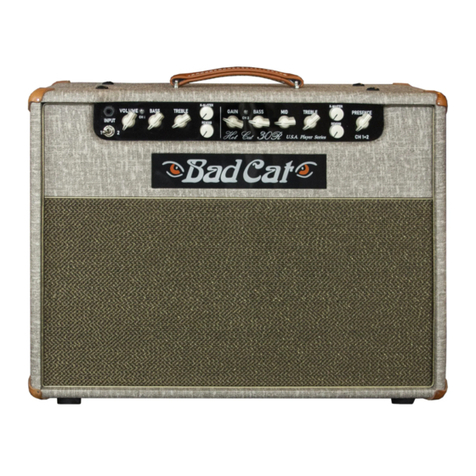
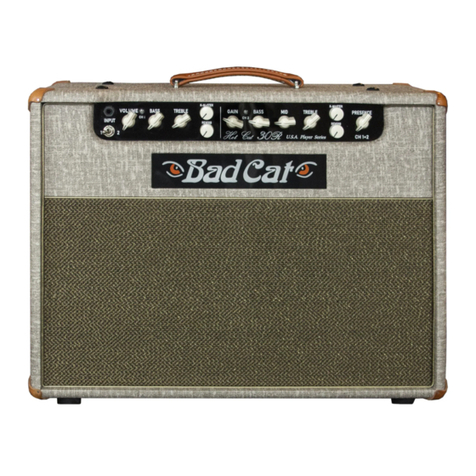
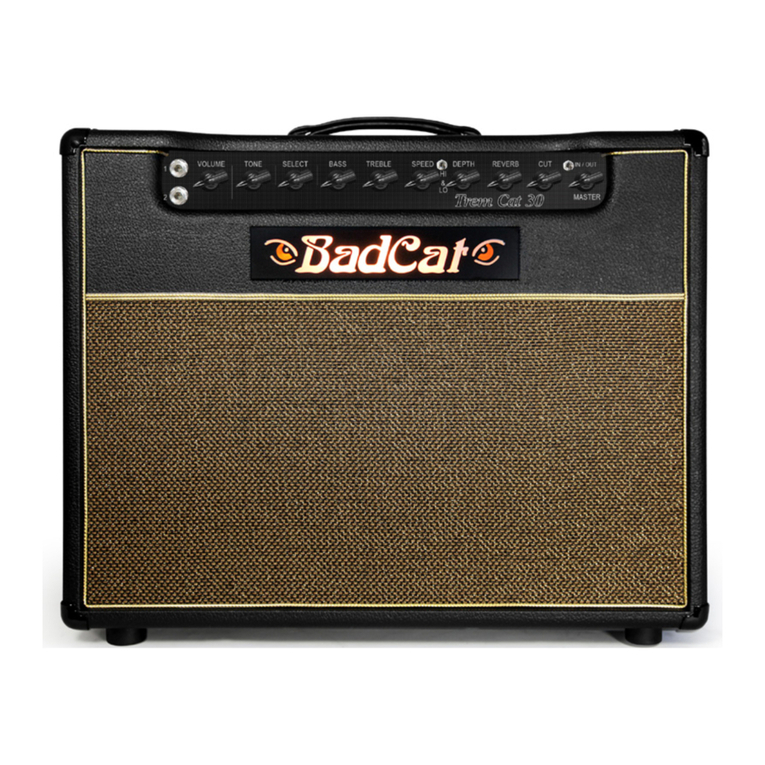
KOOL CAT 30
FRONT PANEL
Input Jacks
Input jack 1 is the normal input. Input jack 2 is padded down 3 decibels and is
recommended for more headroom when using high-output pickups. But if you
want more gain at low volume levels, high-output pickups through the input
jack 1 will allow the amp to overdrive “faster” (i.e., the volume level lower). It is
also possible to switch between the two inputs or use both inputs concurrently
using a “Y” cable or an A/B/Y box to extend the tonal possibilities of the amp,
but in most cases you will nd that either input will work ne depending on the
type of pickups you are using. It’s best to experiment with both inputs to nd out
which sounds best to your ears with your guitar(s) and pickups.
Volume
The rst knob on the left when you face the amp’s front panel is the volume
control. This is the input stage where the preamp tube rst sees the guitar
signal and goes through the rst phase of amplication.
Tone
This is a knob used for instant access to your favorite sounds. Turn it coun-
terclockwise for increasingly darker, thicker tones. Turning the knob counter
clockwise gives you more treble and bite.
Cut
The Cut knob is universal to Channel 1 and Channel 2, meaning it is always
in the circuit and always affecting the tone. The knob is appropriately named
because turning it up gives your tone more cut; turning it down gives a darker,
mellower tone. This is similar to a presence knob on some other amps.
Master “In” and “Out” Switch and Master Volume
Master Volume will be disengaged no matter where the Master Switch is set.
This switch activates and deactivates the master volume. When the switch is
“On” the Master knob now controls the overall output level of the amp. When
the switch is “Off” the Master knob is now out of the circuit and does not affect
the amp.
Front Panel Controls
Rear Panel Controls