manuals.online logo
Brands
  1. Home
  2. •
  3. Brands
  4. •
  5. Behringer
  6. •
  7. Musical Instrument Amplifier
  8. •
  9. Behringer V-AMPIRE LX1200H User manual

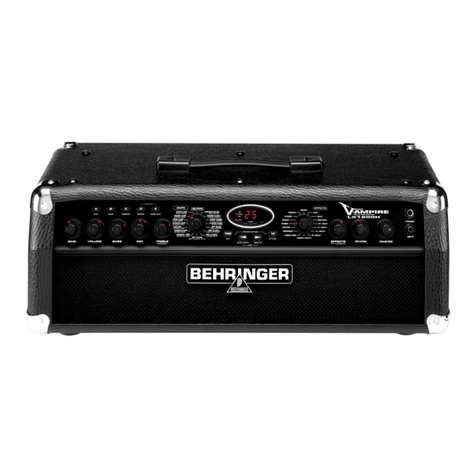
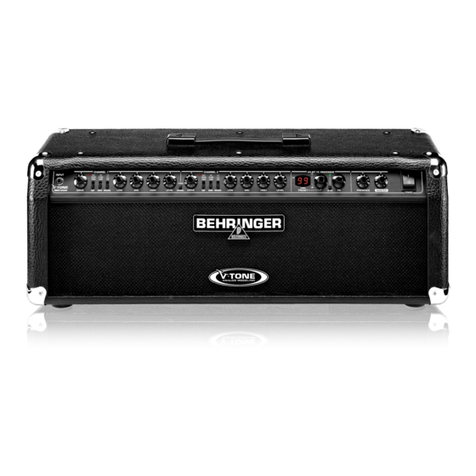
Behringer V-AMPIRE LX1200H User manual

Other manuals for V-AMPIRE LX1200H

4

Other Behringer Musical Instrument Amplifier manuals

Behringer V-tone GM108 User manual

Behringer

Behringer V-tone GM108 User manual

Behringer Blue Devil GX112 Manual

Behringer

Behringer Blue Devil GX112 Manual

Behringer Ultrabass BT108 User manual

Behringer

Behringer Ultrabass BT108 User manual

Behringer ULTRATONE KT108 User manual

Behringer

Behringer ULTRATONE KT108 User manual

Behringer V-TONE GM212 User manual

Behringer

Behringer V-TONE GM212 User manual

Behringer Ultrabass BXL450 User manual

Behringer

Behringer Ultrabass BXL450 User manual

Behringer GTX30 User manual

Behringer

Behringer GTX30 User manual

Behringer V-TONE GUITAR DRIVER DI GDI21 User manual

Behringer

Behringer V-TONE GUITAR DRIVER DI GDI21 User manual

Behringer V-AMPIRE LX1200H User manual

Behringer

Behringer V-AMPIRE LX1200H User manual

Behringer V-Tone GMX110 User manual

Behringer

Behringer V-Tone GMX110 User manual

Behringer UltraBass BX4500H User manual

Behringer

Behringer UltraBass BX4500H User manual

Behringer Vintager AC108 User manual

Behringer

Behringer Vintager AC108 User manual

Behringer ULTRABASS BXD3000H User manual

Behringer

Behringer ULTRABASS BXD3000H User manual

Behringer GTX30 User manual

Behringer

Behringer GTX30 User manual

Behringer Ultrastack BG412V User manual

Behringer

Behringer Ultrastack BG412V User manual

Behringer Ultrabass BX600 User manual

Behringer

Behringer Ultrabass BX600 User manual

Behringer Ultracoustic AT108 User manual

Behringer

Behringer Ultracoustic AT108 User manual

Behringer Minimamp Gma 100 User manual

Behringer

Behringer Minimamp Gma 100 User manual

Behringer V-AMPIRE LX1200H/LX210 User manual

Behringer

Behringer V-AMPIRE LX1200H/LX210 User manual

Behringer V-Amp 2 User manual

Behringer

Behringer V-Amp 2 User manual

Behringer Ultrastack BG412S User manual

Behringer

Behringer Ultrastack BG412S User manual

Behringer V-AMPIRE LX1200H User manual

Behringer

Behringer V-AMPIRE LX1200H User manual

Behringer Ultrabass BX3000T User manual

Behringer

Behringer Ultrabass BX3000T User manual

Behringer V-Tone GM110 User manual

Behringer

Behringer V-Tone GM110 User manual

Popular Musical Instrument Amplifier manuals by other brands

AMT StoneHead-50-4 user manual

AMT

AMT StoneHead-50-4 user manual

Fender '63 Vibroverb owner's manual

Fender

Fender '63 Vibroverb owner's manual

Kuassa Amplifikation Vermilion user manual

Kuassa

Kuassa Amplifikation Vermilion user manual

Harley Benton GPA-100 quick start guide

Harley Benton

Harley Benton GPA-100 quick start guide

Cerwin-Vega CUM-3 user manual

Cerwin-Vega

Cerwin-Vega CUM-3 user manual

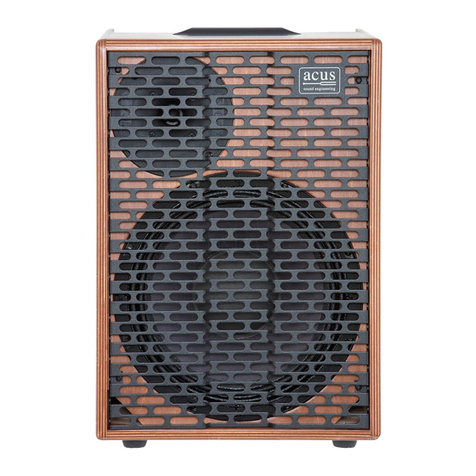
acus One Forstreet 10 quick start guide

acus

acus One Forstreet 10 quick start guide

Marshall Amplification MG10KK owner's manual

Marshall Amplification

Marshall Amplification MG10KK owner's manual

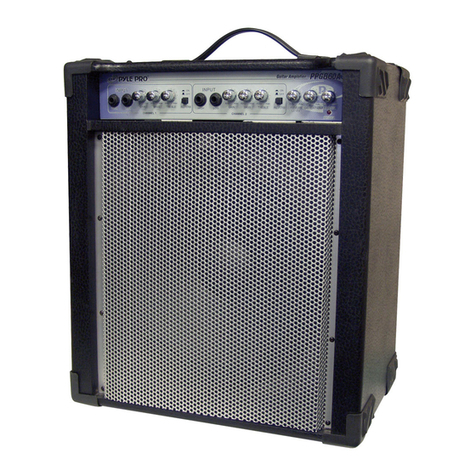
Pyle Pro PPG860A owner's manual

Pyle Pro

Pyle Pro PPG860A owner's manual

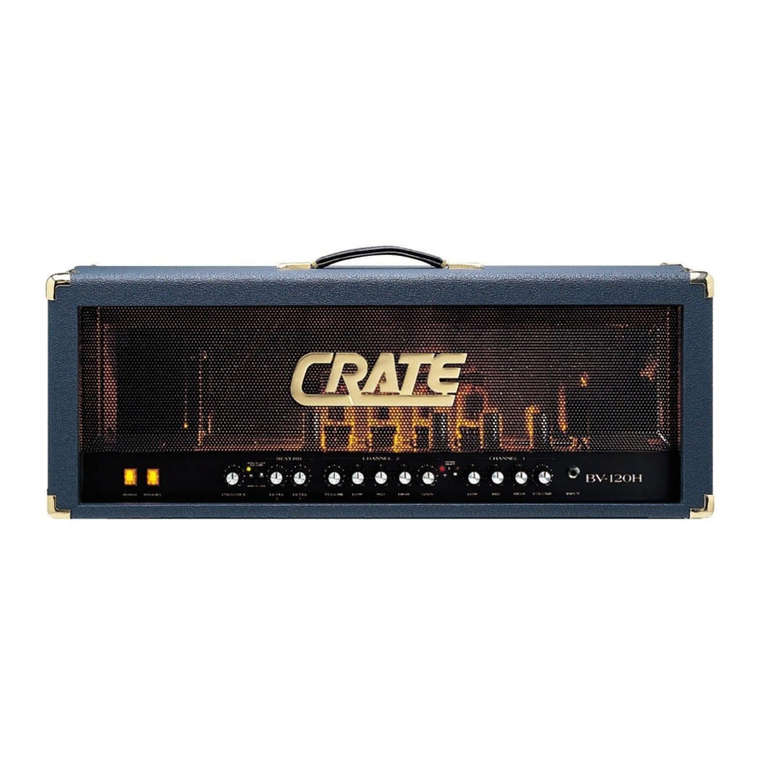
Crate Professional BV-120H user guide

Crate

Crate Professional BV-120H user guide

Laney BC30 user manual

Laney

Laney BC30 user manual

Vox Pathfinder 15SMR instruction manual

Vox

Vox Pathfinder 15SMR instruction manual

Marshall Amplification JVM205C brochure

Marshall Amplification

Marshall Amplification JVM205C brochure

Peavey Wiggy operating manual

Peavey

Peavey Wiggy operating manual

Fender Bassman 1200 operating instructions

Fender

Fender Bassman 1200 operating instructions

ZT Club owner's manual

ZT

ZT Club owner's manual

Ibanez IFS2X owner's manual

Ibanez

Ibanez IFS2X owner's manual

Crate GLX1200H user guide

Crate

Crate GLX1200H user guide

Laboga THE BEAST user guide

Laboga

Laboga THE BEAST user guide

manuals.online logo
manuals.online logoBrands
  • About & Mission
  • Contact us
  • Privacy Policy
  • Terms and Conditions

Copyright 2025 Manuals.Online. All Rights Reserved.

Version 1.0 April 2004
Users Manual
ENGLISH
V-AMPIRE LX1200H
2
V-AMPIRE LX1200H
This symbol, wherever it appears, alerts you to the
presence of uninsulated dangerous voltage inside
the enclosurevoltage that may be sufficient to
constitute a risk of shock.
This symbol, wherever it appears, alerts you to
important operating and maintenance instructions
in the accompanying literature. Please read the
manual.
IMPORTANT SAFETY INSTRUCTIONS
CAUTION: To reduce the risk of electric shock, do not remove
the top cover (or the rear section). No user
serviceable parts inside refer servicing to qualified
personnel.
WARNING: To reduce the risk of fire or electric shock, do not
expose this appliance to rain and moisture. The
apparatus shall not be exposed to dripping or
splashing and no objects filled with liquids, such
as vases, shall be placed on the apparatus.
DETAILED SAFETY INSTRUCTIONS:
1) Read these instructi ns.
2) Keep these instructi ns.
3) Heed all warnings.
4) F ll w all instructi ns.
5) D n t use this apparatus near water.
6) Clean nly with dry cl th.
7) D n t bl ck any ventilati n penings. Install in
acc rdance with the manufacturers instructi ns.
8) D n t install near any heat s urces such as radiat rs,
heat registers, st ves, r ther apparatus (including
amplifiers) that pr duce heat.
9) D n t defeat the safety purp se f the p larized r
gr unding-type plug. A p larized plug has tw blades
with ne wider than the ther. A gr unding type plug
has tw blades and a third gr unding pr ng. The wide
blade r the third pr ng are pr vided f r y ur safety. If
the pr vided plug d es n t fit int y ur utlet, c nsult
an electrician f r replacement f the bs lete utlet.
10) Pr tect the p wer c rd fr m being walked n r
pinched particularly at plugs, c nvenience receptacles,
and the p int where they exit fr m the apparatus.
11) Only use attachments/access ries specified by the
manufacturer.
12) Use nly with the cart, stand, trip d, bracket, r table
specified by the manufacturer, r s ld with the
apparatus. When a cart is used, use cauti n when m ving
the cart/apparatus c mbinati n t av id injury fr m
tip- ver.
13) Unplug this apparatus during lightning st rms r
when unused f r l ng peri ds f time.
14) Refer all servicing t qualified service pers nnel.
Servicing is required when the apparatus has been
damaged in any way, such as p wer supply c rd r plug
is damaged, liquid has been spilled r bjects have fallen
int the apparatus, the apparatus has been exp sed t
rain r m isture, d es n t perate n rmally, r has been
dr pped.
15) CAUTION - These service instructi ns are f r use by
qualified service pers nnel nly. T reduce the risk f
electric sh ck d n t perf rm any servicing ther than
that c ntained in the perati n instructi ns unless y u
are qualified t d s .
3
V-AMPIRE LX1200H
LX1200H
V-AMPIRE
Digital 2 x 60-Watt Modeling Guitar Amplifier Head
s32 authentic amp models, 15 speaker cabinet simulations, 16 multi-F such as noise gate, compressor,
wah-wah, modulation effects, delay, reverb etc.
s120-Watt mono or 2 x 60-Watt stereo operation
s125 memory locations, divided into 25 banks of 5 presets each
sIntuitive rotary controls with dedicated LED indicators
s15 rear-panel connectors allow comprehensive routing to suit virtually any conceivable applicationplus
MIDI In, Out/Thru
sMIDI implementation includes program changes, control changes and SysEx, allowing complete MIDI
automation through our free WINDOWS® editor software
sComprehensive MIDI In, Out and Thru connections
sBalanced stereo LR DI Out with ground lift and switchable ULTRA-G speaker simulation
sPre DSP send/return for dry recording and wet monitoring
sExtremely low-noise instrument input ensures maximum guitar signal integrity
sAdjustable stereo aux input for line-level signals (CD, soundcard, monitoring etc.)can be re-configured
to feed headphones only, for in-ear monitoring applications
sFrequency-compensated stereo headphone output with adjustable volume
sSuper-precise and adjustable auto-chromatic tuner
sHigh-quality components and exceptionally rugged construction for long life and durability
sDesigned in Germany. Manufactured under ISO9000 certified management system
4
V-AMPIRE LX1200H
FOREWORD
Dear Customer,
welcome to the team of
BEHRINGER users, and
thank you very much for
expressing your confi-
dence in us by purchas-
ing the V-AMPIRE.
Writing this foreword
for you gives me great
pleasure, because it
represents the culmi-
nation of many months
of hard work delivered
by our engineering team
to achieve a very am-
bitious goal: to create
an outstanding guitar
amplifier, whose excellent
sound and remarkable
functions offer a maxi-
mum on flexibility and performance. The task of designing our
new V-AMPIRE LX1200H certainly meant a great deal of
responsibility, which we assumed by focusing on you, the
discerning user and musician. Meeting your expectations also
meant a lot of work and night shifts. But it was fun, too. Developing
a product usually brings a lot of people together, and what a
great feeling it is when all who participated in such a project can
be proud of what theyve achieved.
It is our philosophy to share our enjoyment with you, because
you are the most important member of the BEHRINGER team.
With your highly competent suggestions for new products youve
made a significant contribution to shaping our company and making
it successful. In return, we guarantee you uncompromising quality
as well as excellent technical and audio properties at an extremely
reasonable price. All of this will enable you to give free rein to
your creativity without being hampered by budget constraints.
We are often asked how we manage to produce such high-
quality equipment at such unbelievably low prices. The answer
is quite simple: its you, our customers! Many satisfied customers
mean large sales volumes enabling us to get better purchasing
terms for components, etc. Isnt it only fair to pass this benefit on
to you? Because we know that your success is our success
too!
I would like to thank all of you who have made the V-AMPIRE
LX1200H possible. You have all made your own personal
contributions, from the developers to the many other employees
at this company, and to you, the BEHRINGER user.
My friends, its been worth the effort!
Thank you very much,
Uli Behringer
TABLE OF CONTENTS
1. INTRODUCTION ......................................................... 5
1.1 ... before you get started ............................................. 5
1.1.1 Serial number ..................................................... 5
1.2 The manual .................................................................... 5
2. CONTROL ELEMENTS ............................................... 6
2.1 Front panel .................................................................... 6
2.2 Rear panel ..................................................................... 8
3. OPERATING MODES AND APPLICATIONS ................ 9
3.1 Selecting an operating mode in
CONFIGURATION mode ................................................ 9
3.2 Live on stage or in a rehearsal room ........................... 9
3.3 Rehearsal or recording at home .................................. 9
3.4 Studio recording/recording ......................................... 10
4. PRESETS ................................................................. 11
4.1 Calling up presets ....................................................... 11
4.2 Editing presets ............................................................ 11
4.3 Storing presets ........................................................... 11
4.4 Discarding an edited preset/restoring
a single factory preset ............................................... 11
4.5 Restoring all factory presets ...................................... 11
5. AMP/SPEAKER-SIMULATION .................................. 12
5.1 Amp descriptions ........................................................ 12
5.2 Speaker descriptions .................................................. 14
6. EFFECTS PROCESSOR ............................................ 14
6.1 Wah Wah .................................................................... 15
6.2 Effect descriptions ..................................................... 15
6.2.1 Reverb and delay algorithms ........................... 15
6.2.2 Modulation effects ............................................ 15
6.2.3 Combinations of effect algorithms
(multi-effects programs) .................................. 15
6.2.4 Special effects ................................................. 15
6.3 The separate reverb effect ........................................ 16
7. TUNER ...................................................................... 16
7.1 Tuning your guitar ....................................................... 16
7.2 Setting reference pitch A ........................................ 16
8. INSTALLATION ......................................................... 17
8.1 Mains voltage .............................................................. 17
8.2 Audio connections ...................................................... 17
8.3 MIDI connections ......................................................... 18
8.3.1 Sending/receiving MIDI Sysex data ................. 18
9. SPECIFICATIONS ..................................................... 18
10. APPENDI .............................................................. 19
11. WARRANTY ............................................................ 20
WARNING!
+Please n te that high v lume levels may cause
permanent damage t y ur hearing and/ r y ur
headph nes. Turn all LEVEL c ntr ls t the left
bef re y u switch n the unit. Be sure t keep the
v lume at an appr priate level.
5
V-AMPIRE LX1200H
1.1.1 Serial number
The serial number is located on the rear panel of your
V-AMPIRE. Please take the time to fill out and return the warranty
card within 14 days after the date of purchase to qualify for our
extended warranty. Or register online at www.behringer.com.
1.2 The manual
This manual has been designed so that you can get a clear
overview of all control elements and at the same time find detailed
information on how to use them. To let you quickly get an overview
of different topics, we have grouped various control elements
according to their function. If you need more information on
specific topics, please visit our web site at www.behringer.com.
For example, there you can find complete information about MIDI
implementation.
1. INTRODUCTION
1. INTRODUCTION
Congratulations! With the V-AMPIRE LX1200H, you have the
newest generation of modeling guitar amps. It offers an extremely
broad range of options and possibilities, the only limit being your
own imagination.
The V-AMPIRE is is so versitile and has so many features that
you will hardly need any other equipment. Use it with a guitar
speaker cabinet like our BG412V to deliver either 120 Watts
mono or 2 x 60 Watts stereo. However you use your V-AMPIRE,
you will always profit from its enormous flexibility.
So enough talk: Nothing will convince you more than what you
actually hear and feel when you play your V-AMPIRE.
But ...
1.1 ... before you get started
Your V-AMPIRE was carefully packed at the assembly plant to
assure secure transport. Should the condition of the cardboard
box suggest that damage may have taken place, please inspect
the unit immediately and look for physical indications of damage.
+Damaged equipment sh uld NEVER be sent directly
t us. Please inf rm the dealer fr m wh m y u
acquired the unit immediately as well as the
transp rtati n c mpany fr m which y u t k
delivery. Otherwise, all claims f r replacement/
repair may be rendered invalid.
+Please always use the riginal packaging t av id
damage due t st rage r shipping.
+Never let unsupervised children play with the
V-AMPIRE r with its packaging.
+Please disp se f all packaging materials in an
envir nmentally friendly fashi n.
Please make sure the unit is provided with sufficient ventilation,
and never place the V-AMPIRE in the vicinity of heaters to avoid
the risk of overheating.
+Bef re y u c nnect the unit t the mains, please
make sure that the v ltage setting n the unit
matches the l cal v ltage! Please refer t the
imp rtant inf rmati n n this t pic given in
chapter 8: INSTALLATION.
+Please make sure that all units have a pr per
gr und c nnecti n. F r y ur wn safety, never
rem ve r disable the gr und c nduct r fr m the
unit r f the AC p wer c rd.
The MIDI connections (IN, OUT/THRU) are for standard DIN
connectors. Data is transferred via ground-free opto-couplers.
Further information can be found in chapter 8 INSTALLATION.
6
V-AMPIRE LX1200H
2.1 Front panel
The GAIN control determines the distortion level and the
saturation of an amp simulation.
The VOLUME control determines the volume of the selected
preset.
The BASS control in the EQ section is for boosting or
cutting the low-frequency range.
The MID control is for boosting or cutting the mid-range
frequencies.
TREBLE controls the high-frequency range of the selected
preset.
+The LED rings ar und the VOLUME, BASS, MID,
TREBLE, GAIN, EFFECTS and REVERB c ntr ls each
have nine LEDs. On each ring either ne LED r
tw neighb ring LEDs (in between p siti n) will
light up at a time, indicating a t tal f 17 different
p siti ns.
+If the TAP butt n is pressed, the TREBLE c ntr l
functi ns as a PRESENCE c ntr l. This enables y u
t b st/cut a high-frequency filter tuned t
whatever amp m del is active, thus simulating the
frequency-dependent negative feedback f tube
amps.
The AMPS control is for selecting one of 32 different
amplifier simulation models. The control is surrounded by a
ring of 16 LEDs. Each LED corresponds to two types of
amplifiers. The first 16 simulations can be selected by
turning the AMPS control.
To select the simulation models 17 - 32, press down the
TAP button while making your selection by turning the AMPS
control.
+The LED 17 - 32 in the b tt m left-hand c rner f
the DISPLAY indicates that ne f the simulati n
m dels 17 - 32 has been selected.
In addition, you can activate a PREAMP BYPASS by
pressing the button combination TUNER and TAP
for using the LX1200H as effects unit. If PREAMP BYPASS
has been selected, none of the LEDs on the AMPS control
lights up. To disable PREAMP BYPASS, simply select a
different amp model or press both buttons again.
These five buttons are for selecting a preset (A - E) within
one bank.
In EDIT mode (activated by simultaneously pressing the
arrow buttons described in ), the buttons perform the
function printed directly below them:
2. CONTROL ELEMENTS
sA: Accesses the MIDI functions. Use the arrow buttons to
set the MIDI channels (1 through 16) for transmitting and
receiving MIDI data.
If you use button A in EDIT mode to select the MIDI function
and then press the TAP button, the MIDI OUT connector is
set to act as a MIDI THRU. In this setting (the TAP LED is lit)
no MIDI data is sent, but the device passes on the signal
received at the MIDI IN connection.
sB: Selects the DRIVE function. This noticeably raises
distortion and volume. Use the arrow buttons to switch
DRIVE on and off. The DRIVE function is wired pre GAIN
control.
+While editing the DRIVE functi n, y u can als
activate and adjust the Wah-Wah effect by turning
the EFFECTS c ntr l. The LEDs surr unding the
EFFECTS c ntr l indicate the p siti n f the pedal.
If n ne f the LEDs light up, the Wah-Wah is n t
activated.
sC: This button activates the CABINETS mode. Use the
arrow buttons to select the type of speaker or combination
of speakers you want. You can also switch off the speaker
simulation completely (-). For further details, please refer
to chapter 5.2.
sD: Use this button to select the REVERB function. The
arrow buttons can be used to select one of nine different
types of reverb in addition to the multi-effects processor.
For further details see chapter 6.3.
sE: Here you can activate the NOISE GATE function. Use
the arrow buttons to adjust the noise reduction threshold.
+After preset editing, please press TUNER/EXIT t
quit (the EDIT MODE LED dies ut).
+CONFIGURATION: If y u press the D and E butt ns
simultane usly, y u can select the general
perating m de f y ur V-AMPIRE, all wing
adjustments t different studi and live situati ns
(see chapter 3). T d that, first exit the EDIT m de
by pressing TUNER (Exit).
The TUNER button is for switching on the tuner. In addition,
this button can be used to quit EDIT mode (Exit).
Use the two arrow buttons to select a different bank (BANK
DOWN and BANK UP). You can skip banks by holding
each of the buttons down. To activate the EDIT mode,
press both buttons simultaneously. If you press one of the
buttons A - E ( ) in that mode, the arrow buttons can be
used for setting parameters.
2. CONTROL ELEMENTS
Fig. 2.1: V-AMPIREs c ntr l elements (fr nt panel)
7
V-AMPIRE LX1200H
2. CONTROL ELEMENTS
The TAP button has seven functions:
sTap: Tap the rhythm of a piece of music on the TAP
button and the selected effect automatically adapts to the
tempo of the music.
sPresence: While holding down the TAP button, you
can use the TREBLE control to change the PRESENCE
setting of the amp model youve selected.
s2nd parameter: You also can access the second effects
parameter set by using the EFFECT control while holding
down the TAP button.
sAmp M dels 17 - 32: Keep the TAP button pressed
down and select an amp model using the AMPS control.
sMIDI Thru: The MIDI OUT connector can be set to act as
MIDI THRU (see A).
sDrive: Using the TAP button and the EFFECT control
changes the sound of the Wah-Wah effect.
sInput Gain: By pressing the TAP button in the
configuration menu (see ) you change the value (please
refer to chapter 3.1 for further information).
Fig. 2.2: V-AMPIRE display
The DISPLAY shows you which preset bank you have
selected and gives you information on parameter changes
when you are editing. In TUNER mode the DISPLAY shows
the pitch of the instrument connected to the unit. If one of
the amplifier simulations 17 - 32 has been selected, the
LED in the bottom left-hand corner of the DISPLAY lights
up. Applied signals are indicated by the green SIGNAL
LED, overload signals by the red CLIP LED.
This control is for selecting an effect or a combination of
effects. This encoder-type rotary control is also surrounded
by a ring of 16 LEDs. Each LED corresponds to one specific
effects preset.
If an effect has been selected via , its part of the
overall sound can be set using this EFFECTS control. If
you select the Compressor effect, you can use the
EFFECTS control to adjust the compression intensity.
Turning the control to the left until all the LEDs are off
disables the effect. This is known as an effects bypass.
+By pressing the TAP butt n, y u can set a sec nd
effects parameter using the EFFECTS c ntr l
(see table 6.1).
Using the REVERB control, you can gradually add reverb
to your overall sound. By turning it to the left until all the
LEDs are off, you deactivate the reverb. To fade out the
original signal, turn the control to the right until only the last
LED lights up.
The MASTER control determines the overall volume of
your device.
+This is the nly c nventi nal n n-pr grammable
c ntr l. All ther c ntr ls are enc der-type r tary
c ntr ls wh se settings can be st red as a preset.
The INPUT socket is the 1/4" connector for your guitar.
Please use a standard 1/4" TS connector.
The stereo PHONES connector allows you to monitor the
audio signal with standard headphone (e.g. BEHRINGER
HP series).
+Y ur V-AMPIRE aut matically activates studi m de
1 (S1) when c nnecting headph nes. In this m de
the digital speaker simulati ns are activated. With
the headph nes plugged in, y u are able t select
any ther c nfigurati n, e.g. f r m nit ring
purp ses (see als chapter 3).
+If y u did n t ch se a speaker simulati n with the
current setting and c nnect headph nes, the device
will aut matically switch t a speaker simulati n.
This will increase the listeners s und impressi n.
Please refer t table 5.2 f r detailed inf rmati n n
the vari us speaker/amp c mbinati ns. H wever,
y u can intenti nally change r deactivate the
simulati n when using headph nes by selecting
- in the CABINETS m de (see C).
WARNING!
+Please n te that high v lume levels may cause
permanent damage t y ur hearing and/ r y ur
headph nes. Turn all LEVEL c ntr ls t the left
bef re y u switch n the unit. Be sure t keep the
v lume at an appr priate level.
8
V-AMPIRE LX1200H
2. CONTROL ELEMENTS
2.2 Rear panel
The LX1200H features a serial insert path for external
effects. Connect the SEND/LINE OUT connector to the
input of your effects device. The SEND/LINE OUT output is
taken directly pre-digital processor (PRE DSP), which
means you can use this connector also to record a dry
direct signal without any effect added. Connect the
RETURN/LINE IN connector to the output of your external
effects device.
+When using the serial insert path, please d n t
set the effects device t 100% effects signal (wet);
therwise, the direct signal will be missing.
+As s n as the VAMPIREs LINE IN (Return) is
c nnected, the signal is aut matically r uted t the
DSP. The input signal fr m the fr nt will then be
interrupted at this p int.
The ANALOG LINE OUTPUTS provide the stereo signal
without analog speaker simulation applied.
Use these connectors, for example, to connect an external
amp on stage.
+Y u may use b th balanced and unbalanced plugs
with the LINE OUTs.
Connect the stereo connector of your FS112V footswitch
(included) to the FOOTSWITCH socket. This will enable
you to recall the presets from one bank. To switch on the
tuner, hold down the DOWN button on the footswitch for
more than two seconds. You can also switch the tuner off
again using the same button.
The GROUND LIFT switch disconnects (switch pressed)
the ground connection at the DI OUT outputs co to effectively
eliminate hum noise resulting from ground loops. When the
switch is pressed (LIFT), the ground connection is
interrupted.
The DI OUT output provides the balanced stereo signal of
your LX1200H. Connect this output (L/R) to two balanced
microphone inputs on your mixing console. With
configuration modes L1 and L2 the maximum level is reduced
to -10 dBu so that you can directly connect them to the mic
inputs of your mixing console.
The AUX IN connector socket enables you to feed in
additional stereo signals. This way, you can for example
play a drum computer or a playback.
The AUX LEVEL control is used for determining the volume
of the signal received at the AUX IN input.
Connect two loudspeakers (LEFT/MONO or RIGHT) to these
connectors
+A l udspeaker with minimum 4 Ohms impedance
and 120 Watt p wer handling can be c nnected t
the left utput (m n ). Tw speakers with
minimum 8 Ohms/60 Watts each can be c nnected
t b th utputs. Our ULTRASTACK BG412 series
speakers are a perfect match because they can be
perated in either m n r stere m de.
This is the MIDI OUT/THRU connector. It is configured as
MIDI OUT but can be set to act as a MIDI THRU connector
(see A).
Use the MIDI IN to connect a foot controller, for example,
the BEHRINGER MIDI FOOT CONTROLLER FCB1010
(see chapter 8.3 for details).
SERIAL NUMBER. Please take the time to fill in and return
the warranty card within 14 days after the date of purchase,
so as to benefit from our extended warranty. Or register
online at (www.behringer.com).
FUSE HOLDER/VOLTAGE SELECTOR. Before
connecting the unit to the mains, make sure that the voltage
setting matches your local voltage.
A blown fuse should only be replaced by a fuse of the
same type and rating. On some units, the fuse holder can
be switched to one of two positions, i.e. 230 V and 120 V.
When operating the unit outside Europe at 120 V, a higher
fuse rating is required (see chapter 8 INSTALLATION).
The mains connection is on an IEC receptacle. An
appropriate power cord is included.
Use the POWER switch to put the V-AMPIRE into operation.
The POWER switch should be in the off position (not
pressed) if you want to connect the device to the mains.
+Attenti n: The POWER switch d es n t fully
disc nnect the unit fr m the mains. Unplug the
p wer c rd c mpletely when the unit is n t used
f r pr l nged peri ds f time.
Fig. 2.3: C ntr l elements f the V-AMPIRE (rear panel)
9
V-AMPIRE LX1200H
3. OPERATING MODES AND
APPLICATIONS
One outstanding V-AMPIRE LX1200H feature is that you can
choose which parts of the signal you want to route to the outputs.
To adapt your device perfectly to the various studio and live
applications you can choose between 5 different operating modes
(CONFIGURATIONS). Independent of the settings stored in the
presets, these operating modes determine where the signal for
the line outs and headphones comes from so that both left and
right output signal can be used for different purposes.
Because the choice of the most suitable operating mode
depends on where you use it, we have described some typical
applications.
+With the headph ne plugged, the device aut -
matically switches int S1 perating m de.
3.1 Selecting an operating mode in
CONF GURAT ON mode
2SHUDWLQJPRGH 2873876/ 28738765
Amp simulation dry,
ZR
effects Amp simulation
ZLWK
effects
Live 1 (L1)

Studio 3 (S3)
Studio 2 (S2)
Studio 1 (S1)
6WHUHRRSHUDWLRQ
with effects, amp and speaker
simulation
3KRQHV;/5RXWSWXV
additionally with analog
ULTRA-G speaker simulation
Amp and speaker
simulation, dry,
ZR
effects
Amp and speaker
simulation, dry,
ZLWK
effects
3KRQHV;/5RXWSXWV
additionally with analog
ULTRA-G speaker simulation
Live 2 (L2)
&RQQHFWRURXWSXWV
6WHUHRRSHUDWLRQZR
cab simulation
but with 3-band EQ, amp simulations + effects
6WHUHRRSHUDWLRQ
Amp and speaker simulation,
3-band EQ + Effects
Table 3.1: Operating m des (CONFIGURATIONS)
The settings of the configurations are made in the configuration
menu by simultaneously pressing the buttons D and E. The display
shows the current configuration. Use the arrow buttons to select
another configuration. Please refer to table 3.1 for information
on the corresponding output signals.
+By pressing the TAP butt n and adjusting the GAIN
c ntr l y u can additi nally adapt the input
amplificati n t particularly l ud pick ups.
In the configuration menu you can adapt the input gain to
different pick up types. To do this, keep the TAP button pressed
and the surrounding GAIN control LEDs show the current setting.
Turning the GAIN control from its center position to the left you
will reduce the input amplification which probably is
recommendable with very loud pick up types. GAIN settings in
clockwise direction are only recommended with very weak pick
up types.
Quit the configuration menu by pressing TUNER/EXIT.
3.2 Live on stage or in a rehearsal room
Figure 3.1 shows a single 4 Ohm speaker cabinet connected
to the left speaker output (mono) to deliver the full 120 Watts.
Fig. 3.1: M n perati n at 4 Ohms
impedance
Figure 3.2 shows a stereo cabinet (e.g. the BG412V from our
ULTRASTACK series) connected to the left and right speaker
outputs. The cabinet is then powered by 2 x 60 Watts at
2 x 8 Ohms impedance to get the most from the V-AMPIREs
stereo effects.
Fig. 3.2: Stere perati n at 2 x 8 Ohms
impedance
Our favourite operating mode for live applications is Live 2
(L2), i.e., a mono signal (1 x 4 Ohms) or a stereo signal
(2 x 8 Ohms), with all effects, amp simulation and live EQ but no
speaker simulation. The XLR output has analog ULTRA-G speaker
simulation that can be connected to a sound reinforcement system.
Here, the MASTER control only influences the stage volume but
not the XLR output level.
If you want to listen to a digital speaker simulation using an
amplifier, select L1.
3.3 Rehearsal or recording at home
When using headphones, the LX1200H will switch into studio
mode 1 (S1). This mode is particularly suitable for rehearsals or
when recording/monitoring a stereo signal. You could also use
live mode 1 (L1) which applies an additional 3-band EQ.
3. OPERATING MODES AND APPLICATIONS
10
V-AMPIRE LX1200H
One advantage of rehearsing at home is that there is often a
computer available which allows you to design, edit, send, receive
and archive new presets comfortably and effectively. Download
our V-AMP DESIGN software free of charge at www.v-amp.com.
You can create your own presets even with minimum system
requirements (Windows PC with MIDI interface or gameport MIDI
adapter). On the V-AMP homepage you also find an online preset
database (ULI, user library interface) with plenty of presets created
by other V-AMP users and famous artists. Here, you can upload
your own favorite presets and make them accessible for other
users.
Using studio mode 2 (S2) at home can be a good idea when it
comes to recording an amp sound without effects (dry) but
monitoring it with effects (wet). Working this way, you are
able to choose the effects you want later during mixdown. In
this case you would route the left output to the soundcard of
your computer and monitor the right output via your mixing console.
Figure 3.3 shows a typical home/rehearsal room application.
We recommend modes S1, L1 or L2.
Fig. 3.3: Standard stere setup with
2 x 8
Ω
impedance (stere )
S1 comprises all amp, speaker and effects simulations. The
same applies to mode L1 which also includes the 3-band EQ for
additional sound adjustment, for example when you use
headphones of inferior quality. Mode L2 works similarly but here
the digital speaker simulation (stored in a preset) is switched off
and replaced by our analog ULTRA-G simulation (enabled on the
XLR or phones outputs only).
+When c nnecting headph nes, the amp signal is
aut matically muted. Thus, if y u unplug the
headph nes we str ngly rec mmend t turn the
MASTER c ntr l t the very left. The XLR utput is
independent f the MASTER c ntr l setting. This
all ws t tap int a line signal f r rec rding
purp ses, even when MASTER c ntr l is set t
minimum.
The stereo AUX input enables you to play back line signals like
CDs, drum computer etc.
3.4 Studio recording/recording
For this applications we assume that at least a mixing console
and a recording device is available.
As with rehearsals at home or anywhere else, the V-AMPIRE
can be connected directly to a mixing console or recording device
via its XLR outputs. In addition, you can use the pre DSP insert
send to record the same direct guitar signal without needing
another DI-box for impedance adjustment.
Since the usual volume problem does not exist in studio
environments, the LX1200H has more to offer than those features
described in chapter 3.3. In the studio you can raise the volume
to take full advantage of the V-AMPIREs own sound. This can
be of particular interest if you have a particular speaker cabinet
with its own sonic character, or if acoustic feedback from the
guitar speaker to the guitar is desired. For the first scenario, you
will need to use a microphone to capture this special loudspeaker
tonal quality. For the second scenario, you can directly feed the
XLR output into the console without the feedback sound being
gone. We recommend mode L2, with 3-band EQ but without
digital speaker simulation.
Fig. 3.4: Expanded rec rding setup with a multitrack-rec rder
and a mixing c ns le
3. OPERATING MODES AND E AMPLES