FlightSim Developers
KFC 225 Autopilot
Pilot Handbook
- 5 –
For use with Microsoft Flight Simulator only. Not to be used in real world aviation.
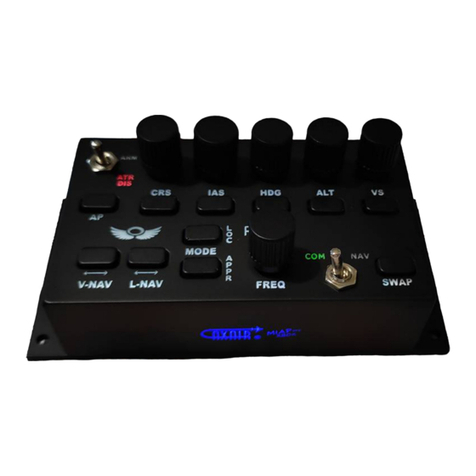
1.2.0 TOGGLE RADIO STACK POPUP
In the upper left-hand corner of the unit, a small mouse hotspot can toggle
the radio stack popup panel on/off, for convenience.
1.2.1 AUTOPILOT MASTER
The position of the AP Master Key determines whether the autopilot is in Active Mode or
Standby Mode. In Standby Mode, selections can be made without the autopilot issuing
any instructions to servo or trim controls. When the AP Master is ON the autopilot is in
Active Mode, and servos/control tabs are actively set to achieve the desired roll and pitch.
1.2.2 FLIGHT DIRECTOR
Depress the Flight Director Key to toggle the Flight Director bars on your Automatic
Direction Indicator (ADI) on and off.
Not all Flight Simulator aircraft have Flight
Director capability. This is based on the
plane’s aircraft.cfg file.
In order for the Flight Director to work the
following entry must be present in the
[autopilot] section of the aircraft.cfg file:
flight_director_available=1
If this value is set to zero the Flight Director system will not be available in Flight Simulator! Note
that the Control Center tool can format this setting for you. See the Control Center Documentation
for more details.
The FD Key must be switched ON in order for
the KFC225 to operate in Fixed Trim Modes, as
1.2.3 SYSTEM OPERATING MODES
There are two basic modes of operation; Fixed Trim Modes and Servo Control Modes. The Roll and
Pitch axis operate independently, depending on the control selections outlined below.
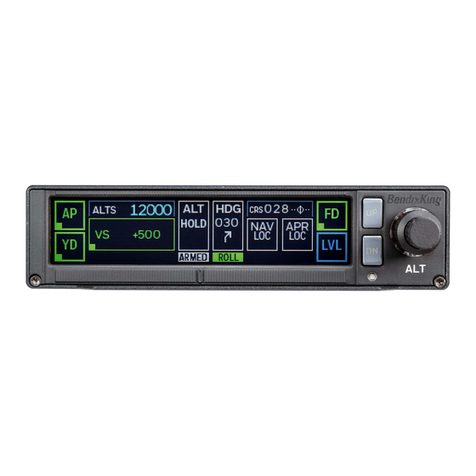
AP Servo Annunciator - When the KFC225 is in Active Mode (AP Master ON) and in Servo
Control Modes this annunciator will illuminate, indicating that the unit is actively pursuing
the course and/or altitude selected.
Arm Indicator - When the KFC225 is actively pursuing its course, roll, or pitch, an ARM
indicator will annunciate on the Display Panel
. When the roll/course/pitch has been achieved, the ARM annunciator will extinguish.