Bosch DinionHD NBN-932 User manual
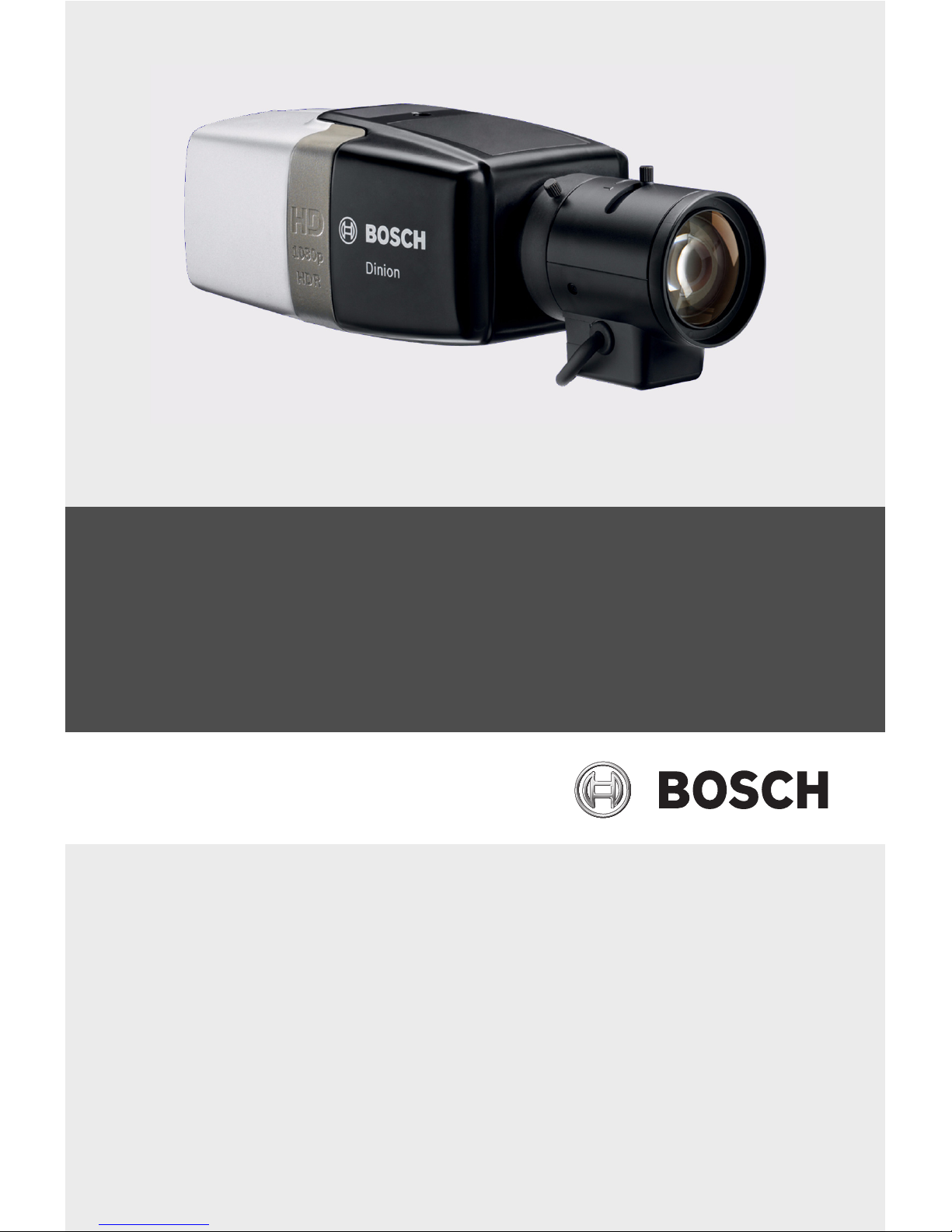
DinionHD 1080p HDR
NBN-932
en Installation Manual


DinionHD 1080p HDR Table of Contents | en 3
Bosch Security Systems Installation Manual AM18-Q0614 | v1.0 | 2012.03
Table of Contents
1Safety 5
1.1 Safety precautions 5
1.2 Important safety instructions 6
1.3 Connection in applications 7
1.4 FCC & ICES compliance 8
1.5 MicroSD cards 9
1.6 UL certification 9
1.7 Bosch notices 10
1.8 Copyrights 11
2 Introduction 12
2.1 Features 12
3 System Information 13
3.1 Overview of functions 13
3.1.1 Progressive scan 13
3.1.2 Day/Night function 13
3.1.3 Quad-streaming 13
3.1.4 ONVIF (Open Network Video Interface Forum) 13
3.1.5 Audio 14
3.1.6 Alarm I/O 14
3.1.7 Tamper detection and motion detection 14
3.1.8 Video encoding 14
3.1.9 Multicast 14
3.1.10 Power-over-Ethernet 14
3.1.11 Data interface 14
3.1.12 Encryption 15
3.1.13 Recording 15
3.1.14 Configuration 15
3.2 Operation with external systems 16
4 Planning 17
4.1 Unpacking 17
4.2 System requirements 17

4en | Table of Contents DinionHD 1080p HDR
AM18-Q0614 | v1.0 | 2012.03 Installation Manual Bosch Security Systems
5 Installation 18
5.1 Lens mounting 18
5.2 Mounting the camera 20
5.3 Network (and power) connector 21
5.4 Power connector 22
5.5 Alarm and relay connector 23
5.6 Audio connectors 24
5.7 Local storage 25
5.8 Video service monitor connector 26
5.9 Data connector 27
6 Install Wizard 28
6.1 Using the camera install wizard 28
6.1.1 Adjustment procedure 29
7 Camera configuration 31
7.1 Reset button 31
7.2 User modes 31
7.3 Day/Night switching 32
8 Browser connection 33
8.1 Protected network 33
9Troubleshooting 34
9.1 Function test 34
9.2 Resolving problems 35
9.3 Customer service 37
10 Maintenance 38
10.1 Testing the network connection 38
10.2 Communication with Terminal Program 38
10.3 Repairs 40
10.3.1 Transfer and disposal 40
11 Technical Data 41
11.1 Specifications 41
DinionHD 1080p HDR Safety | en 5
Bosch Security Systems Installation Manual AM18-Q0614 | v1.0 | 2012.03
1Safety
1.1 Safety precautions
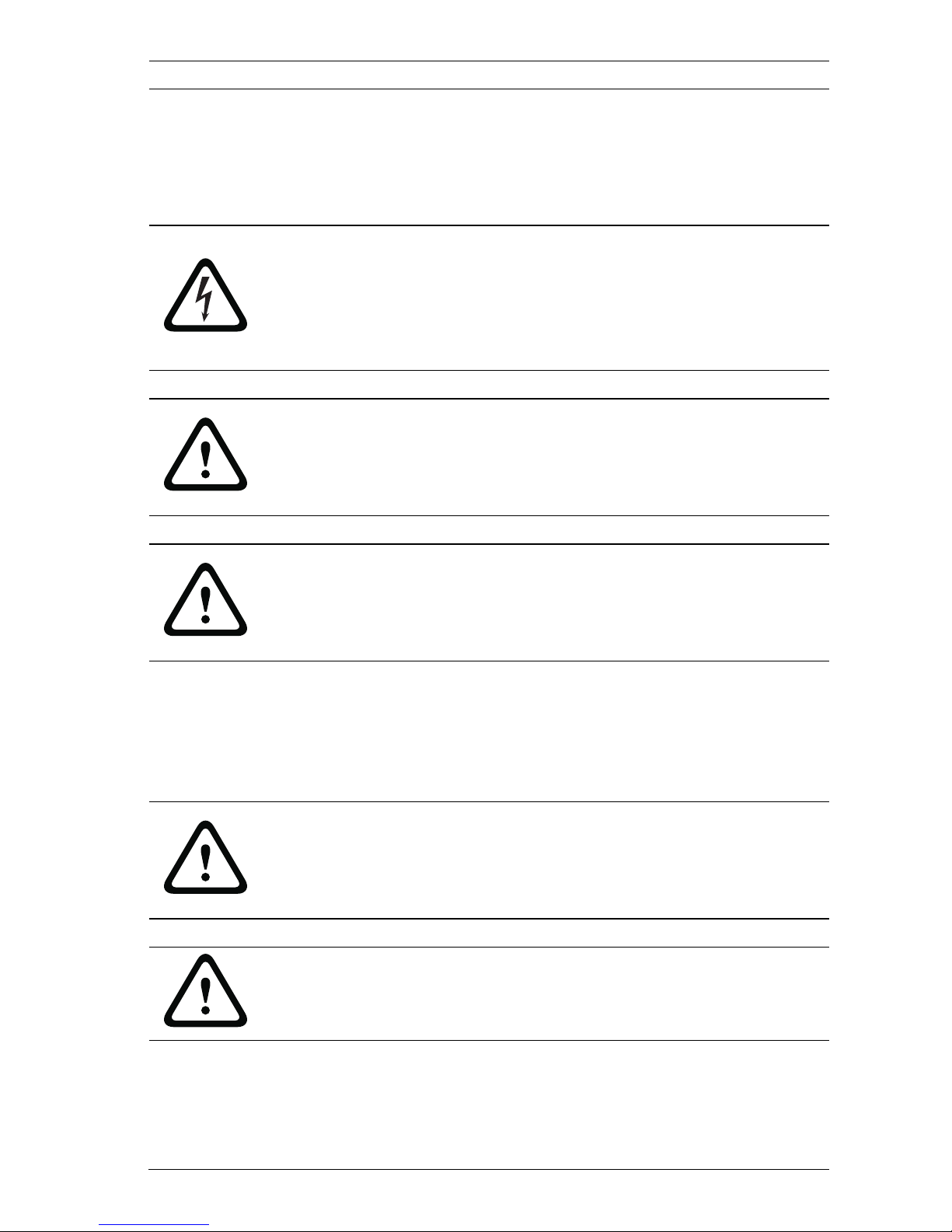
DANGER!
High risk: This symbol indicates an imminently hazardous
situation such as "Dangerous Voltage" inside the product.
If not avoided, this will result in an electrical shock, serious
bodily injury, or death.
WARNING!
Medium risk: Indicates a potentially hazardous situation.
If not avoided, this could result in minor or moderate bodily
injury.
CAUTION!
Low risk: Indicates a potentially hazardous situation.
If not avoided, this could result in property damage or risk of
damage to the unit.
CAUTION!
The Low Voltage power supply unit must comply with EN/UL
60950. The power supply must be a SELV-LPS unit or a SELV -
Class 2 unit (Safety Extra Low Voltage - Limited Power Source).
CAUTION!
The camera must be connected to earth.

6en | Safety DinionHD 1080p HDR
AM18-Q0614 | v1.0 | 2012.03 Installation Manual Bosch Security Systems
1.2 Important safety instructions
Read, follow, and retain for future reference all of the following
safety instructions. Follow all warnings on the unit and in the
operating instructions before operating the unit.
1. Clean only with a dry cloth. Do not use liquid cleaners or
aerosol cleaners.
2. Do not install unit near any heat sources such as radiators,
heaters, stoves, or other equipment (including amplifiers)
that produce heat.
3. Never spill liquid of any kind on the unit.
4. Take precautions to protect the unit from power and
lightning surges.
5. Adjust only those controls specified in the operating
instructions.
6. Operate the unit only from the type of power source
indicated on the label.
7. Unless qualified, do not attempt to service a damaged unit
yourself. Refer all servicing to qualified service personnel.
8. Install in accordance with the manufacturer's instructions
in accordance with applicable local codes. Use only
attachments/accessories specified by the manufacturer.
Equipment change or modification could void the user's
guarantee or authorization agreement.
9. Connect the earth terminal of the camera to the
system earth of the installation to ensure correct safety
and EMC/RFI protection.

DinionHD 1080p HDR Safety | en 7
Bosch Security Systems Installation Manual AM18-Q0614 | v1.0 | 2012.03
1.3 Connection in applications
Grounding
Safety (power) ground is indicated by the symbol on the
rear of the camera.
U.S.A.: - section 810 of the National Electrical Code, ANSI/NFPA
No.70, provides information regarding proper grounding.
12 VDC / 24 VAC power source: This unit is intended to
operate with a limited power source. The unit is intended to
operate at either 12 VDC or 24 VAC (if PoE is not available).
User supplied wiring must be in compliance with electrical
codes (Class 2 power levels).
PoE: Use only approved PoE devices. Power-over-Ethernet can
be connected at the same time as a 12 VDC or 24 VAC power
supply.
If auxiliary power (12 VDC or 24 VAC) and PoE is applied
simultaneously, the camera selects auxiliary input and shuts off
the PoE.

8en | Safety DinionHD 1080p HDR
AM18-Q0614 | v1.0 | 2012.03 Installation Manual Bosch Security Systems
1.4 FCC & ICES compliance
FCC & ICES Information
This equipment has been tested and found to comply with the
limits for a Class B digital device, pursuant to part 15 of the
FCC Rules. These limits are designed to provide reasonable
protection against harmful interference in a residential
installation. This equipment generates, uses, and can radiate
radio frequency energy and, if not installed and used in
accordance with the instructions, may cause harmful
interference to radio communications. However, there is no
guarantee that interference will not occur in a particular
installation. If this equipment does cause harmful interference
to radio or television reception, which can be determined by
turning the equipment off and on, the user is encouraged to try
to correct the interference by one or more of the following
measures:
– reorient or relocate the receiving antenna;
– increase the separation between the equipment and
receiver;
– connect the equipment into an outlet on a circuit different
from that to which the receiver is connected;
– consult the dealer or an experienced radio/TV technician
for help.
Intentional or unintentional modifications, not expressly
approved by the party responsible for compliance, shall not be
made. Any such modifications could void the user's authority to
operate the equipment. If necessary, the user should consult
the dealer or an experienced radio/television technician for
corrective action.
The user may find the following booklet, prepared by the
Federal Communications Commission, helpful: How to Identify
and Resolve Radio-TV Interference Problems. This booklet is
available from the U.S. Government Printing Office,
Washington, DC 20402, Stock No. 004-000-00345-4.
DinionHD 1080p HDR Safety | en 9
Bosch Security Systems Installation Manual AM18-Q0614 | v1.0 | 2012.03
1.5 MicroSD cards
Bosch Security systems recommends that local storage on
microSD card should only be used for alarm recording and
Automatic Network Replenishment (ANR) applications. To
minimize the risk of lost of digital information, we recommend
multiple, redundant recording systems, and a procedure to
back up all digital information.
1.6 UL certification
Disclaimer
Underwriter Laboratories Inc. ("UL") has not tested the
performance or reliability of the security or signaling aspects of
this product. UL has only tested fire, shock and/or casualty
hazards as outlined in ULs Standard(s) for Safety for Information
Technology Equipment, UL 60950-1. UL Certification does not
cover the performance or reliability of the security or signaling
aspects of this product.
UL MAKES NO REPRESENTATIONS, WARRANTIES, OR
CERTIFICATIONS WHATSOEVER REGARDING THE
PERFORMANCE OR RELIABILITY OF ANY SECURITY OR
SIGNALING RELATED FUNCTIONS OF THIS PRODUCT.
Disposal - Your Bosch product was developed and
manufactured with high-quality material and components that
can be recycled and reused. This symbol means that
electronic and electrical appliances, which have reached the
end of their working life, must be collected and disposed of
separately from household waste material. Separate collecting
systems are usually in place for disused electronic and
electrical products. Please dispose of these units at an
environmentally compatible recycling facility, per European
Directive 2002/96/EC

10 en | Safety DinionHD 1080p HDR
AM18-Q0614 | v1.0 | 2012.03 Installation Manual Bosch Security Systems
1.7 Bosch notices
Video loss
Video loss is inherent to digital video recording; therefore,
Bosch Security Systems cannot be held liable for any damage
that results from missing video information. To minimize the
risk of lost digital information, Bosch Security Systems
recommends multiple, redundant recording systems, and a
procedure to back up all analog and digital information.
Optical elements
Optical elements are sensitive and should be protected at all
times. Do not allow objects to come into contact with glass
surfaces and do not touch optical elements with your fingers.
Copyright
This manual is the intellectual property of Bosch Security
Systems and is protected by copyright.
All rights reserved.
Trademarks
All hardware and software product names used in this
document are likely to be registered trademarks and must be
treated accordingly.
Note
This manual has been compiled with great care and the
information it contains has been thoroughly verified. The text
was complete and correct at the time of printing. The ongoing
development of the products may mean that the content of the
user guide can change without notice. Bosch Security Systems
accepts no liability for damage resulting directly or indirectly
from faults, incompleteness or discrepancies between the user
guide and the product described.
More information
For more information please contact the nearest Bosch Security
Systems location or visit www.boschsecurity.com
Table of contents
Other Bosch Camcorder manuals