manuals.online logo
Brands
  1. Home
  2. •
  3. Brands
  4. •
  5. CallToU
  6. •
  7. Two-way Radio
  8. •
  9. CallToU WT04 User manual

CallToU WT04 User manual

Popular Two-way Radio manuals by other brands

West Marine VHF85 owner's manual

West Marine

West Marine VHF85 owner's manual

Wouxun KG-UV9G manual

Wouxun

Wouxun KG-UV9G manual

Motorola T7100 Series user guide

Motorola

Motorola T7100 Series user guide

Motorola TLKR T40 user manual

Motorola

Motorola TLKR T40 user manual

DNT Space100 owner's guide

DNT

DNT Space100 owner's guide

Midland 70-1526A/B Service manual

Midland

Midland 70-1526A/B Service manual

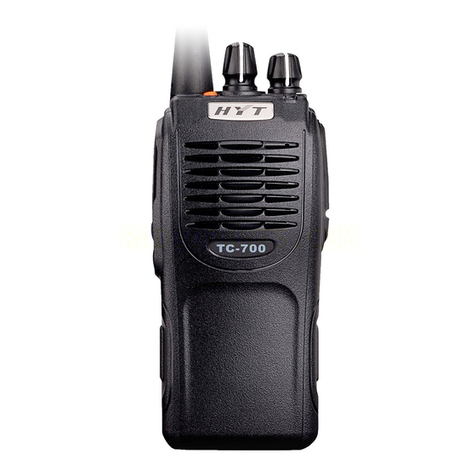
HYT TC700 Service manual

HYT

HYT TC700 Service manual

Legacy ProLine Series operating instructions

Legacy

Legacy ProLine Series operating instructions

Evolveo FreeTalk XM2-2 manual

Evolveo

Evolveo FreeTalk XM2-2 manual

AWC AWR1688+ manual

AWC

AWC AWR1688+ manual

Motorola XT665d quick start guide

Motorola

Motorola XT665d quick start guide

Cobra 2-Way Radio operating instructions

Cobra

Cobra 2-Way Radio operating instructions

Klutch KR-400 user manual

Klutch

Klutch KR-400 user manual

Garmin Rino 655t owner's manual

Garmin

Garmin Rino 655t owner's manual

Midland MXT275J manual

Midland

Midland MXT275J manual

Motorola DTR410 - On-Site Digital Radio Feature

Motorola

Motorola DTR410 - On-Site Digital Radio Feature

Cobra CXT645 owner's manual

Cobra

Cobra CXT645 owner's manual

Tait TM9100 user guide

Tait

Tait TM9100 user guide

manuals.online logo
manuals.online logoBrands
  • About & Mission
  • Contact us
  • Privacy Policy
  • Terms and Conditions

Copyright 2025 Manuals.Online. All Rights Reserved.

CallToU USER MANUAL
USER MANUAL
Mini Walkie Talkie Model: WT04
FOR MORE INFORMATION
Please visit us online store at www.CallToU.com for product information
and replacement parts.
CallToU USER MANUAL
TABLE OF CONTENTS
CallToU Walkie Tlakie Overview .............................. 3
Radio Function Explanation………………………………….. 4
Technical Parameter…………………………………………….. 5
Operation & Safety Precaution……………………………… 6
CallToU USER MANUAL
Mini Walkie Talkie Overview
CONTENT:
2 Mini Walkie Talkie Units
2 Charger cable
2 Lanyard
1 User manual
1 Charger
CallToU USER MANUAL
Radio Function Explanation
S/N
Name
Explanation
1
Antenna
High Gain Antenna
2
Signal Light
Red Light ON(Transmitting);Green
3
PTT
Press and PTT and Speak
4
PWR
Long press to turn radio ON; Short press
announce channel
5
UP
Short press to CH+; Long press to Monitor
6
DOWN
Short press to CH—;Long press to adjust
voice volume from L o H
7
MIC
Micophone / Transmitter
8
Speaker
Voice Out
9
Earphone Jack
For radio earphone
10
USB Jack
For charging and Programming
Combination Key Function
1
Keypad Lock ON /
OFF
In standby stats, press Ⓜ+PTT
button and sound “DI” to lockout the ▲/▼
button. And do the same way again to
release the ▲/▼button.
2
Language Switch
CH/EN Voice switch:(power off) press ▲+
Ⓜto switch CN/EN voice.
3
VOX ON / OFF
VOX Control ON / OFF; (Power off) press
▲+Ⓜand sound DI to turn it ON;
Press again and sound DIDID to turn it off.
CallToU USER MANUAL
Technical Paramet
Frequency
400 – 470Mhz
Channel QTY
16
Rated Voltage
DC 3.7
Battery Capacity
1000mAh
Channel Space
25Khz / 12.5Khz
Working Temperature
-20℃+ 60℃
Size
72mmX28mmX16mm
Output Power
≦0.5W
Modulation Mode
F3E
Reference Sensitivity
0.22uV / 0.25 uV
Audio Distortion
≦3%
Max. Audio Output Power
≧500mW
Antenna Impedance
50Ω
Weight
40g
Recharging Caution:
Before using, please recharge the new radio and the radio which ahs been
put aside for a long time. When the radio battery is low voltage and sound
“Charge Battery”, please recharge the radio to make sure its normal use.
CallToU USER MANUAL
Safety Precaution
Do not clean the walkie talkie with strong chemicals and detergent. Use a
damp cloth for cleaning.
Do not use near gas, dust, steam, and other explosive substances.
Do not modify devices in any way.
Do not expose units to extreme temperatures such as heater, radiator
and something like that.
Fault Elimination
Radio Fault
Solution
No power on
The battery is low and please recharge it.
No Transmitting
When transmitting, please make sure the PTT
button be pressed in right way or the battery is
too low.
No receiving
Make sure receiver and transmitter at the same
channel or the CTCSS of channel is same.
Noisy when
communication
The using environment is too noisy or the
Channel is occupied, please choose another
channels.
Small voice volume
Please adjust voice volume to make its normal
work.