manuals.online logo
Brands
  1. Home
  2. •
  3. Brands
  4. •
  5. Citizen
  6. •
  7. Watch
  8. •
  9. Citizen Eco-Drive F150 User manual

Citizen Eco-Drive F150 User manual

Other manuals for Eco-Drive F150

1

Other Citizen Watch manuals

Citizen W770 User manual

Citizen

Citizen W770 User manual

Citizen CTZ-B6778 User manual

Citizen

Citizen CTZ-B6778 User manual

Citizen C080 User manual

Citizen

Citizen C080 User manual

Citizen Eco-Drive J280 User manual

Citizen

Citizen Eco-Drive J280 User manual

Citizen Elysee 82S5 User manual

Citizen

Citizen Elysee 82S5 User manual

Citizen 0S60 User manual

Citizen

Citizen 0S60 User manual

Citizen CAL. C400 Manual

Citizen

Citizen CAL. C400 Manual

Citizen Driver's watch CTZ-B8022 User manual

Citizen

Citizen Driver's watch CTZ-B8022 User manual

Citizen F910 User manual

Citizen

Citizen F910 User manual

Citizen E365 User manual

Citizen

Citizen E365 User manual

Citizen C60 Manual

Citizen

Citizen C60 Manual

Citizen JS10 User manual

Citizen

Citizen JS10 User manual

Citizen CTZ-6748 User manual

Citizen

Citizen CTZ-6748 User manual

Citizen Elysee 82S5 User manual

Citizen

Citizen Elysee 82S5 User manual

Citizen 9015 User manual

Citizen

Citizen 9015 User manual

Citizen F100 User manual

Citizen

Citizen F100 User manual

Citizen C390 User manual

Citizen

Citizen C390 User manual

Citizen C47 User manual

Citizen

Citizen C47 User manual

Citizen C650 Manual

Citizen

Citizen C650 Manual

Citizen QUARTZ Eco-Drive CTZ-B6775 User manual

Citizen

Citizen QUARTZ Eco-Drive CTZ-B6775 User manual

Citizen 6720 Manual

Citizen

Citizen 6720 Manual

Citizen JM8XXX User manual

Citizen

Citizen JM8XXX User manual

Citizen E101 User manual

Citizen

Citizen E101 User manual

Citizen Eco-Drive E784 User manual

Citizen

Citizen Eco-Drive E784 User manual

Popular Watch manuals by other brands

Casio QW 5513 Operation guide

Casio

Casio QW 5513 Operation guide

Piaget 560P Instructions for use

Piaget

Piaget 560P Instructions for use

Armitron pro sport MD0346 instruction manual

Armitron

Armitron pro sport MD0346 instruction manual

West Marine BlackTip 13411293 Instruction Booklet and Care Guide

West Marine

West Marine BlackTip 13411293 Instruction Booklet and Care Guide

Jaeger-leCoultre HYBRIS MECHANICA CALIBRE 184 manual

Jaeger-leCoultre

Jaeger-leCoultre HYBRIS MECHANICA CALIBRE 184 manual

FOREVER iGO PRO JW-200 user manual

FOREVER

FOREVER iGO PRO JW-200 user manual

Relic OS10 quick start guide

Relic

Relic OS10 quick start guide

MyKronoz ZeClock manual

MyKronoz

MyKronoz ZeClock manual

Casio QW-782 General guide

Casio

Casio QW-782 General guide

Strikes and Spares SASM80 E-manual

Strikes and Spares

Strikes and Spares SASM80 E-manual

Christopher Ward C1000 Owner's handbook

Christopher Ward

Christopher Ward C1000 Owner's handbook

Lotus ILMFS01 instruction manual

Lotus

Lotus ILMFS01 instruction manual

Chronos Manufactures Chrono Diamond Thyrso 10400 instruction manual

Chronos Manufactures

Chronos Manufactures Chrono Diamond Thyrso 10400 instruction manual

Pandora WATCH2 quick guide

Pandora

Pandora WATCH2 quick guide

Suunto X6 user guide

Suunto

Suunto X6 user guide

Seiko N830 instruction manual

Seiko

Seiko N830 instruction manual

MotionX 365 user guide

MotionX

MotionX 365 user guide

Aplus GV18 user guide

Aplus

Aplus GV18 user guide

manuals.online logo
manuals.online logoBrands
  • About & Mission
  • Contact us
  • Privacy Policy
  • Terms and Conditions

Copyright 2025 Manuals.Online. All Rights Reserved.

Component identification
Checking the reception result of the satellite signal
1.
Push the crown in to position 0.
2.
Press and release the lower right button Ⓐ.
The previous reception result is indicated.
Indication Reception result
OK The reception succeeded.
NO The reception failed.
3.
Press and release the lower right button Ⓐto finish the
procedure.
Receiving the satellite time signal
• To cancel the reception, press and hold any button until the second hand
returns to indicate the seconds.
Obtaining location information
The watch sets the world time and adjusts the time and calendar
automatically using location information obtained.
• It may take 30 seconds - 2 minutes to obtain location information.
• Each time zone is based on data as of January 2015.
1.
Push the crown in to position 0.
2.
Press and hold the upper right button Ⓑuntil the second
hand points “RX-GPS” (about 4 seconds).
• After finishing the reception, the second hand indicates the new setting
and returns to indicate the seconds.
Time reception
• It may take 3 -30 seconds to receive time information.
1.
Push the crown in to position 0.
2.
Press and hold the lower right button Ⓐuntil the second
hand points “RX-TME” (about 2 seconds).
• After finishing the reception, the second hand indicates the reception
result and returns to indicate the seconds.
Leap second reception
• It may take 36 seconds - 13 minutes to receive leap second information.
1.
Push the crown in to position 0.
2.
Press and hold the lower right button Ⓐfor 7 seconds.
Release the button after the second hand points “RX-TME” and turns
fully around to point “RX-TME” again. Reception starts.
• After finishing the reception, the second hand indicates the reception
result and returns to indicate the seconds.
Hour hand
Place name/time
zone
Second hand
Date indication
Minute hand
Crown
Button
Ⓐ
Button
Ⓑ
Switching summer time and standard time
1.
Pull the crown out to position 1.
2.
Press and release the lower right button Ⓐ.
Setting Meaning
SMT ON Summer time is indicated.
SMT OFF The standard time is indicated.
• Each time you press the button, ON and OFF changes alternately.
3.
Push the crown in to position 0to finish the procedure.
Using the world time
Setting the world time
1.
Pull the crown out to position 1.
The second hand indicates the current time zone and the function hand
indicates the summer time setting.
2.
Rotate the crown to choose a time zone.
Time indication changes.
See also “How to read indication of the world time setting” and “Table of
time zones and representative places” below for time zone setting.
3.
Push the crown in to position 0to finish the procedure.
The function hand returns to day indication.
How to read indication of the world time setting
The watch has 40 time zone markers with
several representative area names. A time zone
is set by pointing the second hand at one of the
markers.
On the illustration, the second hand points to
28 seconds and time zone setting is “+11.5”.
• Time zones are represented by offsets from
UTC.
Continued on the next page
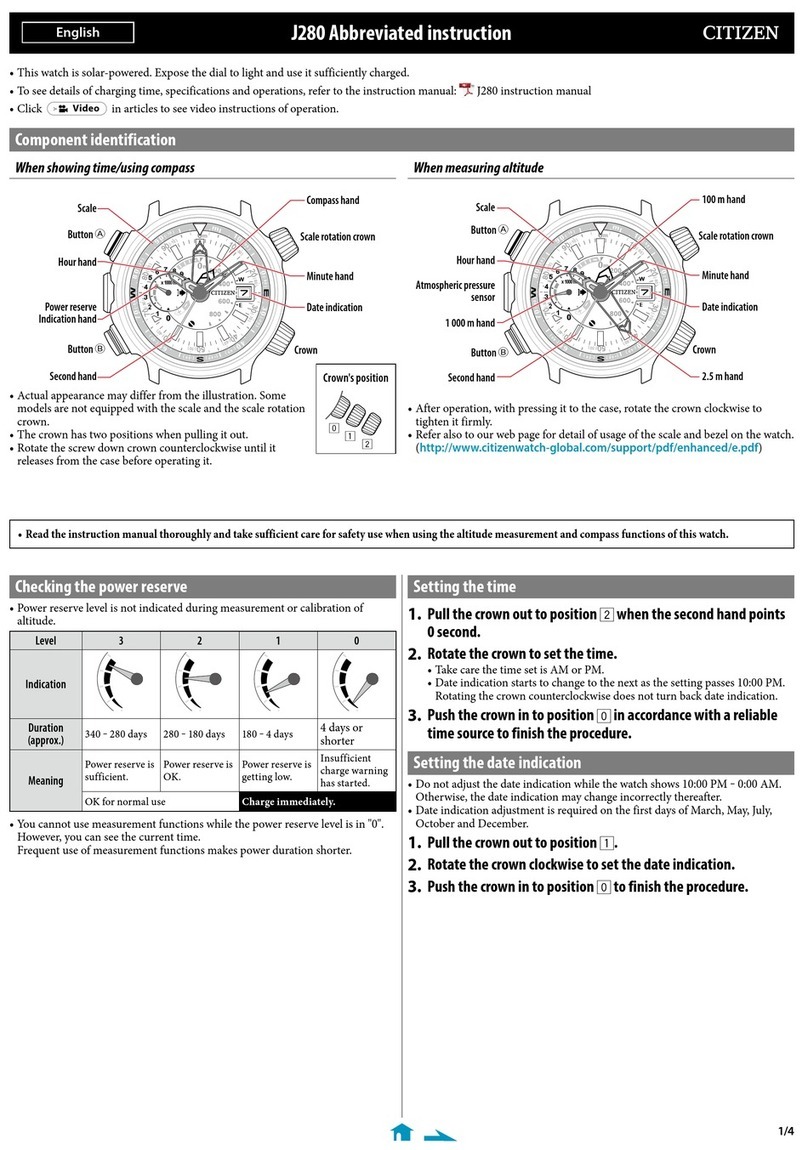
F150 Abbreviated instruction
• This watch is solar-powered. Expose the dial to light and use it sufficiently charged.
• To see details of charging time, specifications, and operations, refer to the instruction manual: F150 instruction manual
Function hand
• Day indication
• Power reserve level
(in five levels)
• Summer time
setting (
ON/OFF
)
Crown’s position
0 1 2
Table of time zones and representative places
Time
zone
Second
hand
Area
name
Representative
area
0
0 sec.
LON
London
+1
2 sec.
PAR
Paris
+2
4 sec.
ATH
Athens
+3
6 sec.
RUH
Riyadh
+3.5
7 sec.
—
Tehran
+4
8 sec.
DXB
Dubai
+4.5
9 sec.
—
Kabul
+5
10 sec.
KHI
Karachi
+5.5
12 sec.
DEL
Delhi
+5.75
13 sec.
—
Kathmandu
+6
14 sec.
DAC
Dhaka
+6.5
15 sec.
—
Yangon
+7
16 sec.
BKK
Bangkok
+8
18 sec.
BJS
(HKG)
Beijing/
Hong Kong
+8.75
20 sec.
—
Eucla
+9
21 sec.
TYO
Tokyo
+9.5
23 sec.
ADL
Adelaide
+10
25 sec.
SYD
Sydney
+10.5
26 sec.
—
Lord Howe
Island
+11
27 sec.
NOU
Noumea
Time
zone
Second
hand
Area
name
Representative
area
+11.5
28 sec.
—
Norfolk Island
+12
29 sec.
AKL
Auckland
+12.75
31 sec.
—
Chatham Islands
+13
32 sec.
TBU
Nuku’alofa
+14
34 sec.
—
Kiritimati
-12
36 sec.
—
Baker Island
-11
38 sec.
MDY
Midway
-10
40 sec.
HNL
Honolulu
-9.5
41 sec.
—
Marquesas
Islands
-9
42 sec.
ANC
Anchorage
-8
44 sec.
LAX
Los Angeles
-7
46 sec.
DEN
Denver
-6
48 sec.
CHI
Chicago
-5
50 sec.
NYC
Ne w Yo rk
-4.5
51 sec.
—
Caracas
-4
52 sec.
SCL
Santiago
-3.5
53 sec.
—
St. John’s
-3
54 sec.
RIO
Rio de Janeiro
-2
56 sec.
FEN
Fernando de
Noronha
-1
58 sec.
PDL
Azores
• Actual appearance may differ from the illustration
above.
RX-TME/RX-GPS: Reception-
in-progress indication
OK/NO: Reception result
indication
Time zone marker
Representative
area
Second
hand
Indication of power reserve in level
Level 43210
Indication
Duration
(approx.)
24 -
19 months
19 -
14 months
14 -
5 months
5 months -
5 days
5 days or
shorter
Meaning
Power
reserve is
sufficient.
Power reserve is OK.
Power
reserve is
getting low.
Insufficient
charge
warning
has started.
OK for normal use Charge immediately.
Indication of power generation amount in level
The level of power generation amount means power being generated by
the solar cell represented in 7 levels (0 - 6).
Level
6543210
Indication
Meaning
Sufficient power
generation for
charging.
Charge in a brighter location where the
level of power generation amount reaches
“5” or “6”.
3.
Press and release the upper right button
Ⓑ
to finish checking.
Checking the reference position
1.
Pull the crown out to position 2.
2.
Press and hold the lower right
button Ⓐfor 4 seconds.
Correct reference positions:
• All hands: 12 o’clock position
• Date indication: midway between 31
and 1
• Day: S (Sunday)
3.
Push the crown in to position 0and press and release the
lower right button Ⓐto finish checking.
Correcting the reference position
1.
Pull the crown out to position 2.
2.
Press and hold the lower right button Ⓐfor 4 seconds.
3.
Press and release the lower right button Ⓐrepeatedly to
change the hand/indication to be corrected.
• Each time you press the button
Ⓐ
, the target changes as follows:
Date/day → hour hand → minute hand → second hand → (back to the
top)
4.
Rotate the crown to adjust the hand/indication.
• When you rotate the crown quickly a few times, the hand/indication
will move continuously. To stop the rapid movement, rotate the crown
in either direction.
5.
Push the crown in to position 0.
6.
Press and release the lower right button Ⓐto finish the
procedure.
Resetting the watch — All Reset
1.
Pull the crown out to position 2.
2.
Press and hold buttons Ⓐand Ⓑat the same time for 3
seconds or more and release them.
As you release the buttons, the hands move slightly to indicate that reset
completed.
After All Reset
After All Reset, adjust the reference position. Execute world time setting and
receive satellite signal manually to adjust the time and calendar after that.
F150 Abbreviated instruction
CITIZEN WATCH CO., LTD.
Checking the power reserve and power generation amount
1.
Push the crown in to position 0.
2.
Press and release the upper right button Ⓑ.
The power reserve and power generation amount at the moment of
pressing the button
Ⓑ
are indicated in levels.
“Month” corresponds to one of the 12
zones shown in the figure below.
Each number means month.
“Year” corresponds to the years
since leap year and is indicated with
markers in the zone of each month.
12
1
2
3
4
5
6
7
8
9
10
11
Years since leap year:
0
(Leap year)
0
Years since leap year:
1
1
Years since leap year:
2
2
Years since leap year:
3
3
Checking and adjusting leap second setting
• The leap second setting can be adjusted by executing leap second reception.
You can find a list of leap seconds at the homepage of IERS
(INTERNATIONAL EARTH ROTATION & REFERENCE SYSTEMS
SERVICE).
http://hpiers.obspm.fr/eop-pc/earthor/utc/TAI-UTC_tab.html
1.
Pull the crown out to position 2.
2.
Press and hold upper right button Ⓑfor 2 seconds or more.
Using the “0:00:00” position as the starting point, the minute and second
hands indicate the leap second setting.
When the leap second setting is
“−36 seconds”
When the leap second setting is
“−65 seconds”
The hands point to “0 minute
36 seconds”.
The hands point to “1 minute
5 seconds”.
3.
Turn the crown to adjust the setting if the leap second is not
correct.
• Adjustable range is from 0 to ‒90 seconds.
4.
Push the crown in to position 0to finish the procedure.
Adjusting the time and calendar manually
1.
Pull the crown out to position 1.
2.
Press and hold the upper right button Ⓑuntil the second
hand points to 30 seconds.
3.
Pull the crown out to position 2.
The second hand points to 0 second.

4.
Press and release the lower right button Ⓐrepeatedly to
change the hand/indication to be corrected.
• Each time you press the button
Ⓐ
, the target changes as follows.

Minute hand → hour hand → date → year/month → day → (back to the
top)
5.
Rotate the crown to adjust the hand/indication.
• Date indication changes to the next as the function hand rotates 5
times.
• When you rotate the crown quickly a few times, the hand/indication
will move continuously.
• To stop the rapid movement, rotate the crown in either direction.
6.
Push the crown in to position 0in accordance with a
reliable time source to finish the procedure.
Month and year indications
Set the year and month with the position of the second hand.