manuals.online logo
Brands
  1. Home
  2. •
  3. Brands
  4. •
  5. Cobalt Digital Inc
  6. •
  7. Amplifier
  8. •
  9. Cobalt Digital Inc 5002 User manual

Cobalt Digital Inc 5002 User manual

Other Cobalt Digital Inc Amplifier manuals
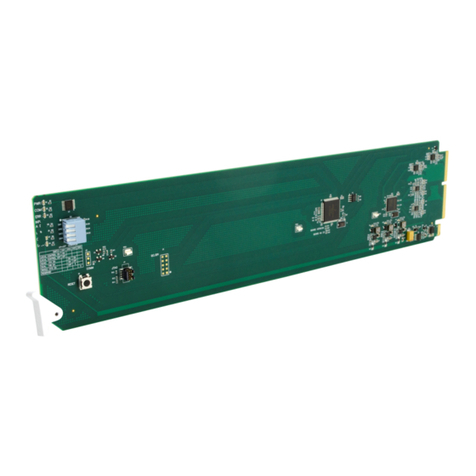
Cobalt Digital Inc 9253 User manual

Cobalt Digital Inc

Cobalt Digital Inc 9253 User manual
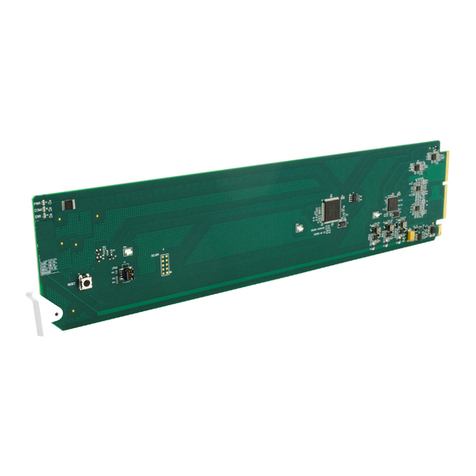
Cobalt Digital Inc 9910DA-WC User manual

Cobalt Digital Inc

Cobalt Digital Inc 9910DA-WC User manual

Cobalt Digital Inc 9002 User manual

Cobalt Digital Inc

Cobalt Digital Inc 9002 User manual

Cobalt Digital Inc 9003 User manual

Cobalt Digital Inc

Cobalt Digital Inc 9003 User manual
Cobalt Digital Inc 9001 User manual

Cobalt Digital Inc

Cobalt Digital Inc 9001 User manual
Cobalt Digital Inc 9910DA Series User manual
Cobalt Digital Inc

Cobalt Digital Inc 9910DA Series User manual

Cobalt Digital Inc openGear 9252 User manual
Cobalt Digital Inc

Cobalt Digital Inc openGear 9252 User manual

Cobalt Digital Inc BlueBox BBG-DA-12G-1x6 User manual
Cobalt Digital Inc

Cobalt Digital Inc BlueBox BBG-DA-12G-1x6 User manual

Cobalt Digital Inc 9232 User manual

Cobalt Digital Inc

Cobalt Digital Inc 9232 User manual
Cobalt Digital Inc openGear 9241 User manual
Cobalt Digital Inc

Cobalt Digital Inc openGear 9241 User manual

Cobalt Digital Inc 9242 User manual

Cobalt Digital Inc

Cobalt Digital Inc 9242 User manual
Cobalt Digital Inc 9911DA-8-BPX User manual
Cobalt Digital Inc

Cobalt Digital Inc 9911DA-8-BPX User manual

Cobalt Digital Inc 9915DA Series User manual

Cobalt Digital Inc

Cobalt Digital Inc 9915DA Series User manual

Cobalt Digital Inc 9006 User manual

Cobalt Digital Inc

Cobalt Digital Inc 9006 User manual

Cobalt Digital Inc 9004 User manual

Cobalt Digital Inc

Cobalt Digital Inc 9004 User manual
Cobalt Digital Inc 9910-DA-AV User manual
Cobalt Digital Inc

Cobalt Digital Inc 9910-DA-AV User manual

Cobalt Digital Inc 5001 User manual

Cobalt Digital Inc

Cobalt Digital Inc 5001 User manual
Cobalt Digital Inc 9415DA-SFP User manual
Cobalt Digital Inc

Cobalt Digital Inc 9415DA-SFP User manual

Cobalt Digital Inc 9006 User manual

Cobalt Digital Inc

Cobalt Digital Inc 9006 User manual
Cobalt Digital Inc 9231 User manual

Cobalt Digital Inc

Cobalt Digital Inc 9231 User manual
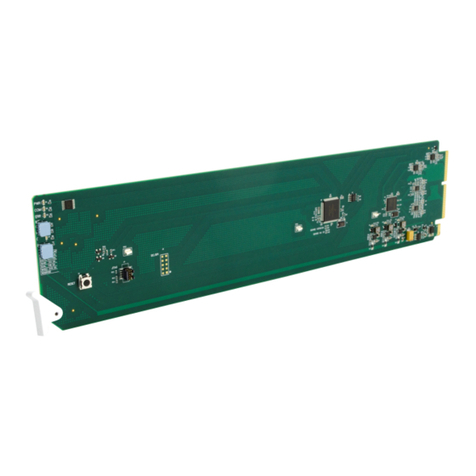
Cobalt Digital Inc 9910DA-AV-EQ User manual

Cobalt Digital Inc

Cobalt Digital Inc 9910DA-AV-EQ User manual

Cobalt Digital Inc BlueBox BBG-EMDE-AES110 User manual

Cobalt Digital Inc

Cobalt Digital Inc BlueBox BBG-EMDE-AES110 User manual

Cobalt Digital Inc 9910DA-4Q-3G-RCK User manual

Cobalt Digital Inc

Cobalt Digital Inc 9910DA-4Q-3G-RCK User manual

Popular Amplifier manuals by other brands

Magnat Audio EDITION FOUR Owner's manual/warranty document

Magnat Audio

Magnat Audio EDITION FOUR Owner's manual/warranty document

Inter-m PA-2000A Operation manual

Inter-m

Inter-m PA-2000A Operation manual

Yamaha TX6n owner's manual

Yamaha

Yamaha TX6n owner's manual

Peavey TNT 150 user guide

Peavey

Peavey TNT 150 user guide

Bosch LBB 1903/10 Installation and user instructions

Bosch

Bosch LBB 1903/10 Installation and user instructions

Avocent Emerge DA1200D Installer/user guide

Avocent

Avocent Emerge DA1200D Installer/user guide

Redgum RGi35 operating instructions

Redgum

Redgum RGi35 operating instructions

Cambridge Audio AXA25 user manual

Cambridge Audio

Cambridge Audio AXA25 user manual

Alpine MRP-M200 owner's manual

Alpine

Alpine MRP-M200 owner's manual

Technical Pro H1502UrBT user manual

Technical Pro

Technical Pro H1502UrBT user manual

FMS EMGZ307 operating manual

FMS

FMS EMGZ307 operating manual

Racal Instruments 5601 user manual

Racal Instruments

Racal Instruments 5601 user manual

Valcom V-1094A Technical specifications

Valcom

Valcom V-1094A Technical specifications

Cambridge Audio 851D user manual

Cambridge Audio

Cambridge Audio 851D user manual

QSC 3800 Specifications

QSC

QSC 3800 Specifications

NAD C300 owner's manual

NAD

NAD C300 owner's manual

Rotel RMB-1077 owner's manual

Rotel

Rotel RMB-1077 owner's manual

Peavey Monitor 300 Series operating guide

Peavey

Peavey Monitor 300 Series operating guide

manuals.online logo
manuals.online logoBrands
  • About & Mission
  • Contact us
  • Privacy Policy
  • Terms and Conditions

Copyright 2025 Manuals.Online. All Rights Reserved.

Model 5002
SDI
Reclocking Distribution
Amplifier
Owner's Manual
Copyright Cobalt Digital Inc. 2000-2005
The Cobalt Digital 5002 is a Leitch
TM
Digital Frame compatible card that provides eight reclocked SDI outputs.
The 5002 accepts SMPTE 259 A,B,C and D digital rates of 143, 178, 270 and 360 Mbits. Card edge LED
indicators show the received data rate, data lock and power presence.
The 5002 uses the latest in surface mount technology and SDI input equalizer and data reclocking components.
The printed circuit board is a four layered board utilizing internal power planes and micro strip design to control
board impedance, thus improving signal quality.
The functional Diagram is shown below (Fig. 1).
5002 Owner's Manual
Copyright Cobalt Digital Inc. 2000-2005
Page 2 of 4
Equalize
& Reclock
DDA
DDA
Status
Display
Fig. 1: 5002 SDI Reclocking Distribution Amplifier
Out-8
Out-7
Out-6
Out-5
Out-4
Out-3
Out-2
Out-1
SDV In
143, 178, 270, 360 Mb/s
Selection of SDI Output Mute
The 5002 can be set to mute weak SDI input signals that are beyond the recovery range of the input equalizer.
To select this option to mute set S1-1 (Fig. 3) and S1-2 on or up. To turn output muting off, set S1-1 and S1-2 to
Off of down.
5002 Owner's Manual
Output muting
S1
on
12
Power
Data
360 Mb/s
270 Mb/s
178 Mb/s
143 Mb/s
Copyright Cobalt Digital Inc. 2000-2005
IN
1
3
5
2
4
6
78
SDI 4:2:2 Input
Reclocked SDI Output
Fig. 2: Rear view of Frame BNC connector panel
.
Reclocked SDI Output
The LeitchTM frame provides a total of 9 BNC connectors per card. I/O configuration is shown below:
Page 3 of 4
Fig. 3: 5002 Indicator and Output Mute Locations
Segment
SDI Mute
SDI Pass
12
Desired output
ON OFF
OFF ON
Output Switch Configuration
Copyright Cobalt Digital Inc. 2000-2005
Ofc: 217 344-1243
Fax: 217 344-1245 [email protected]
www.cobaltdigital.com
Cobalt Digital Inc.
2406 E. University Ave.
Urbana, IL 61802
5002 Owner's Manual
Specifications:
Input: 525 or 625 SMPTE 259-A,B,C,D 4:2:2 SDI
Equalization Auto to 1000' Belden 1694 (typical)
Return Loss >15 dB at 270 Mbit
Termination 75 ohms located on PCB
Output: Number of Outputs Eight
Level 800 mV +/- 10%
Return Loss >15 dB at 270 Mbit
Reclocking Yes
Delay 10 nS
Power: Positive Rail 1.5 Watts
Negative Rail 0 Watts
Temperature range: 40-110 degrees F. ambient (non-condensing)
Status Indicators: Power, Data lock and Data rate (143, 178, 270, 360 Mb/s)
Notes: Specifications subject to change without notice. This product is not authorized for use in life support
systems. Product liability limited only to the replacement of this unit. Cobalt Digital Inc. does not assume any
liability for loss of use due to failure of this component.
Page 4 of 4
Rev 1.4 rmw