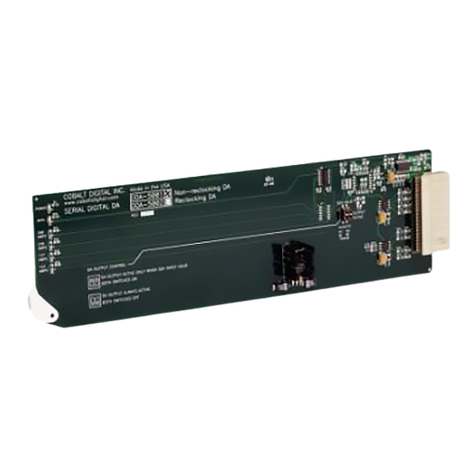
9910DA-3G-OM (V1.7) 9910DA PRODUCT MANUAL i
Table of Contents
Chapter 1 Introduction . . . . . . . . . . . . . . . . . . . . . . . . . . . . . . . . . . . . . . . . . . . 1-1
Overview ................................................................................................................ 1-1
Manual Conventions............................................................................................... 1-2
Warnings, Cautions, and Notes .................................................................. 1-2
Labeling Symbol Definitions...................................................................... 1-3
Safety Summary ..................................................................................................... 1-3
Warnings..................................................................................................... 1-3
Cautions...................................................................................................... 1-3
9910DA Functional Description............................................................................. 1-4
9910DA Rear I/O Modules......................................................................... 1-4
Technical Specifications......................................................................................... 1-6
Warranty and Service Information ......................................................................... 1-7
Cobalt Digital Inc. Limited Warranty......................................................... 1-7
Contact Cobalt Digital Inc...................................................................................... 1-8
Chapter 2 Installation and Setup . . . . . . . . . . . . . . . . . . . . . . . . . . . . . . . . . . . 2-1
Overview ................................................................................................................ 2-1
Card-Edge Switches and Monitoring ..................................................................... 2-1
Input/Output Routing With Card in Card-Edge (Local) Control Mode..... 2-2
Installing the 9910DA Into a Frame Slot................................................................ 2-4
Installing a Rear I/O Module.................................................................................. 2-5
9910DA Rear I/O Modules......................................................................... 2-7
Chapter 3 Operating Instructions. . . . . . . . . . . . . . . . . . . . . . . . . . . . . . . . . . . 3-1
Overview ................................................................................................................ 3-1
Accessing the 9910DA Card via Remote Control.................................................. 3-1
Accessing the 9910DA Card Using DashBoard™..................................... 3-1
Checking 9910DA Card Information and Status.................................................... 3-2
9910DA Function Menu List and Descriptions...................................................... 3-3
Output Source Crosspoint Control ............................................................ 3-3
Reclock Outputs Control ........................................................................... 3-4
Alarms Setup Controls ............................................................................... 3-4
Presets ........................................................................................................ 3-5
Troubleshooting...................................................................................................... 3-6
Basic Troubleshooting Checks................................................................... 3-7
9910DA Processing Error Troubleshooting............................................... 3-8
Troubleshooting Network/Remote Control Errors..................................... 3-8
In Case of Problems.................................................................................... 3-8