manuals.online logo
Brands
  1. Home
  2. •
  3. Brands
  4. •
  5. Comar Systems
  6. •
  7. Marine Radio
  8. •
  9. Comar Systems CSB200 User manual

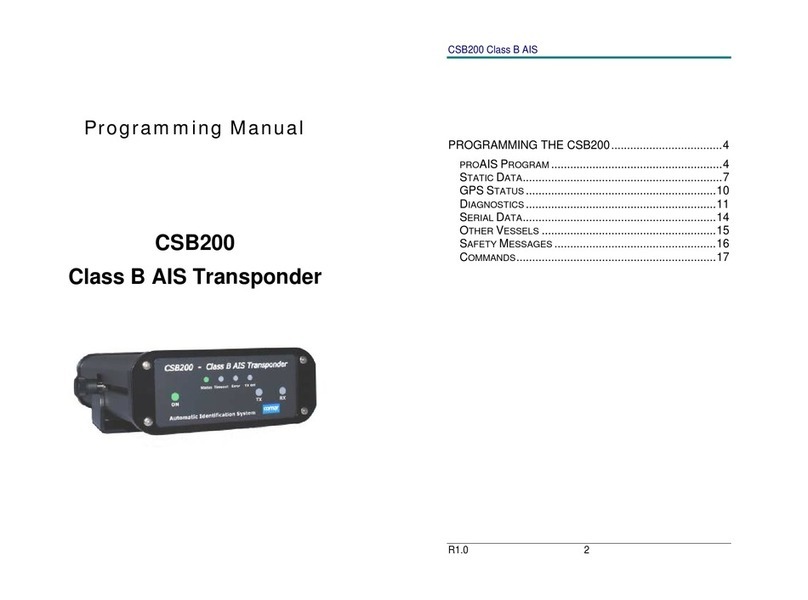
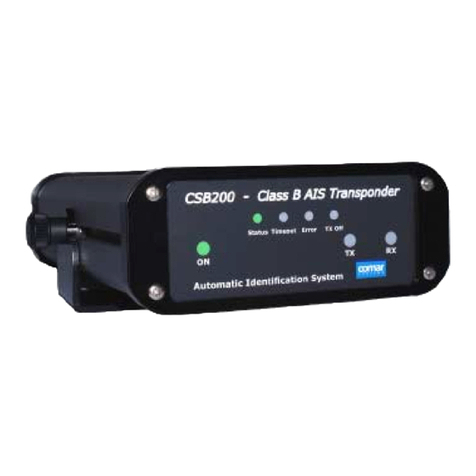
Comar Systems CSB200 User manual

Other manuals for CSB200

2

Other Comar Systems Marine Radio manuals

Comar Systems CSB200 Owner's manual

Comar Systems

Comar Systems CSB200 Owner's manual

Comar Systems CSB200 Quick guide

Comar Systems

Comar Systems CSB200 Quick guide

Comar Systems 001-1019 User manual

Comar Systems

Comar Systems 001-1019 User manual

Comar Systems CSA-300 User manual

Comar Systems

Comar Systems CSA-300 User manual

Comar Systems T200B-S User manual

Comar Systems

Comar Systems T200B-S User manual

Popular Marine Radio manuals by other brands

Garmin GTX 45R installation manual

Garmin

Garmin GTX 45R installation manual

Garmin GTX 33 installation manual

Garmin

Garmin GTX 33 installation manual

Thrane&Thrane TT-6222A VHF DSC user manual

Thrane&Thrane

Thrane&Thrane TT-6222A VHF DSC user manual

Vesper Cortex HV1 installation guide

Vesper

Vesper Cortex HV1 installation guide

Thrane&Thrane Sailor RT5022 VHF DSC manual

Thrane&Thrane

Thrane&Thrane Sailor RT5022 VHF DSC manual

Saab R5 SUPREME AIS Operation & installation manual

Saab

Saab R5 SUPREME AIS Operation & installation manual

West Marine VHF580 owner's manual

West Marine

West Marine VHF580 owner's manual

Garmin VHF 315 Series installation instructions

Garmin

Garmin VHF 315 Series installation instructions

Barco MDSC-2226 user guide

Barco

Barco MDSC-2226 user guide

West Marine VHF490 owner's manual

West Marine

West Marine VHF490 owner's manual

GME GX800 instruction manual

GME

GME GX800 instruction manual

Garmin VHF100 - 25W VHF RADIO Declaration of conformity

Garmin

Garmin VHF100 - 25W VHF RADIO Declaration of conformity

Uniden UM425 VHF DSC owner's manual

Uniden

Uniden UM425 VHF DSC owner's manual

Kongsberg cNODE MiniS LF instruction manual

Kongsberg

Kongsberg cNODE MiniS LF instruction manual

Trig Avionics TT26 installation manual

Trig Avionics

Trig Avionics TT26 installation manual

West Marine VHF500 owner's manual

West Marine

West Marine VHF500 owner's manual

Siemens SIMATIC RTLS4060T manual

Siemens

Siemens SIMATIC RTLS4060T manual

Cobra Marine MARINE MR HH330 FLOAT owner's manual

Cobra Marine

Cobra Marine MARINE MR HH330 FLOAT owner's manual

manuals.online logo
manuals.online logoBrands
  • About & Mission
  • Contact us
  • Privacy Policy
  • Terms and Conditions

Copyright 2025 Manuals.Online. All Rights Reserved.

Installation
and
Instruction Guide
CSB200
Class B AIS Transponder
CSB200 Class B AIS
R4.0 2
Table of Contents
GENERAL WARNINGS……………………………………..3
INTRODUCTION……………………………………………...5
Automatic Identification Systems (AIS)……………….. 5
INSTALLING THE CSB200 UNIT………………………….6
Packing List…………………………………………………6
Electrical Connections…………………………………….6
GPS Antenna………………………………………………7
VHF antenna for AIS use………………………………...7
WARNINGS…………………………………………………8
PROGRAMMING THE TRANSPONDER………………….9
aisPRO Program…………………………………………..9
USING THE TRANSPONDER…………………………….11
Switching on………………………………………………11
Warning and Fault States………………………………11
Data Port Messages…………………………………….12
Information Transmitted and Received………………13
Built in Test……………………………………………….13
LED Indicators……………………………………………14
SERIAL DATA INTERFACE………………………………16
Data Connection…………………………………………16
PRODUCT SPECIFICATION…………………………….. 18
CSB200 Class B AIS
R4.0 3
GENERAL WARNINGS
Comar Systems Ltd is not responsible for damages or injuries caused by
your use of or inability to use the CSB200 correctly. The CSB200 is
intended for use only by persons trained in navigation and only as a
navigational aid, not as the sole method of navigation
All marine Automatic Identification System (AIS) units utilise a satellite
based system such as the Global Positioning Satellite (GPS) network or
the Global Navigation Satellite System (GLONASS) network to determine
position.
The accuracy of these networks is variable and is affected by factors
such as the antenna positioning, how many satellites are used to
determine a position and how long satellite information has been received
for.
It is desirable wherever possible therefore to verify both your vessel’s AIS
derived position data and other vessels AIS derived position data with
visual or radar based observations.
The compass safe distance of this unit is 1m or greater for 0.3° deviation.
DECLARATION OF CONFORMITY
Hereby, Comar Systems Ltd of Vittlefields Technology Centre, Forest
Road, Newport, Isle of Wight, PO30 4LY, United Kingdom, declare that
this CSB200 is in compliance with the essential requirements and other
relevant provisions of Directive 1999/5/EC.
This product carries the CE mark, notified body number and alert symbol
as required by the R&TTE directive.
This product is intended for sale in the following member states:
Intended Country of Use:
GB FR ES SE
AT NL PT DK
NO BE IT FI
IE LU GR CH
CSB200 Class B AIS
R4.0 4
LICENCING
IMPORTANT: In most countries the operation of an AIS unit is included
under the vessels marine VHF licence provisions. The vessel on to which
the AIS unit is to installed must therefore possess a current VHF
radiotelephone licence which lists the AIS system and the vessel Call
Sign and MMSI number.
Please contact the relevant authority in your country for more information.
In accordance with a policy of continual development and product
improvement the CSB200 hardware and software may be upgraded from
time to time and future versions of the CSB200 may therefore not
correspond exactly with this manual.
When necessary upgrades to the product will be accompanied by
updates or addenda to this manual.
Please take time to read this manual carefully and to understand its
contents fully so that you can install and operate your AIS system
correctly.
Information contained in this manual is liable to change without notice.
Comar Systems Ltd disclaims any liability for consequences arising from
omissions or inaccuracies in this manual and any other documentation
provided with this product.
CSB200 Class B AIS
R4.0 5
INTRODUCTION
Automatic Identification Systems (AIS)
How AIS Works
The marine Automatic Identification System (AIS) is a location and vessel
information reporting system. It allows vessels equipped with AIS to
automatically and dynamically share and regularly update their position,
speed, course and other information such as vessel identity with similarly
equipped craft. Position is derived from a Global Navigation Satellite
System (GNSS) network and communication between vessels is by Very
High Frequency (VHF) digital transmissions. A sophisticated and
automatic method of time sharing the radio channel is used to ensure that
even where a large number of vessels are in one location blocking of
individual transmissions is minimised, any degradation of the expected
position reporting interval is indicated to the user and even if the unit
suffers extreme channel overload conditions it will always recover to
normal operation.
AIS Classes
There are two classes of AIS unit fitted to vessels, Class A and Class B.
In addition AIS base stations may be employed by the Coastguard, port
authorities and other authorised bodies. AIS units acting as aids to
navigation (A to Ns) can also be fitted to fixed and floating navigation
markers such as channel markers and buoys.
Class A units are a mandatory fit under the safety of life at sea (SOLAS)
convention to vessels above 300 gross tons or which carry more than 11
passengers in International waters. Many other commercial vessels and
some leisure craft also fit Class A units.
Class B units are currently not a mandatory fit but authorities in several
parts of the world are considering this. Class B units are designed for
fitting in vessels which do not fall into the mandatory Class A fit category.
The CSB200 is a Class B unit
CSB200 Class B AIS
R4.0 6
INSTALLING THE CSB200 UNIT
Packing List
1 x CSB200 Transponder unit
1 x Power Cable
1 x PC 9pin D Male to Female Programming cable
1 x 9pin D Male Plug with wire ends.
1 x CD
1 x Instruction Manual
WARNING: Do not connect the CSB200 unit to a mains (line) AC
electrical supply, as an electric shock or fire hazard could result.
CAUTION: Do not connect the CSB200 unit to a DC supply
exceeding 15.6 V or reverse the supply polarity. Damage to the unit
may result.
CAUTION: The CSB200 unit is designed for operation in the
temperature range -25 °C to +55 °C. Do not install (or use) the
CSB200 unit in environments which exceed this range.
CAUTION: The CSB200 unit should be installed in a location where
it is protected from water and spray.
Electrical Connections
Connect a 12V DC supply (9.6-15.6V) capable of supplying 2A peak to
the DC power lead.
Positive = RED Negative = BLACK
The case of the unit is not isolated from the negative terminal of the
supply and therefore it is recommended that the unit is not attached
to metal parts of the vessel.
CSB200 Class B AIS
R4.0 7
GPS Antenna
The GPS antenna used must be of the active type (i.e. it should
incorporate an LNA) and must be suitable for marine shipboard
applications (index of protection, ruggedness, means of mounting, etc.).
An antenna should be selected with a gain (in dB) depending on the
length of cable between the antenna and the AIS unit; after subtraction of
cable and connector losses a minimum total gain of 25 dB should be
available at the CSB200 unit GPS antenna connector.
The GPS antenna to be used for AIS use must be a dedicated antenna,
i.e. not shared with any other GPS receiver.
Installation of the GPS antenna is critical for the performance of the built
in GPS receiver which is used for timing of the transmitted time slots and
for the supply of navigational information should the main navigational
GPS fail. We strongly recommend that:
1. The GPS antenna is mounted in an elevated position and free of
shadow effect from the ship’s superstructure.
2. The GPS antenna has a free view through 360 degrees with a
vertical angle of 5 to 90 degrees above the horizon.
3. As the received GPS signal is very sensitive to noise and
interference generated by other onboard transmitters, ensure that
the GNSS antenna is placed as far away as possible from radar,
Inmarsat and Iridium transmitters and ensure the GPS antenna is
free from direct view of the radar and the Inmarsat beam.
4. It is also important that the MF/HF and other VHF transmitter
antennas are kept as far away as possible from the GNSS antenna.
It is good practice never to install a GNSS antenna within a radius of
5 meters from these antennas.
VHF antenna for AIS use
The VHF antenna employed for AIS use:
Must be a dedicated antenna, i.e. not shared with any other VHF
transmitter/receiver.
Must be suitable for marine shipboard applications (index of
protection, ruggedness, means of mounting, etc.)
Should be omni-directional and vertically polarised with unity gain
(0 dB) with a bandwidth sufficient to maintain VSWR <1.5 over
the frequency range 156 –163 MHz. As a minimum the 3dB

CSB200 Class B AIS
R4.0 8
bandwidth must cover the two AIS channels and the DSC
Channel.
Should be mounted with at least a two metre vertical separation
distance from any other VHF antenna used for speech or DCS
communication.
WARNINGS
VHF Antenna Connection
Connecting a badly mismatched VHF antenna, leaving the VHF antenna
port disconnected, or shorting the VHF antenna port will activate the
VSWR alarm, cause the unit to stop sending position reports or cause
damage to the transponder.
Radio Frequency Exposure
To meet the requirements for Radio Frequency Exposure it is necessary
to install the VHF antenna correctly and operate the AIS equipment
according to the instructions.
The VHF antenna must be mounted at a minimum distance (vertical
separation) of 3 metres from the head of any person standing on deck in
order to meet international safety directives on Maximum Permissible
Exposure (MPE) / Specific Absorption Rate (SAR).
Where no suitable structure exists to achieve a 3 metre vertical
separation then the antenna base must be mounted at least 1 metre
above the head of any person within range, all persons should stay
outside the 3-metre safety radius and if practical a grounded RF shield
should be interposed between people and the antenna.
Failure to adhere to these limits could expose persons within the 3 metre
radius to RF radiation in excess of the MPE / SAR limits.
CSB200 Class B AIS
R4.0 9
PROGRAMMING THE TRANSPONDER
aisPRO Program
Before the CSB200 can transmit it requires to be programmed with your
own vessels information. This is done via the CSB200 field programmer
aisPRO2
This software is designed to be installed on a PC running Windows, and
to use the programming lead provided as standard with the CSB200 unit.
If the PC being used for programming does not have a 9-pin serial port
then a commercially available USB to serial adaptor may be required.
This connects between the supplied data lead and the PC.
The programming process operates as follows:
A data record is created for an individual CSB200
The CSB200 unit is then programmed
If required the programming can then be checked by ‘reading’ the
CSB200
The CSB200 personalisation data required is the ship’s MMSI number,
the name, its dimensions, position reference, type and call sign.
Programming the CSB200
Connect the CSB200 to a suitable 12VDC Power supply and to
the PC with the programming cable
Install the program from the CD onto your PC
Once the program is running select “Static Display” if not already
shown
Enter the Ships Name, Radio Callsign, Dimensions and Type of
Vessel in the boxes provided
Enter the ships MMSI number, WARNING, this number can only
be programmed into the unit once, ensure it is correct
Check the details are correct then click “ Send Static data to AIS”,
a warning box will appear asking you to confirm that the MMSI
number is correct, press OK if correct, the unit is now
programmed. In the event that you have inadvertently entered the
CSB200 Class B AIS
R4.0 10
incorrect MMSI number this can only now be changed by an
authorised dealer, other information can be altered as required
Program Utilities
Additional screens are available from the menus to monitor the operation
of the unit.
GPS Status: Displays the signal levels of reception from
individual satellites, green indicating locked and in use
Diagnostics: Displays the operational status of the unit
Serial Data: Allows you to monitor the output port of the unit
Software Update: For future internal program updates, or
enhancements of the unit which may occur