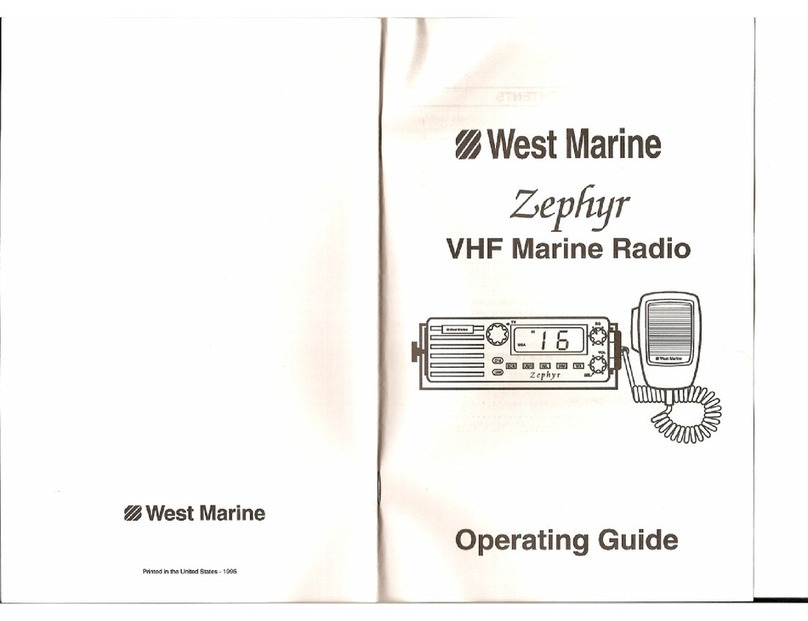
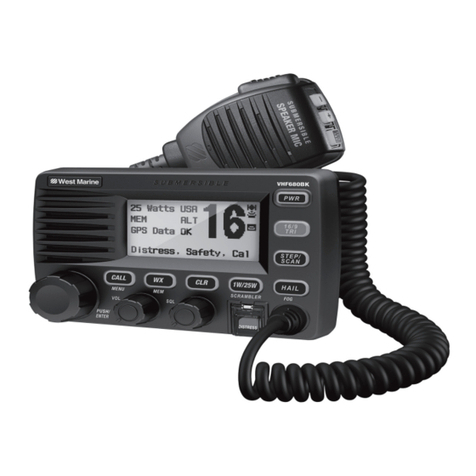
West Marine VHF580 User manual

DSC Marine Radio
Owner’s Manual
Radio maritime ASN
Guide d’utilisation

2
DISTRESS
#Enter User MMSI
Speak slowly - clearly - calmly.
16/9-TRI
16/9-TRI
PUSH TO TALK
MAYDAY -- MAYDAY --
MAYDAY
THIS IS {name or call sign of your boat}.
MAYDAY{name or call sign of your boat}.
I WILL BE LISTENING ON CHANNEL 16.
THIS IS {name or call sign of your boat}, OVER.
PUSH TO TALK
Lift the red cover
and press the
DISTRESS button.

3
#
Parlez lentement – clairement – calmement.
16/9-TRI
16/9/TRI
PUSH TO TALK
MAYDAY - MAYDAY –
MAYDAY
ICI
JE VAIS ÉCOUTER SUR LE CANAL 16
ICI
À VOUS
PUSH TO TALK
Soulevez le
couvercle rouge
et appuyez sur la
touche DISTRESS.

4
DISTRESS
#Inserte el MMSI del usuario
Hable despacio -- claro -- y con calma.
16/9-TRI
16/9TRI
PUSH TO TALK
MAYDAY
--- MAYDAY--- MAYDAY
ESTE ES{nombre o señal de su navío}
MAYDAY{nombre o señal de su navío}
é
ESTARÉ ESCUCHANDO EN EL CANAL 16
ESTE ES{nombre o señal de su navío}OVER
PUSH TO TALK
Levante la tapa
roja y oprima el
botón DISTRESS.

Making a Voice Distress Call ...................... 2
Cómo hacer una llamada de apuro por voz 3
Faire un appel de détresse vocal ............... 4
Features .................................................... 6
Manual overview ...................................... 6
What’s included ........................................ 7
Parts of the Radio ..................................... 8
Parts of the Microphone ............................ 9
Turning on the Radio ............................... 10
Seng the UIC Channel Mode
(USA/CAN/INT) ...................................... 10
Normal mode operaon ......................... 11
Scan mode ............................................... 13
Weather mode ........................................ 15
Using Your Radio ..................................... 16
Making a voice MAYDAY call ................... 17
Seng the volume .................................. 17
Seng the squelch level ......................... 17
Changing the channel .............................. 17
Making a transmission ............................. 17
Boosng the transmission power ............ 18
Choosing Triple Watch or Dual Watch ..... 18
Using FIPS codes for weather alerts......... 19
Changing display and sound opons ....... 20
Seng the GPS posion manually .......... 20
What is DSC? ........................................... 21
Advanced DSC features ........................... 21
What is an MMSI number? ...................... 21
Entering MMSI numbers ......................... 22
Using the Directory .................................. 23
Making DSC Calls ...................................... 24
Making an automac distress call ............ 26
Receiving a DSC call.................................. 27
Test Calls .................................................. 28
Posion Request and Reply ..................... 30
Pung the radio into standby ................ 31
Disabling automac channel switching .... 32
Renaming Channels ................................. 32
Mounng the radio ................................. 33
Connecng the radio ............................... 34
Connecng to a GPS receiver .................. 35
Connecng to a Chartploer ................... 37
Connecng to an External Speaker .......... 37
Engine Noise Suppression ........................ 39
Radio Specicaons ................................ 40
Channel descripons and what
they mean .............................................. 41
US Marine Channels and Frequencies ..... 42
Canadian Marine Channels and
Frequencies ........................................... 44
Internaonal Marine Channels and
Frequencies ........................................... 45
Weather Channels and Frequencies (US,
CAN, and INT) ........................................ 47
Emergency Alert System (SAME)
Informaon ............................................ 48
NMEA Operaon ...................................... 50
NMEA Output .......................................... 50

6
x
x
x
x
x
x
x
x
x
x
Convenons
x
BOLD SMALL CAPITALS
xUpper and Lower Case bold
xItalics
Term Meaning
DSC Digital Selective Calling. A VHF radio standard for communicating among
boats and sending automated distress calls.
FIPS Federal Information Processing Standard. A set of location codes roughly
equivalent to your county codes.
WX Weather Radio
GPS Global Positioning System
NMEA
National Marine Electronics Association. The organization that governs
standards for electronic equipment used on boats. NMEA 0183 is the
standard for serial data communication used by GPS.
MMSI
Maritime Mobile Service Identity number. A unique, nine-digit number that
identifies you and your boat when making DSC calls. It is also used by the
Coast Guard if you send an automated distress call.
Station Any DSC radio, whether it’s operated on a boat, at a marina, or by a shore
station.

7
Mounting Bracket and
Knobs
Mounting Hardware Microphone Hanger and
Mounting Hardware

8
Button Press to... Press and hold to...
ENT-1W/25W
Choose an option on a menu or
to display the GPS data.
Change the transmit power (see
page 18).
CHANNEL UP
Move up one channel at a time. Move quickly up the channels.
CHANNEL DOWN
Move down one channet at a
time. Move quickly down the channels.
16/9-TRI
1st press: Go to Channel 16.
2nd press: Go to Channel 9.
3rd press: Go back to the original
channel.
Go into Triple Watch or Dual
Watch mode (see page 18).
CLR-SCAN
Go to previous menu or cursor
position in menu mode.
Start scanning the channels
saved in memory.
WX-MEM
Listen to the current weather
conditions in your area.
Save a channel into memory or
remove a channel from memory.
CALL-MENU
Display the call menu. Display the normal menu.
DISTRESS
Select the nature of your distress
for a distress call. Transmit a distress call.
SQUELCH knob
(turn clockwise to
decrease channel
noise)
16/9-TRI
(triple/dual-
watch) button
CLR-SCAN
(channel
scan) button
WX-MEM
button
CALL-
MENU
button
DISTRESS
button
LCD
display
ENT
1W/25W
button
VOLUME-PWR
(power) knob
(turn clockwise
to increase
volume)
Microphone
cord
CHANNEL UP &
CHANNEL DOWN
button

9
Connector/Cable Connects to... For details, see ...
Antenna
connector
External VHF antenna with a male
PL259 (SO238) connector and 50 Ω
impedance. Minimum 4 ft, 3dB rated
antenna for sailboats, 8 ft, 6 dB rated
for power boats.
Connecting the radio
(see page 34).
Power cable
Nominal 13.8 VDC power supply with
negative ground (10.5 VDC to 16.0
VDC) (Red wire +, black wire -).
Connecting the radio
(see page 34).
Accessory cable GPS receiver, GPS chartplotter. Connecting accessories
(see page 35).
Button Press to... Press and hold
to...
( + ) Move up one channel at a
time.
Move quickly up
the channels.
( - ) Move down one channel at
a time.
Move quickly down
the channels.
16/9-TRI
1st press: Go to Channel 16.
2nd press: Go to Channel 9.
3rd press: Go back to the
original channel.
Go into Triple
Watch or Dual
Watch mode (see
page 18).
PUSH TO TALK
Cancel scanning and stay
on a channel.
Talk on a channel.
13.8V DC
ANTENNA
Black wire
(-)
Red wire
(+)
Power
Cable
Antenna
connector
(SO238)
Heat sink Accessory
cable
PUSH-
TO-TALK
button
16/9 TRI
(Triple/Dual-
Watch) button
+
(up) button
(move up a
channel)
-
(down) button
(move down a
channel)

10
VOLUME-PWR
MMSI not entered
CALL-MENU
USA/CAN/INT
USA ModeCanada Mode
Intl Mode
ENT-1W/25W
Mode What It Does Use It When To Turn it on./off...
Normal Monitors a single
marine radio channel
and lets you talk on
that channel.
You want to talk to
another station on a
specic channel.
(default mode)
Scan Monitors all the chan-
nels you save into
memory.
You have a small group
of channels you use
most often and want to
check them for trafc.
Press and hold
the-CLR-SCAN but-
ton.
Weather Monitors the selected
NOAA weather
channel.
You want to hear the
current and forecasted
weather in your area.
Press the WX-MEM
button.
16
UIC Channels
USA Mode
Canada Mode
Intl Mode
Back[CLR]
Select[ENT]
Setup
Press and hold -
USA/CAN/INT
Other manuals for VHF580
1
Table of contents
Other West Marine Marine Radio manuals
West Marine
West Marine VHF490 User manual

West Marine
West Marine VHF 150 User manual
West Marine
West Marine VHF155 User manual

West Marine
West Marine VHF500 User manual
West Marine
West Marine Aurora Plus User manual
West Marine
West Marine VHF585 16230534 User manual

West Marine
West Marine VHF75 User manual

West Marine
West Marine VHF650 User manual
West Marine
West Marine VHF650 User manual

West Marine
West Marine VHF255 User manual