manuals.online logo
Brands
  1. Home
  2. •
  3. Brands
  4. •
  5. Computime
  6. •
  7. Thermostat
  8. •
  9. Computime SALUS Controls HTR230 User manual

Computime SALUS Controls HTR230 User manual

This manual suits for next models

1

Other Computime Thermostat manuals

Computime GES2181 User manual

Computime

Computime GES2181 User manual

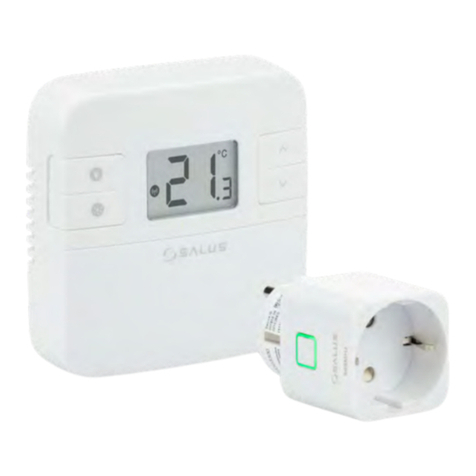
Computime Salus Controls RT310SPE User manual

Computime

Computime Salus Controls RT310SPE User manual

Computime Salus Controls VS30W User manual

Computime

Computime Salus Controls VS30W User manual

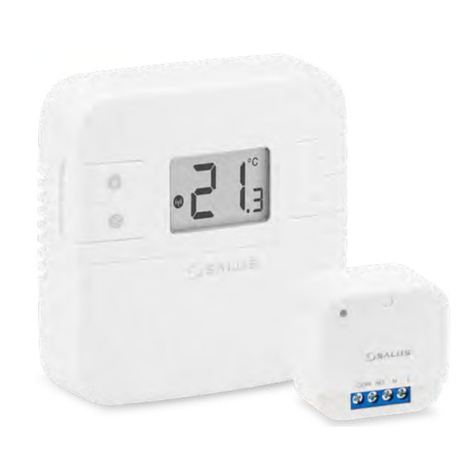
Computime Salus Controls RT310SR User manual

Computime

Computime Salus Controls RT310SR User manual

Computime SALUS Controls AT10 User manual

Computime

Computime SALUS Controls AT10 User manual

Computime Salus Controls iT500 User manual

Computime

Computime Salus Controls iT500 User manual

Popular Thermostat manuals by other brands

Full Gauge TIC-17C product manual

Full Gauge

Full Gauge TIC-17C product manual

Imit Chronomix S manual

Imit

Imit Chronomix S manual

ChiliTec ST-35 ana instruction manual

ChiliTec

ChiliTec ST-35 ana instruction manual

Salus VS05 Installer's/user's manual

Salus

Salus VS05 Installer's/user's manual

Azel D-500 user guide

Azel

Azel D-500 user guide

Honeywell Chronotherm III owner's manual

Honeywell

Honeywell Chronotherm III owner's manual

Charmeg MP-R user manual

Charmeg

Charmeg MP-R user manual

dixell WING XW40LS Installing and operating instructions

dixell

dixell WING XW40LS Installing and operating instructions

Network Thermostat NetX X7C-WIFI Installation and programming manual

Network Thermostat

Network Thermostat NetX X7C-WIFI Installation and programming manual

Radio Thermostat CT80 Operation guide

Radio Thermostat

Radio Thermostat CT80 Operation guide

HAI Omnistat RC-120 installation manual

HAI

HAI Omnistat RC-120 installation manual

Lennox iComfort E30 Installation and setup guide

Lennox

Lennox iComfort E30 Installation and setup guide

Lux Products PSD011Ba Installation and operating instructions

Lux Products

Lux Products PSD011Ba Installation and operating instructions

Computherm Q20 operating instructions

Computherm

Computherm Q20 operating instructions

Heatmiser neoStat user manual

Heatmiser

Heatmiser neoStat user manual

Mars HEAT CONTROLLER IR Wireless Thermostat user manual

Mars

Mars HEAT CONTROLLER IR Wireless Thermostat user manual

LUX LP0511D user manual

LUX

LUX LP0511D user manual

Saswell SAS920XWHB-7-S-RF User manual and warranty card

Saswell

Saswell SAS920XWHB-7-S-RF User manual and warranty card

manuals.online logo
manuals.online logoBrands
  • About & Mission
  • Contact us
  • Privacy Policy
  • Terms and Conditions

Copyright 2025 Manuals.Online. All Rights Reserved.

Note: The following designations are used interchangeably for products:
= SL
= NSB
HTR230(20) is a surface-mounted (or on a ush-box) room thermostat
dedicated for surface heating / cooling control, characterized by high thermal
inertia. It is connected to the wiring centre, through which you can lower the
set temperature on it, receiving a signal NSB (night temperature reduction)
from the weekly thermostat. The room temperature could be set by knob
use. Thanks to the built-in algorithms, it oers much better temperature
control accuracy than traditional mechanical thermostats. The thermostat is
characterized by silent operation.
Introduction
Connection description
Proper thermostat location
Package content
Product compliance
Note!
The ideal position to thermostat mounting is about 1,5m under oor level
far from heating or cooling sources. In addition, the thermostat should not be
installed behind curtains or other obstacles or in places with high humidity, as
this will prevent accurate measurements of room temperature. The thermostat
must not be exposed to sunlight. Do not place the thermostat on an outer wall.
The product complies with the following EU directives: 2014/30/EU,
2014/35/EU, 2011/65/EU. Full information is available at www.saluslegal.com
This document is a quick guide to the installation and operation of the product
and indicates its main features and functions. Detailed information is available
in the full manual, which is available at www.salus-controls.eu and must be
used for proper installation and operation of the product.
SAFETY INFORMATIONS:
Use in accordance with national and EU regulations. Use the device as intended
and keep it dry. Product for indoor use only. Please read the entire manual
before starting the installation and using the product.
INSTALLATION:
Installation must be carried out by a qualied person, with appropriate
electrical authorisations, in accordance with national and EU standards and
regulations. The manufacturer shall not be liable for failure to comply with the
manual.
NOTE:
There may be additional protection requirements for the entire installation.
Theinstaller shall be responsible for compliance with such requirements.
Front housing
of the thermostat
User manual
Back housing
of the thermostat
Mounting screws
HTR 230
L
N
CO
L
AC 230V
N
T30NC
HTR 230 KL08 NSB
L
N
CO
L
SL
N
/
Wiring centre
Thermostat
HTR 230
L
N
CO
L
AC 230V
N
T30NC
HTR 230 KL08 NSB
L
N
CO
L
SL
N
/
Thermostat
NSB input
Actuator
Symbols explanation:
Wired electronic thermostat - non-programmable
Model: HTR230(20)
Wired electronic thermostat - non-pro-
grammable
Model: HTR230(20)
User manual
User manual
SALUS CONTROLS DISTRIBUTOR:
QL CONTROLS Sp. z o.o., Sp. k.
ul. Rolna 4,
43-262 Kobielice,
Poland
Importer:
SALUS Controls Plc
Units 8-10 Northfield Business Park
Forge Way, Parkgate
Rotherham
S60 1SD
United Kingdom
www.salus-controls.eu
SALUS Controls is a member of the Computime Group.
In accordance with the product development policy, SALUS Controls plc reserves
the right to change specifications, design, and materials used in production,
presented in this manual, without prior notice.
Ver. 1
Date of issue: 10 VI 2020
Power supply: 230V
Note:The thermostat is compatibile with the following Salus wiring
centre models: KL06 230V, KL08NSB 230V, KL04NSB 230V or directly to
the actuator.
Terminal Description
L, N Power supply (230V AC)
NSB Night temperature reduction (230V output)
SL 230 V AC output signal
CO Switching jumper between heating and cooling (input 230V AC)

Night setback – NSB function
The NSB (Night Set Back) function enables automatic reduction of the
temperature setpoint on the daily thermostats, via the programmable
thermostat connected to the wiring centre. The temperature change takes
place between day and night temperatures.When the night mode is activated,
the programmable thermostat sends a voltage signal to the daily thermostats
via the wiring centre. Then, the HTR230(20) thermostat automatically reduces
the temperature setpoint on the knob by 2° or 4° (as set on the SETBACK
jumper). In heating mode, the temperature is lowered when 230 V AC voltage
appears at the NSB input.
Note:For the proper NSB function work, an appropriate cable
connection is required. TThe connection description is on the previous
page.
Technical informations
Operation algorithm selection
The thermostat gives a possibility to choose the mode of controlling the room
temperature by PWM algorithm (default) or hysteresis +/-0.5°C. The PWM
algorithm is designed for underoor heating (for heating systems with high
inertia) – to precisely maintain the room temperature.
Set the jumper to ON – to enable or OFF – to disable the
function. This function activates the thermostatic valve for 5 minutes once a
week to prevent valve against stuck (caused by limescale).
Selecting the heating or cooling mode
Cooling blocking function.
Cooling on: Set the jumper to ON . The thermostat will work
in cooling mode if 230V AC will appear at the CO terminal. The
LED lights up blue when the thermostat sends a signal for cooling.
4
Power supply 230V AC 50Hz
Max. load TRIAC 0.5 A
Output signal 230V AC 50Hz
Temperature control range 5 – 30°C
Control method PWM or
Hysteresis: ±0.5°C
Communication Wired
Dimension [mm] 85 x 85 x 30
Jumpers for additional settings
Valve Protection
The functions of the HTR230(20) thermostat can be switched on and o by
jumpers. Please refer to the table below:
Jumpers 1 to 5 correspond to the number of actuators connected. This jumper
is factory set to position 1, which means that the thermostat controls one
actuator. Depending on the number of actuators used, the jumper position
must be changed to ensure optimal operation of the temperature thermostat.
Montage
1 2
3
Make sure that the thermostat is not connected to the 230V AC. Remove the
knob by pulling it towards you, and then open the front cover as shown in the
gure above.
Connect the thermostat. Please refer to “Connection Description” section.
Mount the thermostat using the designed screw holes.
Fold front and back housing of thermostat. The thermostat is congured.
Use the knob to set the temperature setpoint.
Jumper Function ON OFF
CO Heating / Cooling mode
– NSB Temperature reduction value
in NSB mode
PWM PWM algorithm
VP Valve Protection
2°C 4°C
Heating or cooling mode is based on the voltage sent to the CO terminal. 0V
AC at the CO terminal – the thermostat is in heating mode. 230V AC at the CO
contact – the thermostat is in cooling mode.