3205 N 124th St )BROOKFIELD, WI 53005 )800-892-5563 )INFO@CONCEPTSEATING.COM )CONCEPTSEATING.COM
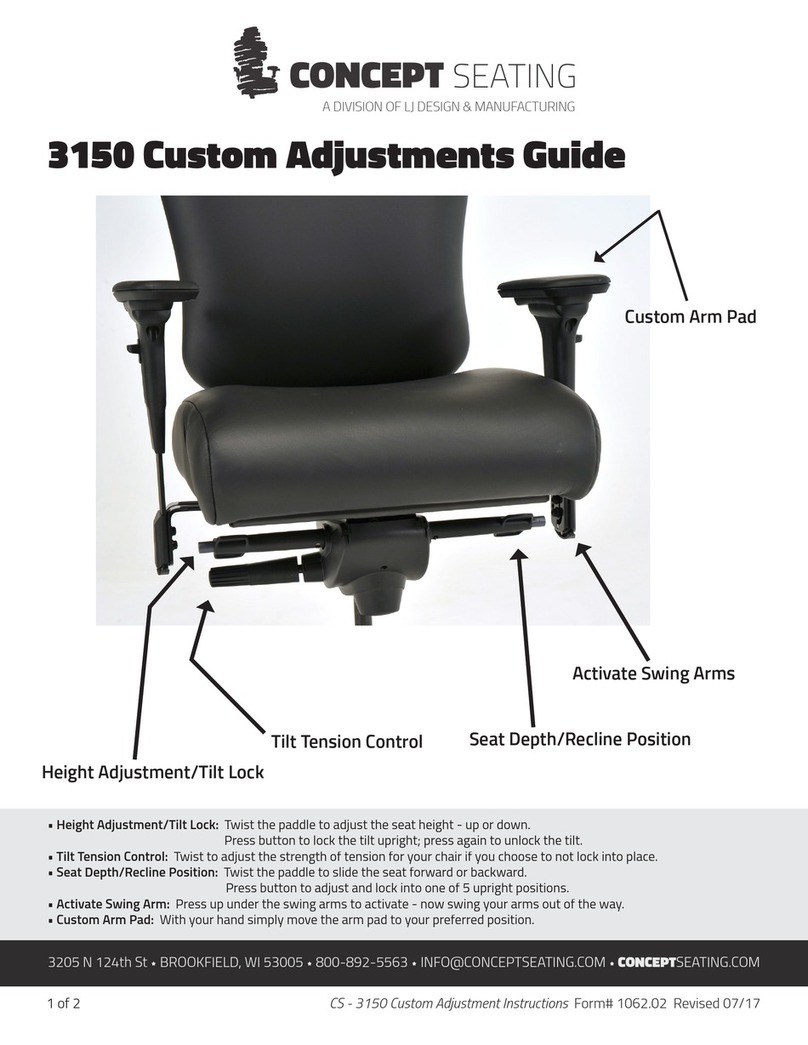
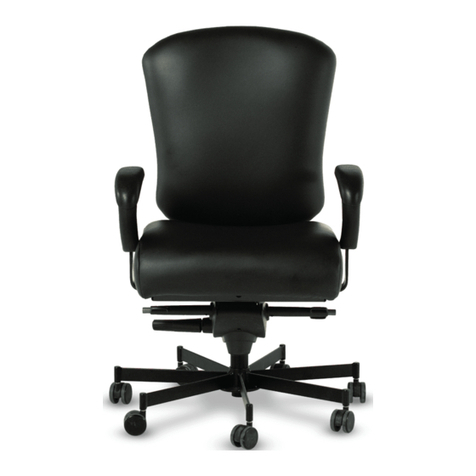
CHAIR ADJUSTMENTS FOR 3150 MODEL CHAIRS
SEAT TILT ADJUSTMENT
The seat tilt locks into five positions; slightly forward, level and three reclined.
FORWARD TILT
TO UNLOCK
• While seated locate the gray button at the end of the paddle under the right side of the seat.
• Push the button in and release.
NOTE – you will hear a loud clicking noise, indicating the chair has been unlocked
• Lean forward or back to release the pin. The chair will be in a free float mode.
TO LOCK
• While seated lean forward.
• Locate the gray button at the end of the paddle under the left side of the seat.
• Push the button in and release.
• Lean all the back and then all the way forward.
• Locate the gray button at the end of the paddle under the right side of the seat.
• Push the button in and release.
NOTE – you will hear a loud clicking noise, indicating the chair has been locked.
RECLINE
TO UNLOCK
• While seated locate the gray button at the end of the paddle under the right side of the seat.
• Push the button in and release.
*NOTE – you will hear a loud clicking noise, indicating the chair has been unlocked
• Adjust weight slightly back to release the locking pin. The chair will be in a free float mode.
TO LOCK
• While seated locate the gray button at the end of the paddle under the right side of the seat.
• Recline to the desired position.
• Push the button in and release.
NOTE – you will hear a loud clicking noise, indicating the chair has been locked.
A DIVISION OF LJ DESIGN & MANUFACTURING