CGW-Z-0010
User Guide
CPD004
The Cortet Z10 Range Extender (CGW-Z-0010) is a device intended for use in various wireless sensor network (WSN), machine-to-machine (M2M), and Internet of Things (IOT)
applications. The Cortet Z10 Range Extender is primarily intended to act as a reliable, secure,and simple way to extend the range and/or capacity of aZigBee mesh network. The
Z10 is especially useful in large facilities or facilities with a poor RF environment. The Z10acts as a relay for ZigBee messages between ZigBee devices that are otherwise out of
range – for example, a Cortet Z10 Range Extender can beused to relay messages between ZigBee end nodes and anotherwise out ofrange ZigBee Coordinator such as a Cortet
E100 Gateway. The Cortet Z10 Range Extender can also be used toincrease the total number ofZigBee devices that aZigBee Coordinator can communicate with. This document
provides information onthe features of the Cortet Z10 Range Extender and how to use it.
IMPORTANT SAFETY INSTRUCTIONS
1. READ and KEEP these instructions
2. FOLLOW all instructions
3. DO NOT use this apparatus near water, Dry location use only
4. DO NOT attempt to modify this product. Doing so could result in personal injury
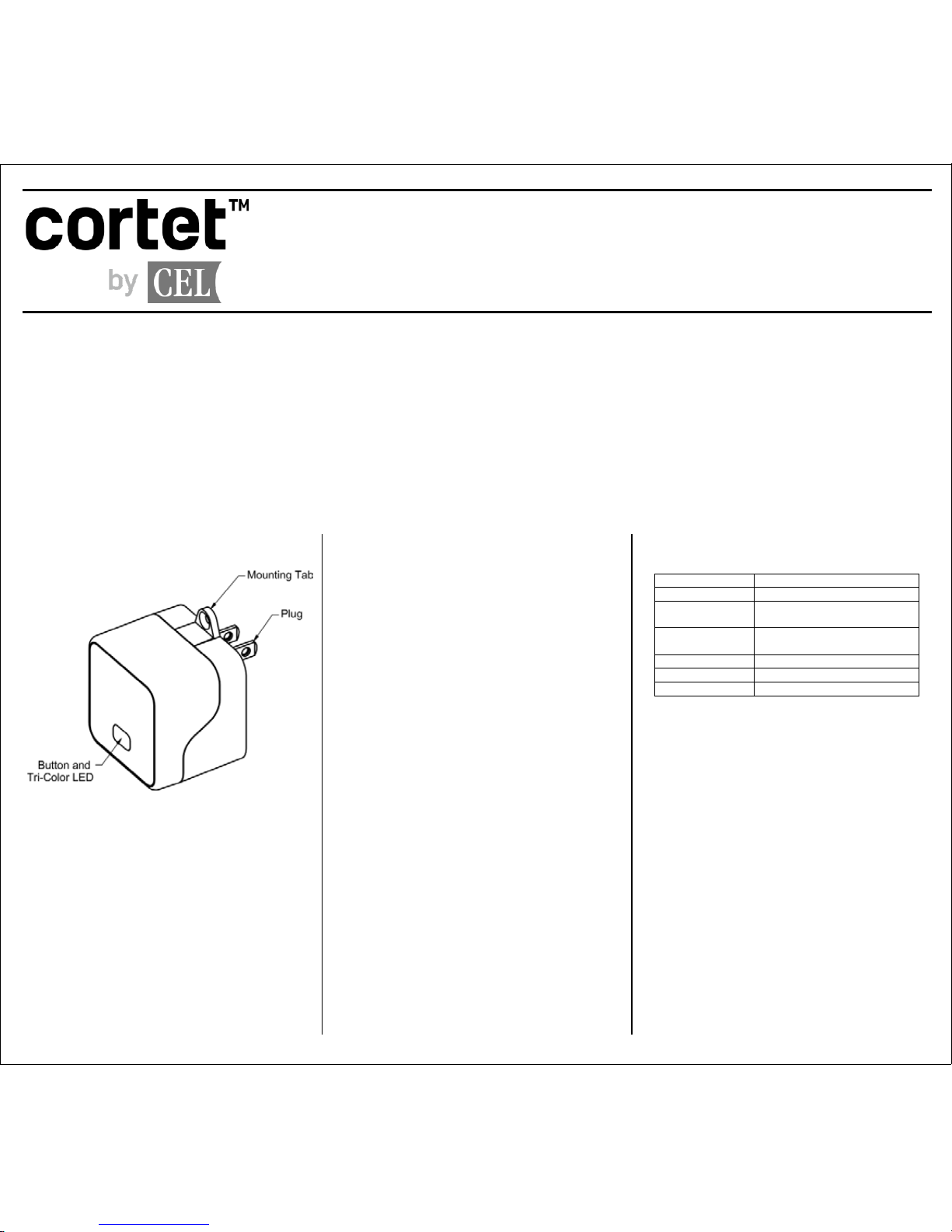
Z10 Features
Package Contents
One Z10 Range Extender
One Plate Screw (see Mounting Tab Use section)
System Requirements
The Z10 acts as an HA 1.2 compliant repeater and range
extender for a ZigBee network. The Z10 requires a
ZigBee Coordinator such as the Cortet E100 Gateway.
Software
The Z10 Area Controller comes with software pre-
installed. For information on software updates please see
the mobile app documentation.
Setting up the Z10
To setup the Z10 follow these steps:
1. Ensure a Cortet E100 Gateway (or equivalent
ZigBee Coordinator) has been installed in the
system and is functioning.
2. Use the Cortet mobile app to connect to the
system and enable pairing on the E100.
3. Plug the Z10 into the wall socket.
4. The Z10 will try to pair automatically with the E100
for 5 minutes. If it fails, the button must be
pressed to restart the pairing process.
5. Use the LED table below for current device status.
6. Follow on-screen instructions in the mobile app.
Factory Reset Process
To set the Z10 to factory fresh mode, follow the steps
below. Note: this cannot be undone.
1. Unplug the Z10.
2. Hold the button while plugging the Z10 back in.
3. Continue to hold the button until the LED turns
solid orange and then release the button.
EZ Mode Commissioning
Press and hold the button for 2 seconds. This will invoke
EZ Mode – Network Steering. If not joined to a ZigBee
network, the Z10 will look for a network to join. Once
joined to a ZigBee network the Z10 will turn on permit
joining for 180 seconds to allow any end device to join
the network through it. If already joined to a ZigBee
network, the Z10 will turn on permit joining for 180
seconds.
LED behavior
Mounting Tab Use
CAUTION - The Z10 has an integral mounting tab for
optional semi-permanent attachment to a grounded 15-
ampere, 125-volt duplex receptacle. Use only with
duplex receptacle having center screw.
NOTICE - Local Regulations in Canada do not permit
use of a mounting tab. In Canada, do not use the
mounting tab to attach the unit to an outlet
Risk of Electric Shock – Disconnect power to the
receptacle before installing or removing the unit. When
removing receptacle cover screw, cover may fall across
plug pins or receptacle may become displaced
1.Using a standard slotted screwdriver, remove the
center plate screw from the wallplate (do not
remove the wallplate itself).
2. Plug the device into the receptacle, oriented such
that the mounting tab hole lines up with the wall
plate screw hole.
3. Secure unit in place by receptacle cover screw