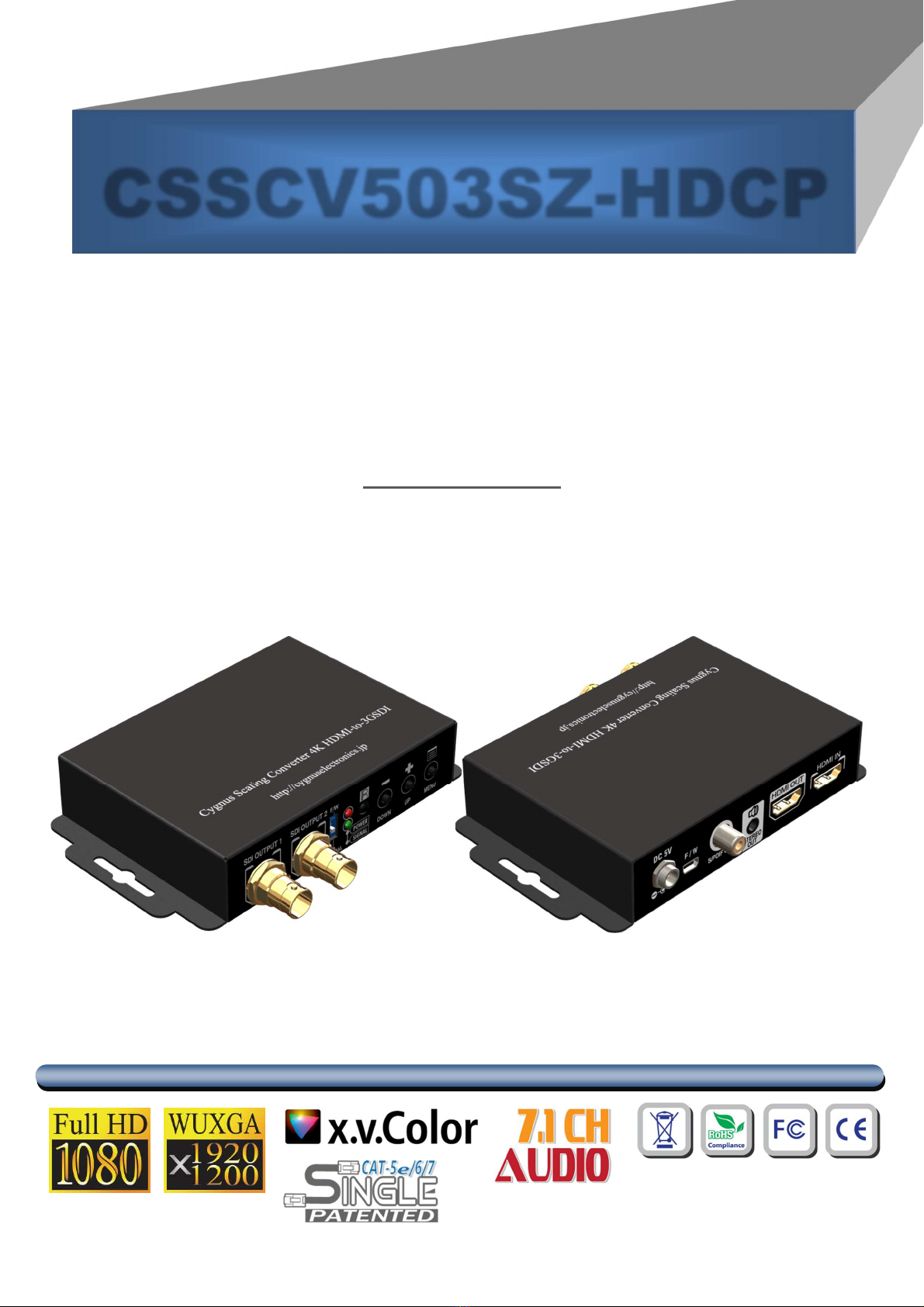
Cygnus CSSCV503SZ-HDCP User manual

HDMI 2.0a to 3G/HD/SDI Scaler
Converter
User Manual
rev: 190726
CSSCV503SZ-HDCP

Safety and Notice
The CSSCV503SZ-HDCP HDMI 2.0a to 3G/HD/SD-SDI Scaler Converter has been tested for
conformance to safety regulations and requirements, and has been certified for international use.
However, like all electronic equipments, the CSSCV503SZ-HDCP should be used with care. Please
read and follow the safety instructions to protect yourself from possible injury and to minimize the risk
of damage to the unit.
●Follow all instructions and warnings marked on this unit.
●Do not attempt to service this unit yourself, except where explained in this manual.
●Provide proper ventilation and air circulation and do not use near water.
●Keep objects that might damage the device and assure that the placement of this unit is on a stable
surface.
●Use only the power adapter and power cords and connection cables designed for this unit.
●Do not use liquid or aerosol cleaners to clean this unit. Always unplug the power to the device
before cleaning.
TABL OF CONT NTS
INTRODUCTION ...................................................................................................................1
FEATURES ...........................................................................................................................1
PACKAGE CONTENTS......................................................................................................1
SPECIFICATIONS.................................................................................................................2
PANEL DESCRIPTION .........................................................................................................3
CONNECTION DIAGRAM.....................................................................................................4
OSD MENU ...........................................................................................................................5
OPERATION APPROACH ....................................................................................................6
LIMITED WARRANTY.........................................................................................................10

1
INTRODUCTION
The CSSCV503SZ-HDCP HDMI 2.0a to 3G/HD/SD-SDI Scaler Converter provides a professional way
to convert HDMI to 3G/HD/SD-SDI in real time. The device can convert audio and video between HDMI
and SDI. The model supports clock cleaning function which provides a source-Independent low jitter output.
FEATURES
Supports HDMI input from 640x480 to 4K2K@60 (YUV 4:4:4) interlaced or progressive
Supports IR remote control
Software control through mini-USB
OSD control interface
With clock cleaning function.
Supports two SDI outputs and one HDMI Loopout
Input maximum pixel rate : 594MHz
SDI Output bandwidth 2.970Gpbs
Supports multiple VESA resolutions
Deinterlacer supported
Supports nosie reduction and video enhancement features
Over / under scanning adjustable
Video H/V mirror supported
Active video area adjustment supported
Stable and independent output signal quality.
USB firmware upgradable for expanding compatibility
Wall-mount housing design for easy installation
PACKAGE CONTENTS
1x CSSCV503SZ-HDCP
1x 5V/2A power supply unit
1x IR Remote control
1x User Manual
1x Installation software CD

2
SPECIFICATIONS
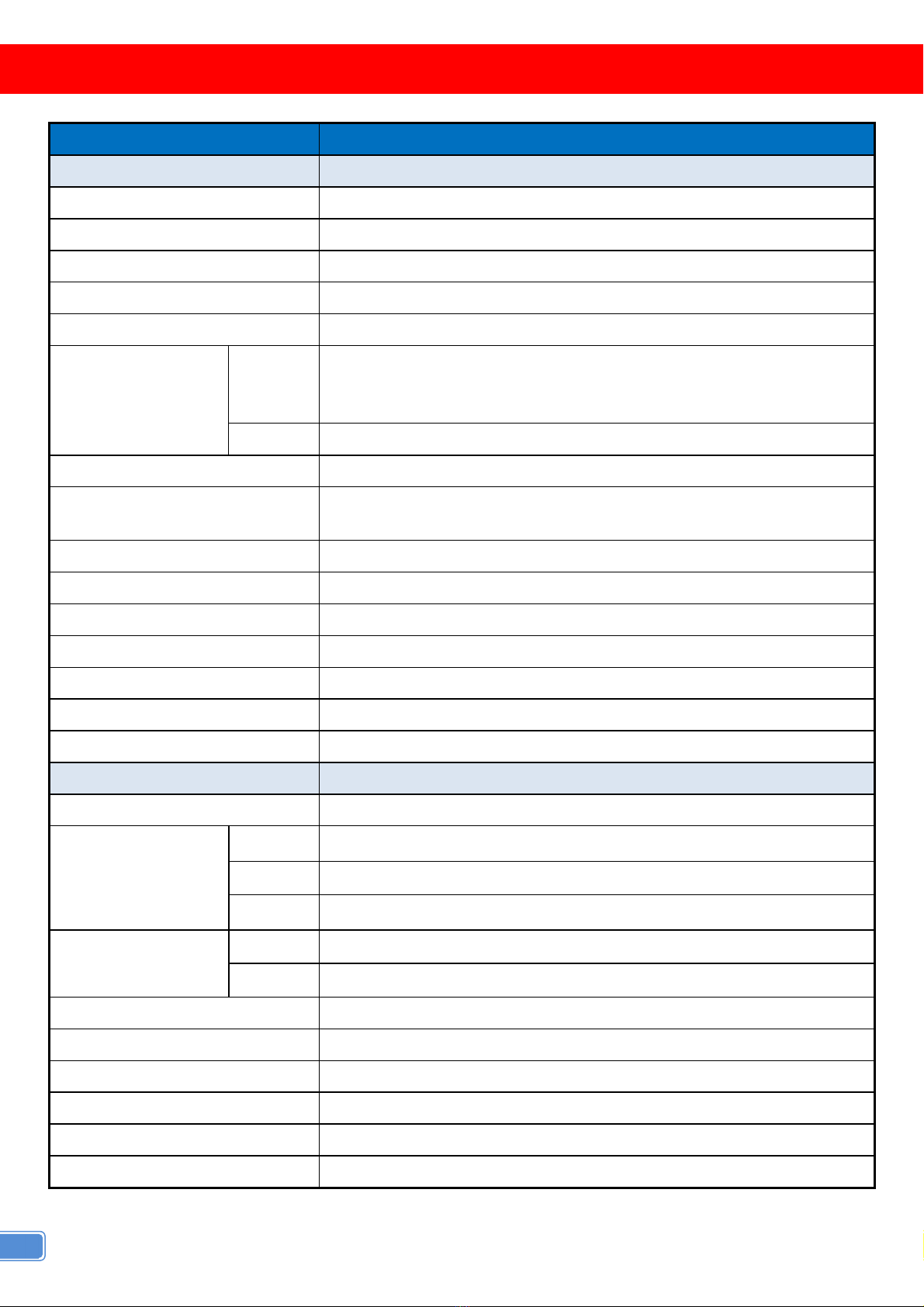
Model Name CSSCV503SZ-HDCP
Technical
Role of usage HDMI to SDI Converter
HDMI standards Up to HDMI2.0a
SDI standards SD-SDI HD-SDI & 3G-SDI
Input Video Maximum Pixel Rate 594MHz
Output Video bandwidth 2.970Gpbs
Output Video support
SDI
[3G] 1080p @50/59.94/60Hz (4:2:2)
[HD] 720p @50/59.94/60Hz 1080i @50/59.94/60Hz 1080p @24/30Hz
[SD] NTSC @59.94Hz PAL @50Hz
HDMI Bypass
Audio support PCM 8 (48KHz Fs sample rate)
ESD protection Human body model — ±15kV [air-gap discharge] & ±8kV [contact
discharge]
Firmware update Feasible via USB Port
CEC Channel N/A
Input 1x HDMI
Output 1x HDMI + 2x BNC [SDI]
BNC connector 3G 75Ω inter-locked socket
HDMI connector Type A [19-pin female]
USB connector Mini B
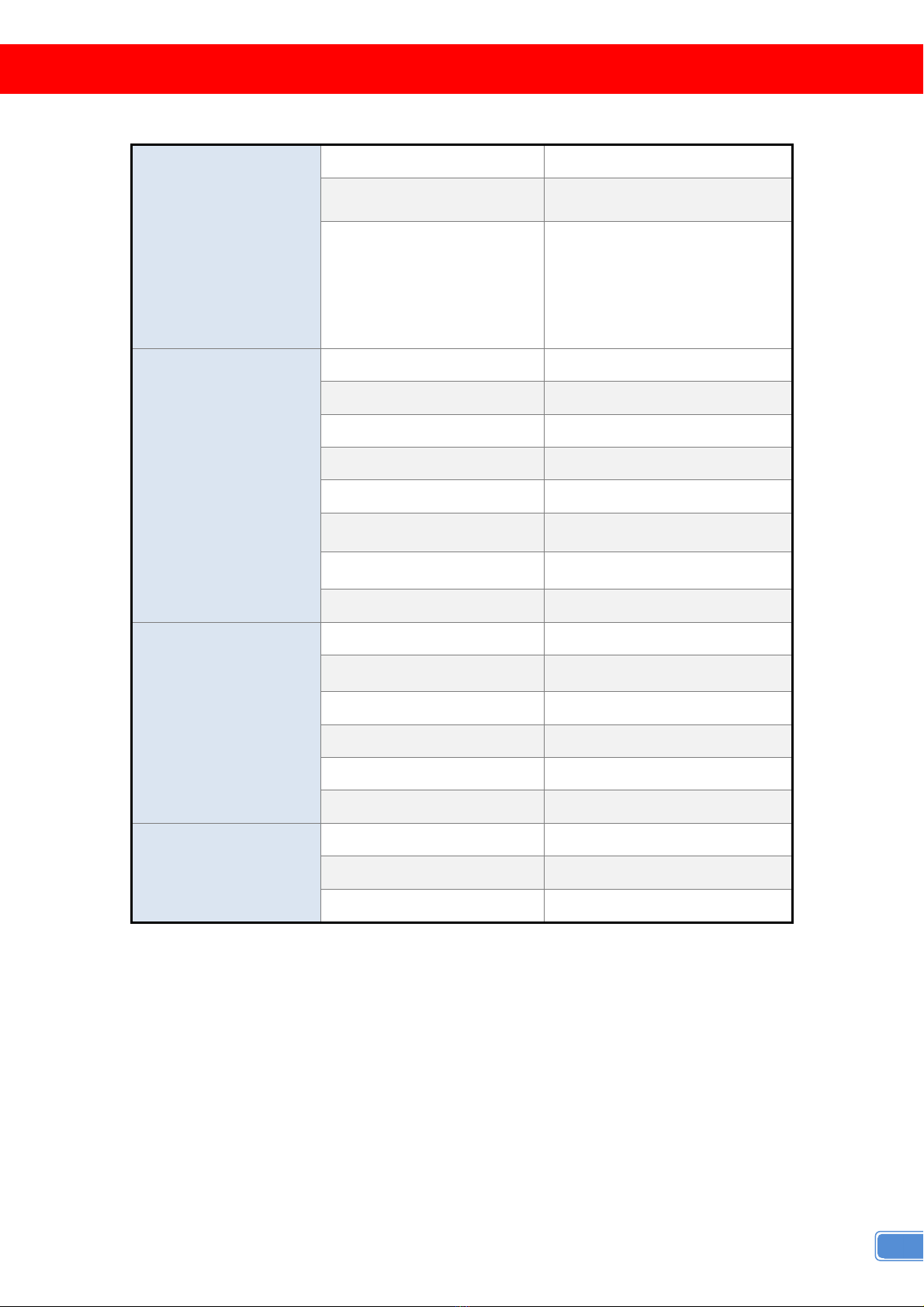
Mechanical CSSCV503SZ-HDCP
Housing Metal enclosure
Dimensions
[L x D x H]
Model 104.4 x 86.5 x 25.4mm [4.1” x 3.4” x 1.0”]
Package 175 x 128 x 134mm [6.9” x 5” x 5.3”]
Carton 662 x 366 x 290mm [2’2” x 1’2” x 1’]
Weight
Model 270g [9.5oz]
Package 520g [18.3oz]
Fixedness Wall-mounting case with screws
Power supply 5V 2A DC
Power consumption 5 Watts [max]
Operation temperature 0~40°C [32~104°F]
Storage temperature -20~60°C [-4~140°F]
Relative humidity 20~90% RH [no condensation]

3
PANEL DESCRIPTION
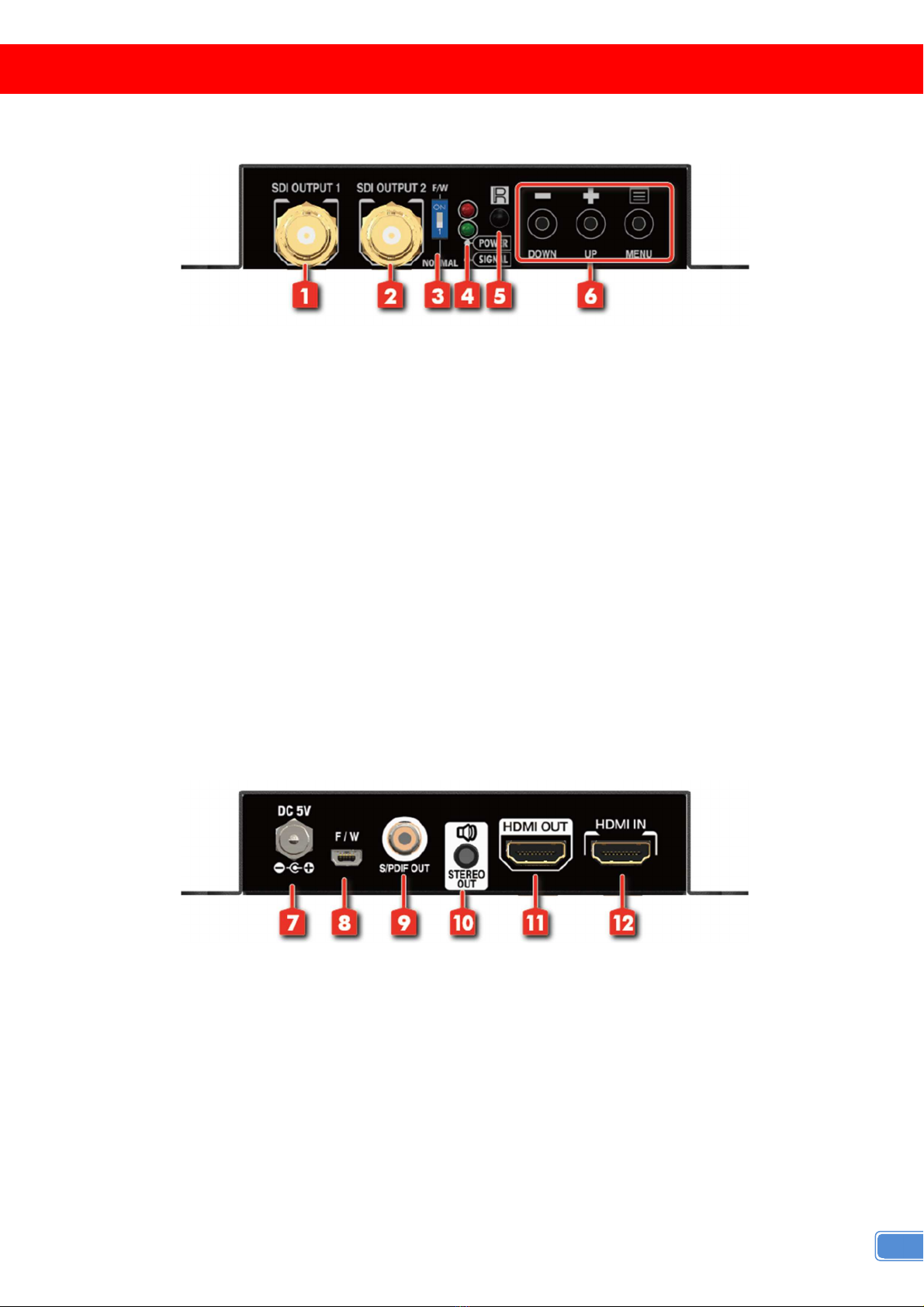
Front Panel
1. SDI OUT 1: 3G/HD/SD-SDI output
2. SDI OUT 2: 3G/HD/SD-SDI output
3. DIP S ITCH: For firmware update
ON []: firmware update mode
OFF []: normal mode
4. LED INDICATOR:
[red]: power indicator LED.
[green]: signal indicator LED
5. IR SENSOR: IR sensor for receiving the IR commands from IR remote
6. PUSH BUTTON
[LEFT]: Down Button
[MID]: Up Botton
[RIGHT]: Menu/Enter Button
Rear Panel
7. +5V DC: Interlocking power jack for 5V DC power supply unit
8. Mini USB: Mini-USB control port
9. S/PDIF AUDIO OUT: connect to digital S/PDIF audio speaker
10. STEREO AUDIO OUT: connect to digital S/PDIF audio speaker
11. HDMI OUT: Connect to a HDMI display
12. HDMI IN: Connect to a HDMI display source

4
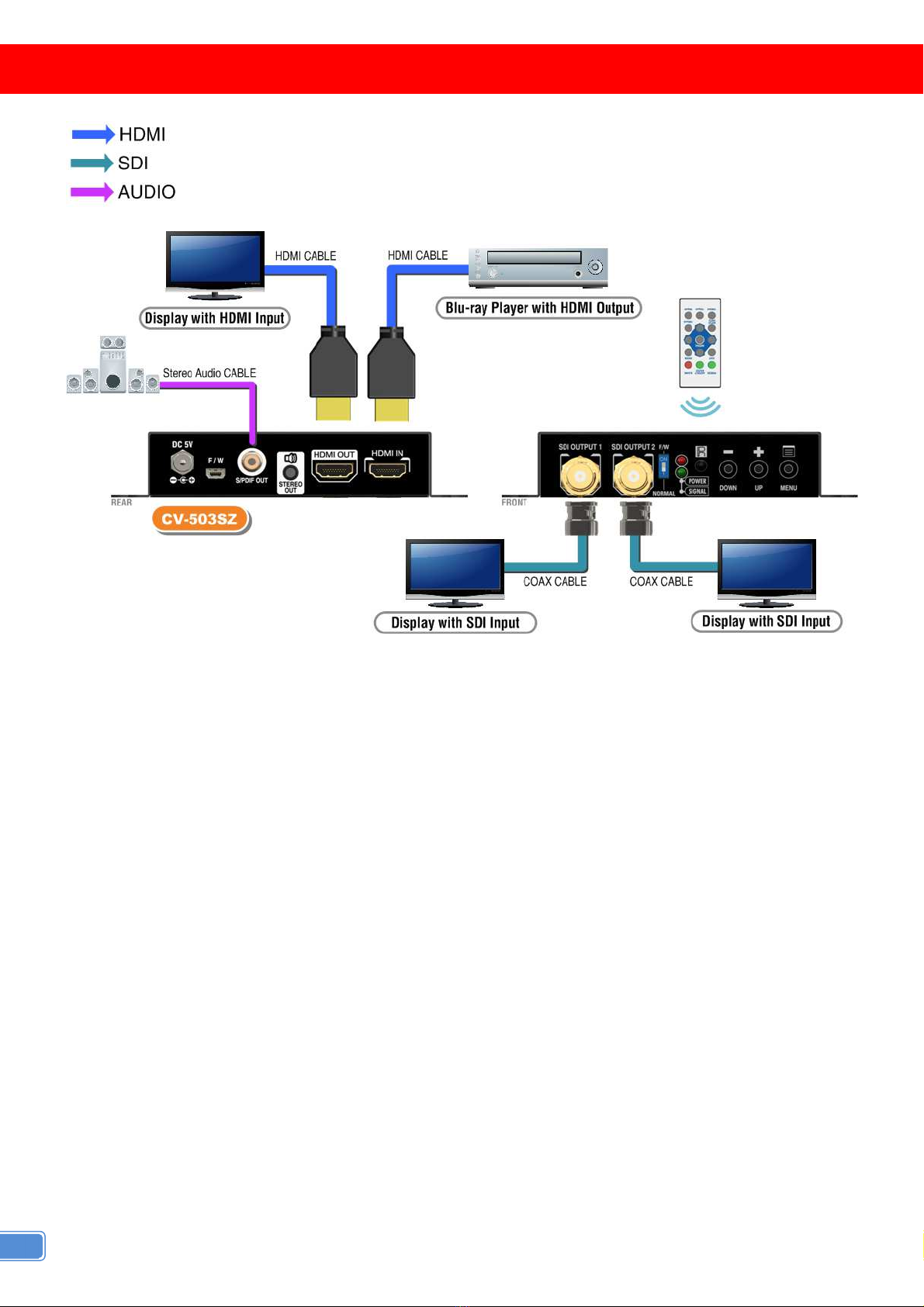
CONNECTION DIAGRAM

5
OSD MENU
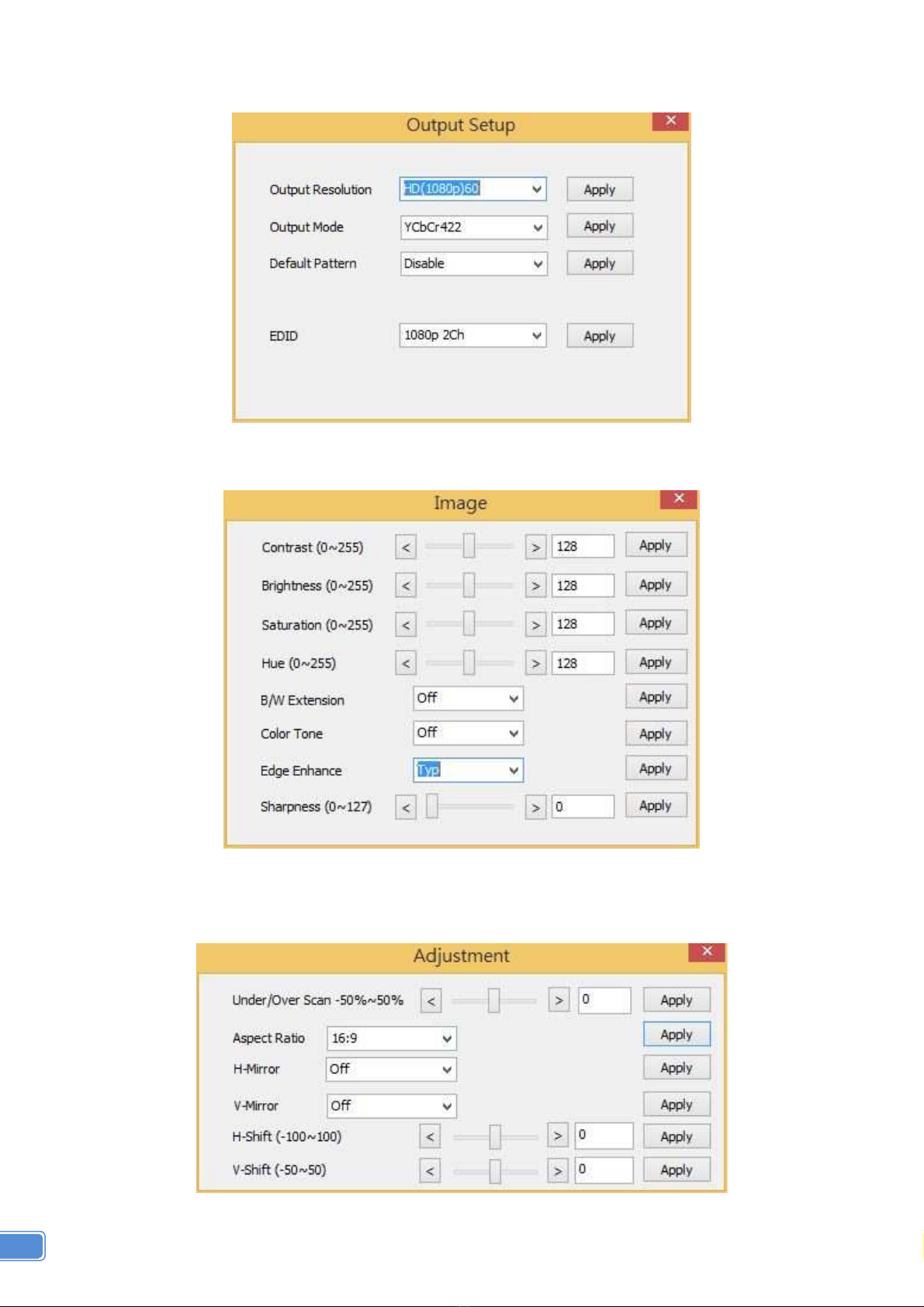
1.Output Setup
Out Res.
Output Mode YCbCr422
Default Pattern
Disable White Cross Hatch
Color Gray Windows H-
Ramp W-HRamp W-VRamp
Diagonal
2.Image
Contrast 0~255 of Contrast Level
Brightness 0~255 of Brightness Level
Saturation 0~255 of Saturation Level
Hue 0~255 of Hue Level
B/W Extension Off On
Color Tone Off Skin Green
Edge Enhance Typ Mid Max Off
Sharpness 0~127 of Sharpness Level
3.Adjustment
Under/Over Scan -50%~50% of Scan Level
Aspect Ratio 16:9 4:3
H-Mirror Off On
V-Mirror Off On
H-Shift -100~100 of H-Shift Level
V-Shift -50~50 of V-Shift Level
4. System
Input Res. Info
Firmware Version
Factory Reset

6
OPERATION APPROACH
Method A: Push-in Button
Method B: IR Remote Control
Button Function
FREEZE Freeze video
ASPECT RATIO Aspect ratio change
BLANK Blank video
EXIT Exit OSD
ENTER Enter key
UP Up key
LEFT Left key
RIGHT Right key
DOWN Down key
MENU Menu on
INPUT INFO Source resolution information
1080p60 Select 1080p60 output resolution
1080i60 Select 1080i60 output resolution
720p60 Select 720p60 output resolution
480p60 Not Support

7
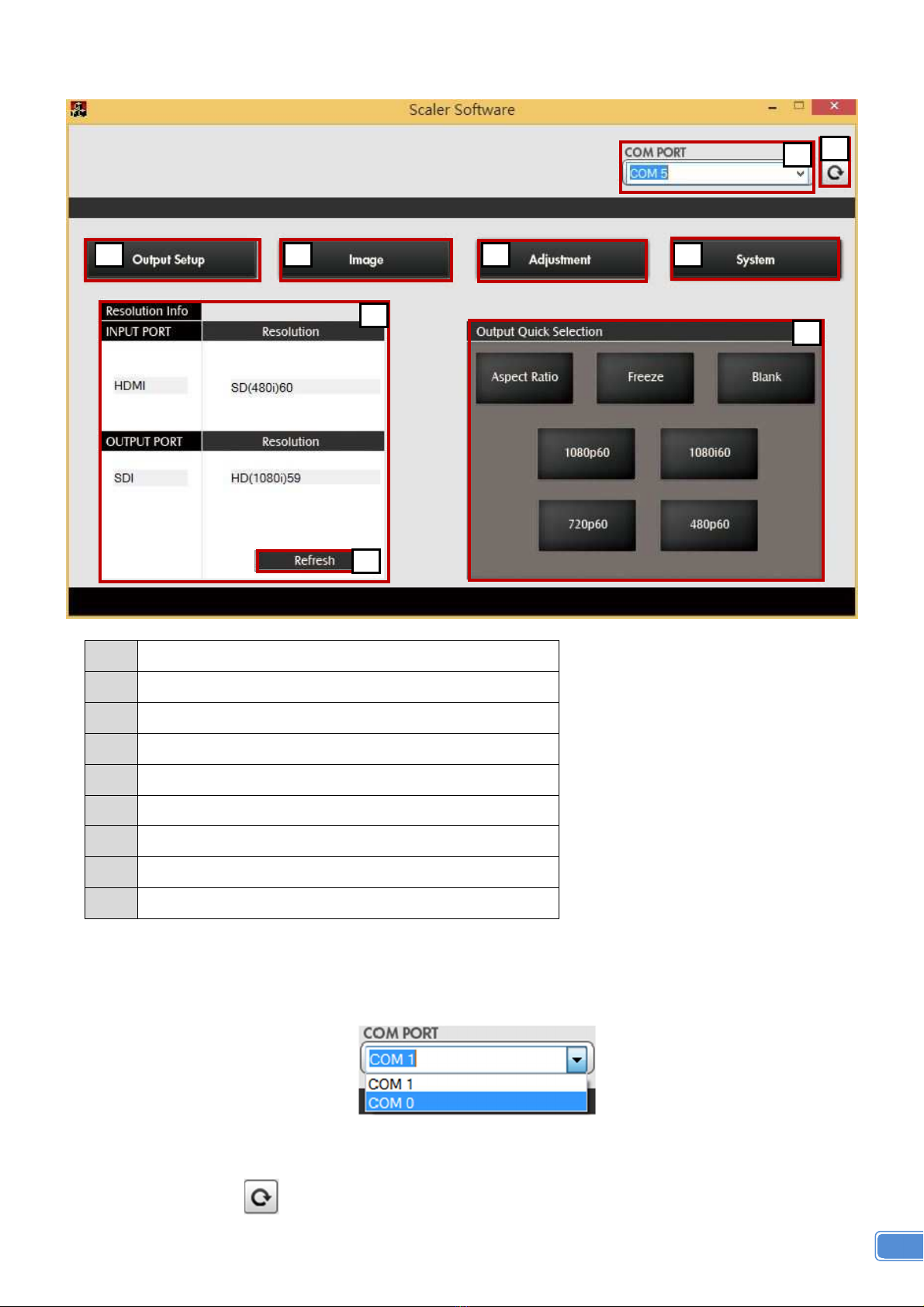
Method C: IR Remote Control through Mini-USB port
1 COM Port Selection
2 COM Port Detection Button
3 Output Setup Button
4 Image Button
5 Adjustment Button
6 System Button
7 Input / Output Resolution Info
8 Refresh Input / Output Resolution Info Button
9 Output Quick Selection Button
1. COM Port Selection
Please select the application COM PORT
2. COM Port Detection Button
Click this button to detect the COM PORT
8
9
7
6
5
4
3
1
2

8
3. Output Setup Button
4. Image Button
5. Adjustment Button
Table of contents
Popular Media Converter manuals by other brands

H&B
H&B TX-100 Installation and instruction manual

Bolin Technology
Bolin Technology D Series user manual

IFM Electronic
IFM Electronic Efector 400 RN30 Series Device manual

GRASS VALLEY
GRASS VALLEY KUDOSPRO ULC2000 user manual

Linear Technology
Linear Technology DC1523A Demo Manual

Lika
Lika ROTAPULS I28 Series quick start guide

Weidmuller
Weidmuller IE-MC-VL Series Hardware installation guide

Optical Systems Design
Optical Systems Design OSD2139 Series Operator's manual

Tema Telecomunicazioni
Tema Telecomunicazioni AD615/S product manual

KTI Networks
KTI Networks KGC-352 Series installation guide

Gira
Gira 0588 Series operating instructions

Lika
Lika SFA-5000-FD user guide