manuals.online logo
Brands
  1. Home
  2. •
  3. Brands
  4. •
  5. Nikon
  6. •
  7. Media Converter
  8. •
  9. Nikon AF-S TC-20E III User manual

Nikon AF-S TC-20E III User manual

Other manuals for AF-S TC-20E III

1

Other Nikon Media Converter manuals

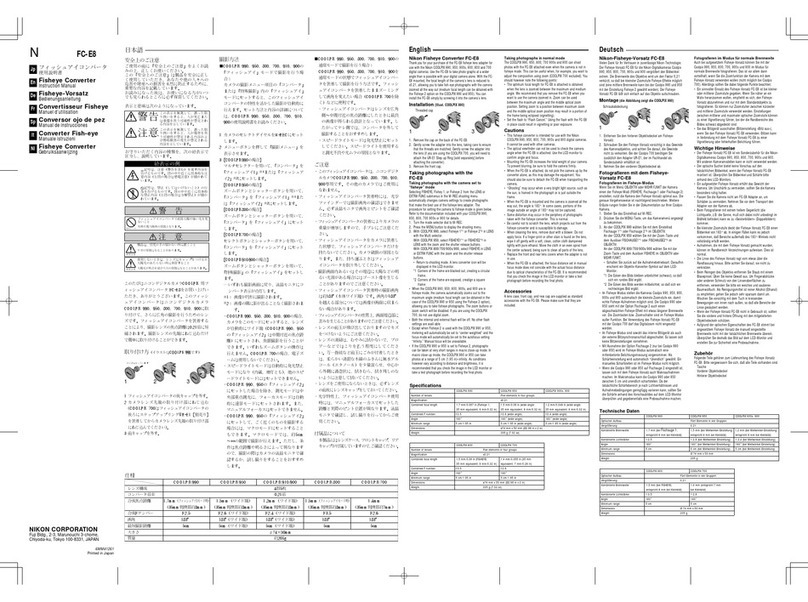
Nikon FC-E8 User manual

Nikon

Nikon FC-E8 User manual

Nikon WC-E24 User manual

Nikon

Nikon WC-E24 User manual

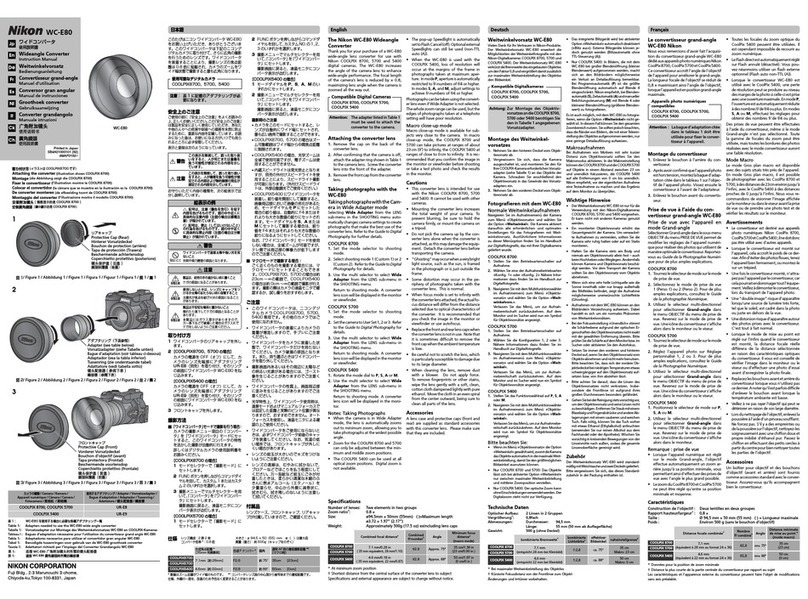
Nikon WC-E80 User manual

Nikon

Nikon WC-E80 User manual

Nikon TC-E15ED User manual

Nikon

Nikon TC-E15ED User manual

Nikon AF-S Teleconverter TC-14E III User manual

Nikon

Nikon AF-S Teleconverter TC-14E III User manual

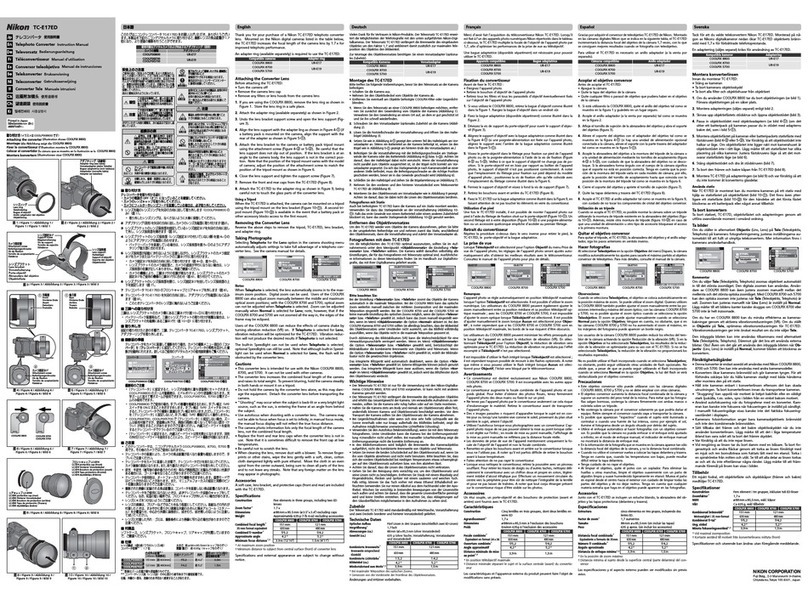
Nikon TC-E17ED User manual

Nikon

Nikon TC-E17ED User manual

Popular Media Converter manuals by other brands

TR-Electronic CMS582M-4096/4096 IOL DMS 14H7 KRF Assembly instructions

TR-Electronic

TR-Electronic CMS582M-4096/4096 IOL DMS 14H7 KRF Assembly instructions

Korenix JetCon 2301S user manual

Korenix

Korenix JetCon 2301S user manual

StarTech.com ET91000LCOAM manual

StarTech.com

StarTech.com ET91000LCOAM manual

Alesis AI-3 Reference manual

Alesis

Alesis AI-3 Reference manual

Caton Vpro 5100 user guide

Caton

Caton Vpro 5100 user guide

Cypress CSC-5500 Operation manual

Cypress

Cypress CSC-5500 Operation manual

H&B TX-100 Installation and instruction manual

H&B

H&B TX-100 Installation and instruction manual

Bolin Technology D Series user manual

Bolin Technology

Bolin Technology D Series user manual

IFM Electronic Efector 400 RN30 Series Device manual

IFM Electronic

IFM Electronic Efector 400 RN30 Series Device manual

GRASS VALLEY KUDOSPRO ULC2000 user manual

GRASS VALLEY

GRASS VALLEY KUDOSPRO ULC2000 user manual

Linear Technology DC1523A Demo Manual

Linear Technology

Linear Technology DC1523A Demo Manual

Lika ROTAPULS I28 Series quick start guide

Lika

Lika ROTAPULS I28 Series quick start guide

Weidmuller IE-MC-VL Series Hardware installation guide

Weidmuller

Weidmuller IE-MC-VL Series Hardware installation guide

Optical Systems Design OSD2139 Series Operator's manual

Optical Systems Design

Optical Systems Design OSD2139 Series Operator's manual

Tema Telecomunicazioni AD615/S product manual

Tema Telecomunicazioni

Tema Telecomunicazioni AD615/S product manual

KTI Networks KGC-352 Series installation guide

KTI Networks

KTI Networks KGC-352 Series installation guide

Gira 0588 Series operating instructions

Gira

Gira 0588 Series operating instructions

Lika SFA-5000-FD user guide

Lika

Lika SFA-5000-FD user guide

manuals.online logo
manuals.online logoBrands
  • About & Mission
  • Contact us
  • Privacy Policy
  • Terms and Conditions

Copyright 2025 Manuals.Online. All Rights Reserved.

Nikon
AF-5 TELECONVERTER
TC-20E m
f~ffl~B})~
P.2
Gebrui
ksha
ndleiding
P.72
User's
Manual
P.72
Manuale d'uso
P.82
Benutzerhandbuch
5.22
Navod k obsluze
STR.92
Manuel d'utilisation
P.32
Uzfvatel'ska prfrucka
STR.
702
Manual del usuario
P.42
ii.fflt5ia~~
P.
7
72
Anvandarhandbok
5.52
ifm~a~a
P.724
PyKoBOACTBO
nonb30BaTenH
CTP.62
A~2.A~
D~
Ai
C>
2
C>
P.734
Notes on Safety Operations
~~
Lh
CAUTION
. Do not disassemble
12
Touching the internal parts
of
the camera or lens could result
in
injury. Repairs should be performed only by qualified
technicians. Should
the
camera or lens break open
as
the
result
of
a fall or
other
accident, take
the
product
to
a Nikon-
authorized service representative for inspection after
unplugging
the
product
and/or
removing the battery.
Turn off immediately
in
the event
of
malfunction
Should you notice smoke or
an
unusual smell
coming
from
the
camera or lens, remove
the
battery immediately, taking
care
to
avoid burns.Continued operation could result in injury.
After removing or disconnecting the
power
source, take
the
product
to
a Nikon-authorized service representative for
inspection.
Do not
use
the camera or lens
in
the presence
of
flammable gas
Operating electronic
equipment
in
the presence
of
flammable
gas
could result in an explosion or fire.
Do not look at the
sun
through the lens or
viewfinder
Viewing the sun or
other
strong
light
sources
through
the lens
or viewfinder could cause
permanent
visual impairment.
Keep out
of
reach
of
children
Particular care should be taken
to
prev
ent
infants from
putting
the batteries or other small parts into their mouths.
Observe
the
following precautions
when
handling the camera and lens
• Keep the camera and lens
unit
dry
.Failure
to
do
so
could
result in fire or electric shock.
• Do
not
handle or
touch
the camera or lens
unit
with
wet
hands. Failure
to
do
so
could result in electric shock.
• When shooting
with
back-lighting,
do
not
point
the lens at
the
sun or allow sunlight
to
pass
directly
down
the
lens
as
this may cause the camera
to
overheat and possibly cause a
fire.
• When the lens will
not
be used for
an
extended period
of
time, attach
both
front
and rear lens caps and store
the
lens
away from direct sunlight. Failure
to
do
so
could result in a
fire,
as
the
lens may focus sunlight
onto
a flammable object.

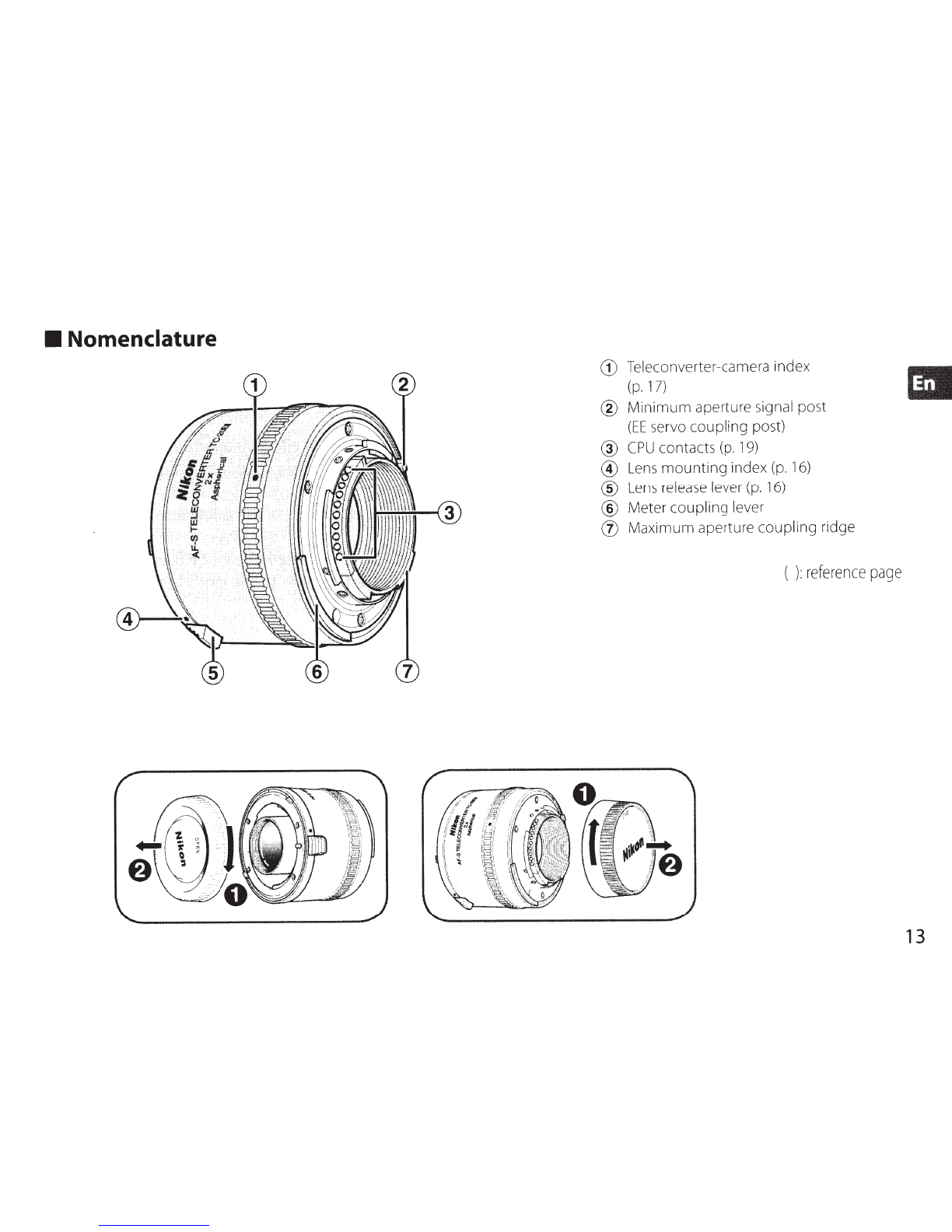
• Nomenclature
G)
Teleconverter-camera index
(p.
17)
®
Minimum
aperture signal post
(EE
servo
coupling
post)
®
CPU
contacts
(p.
19)
®
Lens
mounting
index
(p.
16)
®
Lens
release lever
(p.
16)
®
Meter
coupling
lever .
(j)
Maximum
aperture
coupling
ndge
(
):
reference
page
13
Thank you for purchasing the
AF-S
Teleconverter.
Before
using this teleconverter,
please
read
these
minstructions
and
refer to your
lens'
and
camera's
User's
Manual.
14
• Majorfeatures
•
This
teleconverter doubles the prime
lens'
focal
length with atwo-stop
loss
in
effective aperture.
•
Because
your
AF-S
Teleconverter
has
CPU
contacts,
and
features autofocus, meter coupling
and
minimum
aperture coupling, you
can
fully take advantage
of
prime
lens'
features.
•
This
teleconverter employs asphericallens, which minimizes optical interference
of
the prime
lens.
Important
•
This
teleconverter
is
exclusively for the
AF-S
or
AF-1
NIKKOR
lens
(p.l5); other
lenses
cannot
be
used.
•
The
functions
of
the
lens
attached depend
on
the
camera
in
use.
For
details,
refer
to the
lens'
User's
Manual.
•
Refer
to the
Focusing
(p
.
18)
for available autofocus
and
focus
assist.
• Usable lenses
The
following
AF-S
and
AF-1
NIKKOR
lenses
can
be
used
with the
TC-20E
ill:
AF-S
VR
Micro-Nikkor 1
OSmm
f/2.8G
IF-E
D*
AF-S
NIKK
OR
SO
Om
m f/4G
ED
VR*
AF-S
NIKKOR
200mm f/2G ED
VR
II
AF-S
Nikkor
SOOmm
f/4D
IF-ED
II*
AF-S
VR
Nikkor 200mm
f/
2G
IF-ED
AF-S
Nikkor
SOOmm
f/4D
IF-ED
*
AF-S
NIKKOR
300mm f/2.8G
ED
VR
II
AF-
1
Nikkor
SOOmm
f/4D I
F-ED
*
AF-S
VR
Nikkor 300mm f/2
.8
G
IF-ED
AF-S
NIKK
OR
600mm f/4G
ED
VR*
AF-S
Nikkor 300mm f/2.8D
IF-ED
II
AF-S
Nik
kor
600mm f/4D
IF-E
DII*
AF-S
Nikkor 300mm f/2.8D
IF
-ED
AF-S
Ni
kko
r600mm f/4D
IF-ED
*
AF-1
Nikkor 300mm f/2.8D
IF-
ED
AF-1
Nikkor600mm f/4D I
F-E
D*
AF-S
Nikkor 300mm f/4D
IF-ED
*
AF-S
NIK
KOR
70-200mm f/2.8G
ED
VR
II
AF-S
NI
KKO
R400mm f/2.8G
ED
VR
AF-S
VR
Zoom-Nikkor
70
-200mm f/2.
8G
IF-ED
AF
-SNikkor 400mm f/2.8D IF
-ED
II
AF-S
Nikkor 400mm f/2.8D
IF
-ED
AF-1
Nikkor 400mm f/2.8D I
F-E
D
*Autofocus cannot
be
us
ed.
AF-S
Zoom-Nik
ko
r80-
20
0mm
f/
2.8D
IF-ED
AF-S
NIK
KOR
20
0-400mm f/4G
ED
VR
II*
AF
-S
VR
Zoom-
Ni
kkor 20
0-
40
0mm
f/
4G
IF-E
D*
• Other
lenses
cannot
be
used.
Do
not attach other
lenses
since
the
rear
elements
of
the lenswill touch and may
damage the elements
in
the teleconverter.
• Vibration reduction function
can
be
used
with the
VR
(Vibration Reduction) l
ens
used
with Nikon digital
SLR
(Nikon
FX/DX
format)
cameras,
F6,
FS,
Fl
00,
F80-series/N80-series**,
F7
5-series
/N
75
-ser
ies
**
an
d
F65
-se
rie
s/
N65
-
series
** camera body.
**The
Nikon
N80-series,
N
75-se
ri
es
and
N65-ser
i
es
are
sold
excl
us
iv
e
ly
in t
he
U.S.A.
15
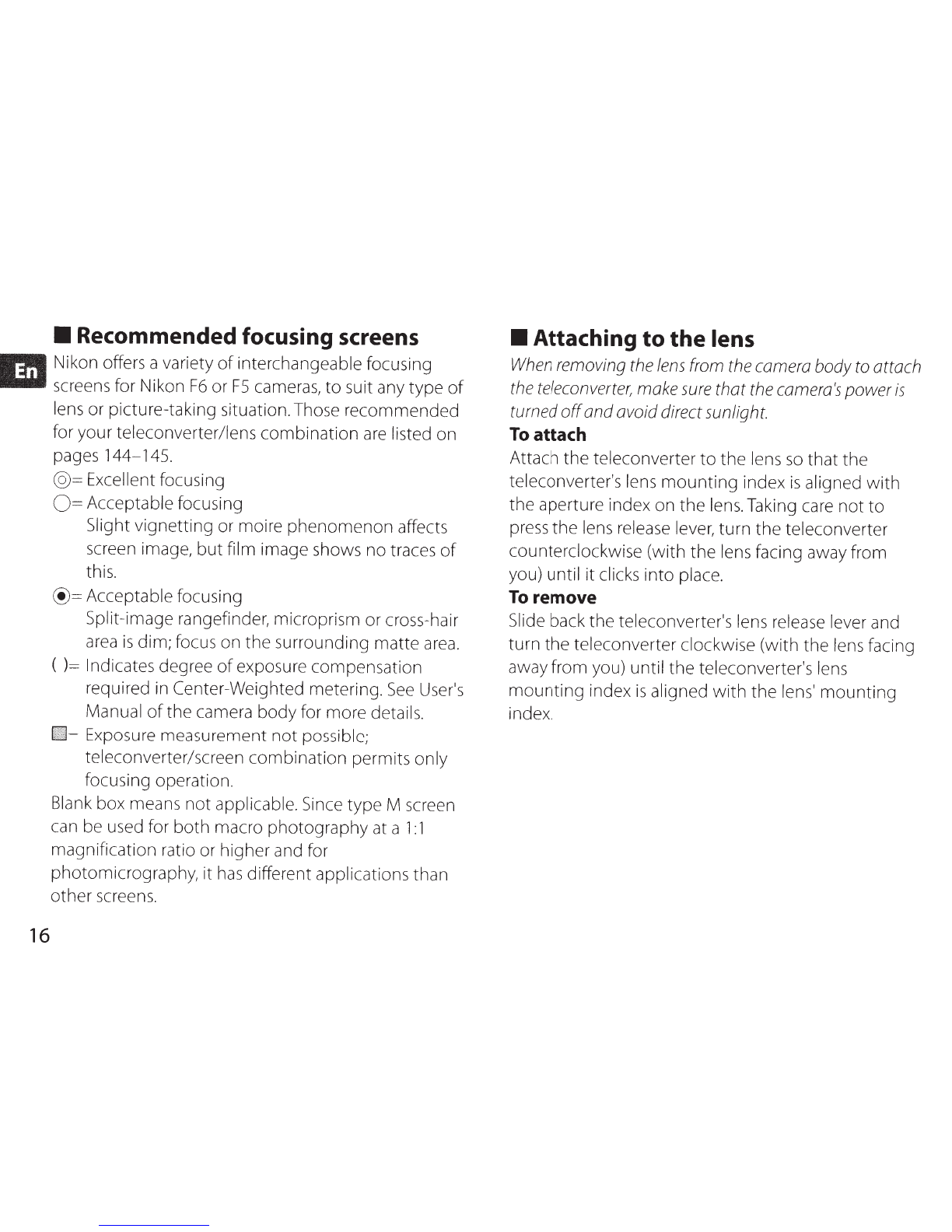
• Recommended focusing screens
.,.
Nikon offers a variety
of
interchangeable focusing
Bill
screens for Nikon
F6
or
FS
cameras,
to
suit any type
of
lens or picture-taking situation.Those
recommended
for your teleconverter/lens
combination
are
listed on
pages
144-145
.
16
@=Excellent focusing
0 = Acceptable focusing
Slight vignetting or moire
phenomenon
affects
screen image,
but
film image shows no traces
of
this.
@=Acceptable
focusing
Split-image rangefinder, microprism or cross-hair
area
is
dim; focus on
the
surrounding matte
area.
( )= Indicates degree
of
exposure compensation
required
in
Center-Weighted metering.
See
User's
Manual
of
the camera
body
for more details.
•=
Exposure measurement
not
possible;
teleconverter/screen
combination
permits only
focusing operation.
Blank box means
not
applicable. Since
type
M screen
can be used for
both
macro
photography
at a
1:1
magnification ratio or higher and for
photomicrography, it
has
different applications than
other screens.
• Attaching
to
the
lens
When
removing
the
lens
from
the
camera
body
to
attach
the
teleconverter,
make
sure
that
the
camera's
power
is
turned
off
andavoid direct sunlight.
To
attach
Attach
the
teleconverter
to
the
lens
so
that
the
teleconverter's lens
mounting
index
is
aligned
with
the aperture index on
the
lens. Taking care
not
to
press
the
lens release lever,
turn
the
teleconverter
counterclockwise (with
the
lens facing away from
you) until
it
clicks
into
place.
To
remove
Slide back
the
teleconverter's lens release lever and
turn
the
teleconverter clockwise (with the lens facing
away from you) until
the
teleconverter's lens
mounting
index
is
aligned
with
the
lens'
mounting
inde
x.
• Attaching teleconverter
to
camera
body
Make
sure
that
the
camera's
power
is
turned
off
and
avoiddirect sunlight.
To
attach
Attach
the
camera
to
the
lens/teleconverter assembly
so
that
the
camera's
mounting
inde
x
is
aligned
with
the
teleconverter-camera index
on
the
teleconverter.
Taking care
not
to
press
the
camera's lens release
button,
turn
the
camera
body
counterclockwise
(with
the
camera
body
facing away
from
you) until
it
clicks
into
place.
•
If
your
camera
has
a
lift-up
meter
coupling
lever,
make sure
that
the
meter
coupling
lever
is
correctly
positioned. (For details,
see
your
camera
User's
Manual.)
To
remove
While pressing
the
lens release
button
on
the
camera
body,
turn
the
camera
body
clockwise
(with
the
camera
body
facing away from you)
until
the
teleconverter-camera index
is
aligned
with
the
camera's lens
mounting
index.
• Determining exposure
Using
th
isteleconverter
with
a lens decreases
the
effectiveaperture by
two
stops.
• With AI-
type
cameras
with/without
CPU
contacts:
Determine exposure in
the
same
manner
as
using
the
pr
i
me
lens only. (However, exposure
cannot
be
determined
with
the
G-type lens.)
• With
no
n-AI-type cameras: Perform
stop-down
met
ho
d.
(However, exposure
cannot
be
determined
with t
he
G-type lens.)
•
See
yo
ur camera
User
's
Manual for available
ex
po
s
ure
modes and
metering
systems.
17
Ill
18
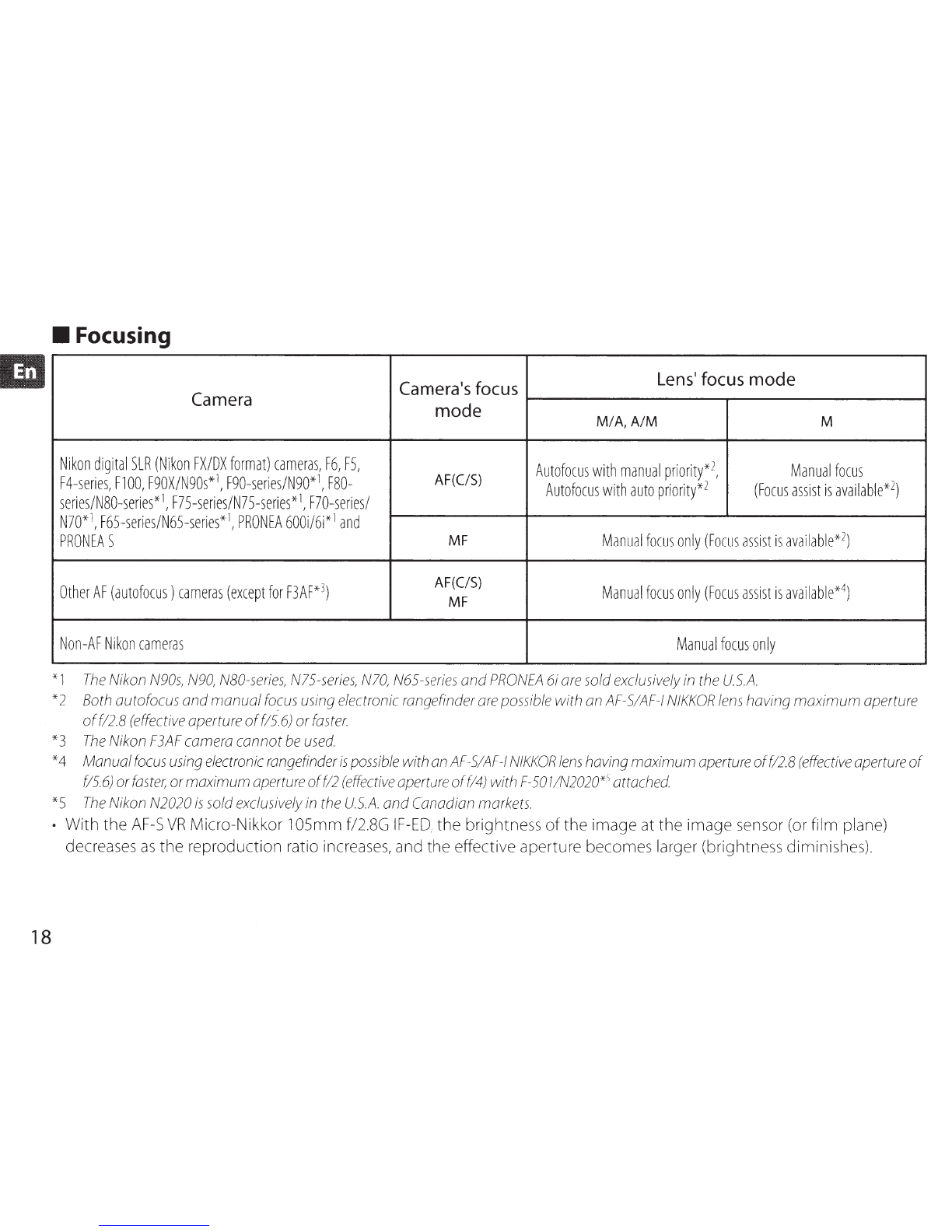
• Focusing
Camera's
focus
Lens·
focus
mode
Camera
mode
M/A,
A/M
M
Nikon
digital
SLR
(Nikon
FX/DX
f
or
mat)
cameras,
F6
,
FS,
A
utofocus
w
it
h
ma
n
ual
pr
iori
ty*
2,
Ma
nual
foc
us
F4-series,
F1
00,
F90X/N90s*
1,
F90-series/N90*
1,
F80-
AF(C/S)
Autofocus
w
ith
auto
pr
io
rit
y*
2 (F
oc
us
assis
tis
av
ailab
le*
2)
series/N80-series*
1,
F7
5-series/N7
5-series*
1
,
F70-series/
N70*1,
F65-ser
i
es/N65-series*
1,
PR
ONEA
600i
/6i*
1
and
PRONEA
S
MF
Ma
nu
al
focu
sonly(
Fo
cus
assi
stis
ava
il
ab
l
e*
2)
Other
AF
(autofocus)
cameras
(except
for
F3AF
*3)
AF(C/S)
Manual
fo
cuso
nl
y
(Foc
us
assist
is
ava
il
ab
l
e*
4)
MF
Non-AF
Nikon
cameras
Manua
lf
ocus
on
ly
*1
The
Nikon
N90s
,N
90,
N8
0-
series,
N
75
-s
er
i
es,
N10,
N65
-
series
andP
RONEA
6iare
sold
exclusiv
ely
in
th
e
U.S
.
A.
*2
Both
autofocus andmanual
focus
us
ing
el
ectronic
rangeft'
nder
are
poss
i
ble
with
an
AF
-S
/A
F-
1
NIKKOR
le
ns
havi
ng
maximum aperture
of
f/2.8
(effective
apertu
re
of
f/5.6)
or
faster.
*3
The
Niko
n
F3AF
camera
ca
nnot
be
use
d
*4 Manual
focus
u
si
ng
electronic
rangef
inder
is
possibl
ewith
an
AF
-S/
AF
-1
NIKKO
R
le
ns
having maximum aperture
of
f/2.8
(effe
ctive
aperture
of
f/5.6
)or
fa
st
er,
ormaximum
ape
rtureoff/2
(e
ffectiv
e
aperture
of
f/4) with F-50l/N
2020*
sattached
*5
The
Niko
n
N2020
is
sold
exclusively
in
the
U.S.A.
and
Cana
dian mark
ets.
• With the
AF-S
VR
Micro-Nikkor 105mm f/2.8G
IF-
ED,
the brightn
ess
of
the image
at
the image
sens
or (or film plane)
decreases
as
the reproduction ratio
increases,
and the effective aperture
bec
omeslarger (brigh
tness
diminis
hes
).
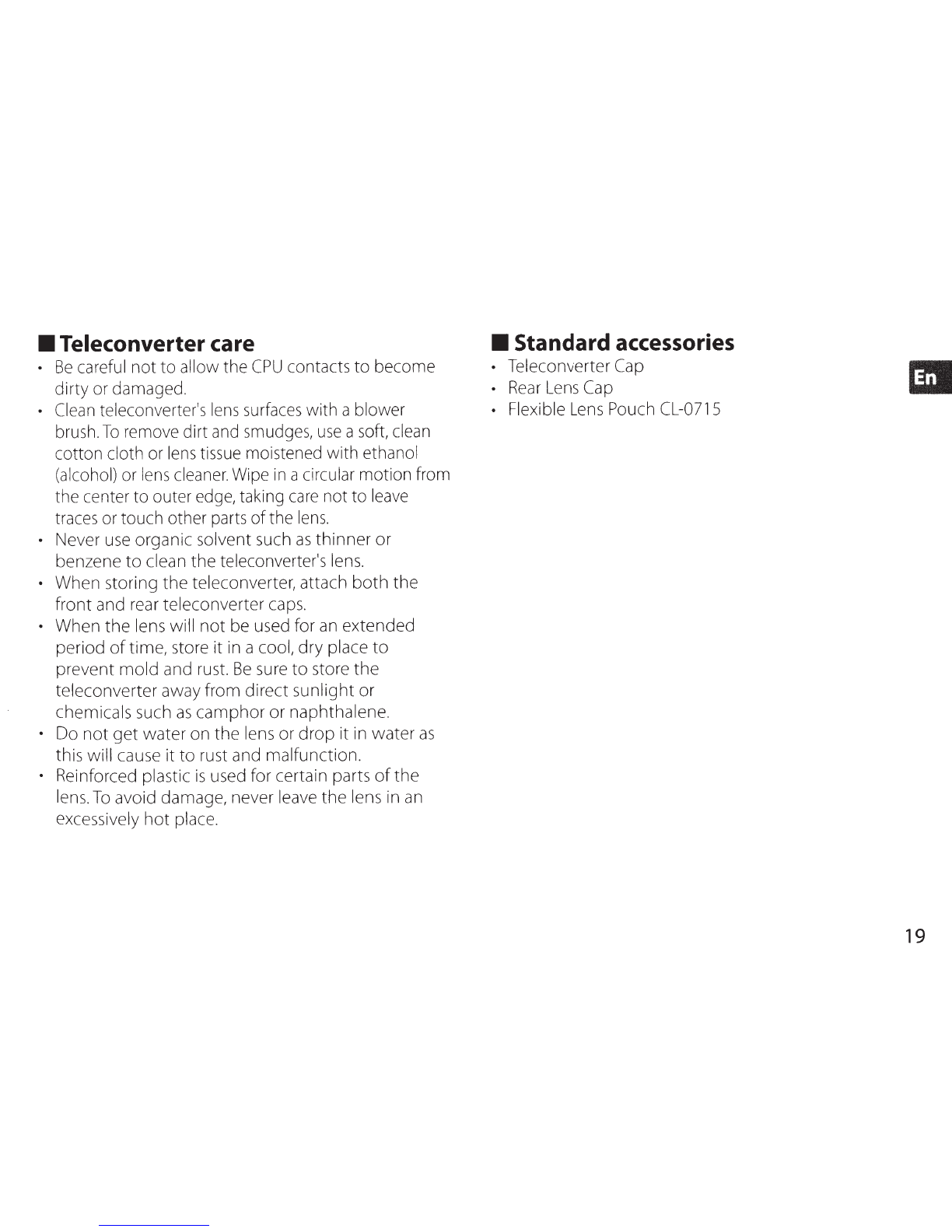
• Teleconverter care
•
Be
careful
not to allow the
CPU
contacts to become
dirty
or
damaged.
•
Clean
teleconverter,s
lens
surfaces
with ablower
brush.
To
remove
dirt
and
smudges,
use
a
soft,
clean
cotton cloth
or
lens
tissue
moistened with ethanol
(alcohol)
or
lens
cleaner
.
Wipe
in
a
circular
motion from
the center to outer
edge,
taking
care
not to
leave
traces
or
touch other
parts
ofthe
lens.
• Never
use
organic solvent
such
as
thinner or
benzene to clean the teleconverte(s
lens.
• When storing the teleconverter, attach both the
front and
rear
teleconverter
caps.
• When the
lens
will not
be
used
for
an
extended
period
of
time, store it
in
acool, dry place to
prevent mold
and
rust.
Be
sure
to store the
teleconverter away from direct sunlight or
chemicals
such
as
camphor or naphthalene.
•
Do
not get water
on
the
lens
or drop it
in
water
as
this will
cause
it to
rust
and malfunction.
• Reinforced plastic
is
used
for certain parts
of
the
lens.
To
avoid damage, never
leave
the
lens
in
an
excessively hot
place.
• Standard accessories
• Teleconverter
Cap
•
Rear
Lens
Cap
• Flexible
Lens
Pouch
CL-0715
19
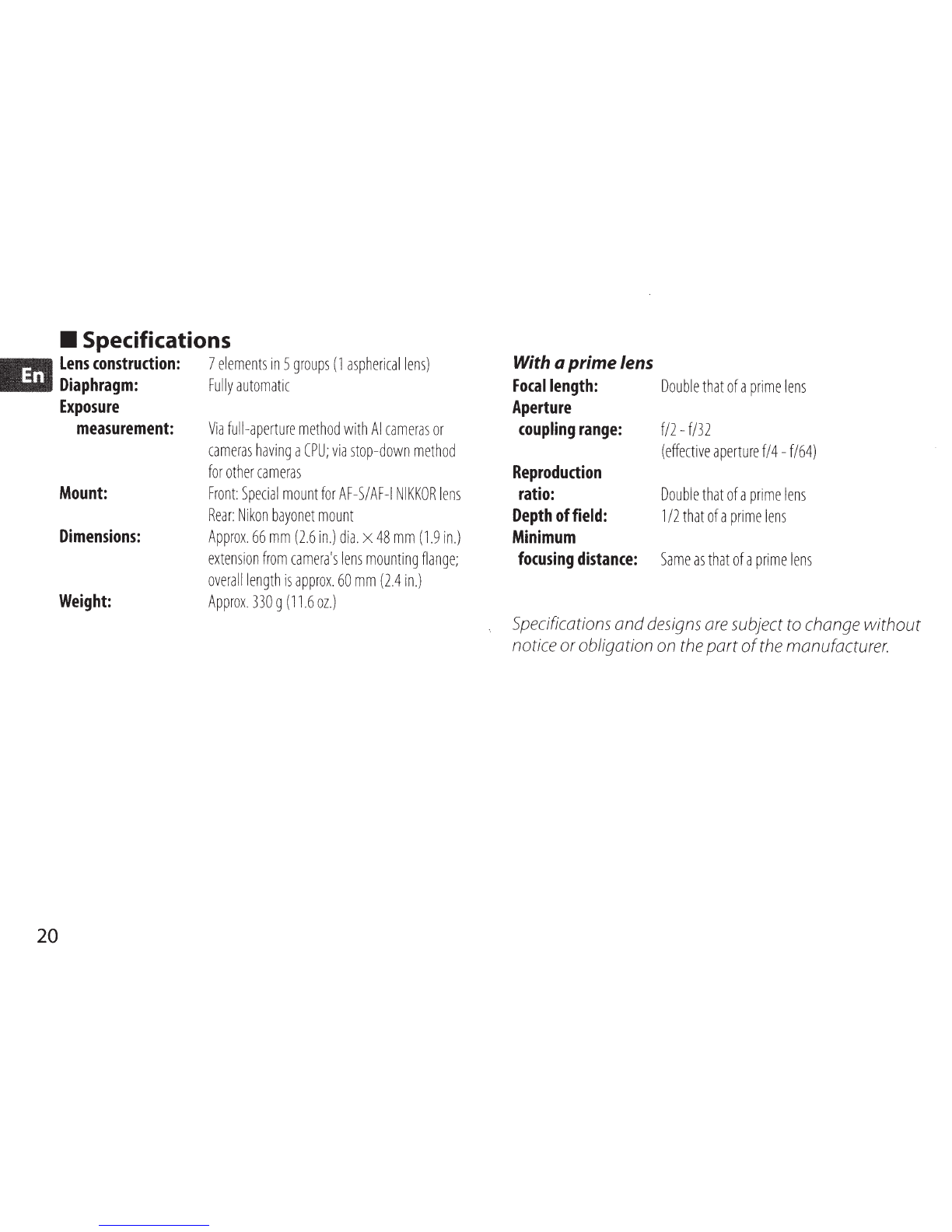
• Specifications
...,.
Lens
construction:
7
elements
in
5
groups
(1
asphericallens)
.all
Diaphragm:
Fully
automatic
20
Exposure
measurement:
Mount:
Dimensions:
Weight:
Via
full-aperture
method
with
AI
cameras
or
cameras
having
a
CPU;
via
stop-down
method
for
other
cameras
Front:
Special
mount
for
AF-S/
AF-1
NIKKOR
lens
Rear:
Nikon
bayonet
mount
Approx.
66
mm
(2.6
in.)
dia.
x
48
mm
(1.9
in.)
extension
from
camera's
lens
mounting
flange;
overall
length
is
approx.
60
mm
(2.4
in.)
Approx
.
330
g
(11
.6
oz
.)
With a
prime
lens
Focal
length:
Double
that
of
a
prime
lens
Aperture
coupling
range:
f/2-
f/32
Reproduction
ratio:
Depth
of
field:
Minimum
focusing
distance:
(effective
aperture
f/4-
f/64)
Double
that
of
a
prime
lens
1/2
that
of
a
prime
lens
Same
as
that
of
a
prime
lens
Specifications
and
designs
are
subject
to
change without
notice orobligation
on
the
part
of
the
manufacturer.