DOD LS360W User manual

USER MANUAL
MANUEL DE L’UTILISATEUR

Copyright 2014 DOD Tech
All Rights Reserved
C

1
Table of Contents
Safety Precautions……………………………..……….........................................3
Package Contents……………………………...……….........................................4
Camera Controls……………………………...…………........................................5
Getting Started……………………………...…………..........................................7
Installing Your Camera……………...………...………........................................10
Basic Camera Operation………………………………........................................12
Camera Modes……………………………...…….…….........................................13
Video Recording Mode…………………………............................................ 13
Photo Mode……………………………...………..............................................14
Playback Mode………………………...………...............................................15
Camera Settings……………………………...…………........................................16
Video Recording Settings………………………............................................16
Photo Settings……………………………...…….............................................19
Video Playback Settings………………………………..................................... 20
Transferring Files………….………….………….…….......................................... 21
Video Output………….………….………….………….......................................... 21
DOD Video Player………….………….………….……......................................... 22
Firmware Update....................................................................................... 23

2
Table des matières
Mesures de sécurité……………………………..………....................................... 24
Contenus du paquet ……………………………...……….................................... 25
Commandes et Fonctions……………………………...………….......................... 26
Démarrer……………………………...…………................................................... 28
Installer la caméra……………...………...………............................................... 31
Utilisation de base de la caméra ………………………………............................ 33
Modes de la caméra ……………………………...…….……................................. 34
Mode enregistrement vidéo ………………………….................................... 34
Mode photo……………………………...……….............................................. 35
Mode lecture vidéo………………………...………......................................... 36
Paramètres de la caméra ……………………………...…………...........................37
Paramètres d'enregistrement vidéo ………………………........................... 37
Paramètres photo……………………………...……....................................... 40
Paramètres de lecture vidéo……………………………….............................. 41
Transférer des fichiers ………….………….………….……................................. 42
Sortie vidéo………….………….………….…………............................................ 43
Lecteur vidéo DOD………….………….………….……...................................... 44
Mise à jour du logiciel................................................................................ 44

3
Safety Precautions
Do not disassemble, repair, or modify your camera or power related accessories
For warranty service, please contact your local DOD Tech support service.
Avoid exposing your camera to extended periods of humidity and/or heat
Prolonged exposure may reduce the camera's lifespan.
Do not spray water or cleaning agents directly onto the camera
Fluids may cause fire, electric shocks or malfunctions.
Do not adjust the camera while driving
Avoid installing the camera where it may obstruct the driver's view or airbags
deployment
Only use the power adapter supplied with your unit.
Other power adapters may create a safety hazard or damage the unit.
Do not use a damaged power adapter or power cord.
If damaged, disconnect the power adapter and contact DOD Tech Support for
assistance.
4
Package Contents
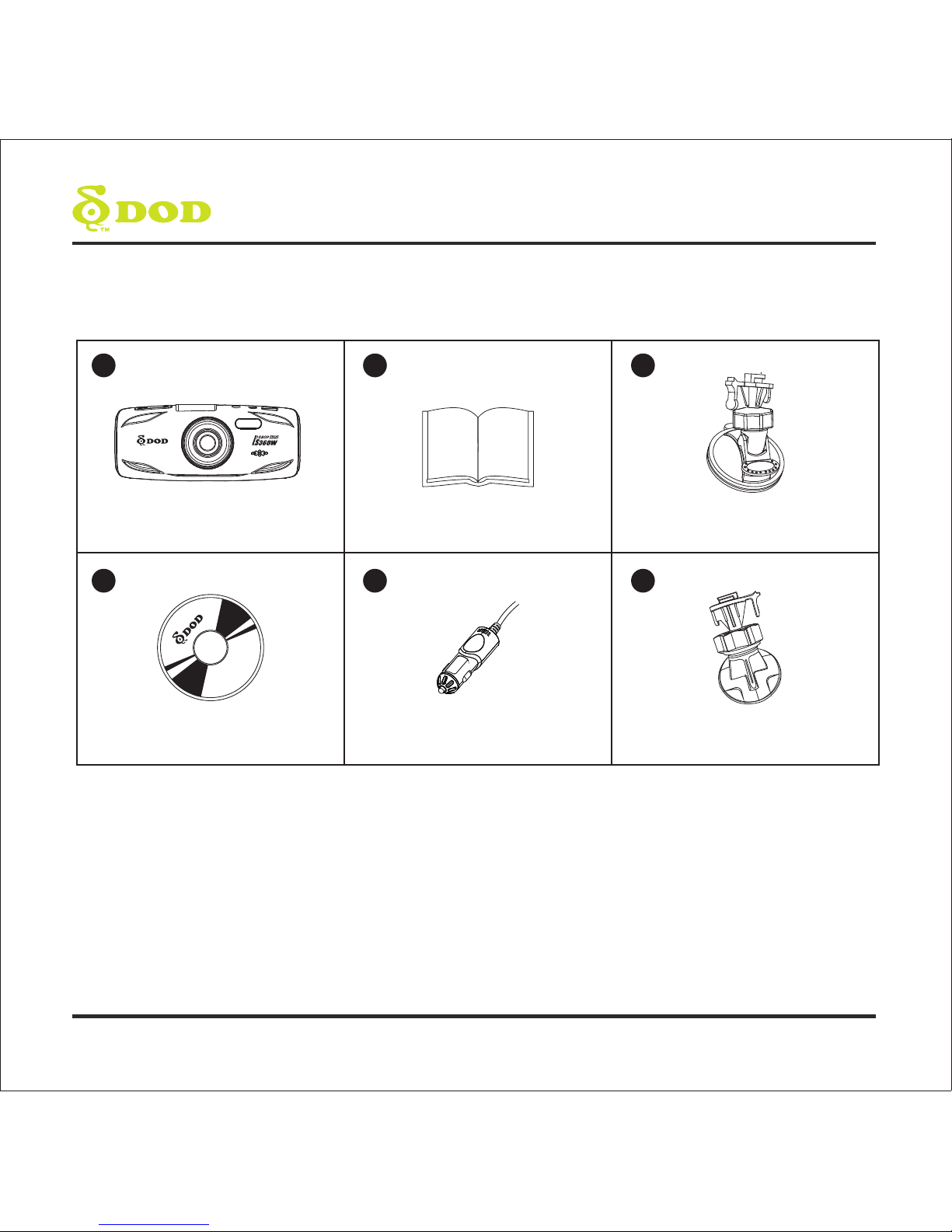
DOD LS360W Dash Camera User manual Suction Mount
Power Adapter Adhesive Tape Mount
123
56
DOD Player Installation CD
4

5
2
13
10
12
135
6
7
11
14
15
16
4
8
9
Camera Controls
6
Camera Controls
1
2
3
4
5
6
7
8
9
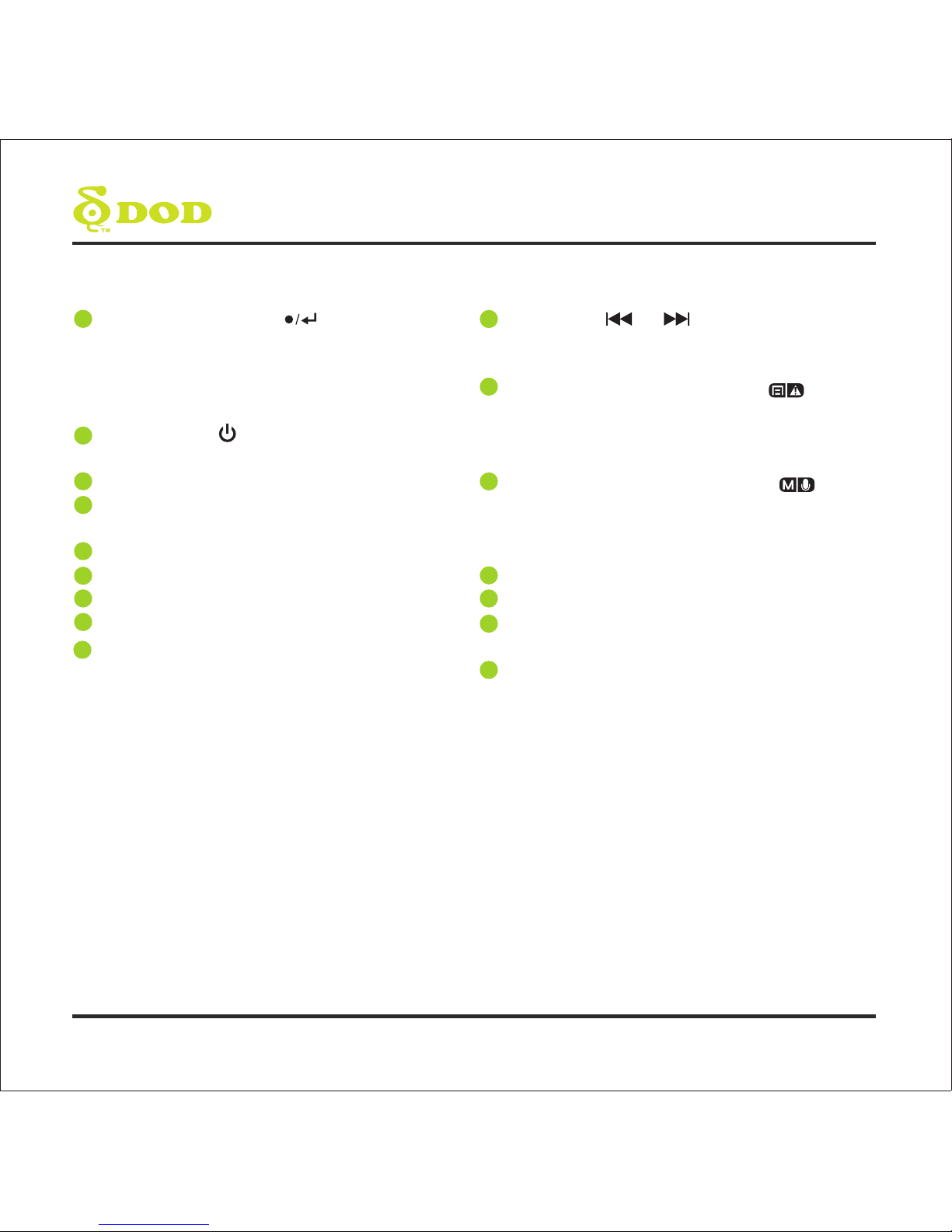
Record / Select Button[ ]
Video Mode: Start/Stop Recording
Camera Mode: Takes a Photo
Video Playback Mode: Play / Pause Video
Settings Mode: Selects Highlighted Item
Power Button [ ]
Turn on/off the unit.
A/V Video Out Port
GPS Input Port
Connect with the G-mouse (optional).
USB Port
LED Flashlight
Speaker
LED Notification Light
Microphone
Arrow Keys/[ ] , [ ]
Used to navigate through menus and select
videos for playback
Menu/SOS Emergency File Lock/[ ]
Access the settings menu when not recording
video. Press while recording videos to lock the
current file from being overwritten.
Change Mode / Mutes Microphone[ ]
Changes mode while not recording videos.
Press and hold while recording to mute /
unmute the microphone.
LCD Screen
HDMI Port
Reset Button
If camera freezes, use a small pin to press button.
Micro SD Slot
11
12
13
14
10
15
16
Getting Started
Watch the Video
Before you start, watch our installation video at http://dod-tech.ca/GetStarted
Setting Up Your Camera
Set up your camera inside your vehicle to ensure easy access to power.
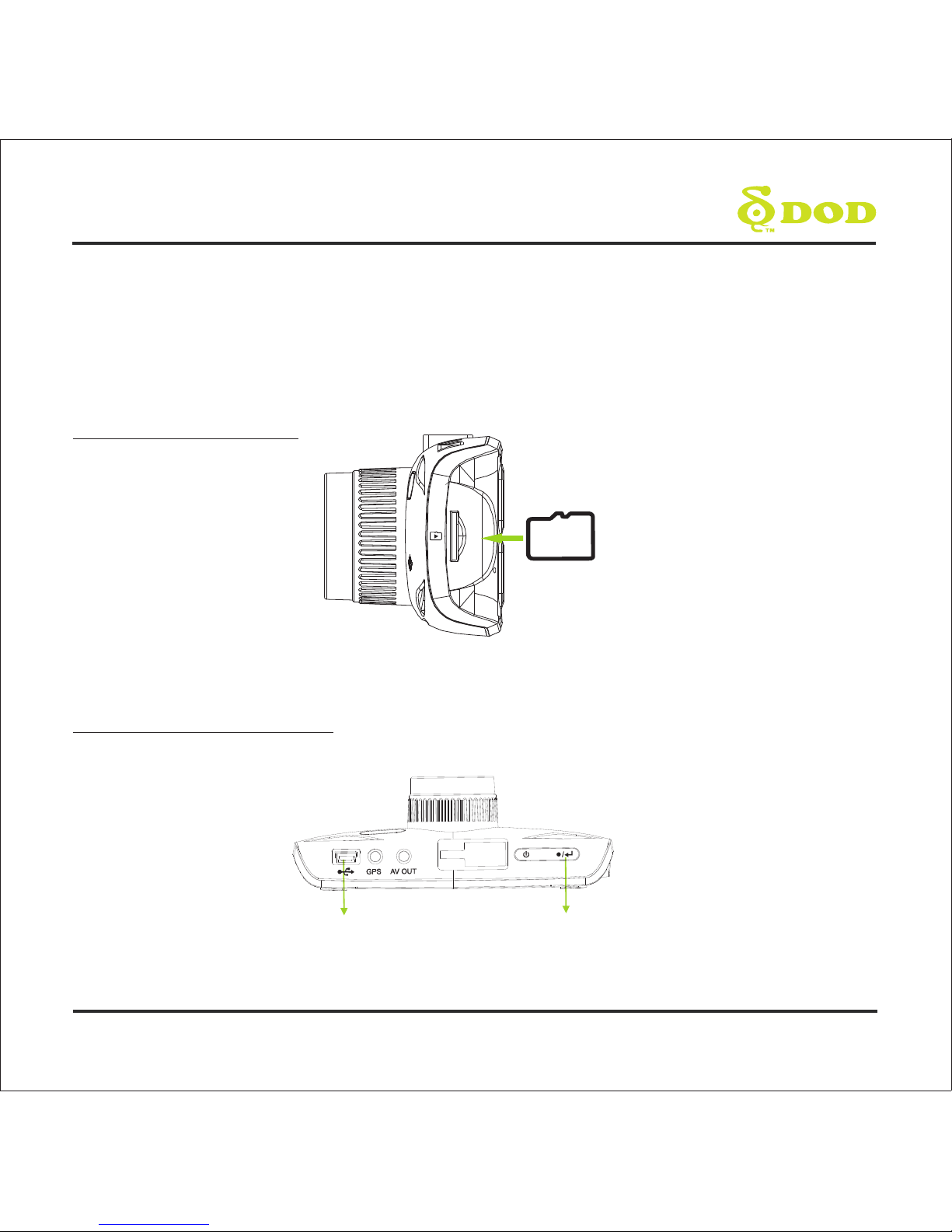
1. Insert the Memory Card
*Note: Please purchase a micro SD card for use with this unit.
2. Connect the Power Adapter
Plug the DOD power adapter into your vehicle's power outlet and insert the USB plug into the
USB port.
Micro SD
USB Port Record/Select
7
8
Getting Started
3. Turn On Your Vehicle.
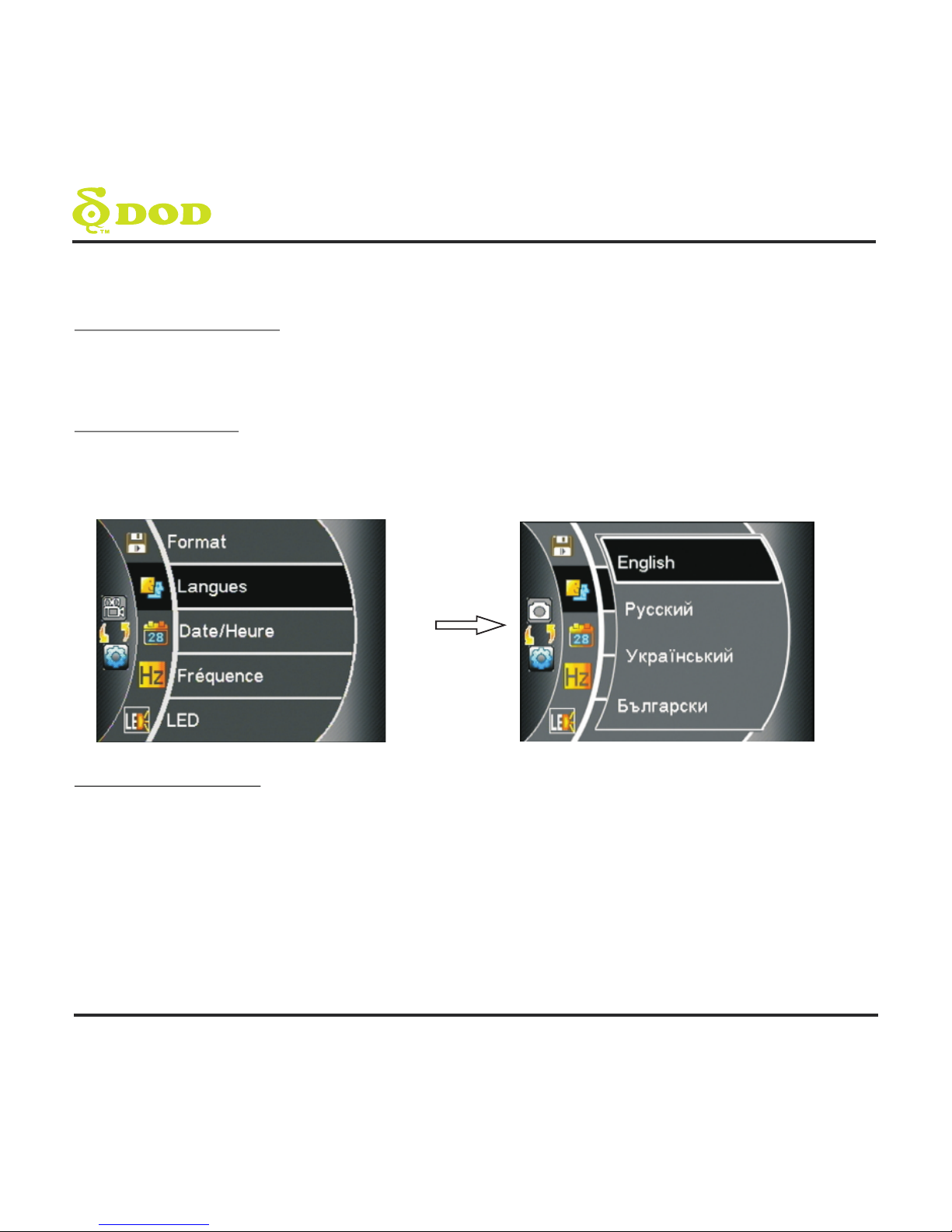
4. Select Language
5. Turn off recording.
In most vehicles this will send power to the outlet and automatically turn on your camera. In some
vehicles the power outlet is continuously powered even when the vehicle is off.
Upon powering up the camera for the first time, use the arrow keys located on the left side of the
LCD Screen and select the language of your choice. Press the “record/select” button found on
top of your unit to confirm your selection.
In order to access the menu to setup the time and date you will need to turn off the
recording. Press the “record/select” button. You should no longer see a flashing red
dot on the screen.
Other manuals for LS360W
1
Table of contents
Languages:
Other DOD Digital Camera manuals