Page 10
Extender Advanced User Manual
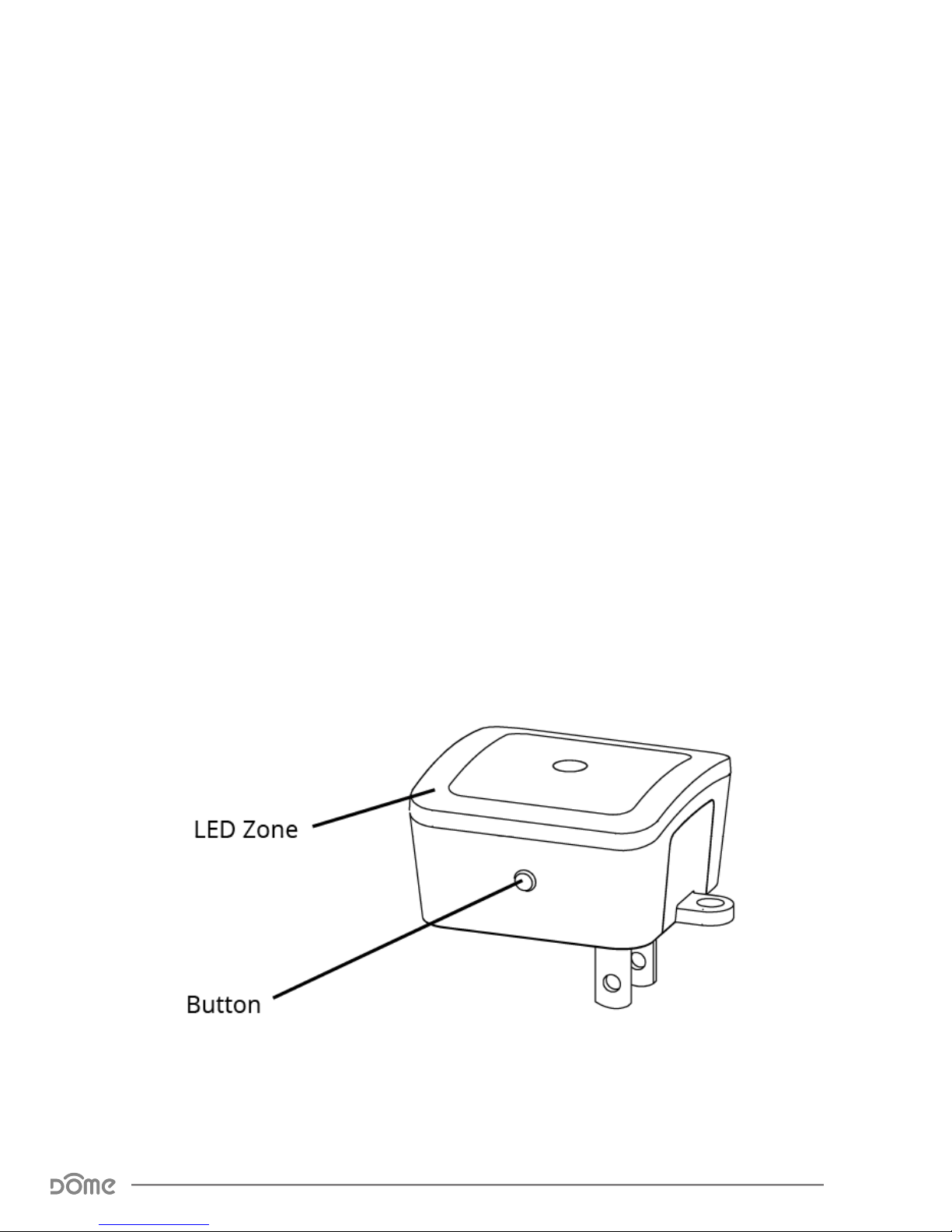
Button Behavior
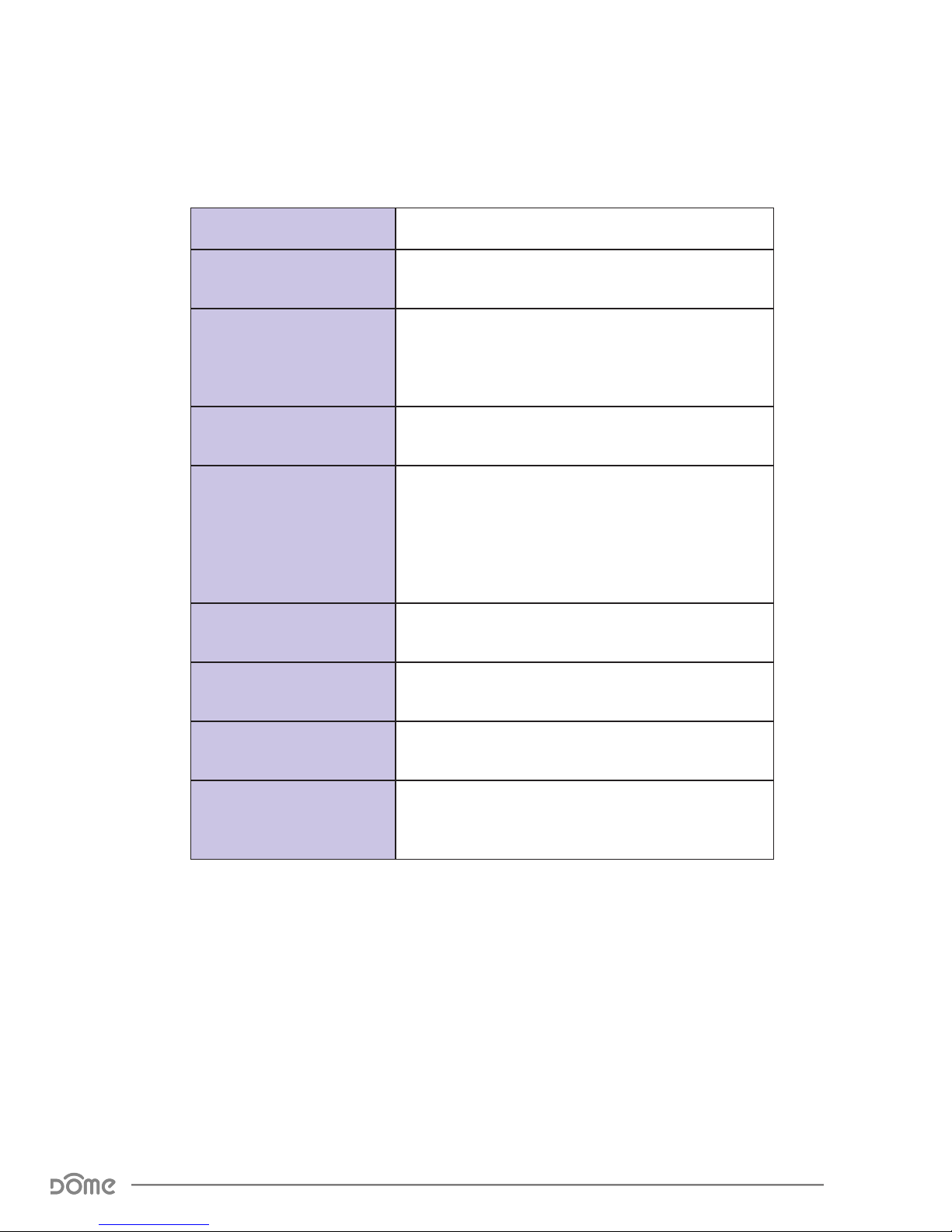
Action Condition Result
Push Button Once Always
The rst time the Button is pushed, the Night-
light LEDs will display the current LED Mode (see
chart below.) Subsequent presses within FIVE
seconds will toggle between LED modes.
Flash once LED Always On
Flash twice Only on When Dark
Flash three times LED is O
Press and Hold Always
Device ramps through the available brightness
settings of the nightlight, from the current value
down to the lowest brightness, then back up to
the highest brightness. The user should release
the button at the desired brightness level.
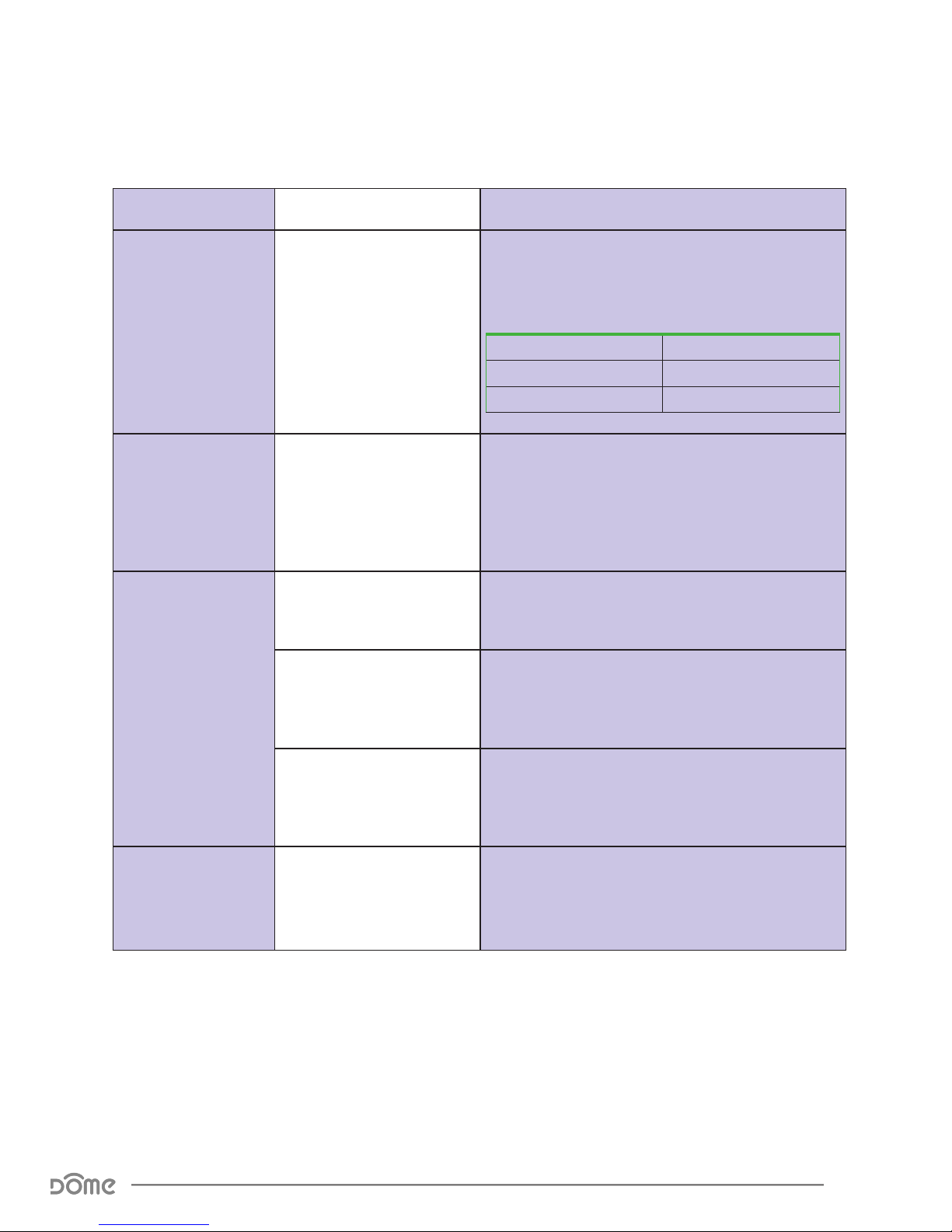
Push Button 3
Times
Extender Already Included
in System Device sends node info to Group 1
Extender Already Included,
and Controller is in
Exclusion Mode
Device is excluded from the system and re-
moves the Home ID from its memory
Extender Not Yet Included
in System, and Controller
is in Inclusion Mode
Device enters inclusion mode and includes into
whichever network is also in inclusion mode
Press the Button
6 times then hold
for 10 Sec
Extender Already Included
in System
Device will be reset to factory settings, and a
DEVICE_RESET_LOCALLY command will be sent
to Group 1
Button Behavior