manuals.online logo
Brands
  1. Home
  2. •
  3. Brands
  4. •
  5. Durabrand
  6. •
  7. Cordless Telephone
  8. •
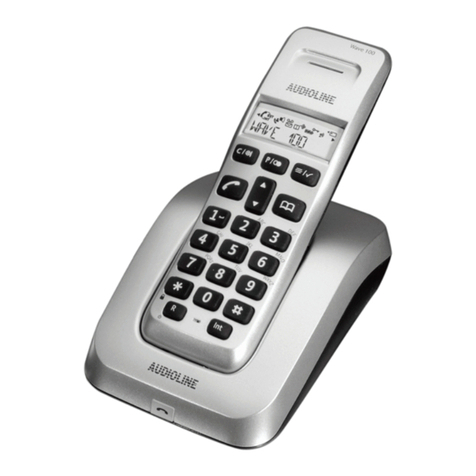
  9. Durabrand PH-543 User manual

Durabrand PH-543 User manual

This manual suits for next models

1

Other Durabrand Cordless Telephone manuals

Durabrand H-5560 User manual

Durabrand

Durabrand H-5560 User manual

Durabrand PH-5435 User manual

Durabrand

Durabrand PH-5435 User manual

Popular Cordless Telephone manuals by other brands

Sony SPP-SS965 - Cordless Telephone operating instructions

Sony

Sony SPP-SS965 - Cordless Telephone operating instructions

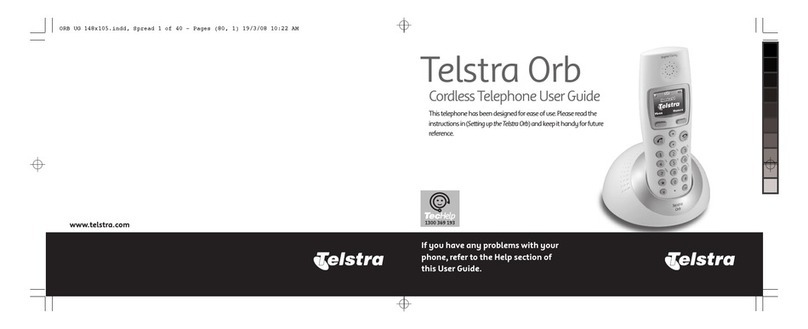
Telstra Orb user guide

Telstra

Telstra Orb user guide

Mitel DT390 Quick reference guide

Mitel

Mitel DT390 Quick reference guide

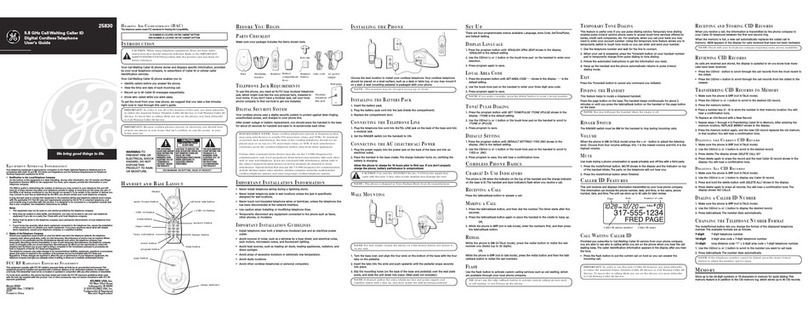
GE 25830 user guide

GE

GE 25830 user guide

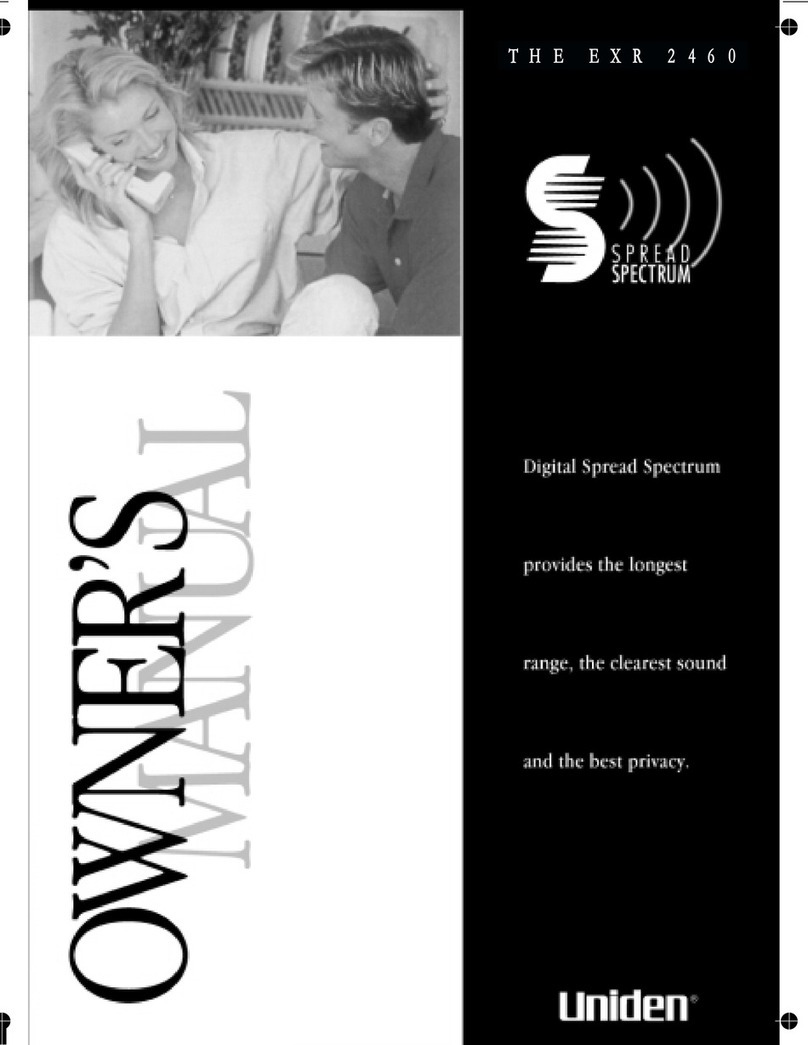
Uniden EXR2460 owner's manual

Uniden

Uniden EXR2460 owner's manual

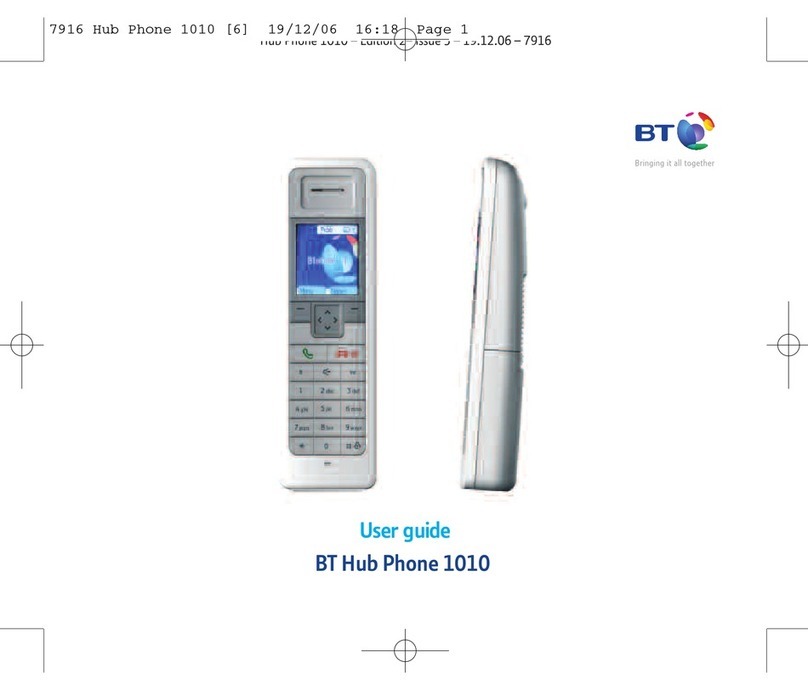
BT DIVERSE 1010 user guide

BT

BT DIVERSE 1010 user guide

BT Graphite 1500 quick start guide

BT

BT Graphite 1500 quick start guide

3Com NBX Guide

3Com

3Com NBX Guide

Panasonic KX-TGK210HK operating instructions

Panasonic

Panasonic KX-TGK210HK operating instructions

Panasonic KX-TCA181EX installation manual

Panasonic

Panasonic KX-TCA181EX installation manual

BT FREESTYLE 3200 user guide

BT

BT FREESTYLE 3200 user guide

Panasonic KX-TG7301E operating instructions

Panasonic

Panasonic KX-TG7301E operating instructions

AUDIOLINE Splash 10x operating instructions

AUDIOLINE

AUDIOLINE Splash 10x operating instructions

Sanyo CLT-J70 instruction manual

Sanyo

Sanyo CLT-J70 instruction manual

Amplicomms BigTel 201 user manual

Amplicomms

Amplicomms BigTel 201 user manual

GE 26992 user guide

GE

GE 26992 user guide

AT&T E1812B user manual

AT&T

AT&T E1812B user manual

Sanyo CLT-670 instruction manual

Sanyo

Sanyo CLT-670 instruction manual

manuals.online logo
manuals.online logoBrands
  • About & Mission
  • Contact us
  • Privacy Policy
  • Terms and Conditions

Copyright 2025 Manuals.Online. All Rights Reserved.

IB-PH543(168F)-WM-E-051203
CALLER ID SHOWS YOU CALLERS NAME & NUMBER
70 NAME & NUMBER CALLER ID MEMORY
TONE/PULSE SWITCHABLE DIALING
AUTOMATIC TIME & DATE DISPLAY
ONE-TOUCH CALLER ID CALL BACK
3 ONE-TOUCH SPEED DIAL BUTTONS
10 TWO-TOUCH SPEED DIAL MEMORY LOCATIONS
WALL/DESK USABLE
USES 3 SIZE AA BATTERIES (NOT INCLUDED)
NOTE: READ AND FOLLOW THESE INSTRUCTIONS
BEFORE USING YOUR TELEPHONE.
TO USE THIS CALLER ID FEATURES OF THIS PHONE,
YOU MUST SUBSCRIBE TO CALLER ID SERVICE,
AND REMEMBER TO INSTALL BATTERIES.
MODEL PH-543
OPERATING INSTRUCTIONS
13 MEMORY CALLER ID TRIM PHONE
IB-PH543(168F)-WM-E-051203
Getting Started
Step 1: Checking the Package Contents 5
Step 2: Telephone Installation 6
Step 3: Setting up the Telephone 7
Adjust the LCD Contrast Level 8
Basics
Making and Receiving Calls 8
Volume Control and Ringer Setting 8
Last Number Redialing / Pause & Flash
Function 8
Memory Dialing
Storing Phone Number into Memory 9
Making Calls with One-Touch Speed Dial
Buttons 9
Making Calls with Two-Touch Speed Dial
Locations 9
Caller ID Features
Understanding the Caller ID Service 10
When You Receive a Call 10
Viewing the Caller ID List 10
Calling Back from the Caller ID List 11
Storing Phone Numbers from the
Caller ID List 11
Deleting the Data from the Caller
ID List 12
Using Message Waiting / Mailbox 12
Wall Mounting 13
Trouble Shooting 14
Limited Warranty 16
○○○○○○○○○○○○○○○
○○○○○○○○○○○○○○
○○○○○○○○○○○○○○○○○
○○○○○○○○○○○○○○
○○○○○○○○○○○○○○
○○○
○○○○○○○○
○○○○○○○○
○○○○○○○○○○○○○○○○
○○○○○○
○○○○
○○○○○○○○
○○○○○○○
○○○
○○○
○○○○○○○○○○○○○○○○
○○○○
TABLE OF CONTENTS
○○○○○○○○○○
○○○○○○○○○○○○○○
○○○○○
○○○○○○○○○○○○○○○○
○○○○○○○○○○○○
○○○○○○
Important Safety Instructions 1
Battery Safety Instructions 2
FCC Information 3
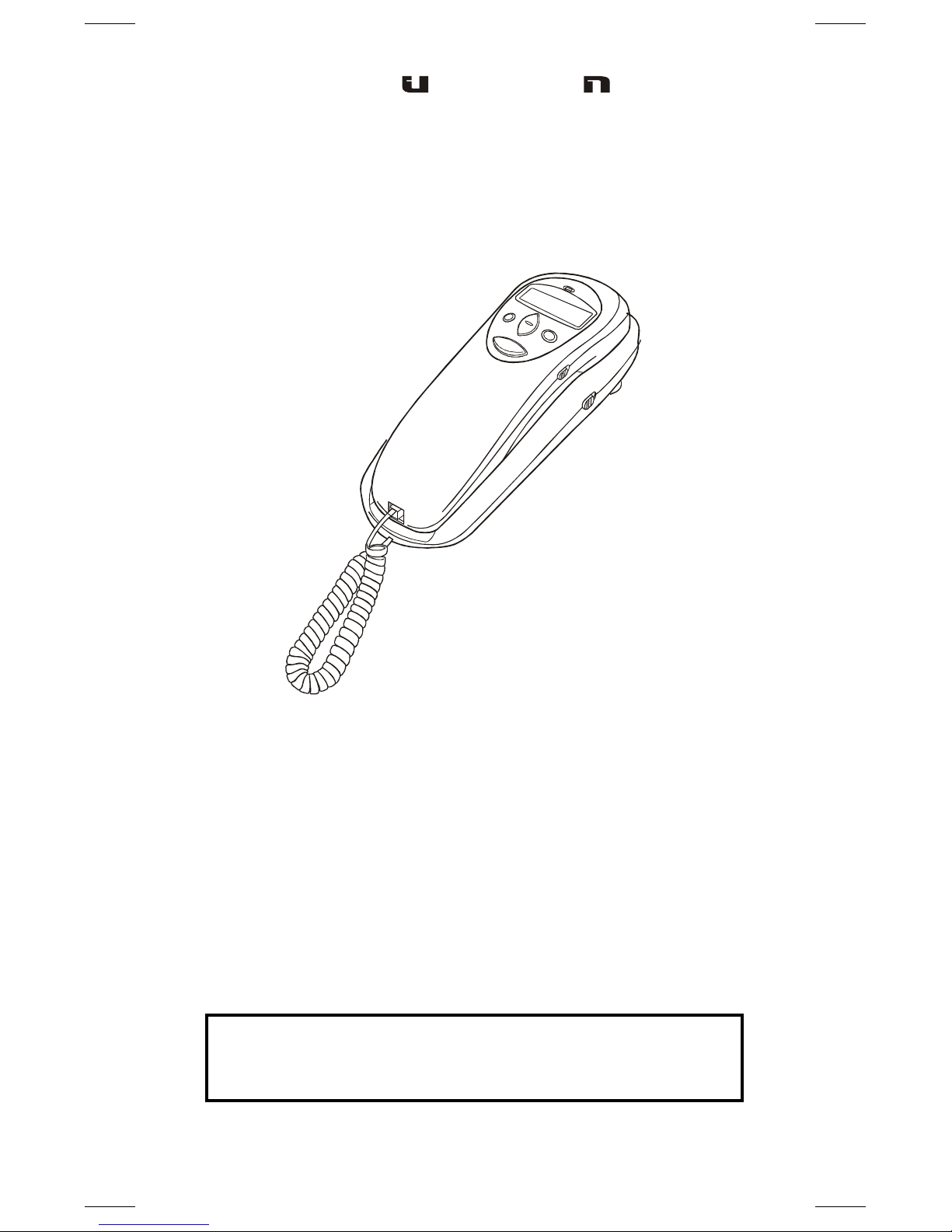
Location of Controls 4
IB-PH543(168F)-WM-E-051203
When using your telephone equipment, basic safety precautions should
always be followed to reduce the risk of fire, electric shock and
personal injury, including the following:
1.Read and follow all instructions and warnings.
2.Unplug this product from the wall outlet before cleaning. Do not use
liquid cleaners or aerosol cleaners. Use a slightly dampened cloth only.
3.Do not use this product near water, for example, near a bathtub,
wash bowl, kitchen sink, or laundry tub, in a wet basement, or near
a swimming pool.
4.Do not place this product on an unstable cart, stand or table. The
product may fall, causing serious damage to the phone.
5. Slots and openings in back or bottom of the phone are for ventilation,
and should not be blocked or covered. The openings should never
be blocked by placing the product on the bed, sofa, rug, or other similar
surface. This product should never be placed near or over a radiator,
heat register or a built-in installation such as a bookcase or cabinet
unless proper ventilation is provided.
6.Never push objects of any kind into this product through cabinet
slots as they may touch dangerous voltage points or short out parts
that could result in risk of fire or electric shock. Never spill liquid of
any kind on the product.
7.To reduce the risk of electric shock, do not take this telephone apart.
When service or repair work is required, take it to a qualified service
representative, Opening or removing covers may expose you to
dangerous voltage or other risks. Incorrect reassembly can cause
electric shock when the appliance is subsequently used.
8.Unplug this product from the wall outlet and refer servicing to
qualified service personnel under the following conditions:
A. When the cord or plug is damaged or frayed.
B. If liquid has been spilled into the product.
C. If the product has been exposed to rain or water.
D. If the product does not operate normally by following the operating
instructions. Adjust only those controls that are covered by the
operating instructions because improper adjustment of other
controls may result in damage and will often require extensive
work by a qualified technician to restore the product to normal
operation.
E. If the product has been dropped or the cabinet has been damaged.
F. If the product exhibits a distinct change in performance.
9.Avoid using a telephone (other than a cordless type) during an
electrical storm. There may be a remote risk of electric shock from lightning.
10. Do not use the telephone to report a gas leak in the vicinity of the leak.
11. Do not allow anything to rest on the telephone cord. Do not locate
this product where the cord will be damaged by persons walking on it.
12.Never install telephone wiring during a lightning storm.
13.Never install telephone jacks in wet locations unless the jack is
specially designed for wet locations.
14.Never touch uninsulated telephone wires or terminals, unless the
telephone line has been disconnected at the network interface.
15.Be careful when installing or modifying telephone lines.
IMPORTANT SAFETY INSTRUCTIONS
SAVE THESE INSTRUCTIONS
1

IB-PH543(168F)-WM-E-051203
1. Use only the following type and size of batteries: 3 size AA
alkaline batteries (not included).
2. Do not dispose the batteries into a fire. The cells may explode.
Check with local codes for possible special disposal instructions.
3. Do not open or mutilate the batteries. Released electrolyte is
corrosive and may cause damage to the eyes or skin. It may be
toxic if swallowed.
4. Be careful when handling batteries in order not to short the battery
with conducting materials such as rings, bracelets and keys. The
battery or conductor may over heat and cause burns.
5. Do not attempt to recharge the batteries that are used with this
product. The batteries may leak corrosive electrolyte or explode.
6. Do not attempt to rejuvenate the batteries identified for use with this
product by heating them. Sudden release of the battery electrolyte
may cause burns or irritation to eyes or skin.
7. All batteries should be replaced at the same time. Mixing fresh and
discharged batteries could increase internal cell pressure and
rupture the batteries.
8. When inserting batteries into this product, the proper polarity or
direction must be observed. Reverse insertion of batteries may
result in the leakage or explosion.
9. Remove the batteries from this product if the product will not be
used for a long period of time (several months or more) since during
this time the batteries could leak, damaging the product.
10. Discard weak or dead batteries as soon as possible since they are
more likely to leak in the product. Batteries should be replaced when
the display gets dim or if the LOW BATTERY INDICATOR shows.
11. Do not store this product in high temperature areas. Batteries that
are stored in a freezer or refrigerator for the purpose of extending
shelf life should be protected from condensation during storage and
defrosting. Batteries should be stabilized at room temperature prior
to use after cold storage.
12. If this product does not operate normally, see TROUBLE SHOOTING
in this booklet. If you cannot resolve the problem, or if the product is
damaged, refer to the LENOXX WARRANTY INFORMATION on the
last page of this manual. Opening or removing covers may expose
you to dangerous voltages or other risks. Incorrect reassembly can
cause electric shock when the appliance is subsequently used.
13. Installation of batteries should only be done by an adult.
BATTERY SAFETY INSTRUCTIONS
CAUTION: TO REDUCE THE RISK OF FIRE OR PERSONAL
INJURY, READ AND FOLLOW THESE INSTRUCTIONS.
SAVE THESE INSTRUCTIONS
HELP LINE 1-800-315-5885
2
IB-PH543(168F)-WM-E-051203
3
GENERAL
The FCC prohibits customer-provided terminal equipment to be
connected to party lines or to be used in conjunction with coin
telephone service. This phone is hearing aid compatible.
FCC INFORMATION
FCC REGISTRATION
This telephone set is registered with the FCC based upon compliance
with Part 68 of its rules. Connection of this telephone to the nationwide
telecommunications network must be through a standard network jack
(RJ11W or RJ11C) which you can order from your telephone company,
if not already installed.
NOTE: FCC registration does not constitute an expressed or implied
guarantee of performance. Only the Limited Warranty in this
booklet covers the performance of this telephone set.
IMPORTANT FCC INFORMATION
In the event that terminal equipment causes harm to the telephone
network, the telephone company should notify the customer, if possible,
that service may be stopped. However, where prior notice is impractical,
the company may temporarily cease service providing that they:
1. Promptly notify the customer.
2. Give the customer an opportunity to correct the problem with
their equipment.
3. Inform the customer of the right to bring a complaint to the
Federal Communications Commission pursuant to procedures
set out in FCC Rules and Regulations Subpart E of Part 68.
The telephone company may make changes in its communications
facilities, equipment, operations or procedures, where such action is
reasonably required in the operation of its business and is not inconsistent
with the rules and regulations in FCC Part 68. If such changes can be
reasonably expected to render any customer terminal equipment
incompatible, the customer shall be given adequate notice in writing, to
allow the customer an opportunity to maintain uninterrupted service.
RINGER EQUIVALENCE NO. (REN)
The REN is useful to determine the quantity of devices you may connect to
your telephone line and still have all of those devices ring when your
telephone number is called. In most, but not all areas, the sum of the
RENs of all devices connected to one line should not exceed five (5.0).
You should contact your local telephone company to get the number of
devices you may connect to your line, as determined by the REN.
NOTE :
This equipment has been tested and found to comply with the limits for
a Class B digital device, pursuant to Part 15 of the FCC Rules. This
equipment generates, uses, and can radiate radio frequency energy
and, if not installed and used in accordance with the instructions, may
cause harmful interference to radio communications. If this equipment
does cause harmful interference to radio or television reception, try the
following:
1. Reorient or relocate the receiving antenna.
2. Increase the separation between the equipment and receiver.
3. Connect the equipment into an outlet on a circuit different from that
to which the receiver is connected..
4. Consult the dealer or an experienced radio/TV technician for assistance.
IB-PH543(168F)-WM-E-051203
1. FLASH BUTTON
2. MUTE BUTTON
3. STORE (MEMORY) BUTTON
4. ONE-TOUCH SPEED DIAL BUTTONS
(M1, M2 & M3)
5. HOOK SWITCH
6. AUTO (MEMORY) BUTTON
7. REDIAL/PAUSE BUTTON
8. COILED CORD JACK
9. LINE CORD JACK (on bottom)
10. RINGER (HIGH/LOW/OFF) SWITCH
11. BATTERY COMPARTMENT
12. TELEPHONE NUMBER INDEX
13. NEW CALL INDICATOR
14. CALLER ID DISPLAY
15. UP & DOWN BUTTONS
16. DELETE BUTTON
17. CALLBACK/ADJUST BUTTON
18. VOLUME CONTROL
19. CONTRAST BUTTON
LOCATION OF CONTROLS
4
13
14
17
18
16
15
19
11
10
6
7
8
9
4
1
3
212
5
IB-PH543(168F)-WM-E-051203
SHORT STRAIGHT WALL CORD
(for Wall Mounting use)
5
Your new PH-543 Caller ID Trim Phone has all the features of a 13
memory telephone plus Caller ID display.
As you unpack this set, make sure you have the following items in
the package.
GETTING STARTED
Step 1: Checking the Package Contents
COILED HANDSET CORD STRAIGHT TELEPHONE
LINE CORD
HANDSET TELEPHONE BASE
IB-PH543(168F)-WM-E-051203
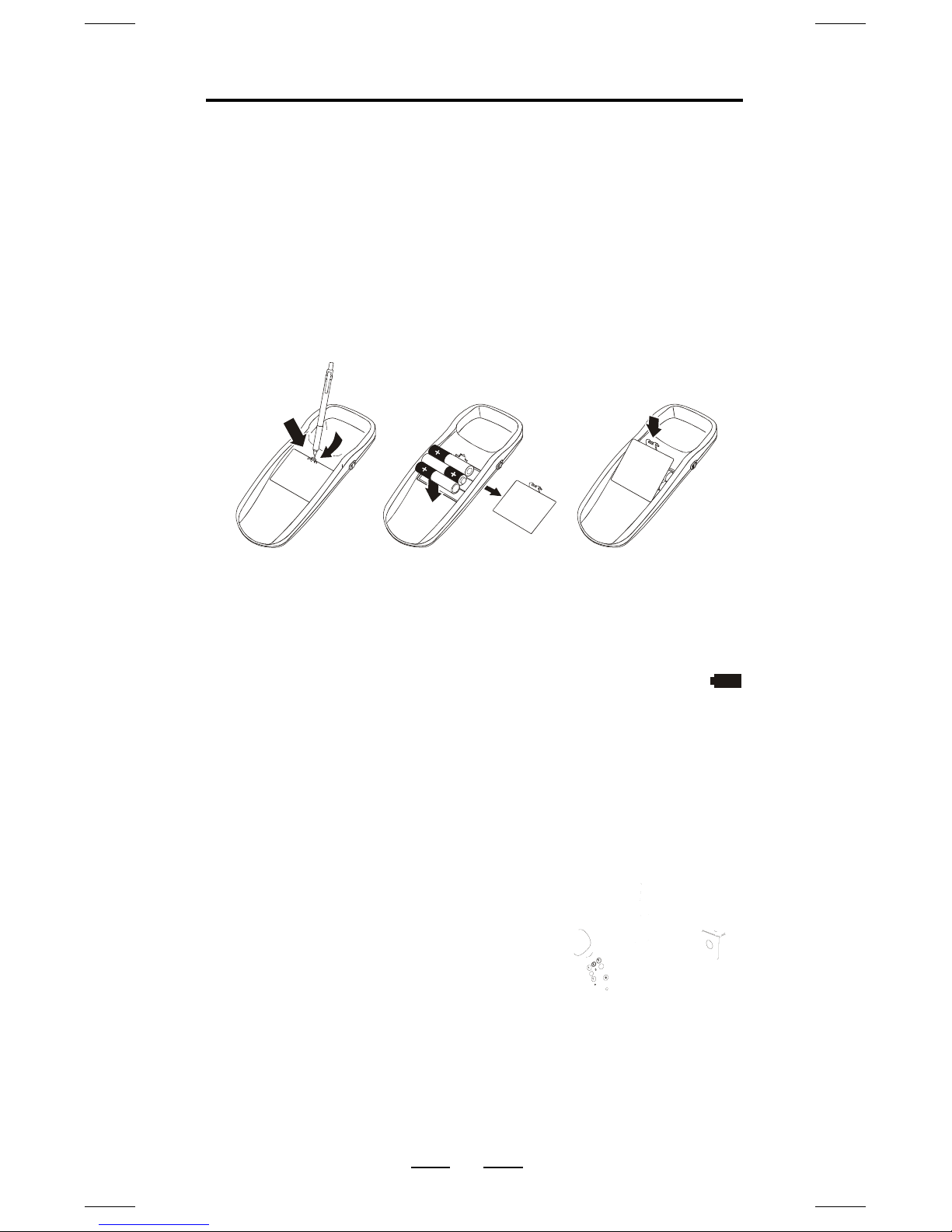
Before you connect the phone cords, follow these steps to install
the batteries:
1. Push down the battery door tab with a pen or other pointed
object and lift the battery door out (Fig. 1).
2. Insert 3 size AA alkaline batteries as shown inside the
battery compartment (Fig. 2). (The negative side () of the
battery touches the battery spring.)
3. Replace the battery door and snap it shut (Fig. 3).
When the batteries are dead, the display will not show
anything. You can still make or receive calls, but you cant use
the Caller ID functions.
When the batteries are dead, your call data and memories could
be erased.
Fig. 1 Fig. 2 Fig. 3
Step 1
Step 2
GETTING STARTED
Step 2: Telephone Installation
INSTALLING BATTERIES
CONNECTING THE TELEPHONE
1. Connect the COILED HANDSET
CORD to the bottom of the handset
and the bottom of the base (Step 1).
2. Connect the straight telephone line
cord to the LINE CORD jack and
telephone outlet on the wall (step 2).
(If you want to mount the telephone
on the wall, refer to Wall Mounting
instruction of this booklet)
3. Route the LINE CORD into the
channel on the bottom of the base.
If your telephone outlet is not modular, contact your telephone
company for assistance.
6
CAUTION
Make sure that the telephone line cord is disconnected before
opening the battery door.
Replace the batteries when the LOW BATTERY INDICATOR
appears in the display or when the display gets dim.
IB-PH543(168F)-WM-E-051203
While the first digit is flashing, you should:
1. Press the UP or DOWN button till the
first digit of your area code is displayed
(flashing).
2. Press the DELETE button to accept
and go to the next digit.
3. Repeat above steps 1 and 2 to set the
2nd and 3rd digits of your area code.
Step 3: Setting up the telephone
AREA CODE
EXAMPLE:
718
Press UP/DOWN & DELETE
GETTING STARTED
SETTING UP LCD CONTRAST, LANGUAGE, AREA CODE,
TIME & DATE, AND TONE OR PULSE MODE
You may need to set up the LCD contrast, language, area code,
time and date, and tone or pulse mode for your telephone when
you install the batteries for the first time or when you move to an
area that has a different area code. This is necessary because the
phone must distinguish local or long distance calls to properly dial
calls from the Caller ID list.
Press and hold the
DELETE
button, then press
the DOWN button, the LCD CONTRAST (5-
grey level) will show on the display. Use the
UP or DOWN button to select the suitable grey-
level and press the DELETE button to accept.
Afterwards, your phone will now go to the Time and Date mode,
press the UP or DOWN button to get the correct number and press
the DELETE button to accept. Then the phone will ask you to
select Tone or Pulse mode, press the UP or DOWN button to
select your desired dialing mode(> flashes before it) and press
the DELETE button to confirm until the normal display shows.
7
Press UP/DOWN & DELETE
NOTE: During setup, if you do not press the DELETE button within
20 seconds, the display will get back to normal display
mode.
Then SET LANGUAGE will show in the
display, the default language E (English) will
flash. Press UP or DOWN to choose your
desired language (flashing). Press the DELETE
button to confirm and accept.
Your phone now will ask you to set your
Area Code:
E = English;
F = French;
S = Spanish
IB-PH543(168F)-WM-E-051203
NOTE:
1. You do not have to set up the Time and Date manually because
the telephone company will automatically update this with the
Callers ID information when your phone rings (twice or more).
To get back to the standby mode (for dialing), press the
DELETE button until the normal display shows.
2. The factorys default setting of the dialing mode is TONE, so
you dont need to set it again if you want to use TONE dialing
mode.
3. When your phone is set to pulse service, this phone can be
switched to temporary tone for access to services that require
tone signaling including Telephone Banking. Just press the
TONE button after dialing in pulse and your buttons can
now be used for tone signaling for this call only.
You can also adjust the grey-level of the display by pressing the
CONTRAST button without entering the initial setup mode.
Adjusting the LCD Contrast Level
8
If you have subscribed to the Caller ID service, the callers number
and/or name will appear in the display when you receive a call.
BASICS
Making and Receiving Calls
MAKING A CALL
1. Pick up the handset.
2. Dial the phone number. The dialed number appears in the
display.
3. When you finish talking, replace the handset into the base.
RECEIVING A CALL
1. Pick up the handset when the phone rings.
2. When you finish talking, replace the handset into the base.
Volume Control and Ringer Setting
Flash Function
Useful for call waiting or getting a new dial tone.
If you need a pause in a number, simply press the REDIAL/PAUSE
button on your phone. (Example: In an office where you need to dial
a 9 first to get an outside line), dial the number 9 and press the
REDIAL/PAUSE button, and then dial the phone number. You will
see a   displayed for PAUSE. You may also store this into memory.
1. Pick up the handset.
2. Press the REDIAL/PAUSE button. The last dialed number
appears in the display and is automatically dialed.
Adjust the handset volume Slide the VOLUME control to
NORM. or LOUD position.
Adjust the ringer level
Set the RINGER switch.
HI - loud rings on incoming calls.
LOW - lower rings on incoming calls.
OFF - no ringing on incoming calls.
Last Number Redialing / Pause Function