1918
Fixing the volume
Fixing the
volume
You can set the speaker to a higher volume using the function to x the volume. This
setting also remains in effect in standby mode. If a signal source is connected to the
Xeo10/20/30 with its own volume control, you have the option to change the output
volume across a broad range with the signal source.
To x the volume:
►Point the remote control at a speaker and press for at least 2 seconds. To undo
xing, press one of the two volume buttons.
Standby
To switch speakers to sleep mode:
►Point the remote control at a speaker and press or press on top of one of the
speakers.
– The speakers will enter sleep mode.
– The speakers also enter sleep mode if there is no audio signal for 20 minutes.
– In this mode, the wireless network is active and all connected units remain
synchronized.
– Sleep mode power consumption is <2 W.
To switch speakers to low-power standby mode:
►Press and hold on the remote control for at least 5seconds.
– The speakers go to low-power standby mode.
– In this mode, the wireless network is disabled and the speakers are not connected
to each other.
– Low-power standby mode power consumption is <0.5 W.
To turn off auto standby:
►Press and hold Opt on the remote control for at least 5 seconds.
Status LEDs on the front
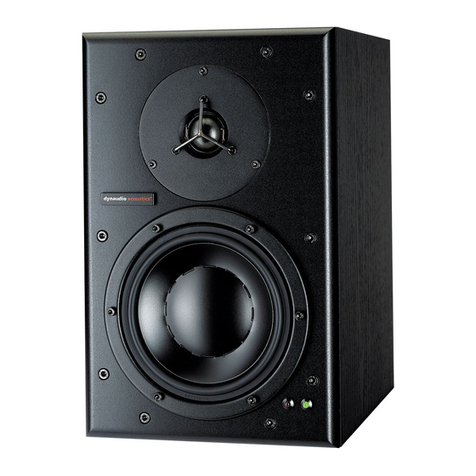
The two LEDs in the upper left corner of the cabinet front indicate the operational state
of the speakers and system with various colours and blinking functions.
LED blinking code
On-state Illuminated in blue The speaker is switched on, connected to a Hub or Connect, and an
audio signal is played back.
On-state Slow blinking in blue The speaker is switched on, connected to a Hub or Connect, but an
audio signal cannot be found.
On-state Illuminated in purple The speaker is switched on, connected to a local input, and an audio
signal is played back.
On-state Slow blinking in purple The speaker is switched on, connected to a local input, but an audio
signal cannot be found.
Connection Slow blinking in red There is no active transmitter2)/master or no connection possible.
Search Fast blinking in blue for 20min Searching for an active input.
Synchronization/
Connection
Fast blinking in red for 10s System synchronization during no transmitter2)/master connection.
Blue LED is turned off for 0.2s New transmitter2) ID, transmitter2) input, or direct input is selected.
Illuminated in red for 5s Receiver mode is changing.
Illuminated in white Bluetooth connection is established.
Slow blinking in white Speaker is in pairing mode.
Firmware loading White LED: slow to fast blinking
during the load sequence,
Red LED: illuminated
Firmware is being loaded.
Volume Fast blinking in blue Volume is being adjusted.
Mute Fading in and out Speaker is muted.
Off-state Illuminated dimly in red Speaker is in standby mode.
1) depending on the resolution of the audio source, 2) Hub, Connect, mobile device, etc.
off Illuminated in
white
Illuminated in
a colour
Slow blinking
(1 or 2 Hz)
Fast blinking
(3 or 4 Hz)