manuals.online logo
Brands
  1. Home
  2. •
  3. Brands
  4. •
  5. ElectrIQ
  6. •
  7. Air Conditioner
  8. •
  9. ElectrIQ eiQ-9WMINV-V2 Operating manual

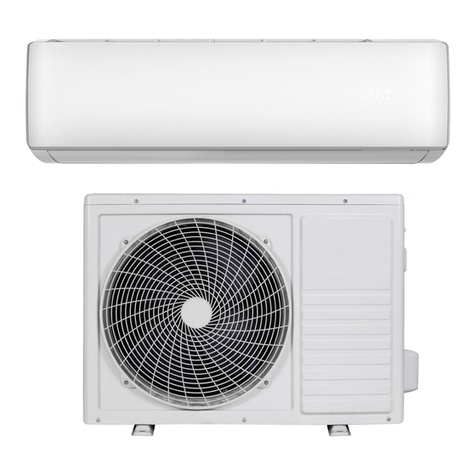
ElectrIQ eiQ-9WMINV-V2 Operating manual

This manual suits for next models

3

Other ElectrIQ Air Conditioner manuals

ElectrIQ IQOOL-SMART15HP User manual

ElectrIQ

ElectrIQ IQOOL-SMART15HP User manual

ElectrIQ ECOSILENT12 User manual

ElectrIQ

ElectrIQ ECOSILENT12 User manual

ElectrIQ PLAC12000HP User manual

ElectrIQ

ElectrIQ PLAC12000HP User manual

ElectrIQ CMAC12M User manual

ElectrIQ

ElectrIQ CMAC12M User manual

ElectrIQ SILENT12-V2 User manual

ElectrIQ

ElectrIQ SILENT12-V2 User manual

ElectrIQ SILENT 12 User manual

ElectrIQ

ElectrIQ SILENT 12 User manual

ElectrIQ P16HP User manual

ElectrIQ

ElectrIQ P16HP User manual

ElectrIQ ECOSILENT10W User manual

ElectrIQ

ElectrIQ ECOSILENT10W User manual

ElectrIQ iQool-2MS9K9K Operating manual

ElectrIQ

ElectrIQ iQool-2MS9K9K Operating manual

ElectrIQ AIRFLEX 15 User manual

ElectrIQ

ElectrIQ AIRFLEX 15 User manual

ElectrIQ SF12000 User manual

ElectrIQ

ElectrIQ SF12000 User manual

ElectrIQ SILENT10 User manual

ElectrIQ

ElectrIQ SILENT10 User manual

ElectrIQ ECOSILENT10HPW User manual

ElectrIQ

ElectrIQ ECOSILENT10HPW User manual

ElectrIQ P15HP User manual

ElectrIQ

ElectrIQ P15HP User manual

ElectrIQ P18HP User manual

ElectrIQ

ElectrIQ P18HP User manual

ElectrIQ Slimline ECO AC60E User manual

ElectrIQ

ElectrIQ Slimline ECO AC60E User manual

ElectrIQ SILENT16-V2 User manual

ElectrIQ

ElectrIQ SILENT16-V2 User manual

ElectrIQ AIRCUBE AC9000E User manual

ElectrIQ

ElectrIQ AIRCUBE AC9000E User manual

ElectrIQ iQool9 User manual

ElectrIQ

ElectrIQ iQool9 User manual

ElectrIQ CMAC10M User manual

ElectrIQ

ElectrIQ CMAC10M User manual

ElectrIQ P12C-V2 User manual

ElectrIQ

ElectrIQ P12C-V2 User manual

ElectrIQ eiQ-CRFC18K Manual

ElectrIQ

ElectrIQ eiQ-CRFC18K Manual

ElectrIQ iQool9B Operating manual

ElectrIQ

ElectrIQ iQool9B Operating manual

ElectrIQ ECOSILENT8W User manual

ElectrIQ

ElectrIQ ECOSILENT8W User manual

Popular Air Conditioner manuals by other brands

Panasonic CS-E12HKEW operating instructions

Panasonic

Panasonic CS-E12HKEW operating instructions

Mitsubishi Electric MSZ-GE60VA null

Mitsubishi Electric

Mitsubishi Electric MSZ-GE60VA null

Samsung AVMFC052EA0(4) null

Samsung

Samsung AVMFC052EA0(4) null

Haier HSU-09H03/R null

Haier

Haier HSU-09H03/R null

Haier HSU-24C03 null

Haier

Haier HSU-24C03 null

Mitsubishi Electric MSZ-GE22VA null

Mitsubishi Electric

Mitsubishi Electric MSZ-GE22VA null

Samsung AVMCH052CA1 null

Samsung

Samsung AVMCH052CA1 null

nedis ACMB1WT7 quick start guide

nedis

nedis ACMB1WT7 quick start guide

Daikin FCFV50A Operation manual

Daikin

Daikin FCFV50A Operation manual

Fujitsu Inverter ASBA30JFC operating manual

Fujitsu

Fujitsu Inverter ASBA30JFC operating manual

Toshiba RAS-M10SMUV-E installation manual

Toshiba

Toshiba RAS-M10SMUV-E installation manual

Daikin FXLQ20MAVE Operation manual

Daikin

Daikin FXLQ20MAVE Operation manual

CIAT Magister 2 Series Installation, Operation, Commissioning, Maintenance

CIAT

CIAT Magister 2 Series Installation, Operation, Commissioning, Maintenance

Bestron AAC6000 instruction manual

Bestron

Bestron AAC6000 instruction manual

Frigidaire FFRE0533S1E0 Use & care guide

Frigidaire

Frigidaire FFRE0533S1E0 Use & care guide

Samsung AS09HM3N user manual

Samsung

Samsung AS09HM3N user manual

Frigidaire CRA073PU11 use & care

Frigidaire

Frigidaire CRA073PU11 use & care

Soleus Air GB-PAC-08E4 operating instructions

Soleus Air

Soleus Air GB-PAC-08E4 operating instructions

manuals.online logo
manuals.online logoBrands
  • About & Mission
  • Contact us
  • Privacy Policy
  • Terms and Conditions

Copyright 2025 Manuals.Online. All Rights Reserved.

USER AND INSTALLATION MANUAL
EASY FIT WALL MOUNTED INVERTER SPLIT
AIR CONDITIONER WITH HEAT PUMP
eiQ-9WMINV-V2 9,000 BTU
eiQ-12WMINV-V2 12,000 BTU
eiQ-18WMINV-V2 18,000 BTU
eiQ-24WMINV-V2 24,000 BTU
Thank you for choosing electriQ
Please read this user manual before using this innovative
Air Conditioner and keep it safe for future reference.
Visit our page www.electriQ.co.uk for our entire range of Intelligent Electricals
2
CONTENTS
SAFETY INSTRUCTIONS
3
OPERATION
5
REMOTE CONTROL
6
FILTERS
9
END OF SEASON
9
START OF SEASON
9
REPLACING THE BATTERIES
9
INSTALLATION GUIDE
10
INSTALLATION OF THE OUTDOOR UNIT
16
PIPELINES CONNECTION AND AIR PURGING
18
ELECTRICAL CONNECTION OF THE AIR CONDITIONER
20
TROUBLESHOOTING AND SELF DIAGNOSIS
23
TECHNICAL SPECIFICATION
25
APPENDIX
27
IMPORTANT NOTE:
This air conditioner is supplied in multiple boxes. Before an engineer visit is confirmed, ensure that all the
boxes required have been received in good condition and the codes on each box matches your model on
the table below:
Model
Outdoor
Indoor
QTY
QTY
eiQ-9WMINV-V2
eiQ-9WMINV EX-V2
1
eiQ-9WMINV IN-V2
1
eiQ-12WMINV-V2
eiQ-12WMINV EX-V2
1
eiQ-12WMINV IN-V2
1
eiQ-18WMINV-V2
eiQ-18WMINV EX-V2
1
eiQ-18WMINV IN-V2
1
eiQ-24WMINV-V2
eiQ-24WMINV EX-V2
1
eiQ-24WMINV IN-V2
1
The retailer and manufacturer will not be liable for failed installation, or problems occurring due to the above
not been checked prior to arranging installation.
3
SAFETY INSTRUCTIONS
Important!
•Carefully read the instructions before operating the unit
•This appliance comprises of an indoor unit and an outdoor unit. The slim wall mounted
evaporator is designed exclusively for indoor installations while the external condenser
should be installed outside, ensuring it is kept away from flood water or snow lines.
•Rating: This unit must be only connected to a 220-240 V / 50 Hz earthed power source.
•Installation must be in accordance with the regulations of the country where the unit is used.
•These air conditioners are supplied with refrigeration pipes and electrical cables. European
Union regulations requires for an F-Gas trained engineer to handle any operation where
non-qualified intervention could case fluorinated gas to escape. A commissioning certificate
must be issued with any installation.
•If you are in any doubt about the suitability of your electrical supply have it checked and, if
necessary, modified by a qualified electrician.
•This air conditioner has been tested and is safe to use. However, as with any electrical
appliance - use it with care.
•Disconnect the power before dismantling, assembling or cleaning.
•Avoid touching any moving parts within the appliance.
•Never insert fingers, pencils or any other objects through the guard
•This appliance is not intended for use by persons (including children) with reduced physical,
sensory or mental capabilities. It is also not intended for use by those with a lack of
experience and knowledge, unless they have been given supervision or instruction
concerning the use of the appliance by a person responsible for their safety. Do not leave
children unsupervised with this appliance.
•Do not clean the unit by spraying it or immersing it in water.
•Never connect the unit to an electrical outlet using an extension cord.
•Systems provided without a plug must be hardwired by a qualified electrician.
•Never operate this appliance if the cord is damaged. Ensure the power cord is not stretched
or exposed to sharp objects or edges.
•A damaged supply cord should be replaced by the manufacturer or a qualified electrician in
order to avoid a hazard.
•Any service other than regular cleaning or filter replacement should be performed by an
authorized service representative or a qualified air conditioning engineer. Failure to comply
could result in a voided warranty.
•Do not use the appliance for any purpose other than its intended use.
•The outdoor part of the air conditioner must always be stored and transported upright,
otherwise irreparable damage may be caused to the compressor; if in doubt we suggest
waiting at least 24 hours before starting the unit.
•Avoid restarting the air conditioning unit unless 3 minutes have passed since being turned
off. This prevents damage to the compressor.
•Never use the mains as a switch to start and stop the air conditioning unit. Use the provided
ON/OFF button located on the remote control.
•Always place the unit on a dry and stable surface. Install the outdoor unit on a wall using
wall mounting brackets or fix to a floor slab with special floor mounting fittings away from
flood or snow lines.
•The indoor unit should not be installed in damp environments such as laundry or wet rooms

4
Energy Saving and Unit Safety Protection Tips
Do not cover or restrict the airflow from the outlet or inlet grills.
For maximum performance the minimum distance from a wall or other objects should be
50cm.
Keep the filters clean. Under normal conditions, filters should only need cleaning once every
four weeks (approximately). Since the filters remove airborne particles, the frequency of
cleaning is dependant on the air quality.
During the initial start up set the fan speed to maximum and the thermostat to 4-5 degrees
lower than the current temperature. After, set the fan speed to low and set the thermostat to
your desired setting.
To protect the unit we recommend not using the cooling function when the ambient indoor
temperature is higher than 35℃.
To protect the unit we recommend not using the heating function when the indoor ambient
temperature is lower than 7℃.
Note the manufacturer operating temperature ranges at the end of this user manual.
5
OPERATION
Cooling Mode
The compressor (6) in the exterior unit compresses the
refrigerant into a high- temperature, high-pressure gas.
When this gas flows along the cooling fins of the
condenser (7), heat is exuded and the gas condenses into
a liquid, which is led to the evaporator (1) within the indoor
unit. The liquid expands into a gas at a low temperature
and low pressure is converted. This gas absorbs the
warmth from the air in the room, the cooled air is blown
back into the room and the heat is moved to the
compressor along with the gas.
A fan (3) draws the air over the filter and blows the cooled air back into the room. A fan (8) draws air over
the condenser and blows warm air away.
1. Evaporator 2. Filter 3. Evaporator Fan 4. Gas Line 5. Liquid line
6. Compressor 7. Condenser 8. Condenser Fan
Heat Pump (Heating) Mode
The system operates in reverse: the condenser works as an evaporator, the evaporator as a
condenser: warm air is blown into the room. It is ideal as a maintenance heating when outside
temperatures are not too low and when the indoor temperature is above 7°C.
Dehumidifying
As with cooling, the moisture in the air condenses on the cold evaporator at room temperature acting
as a powerful dehumidifier. Please note as a cold surface is required for dehumidifying, cooling will
also occur in this mode.
6
REMOTE CONTROL
The remote control has a range of up to 8m. Point the remote control at the receiver in the indoor unit.
A beep confirms that the remote control signal has been received.


NOTE: The LIGHT, IONISER and CLEAN functions may not be available on all models
REMOTE OPERATION
Turn the appliance on with the ON/OFF button. This starts the unit with the last used settings.
The ON/OFF button will also turn off the air conditioner.
This button turns on and off the horizontal
swing function
This button sets the unit to run at a low fan
speed to reduce operational noise
Short Press: Turn the display On/Off
Long Press: Lock / Unlock the remote
Press to turn On / Off the air conditioner
Indicates the fan speed selected
To change between Low, Medium, high and
AUTO fan speeds.
This button is used to turn on and off the
timer
This button turns on and off the vertical
swing function
7
TEMPERATURE
The desired temperature is set using the up and down buttons, within the range of 16°C –32°C.
FAN SPEED
Use this button to set the fan speed between low, medium, high and automatic (the corresponding symbol
on the display will flash). The fan speed in the automatic setting is determined by the difference between
the desired temperature set and the room temperature.
COOLING MODE
1. Repeatedly press the MODE button until the COOL indicator appears.
2. Set the desired temperature using the TEMPERATURE up and down buttons.
3. Use the FAN SPEED button to set the fan speed.
HEATING MODE
1. Repeatedly press the MODE button until the HEAT indicator appears
2. Set the desired temperature using the TEMPERATURE up and down buttons.
3. Use the FAN SPEED button to set the fan speed.
FAN MODE
1. Repeatedly press the MODE button until the FAN indicator appears.
2. The temperature settings will not affect the fan operation
3. Use the FAN SPEED button to set the fan speed.
DEHUMIDIFY MODE
1. Repeatedly press the MODE button until the DEHUMIDIFY indicator appears.
2. The FAN button does not work in dehumidify mode. The fan speed will always be low in this mode.
Also temperature cannot be adjusted in dehumidifying mode
AUTO MODE
1. Repeatedly press the MODE button until the AUTO indicator appears. Set the desired temperature
under auto mode to the required level between 16~32 °C
2. The difference between the set temperature and the room temperature determines how the air
conditioner operates: cooling, heating or fan.
3. Once the temperature is set in auto mode it is not possible to amend it. It the desired temperature
requires changing, change the unit out of Auto mode before changing it back.
4. The unit will operate in the auto selected mode until set temperature is reached than switches the
compressor off. Mode is locked until reset via mode button.
5. You can use the FAN button to set the fan speed while in Auto mode.
6. All indoor units must be operating in the same mode, otherwise a mode mismatch error will show.
SLEEP MODE
During sleep mode the unit will operate with a low fan speed to minimise the operational noise of the unit.
1. Press the SLEEP button
2. Set the desired temperature.
3. Press the SLEEP button; SLEEP indicator will appear on the display. Cancel the sleep mode by
pressing this button again.
CLEAN (Not available on all models)
When pressed while the unit is in standby mode, the unit will power on in high speed fan mode, and run
through the cleaning mode, before returning to standby mode.
8
TURBO (Not available on all models)
When pressed the unit will operate at maximum fan speed and maximum cooling for 15 minutes.
1. Set the air conditioner to run with the settings required after Turbo has completed.
2. Press the TURBO button.
TIMER
OFF FUNCTION (While the air conditioner is on)
1. Ensure the air conditioner is turned on and running with your desired settings
2. Press the TIMER button to turn on the timer.
3. Use the up and down button to set the timer between 1 and 24 hours.
4. Once the time you have set has elapsed, the appliance will switch itself off.
5. To cancel the timer function before the set time has elapsed, press the TIMER button again.
ON FUNCTION (while air conditioner is in standby)
1. Ensure the air conditioner is in standby mode.
2. Press the TIMER button to turn on the timer.
3. Use the up and down button to choose from 1-24 hours timer setting.
4. Set the desired operation, temperature, fan speed, etc.
5. Once the time you have set has elapsed, the appliance will switch itself on.
6. To turn off the timer function before the set time has elapsed, press the TIMER on button again.
IONISER (Not available on all models)
When turned on the ioniser uses an electrical charge to remove particles from the air, improving air quality.
QUIET BUTTON (Not available on all models)
When activated the air conditioner will operate with settings such as low fan speed to minimise the
operational noise.
IMPORTANT
AUTO RESTART: The air conditioner will automatically restart when electricity is restored after a power cut.
If in doubt, check the settings.
RANGE OF THE INTERNAL THERMOSTAT: The internal thermostat can be set at a desired temperature
between 16 and 32°C. Note that whether the desired value can be achieved depends on a number of
factors including the unit’s power, room size, temperature and insulation of the room.
RANGE OF HEAT PUMP FUNCTION: The heat function can be used when the external ambient
temperature is 5°C or higher. The performance of the heat pump will degrade as the external temperature
reduces.
CAPACITY: The required cooling or heating capacity depends greatly on the location and/or use of the
room where the air conditioner is installed. Strong sunlight and the presence of people, lights or equipment
create an additional heat load. Normal living spaces require about 100 W per square metre of floor surface.
In strong sunlight or if other sources of heat are present, this may be as much as 350 W/sqm.
Tip: On warm days, let the air conditioner cool the room as much as possible during the night and set the
temperature constant from night to daytime.
EMERGENCY START: In the event of a problem, the air conditioner can be operated using the emergency
button under the panel in the indoor unit. Open the front panel and press the button, the air conditioner will:
-heat if the room temperature is 20 °C or less, cool if the room temperature is 25 °C or more and for values
in between will dehumidify.
9
FILTERS
Turn off the appliance from the consumer unit before attempting to service the filters.
Opening the front panel: at the A recesses, pull the front part up with
both hands. The front panel will stay horizontal (at around 90°).
Closing the front panel: press the front part down at the sides at B
and in the middle at. Make sure it is properly closed (click).
1. Hold the front panel open (or put it in horizontal position) and remove the filter(s).
2. Use a vacuum cleaner to remove dirt. If the dust filter is very dirty, it may be washed in lukewarm
water with a very small amount of neutral detergent. Rinse well and allow to dry completely (not in
direct sunlight or near a source of heat).
3. Keep the grid panel open and reinstall the filter(s). Press the panel shut; a click indicates it is
closed properly.
4. Restore the power from the consumer unit and turn the air conditioner on.
Indoor Unit: While the unit is disconnected from power dust regularly with a dry cloth or slightly damp
paper towel. Never use chemicals or solvents. Never spray a liquid in or over the appliance.
Exterior unit: While the unit is disconnected from power. Remove dirt and keep the air intake and exhaust
openings free of debris, etc. Cleaning with chemicals may cause damage.
END OF SEASON
If the air conditioner is not going to be used for an extended period:
•Set in fan mode on a warm day so that the inside of the appliance fully dries out.
•Switch off the power from fuse box and remove the batteries from the remote control.
•Clean the filters
START OF SEASON
If the air conditioner is to be used again after an extended period:
•Check that the air intake and exhaust openings of the indoor and exterior units are not blocked. Remove
any dirt and debris.
•Check that the filters are installed and are clean.
•Check that the condensation outlet drains properly and there is no dirt or organic blockage (otherwise
leakage may occur)
•Install 2 AAA batteries in the remote control.
•Turn the appliance on, set the time and desired settings.
REPLACING THE BATTERIES
•Remove the battery cover.
•Replace the AAA batteries, following the markings for the polarity
•Replace the battery cover.
•Press the on/off button; if no symbols appear on the display, the
batteries are empty or have been incorrectly installed.
B
C
B A
10
INSTALATION GUIDE
SAFETY
Only qualified personnel should install this appliance.
This installation manual is intended for use by individuals possessing adequate
backgrounds and qualifications in electrical, electronic, refrigerant and mechanical fields.
Any attempt to install or repair the appliance may result in personal injury and/or property
damage.
The manufacturer and retailer cannot be held responsible for the interpretation of this
information, nor can it assume any liability in connection with its use.
The units are designed for permanent installation.
The equipment is designed for domestic or office use and we are not making any
endorsements for its use in industrial or maritime environments.
Do not place near sources of heat, vapours, industrial machine oil or other flammable
gases.
High frequency waves generated by radio equipment, welders and medical equipment will
interfere with the normal operation of the unit.
Install this device only when it complies with local/national legislation, ordinances and
standards. Check the mains voltage and frequency. This unit is only suitable for an earthed
electrical supply, connection voltage 230 V~ / 50 Hz.
The information, specifications and parameter are subject to change due to technical
modifications or improvement without any prior notice. The accurate specifications are
presented on the nameplate label.
Please read this installation manual completely before installing the product.
When the power cord is damaged, replacement work shall be performed by authorized
personnel only.
Installation work must be performed in accordance with all European, national and / or
local directives and standards and must be done by authorized personnel only.
Always make sure to wear the correct personal safety protections such as protective
eyewear, gloves, ear protection etc.
This air conditioner contains a refrigerant and can be classified as pressurized equipment.
Therefore always contact a qualified air conditioning engineer for installation and
maintenance of the air conditioner. The air conditioner must be inspected and serviced on
an annual basis by a qualified air conditioning engineer.
For your convenience you can download the latest version of the user / installation manual
from www.electriQ.co.uk
INDOOR UNIT POSITION
The air inlet and outlet vents should be away from any obstruction, ensuring that there is a
good airflow through the whole air-conditioned space.
Select a position where the condensing water can be easily drained out, and the indoor unit
can be easily connected to outdoor unit.
The wall where the unit is fixed should be strong enough to withstand the full weight and
vibration of the unit.
The unit should be accessible for service and maintenance.
The height of the installed unit should be ideally more than 200cm from floor.
The air conditioner must not be installed in a wet environment such as a bathroom, shower
or swimming pool etc.