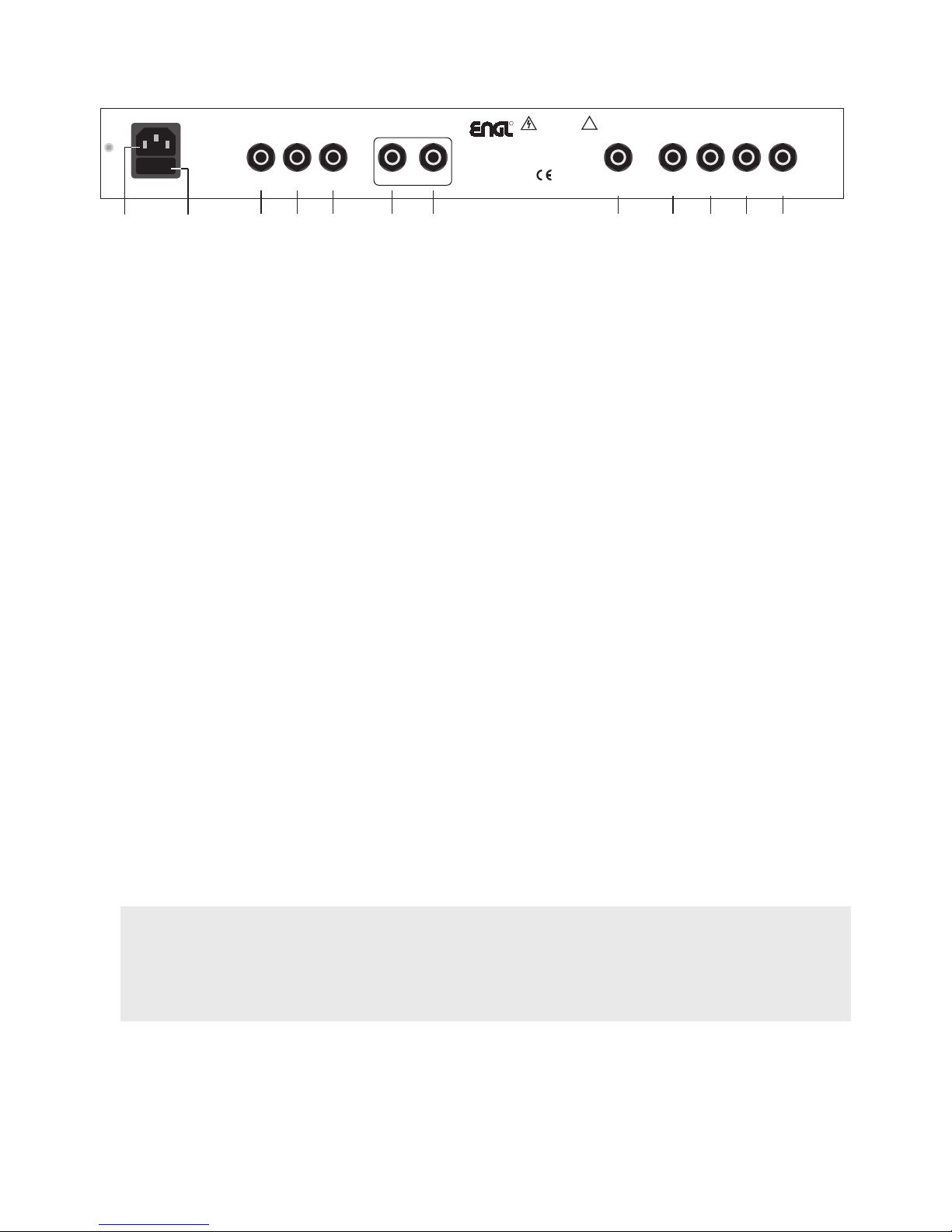
16 Mains Connector (AC Power Inlet; IEC - C14 connector)
Plug the mains cord in here. For European models, use a standard non-heating equipment
connector cable.
CAUTION: Make sure you use an intact mains line cord with a grounded plug! Before you power
the amp up, ensure the voltage value printed alongside the mains socket is the same as the current
of the local power supply or wall outlet.
Please also heed the guidelines set forth in the separately included pamphlet, Instructions for the
Prevention of Fire, Electrical Shock and Injury.
17 Mains Fuse Box: The rear chamber contains the mains fuse and in the front chamber, a spare fuse.
CAUTION: ALWAYS make sure replacement fuses are of the same type and have the same ratings
as the original fuse! Please refer to the fuse ratings table.
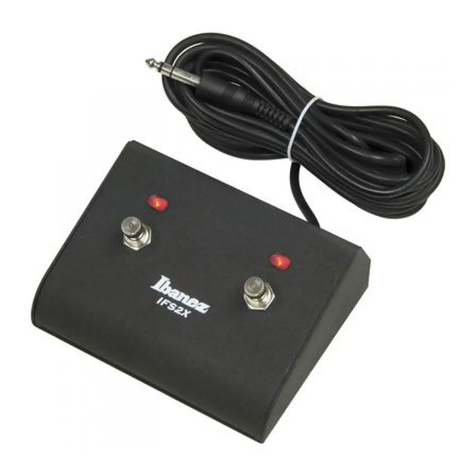
18 Footswitch FX Off/On; Reverb: Use this ¼" Stereo jack to connect a conventional footswitch
with two switching functions, for example, the ENGL Z-4 (2 x off/on - Single Pole Single Throw or
SPST for short). This type of footswitch lets you switch the FX Loop and Reverb off and on.
One of the two switches activates the FX Loop; the other engages the internal Reverb.
The FX Loop and the Reverb system are activated by default if you do not connect a footswitch
to this jack. Note also that a footswitch may be equipped with LEDs indicating the given switching
status. Each of the two switches is provided with about 10 milliamperes of current, which suffices
to power a standard LED. The jack's mono terminal (the tip) switches the FX Loop off and on,
and the stereo terminal (the ring) switches Reverb off and on. For pin assignments, see
"Wiring of Principal Connectors".
19 Footswitch Mid Boost; M.V.B. (Master Volume Boost): Use this ¼" Stereo jack to connect a
conventional footswitch with two switching functions, for example, the ENGL Z-4 (2 x off/on -
Single Pole Single Throw or SPST for short).
One of the two switches activates Mid Boost; the other engages Master Volume Boost.
Plugging a footswitch into this jack disables onboard Mid Boost (9) switching. Note also that a
footswitch may be equipped with LEDs indicating the given switching status. Each of the two
switches is provided with about 10 milliamperes current, which suffices to power a standard LED.
The jack's mono terminal (the tip) switches Mid Boost, while the stereo terminal (the ring) switches
M.V.B. For pin assignments, see "Wiring of Principal Connectors".
20 Footswitch Clean/Lead; Gain Boost: Use this ¼" Stereo jack to connect a conventional footswitch
with two switching functions, for example, the ENGL Z-4 (2 x off/on - Single Pole Single Throw or
SPST for short). This type of footswitch lets you access the two channels and Gain Boost.
One of the two switches activates Clean or Lead; the other engages Gain Boost.
Plugging a footswitch into this jack disables onboard channel (11) and Gain Boost (10) switching.
Note also that a footswitch may be equipped with LEDs indicating the given switching status. Each
of the two switches is provided with about 10 milliamperes current, which suffices to power a
standard LED. The jack's mono terminal (the tip) selects Clean or Lead, while the stereo terminal
(the ring) switches Gain Boost. For pin assignments, see "Wiring of Principal Connectors".
A Tip from the Designer:
If you want to control the amplifier via a MIDI system, use jacks 18, 19, 20, and a looper or MIDI
switcher (such as the ENGL Z-11). Use three stereo ¼" cords to connect the optionally available
ENGL MIDI Switcher Z-11. You can then preset the six switching functions Clean/Lead, Gain Boost,
Mid Boost, M.V.B., FX Loop Off/On and Reverb Off/On via the switcher, store your custom
switching setups as different MIDI programs, and activate the presets via a MIDI board such as
the ENGL Z-12. For more details, see the remote control options on the last page.
21 FX Loop Send: Connect the FX Loop output to a signal processor's input/return jack using the
shortest possible shielded cord equipped with ¼" plugs.
22 FX Loop Return: Use a shielded cord equipped with ¼" jack plugs to connect an effects device's
output or send jack to this input. You can control the FX Loop remotely via a footswitch connected
to port 18. The FX Loop is active (on) by default when no footswitch is connected to port 18.
Remark: The FX Loop is located between the preamp and power amp in the signal path.
Inserting a ¼" jack plug into the Return port interrupts the circuit between the preamp
and power amp.
Rear Panel Features
Footswitch
Tube
Guitar Amplifier
GigMaster 30
Combo: Type E300
Head: Type E305
Amp-Design by
Horst Langer
ENGL Amps
Made in Germany
CAUTION !
!
REPLACE FUSE
ONLY WITH SAME
TYPE AND RATING !
R
FX Off
/
On
Reverb
DO NOT OPEN !
RISK OF ELECTRIC SHOCK !
DO NOT EXPOSE THIS
EQUIPMENT TO
RAIN OR MOISTURE !
FX L
oop
Send Return
16 Ohms serial
1 x 16 Ohms
2 x 8 Ohms
Poweramp Output
8 Ohms
parallel
AB
Important:
Connect
one 16 Ohms
cabinet to
output jack A!
8 Ohms
Combo:
internal speaker
Clean
/
Lead
Gain Boost
Mid Boost
M.V.B. 0 dB
Poweramp
Signal
Line
Output
18 22 24 25 26
21 2316 17 19 20 27